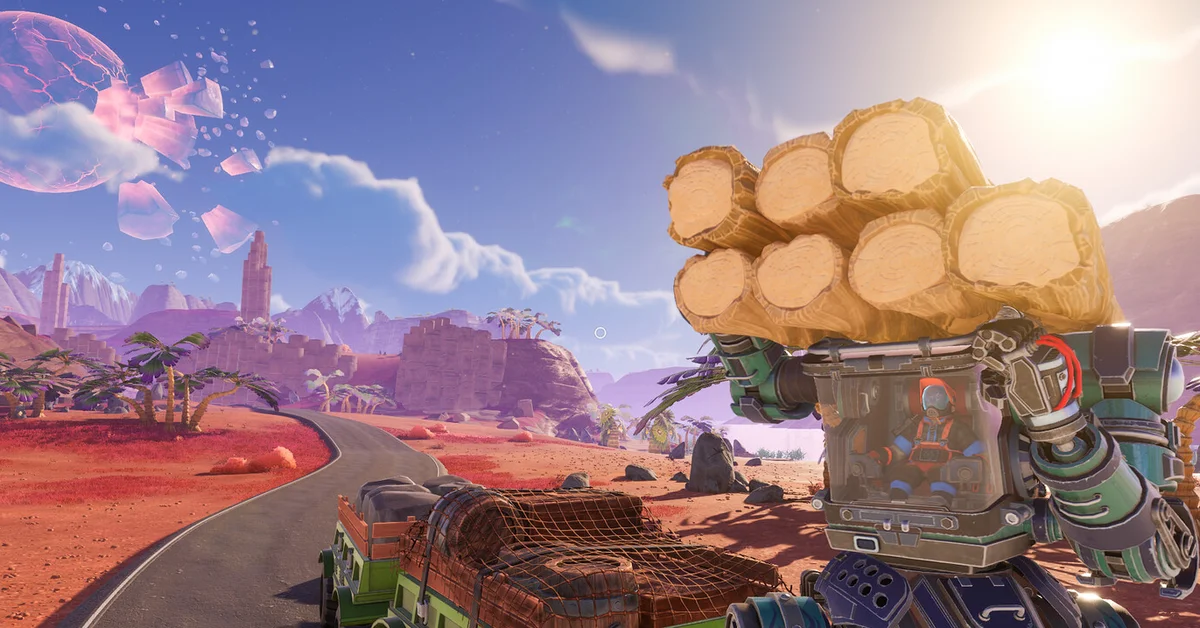
Aluminum comes from Aluminum Deposits, which drop Aluminum Rods, and on the map as it stood before 1.0 the place to go is Hexagon Valley in the southwest, not the starting grasslands. It is one of the scarcer minerals in the game, which is why FRAME BREAK pitched its Mineral Extractor at players who “need just a bit more Aluminum for that next Mod Chip.”
Lightyear Frontier calls the Aluminum Rod “a light and malleable metal,” and it is the item most players mean when they search for aluminum. Below: where to look on today’s map, why so many aluminum locations online are wrong, what the metal is for, and how to stop running short of it after the 1.0 release.
Where to Find Aluminum
The world you play in today arrived with the Shifting Gears update of June 2025, and aluminum moved with it:
- Not in the starting area. Aluminum is no longer found around the Outset Grasslands the way it was on the old map.
- Hexagon Valley, in the southwest. This is where aluminum turns up, and you find more once you reach the valley.
- Spread thin. Deposits are scattered, so mark every one you find.
FRAME BREAK’s 1.0 patch notes say it “tweaked resource placement across the world, adding additional mineral and plants,” without saying what moved, so let the Resource Scanner confirm the valley’s deposits on your save.
1.0 adds the late-game Sandswept Highlands and Hollow Marsh. FRAME BREAK says the Highlands bring “new crops, minerals” and “late-game resources,” but has not said whether aluminum is among them. Until FRAME BREAK says more, Hexagon Valley is the place to start.
Why Older Aluminum Locations Are Wrong
Search results for aluminum are full of spots like “the edge of the Meadows” or “Pine Heights.” Those regions belonged to the original map, which the Shifting Gears update replaced on June 4, 2025. FRAME BREAK’s Shifting Gears notes list an “overhauled game world” and “new minerals,” and old saves from that world only run on Steam’s Legacy branch. If a page tells you to look in the Meadows, it was written for a map you can no longer load in the main game.
The same goes for old aluminum recipes. Items such as Aluminum Frames and Aluminum Electronics come up in pre-2025 recipe lists, but progression was rebuilt in Shifting Gears and rebalanced again for 1.0, so trust the recipes your crafting stations show.
Aluminum Rods and Chunks
Aluminum shows up in two forms:
| Item | Where it comes from | What it is for |
|---|---|---|
| Aluminum Rod | Breaking small Aluminum Deposits | The base material for aluminum recipes |
| Aluminum chunk | Breaking larger deposits, since the Country Roads update | Haul home and process for more rods |
FRAME BREAK’s own mention of aluminum ties it to Mod Chips. 1.0’s Milestone overhaul moved many upgrades and constructs around, so check the recipe screen at your crafting stations before you farm a big stockpile for one item.
How to Get More Aluminum
Because aluminum is scarce, the trick is to multiply each deposit rather than search forever:
- Scan for it. 1.0’s new Resource Scanner, opened from the Map, “will point you in the direction of resources,” per FRAME BREAK’s 1.0 quality of life post.
- Stamp every deposit. Map stamps can carry text in 1.0, and your notes are visible to everyone in a multiplayer session.
- Pick respawning deposits. Since Shifting Gears, nodes are either respawning or one-time, “with new art to distinguish the two.” Minerals repopulate over in-game days.
- Hit the Weak Points. Per the 1.0 patch notes, Weak Points now appear when you strike targets with the Spike Saw, worth a 25% damage bonus.
- Build a Mineral Extractor. Placed next to a large deposit, it generates additional minerals each day. FRAME BREAK introduced it in the Country Roads update specifically for players short on aluminum and iron.
- Crush, do not smash. Your mech can carry rock and mineral chunks home, and the Mineral Crusher gives “tons of additional resources compared to breaking them with your tools.”
- Tow a Trailer. 1.0 makes Trailers far more stable and cuts the speed penalty when towing, which helps on the long trip back from Hexagon Valley.
Tips for Aluminum Runs
- Put an outpost in Hexagon Valley. If your main farm sits in the grasslands, a Farm Center near the valley’s deposits saves a long haul every day.
- Watch for tougher enemies. FRAME BREAK swapped Hexagon Valley’s Floaters for “a less numerous but more aggressive variant” in the Automation Update, so go in with a healthy mech.
- Combine trips. Nickel sits on the sandy beach between the grasslands and Hexagon Valley, so you can collect both on one run. Our guide on where to find nickel covers those spots.
- Bring a friend. Shared storage means one player can mine while another farms. Our guide to whether Lightyear Frontier is multiplayer explains sessions, our red crystal guide covers another mineral worth collecting, and every guide is on our Lightyear Frontier hub.
Frequently Asked Questions
Where is aluminum in Lightyear Frontier? Hexagon Valley, in the southwest, on the map as it stood before 1.0. Aluminum is no longer found around the starting area the way it was before June 2025, and 1.0 tweaked resource placement, so confirm with the Resource Scanner.
Where do you get Aluminum Rods? From Aluminum Deposits. Small deposits drop rods when broken, and larger deposits break into chunks you can process for more.
What is aluminum used for in Lightyear Frontier? FRAME BREAK ties it to Mod Chips, and 1.0 rebalanced progression, so check your crafting stations for the recipes that call for Aluminum Rods on your save.
Why is aluminum not where older maps say? The Shifting Gears update of June 2025 replaced the whole world. Regions like the Meadows and Pine Heights belong to the old map on the Legacy branch.
How do I stop running out of aluminum? Build a Mineral Extractor beside a large deposit, process chunks in a Mineral Crusher, and use 1.0’s Resource Scanner to find new deposits.