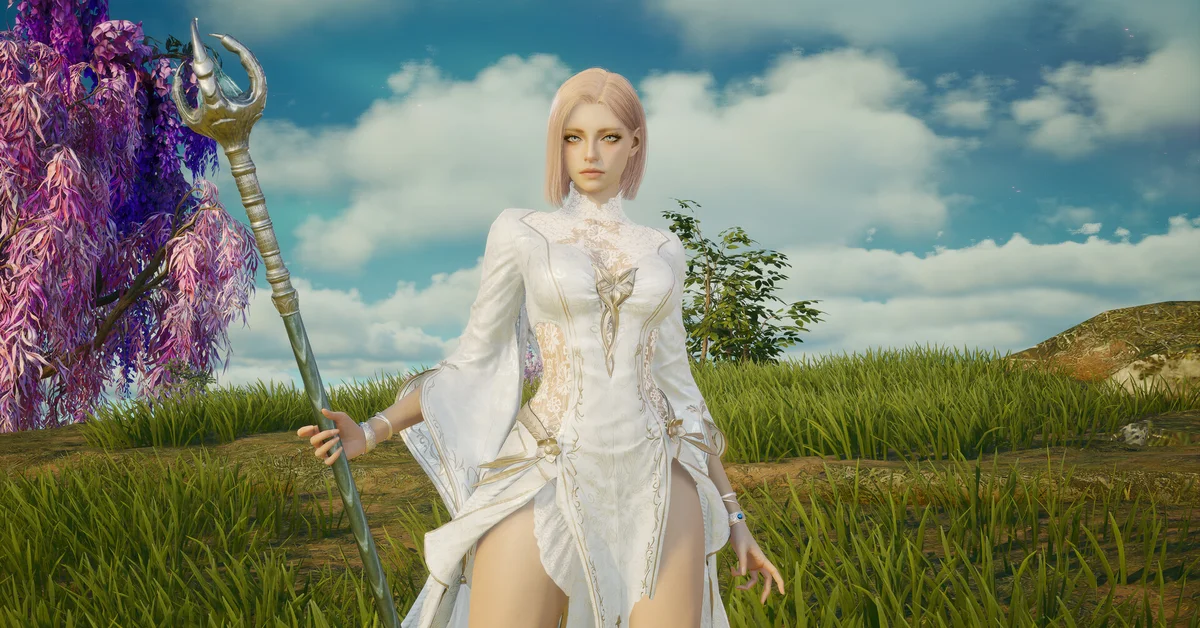
Yes, you can dye armor in AION 2, but you do it to the looks in your Closet rather than to the armor item itself: press ESC, open the Closet, pick a look whose listing allows customizing, and use the Customize button (the palette icon) to change each part’s dye, material, pattern and pattern color. The customized look then shows over whatever gear you have equipped, so you can change your stats without losing your colors.
This guide covers the global PC version. NC’s global notices set out the Closet, the Customize rule on every skin and the free Customization Vouchers; the step-by-step detail comes from NC’s Korean patch notes, which describe the same Closet. If you want to change your face or body instead, that is a different voucher, covered in our appearance change guide.
How to Dye Armor in AION 2
- Open the Closet. NC’s October 5 notice gives the path: “In-game press ESC > Closet to customize a skin in the closet.”
- Pick the right tab. NC’s skin notices file looks under Closet – Armor (outfits and helms), Closet – Weapons and Closet – Decor (eyewear, earrings, necklaces and the like).
- Choose a look and press Customize. NC’s Korean notes describe it as the palette icon on the Closet screen.
- Pick a part, then change it. Each part has its own dye, material, pattern and pattern color. Some looks have more dye slots than others; NC’s Korean notes mention looks with three and four.
- Enter an exact color if you have one. Since the November 3 (PST) maintenance, the color palette has a Standard Color Code field, so you can paste a code you found or reuse one from before. NC’s November 3 patch notes add it to Customization, the Closet and the chat font color setting.
- Confirm and check it in a few lights. NC’s skin notices warn that a skin “may differ from what is shown on the customization screen” depending on lighting, background and outfit materials.
Which Pieces You Can and Cannot Dye
Every skin NC sells comes with a four-part rule in its listing: Trade, Delete, Store and Customize, each marked O or X. Customize is the one that matters here. From NC’s October 28 skin notice:
| Look type | Customize | Examples NC lists |
|---|---|---|
| Armor sets (breastplate, greaves, helm, gloves, boots, cloak) | O | Vulpine Sunshower, No-Nonsense Maid |
| Helm skins | O | Black Crow Mask, Dark Maid Hairband |
| Weapon skins | O | The Secret Teatime skins for each class’s weapon |
| Eyewear, earrings and necklace skins | X | Red Devil Glasses, Soaring earrings and necklace |
| Wings | X | Maid Ribbon Wings |
So armor and weapons can be recolored, while most Decor pieces and wings cannot. NC also notes that “the areas where skin customization is possible may be changed,” so a look’s dyeable parts are not fixed forever.
What Dyeing Costs
In the Korean version, NC prices customizing at 200 Quna per part, cut to 100 Quna during its customizing sales. On global servers, NC has been handing out Customization Vouchers for the job instead; its October 5 notice sent one to every player because “many of you were eager to adjust a skin in the closet.” The cost shown on the Customize screen is the one that counts, so check it before you confirm. Our Quna guide covers the premium currency if you run out of vouchers.
Free vouchers right now. Two official sources are open as of November 4:
- Ludra Twitch Drops. NC’s Ludra Awakens notice gives a Customization Chest, holding three Customization Vouchers and an Appearance Change Voucher, for 4 hours of watching. The drops run from 9:00 AM EST on November 4 to 2:59 AM EST on November 18 (6:00 AM November 4 to 11:59 PM November 17, PST).
- The Ludra Outfit Contest. Same window. Post one unedited in-game screenshot of your “best outfit combination and dyes” in NC’s Discord with your region, server and character name. Every entrant gets two Customization Vouchers, and the top three win 6,000, 3,000 and 1,000 Quna, with 3,000 more for the Community’s Choice.
If you earned vouchers from the Halloween drops that ended on November 3, NC’s notice says to claim them from your Twitch inventory before 2:59 AM EST on November 18.
Customized Looks Are Shared
NC’s January 21 Korean notes (in Korean) explain how customized looks behave, which is worth knowing before you dye something on an alt:
- A customized look is shared with your other characters on the same server, and they can wear it too.
- Changing a shared look changes it on every character wearing it.
- If you own several copies of one look, you can customize each copy differently.
- A look that is customized or equipped is never eaten as a synthesis material; removing the customization is free if you want to use it that way.
NC’s global skin notices add that purchased skins work on the server where the buying character lives, so a dyed look stays on that server.
Frequently Asked Questions
Can you dye armor in AION 2? Yes. You recolor the armor looks in your Closet with the Customize button, and the look shows over the gear you have equipped.
Where is the dye option in AION 2? Press ESC, open the Closet, pick a look and press the Customize button, the palette icon. Each part can take its own dye, material, pattern and pattern color.
Can you dye wings or accessories? Mostly not. NC’s skin listings mark wings and the eyewear, earring and necklace skins as not customizable, while armor and weapon skins are.
What does a Customization Voucher do? It pays for restyling a look in the Closet. It does not change your face or body; that is the Appearance Change Voucher.
Can I enter an exact color code? Yes, since the November 3 (PST) maintenance. The color palette has a Standard Color Code field where you can type or paste a code, including one you used before.