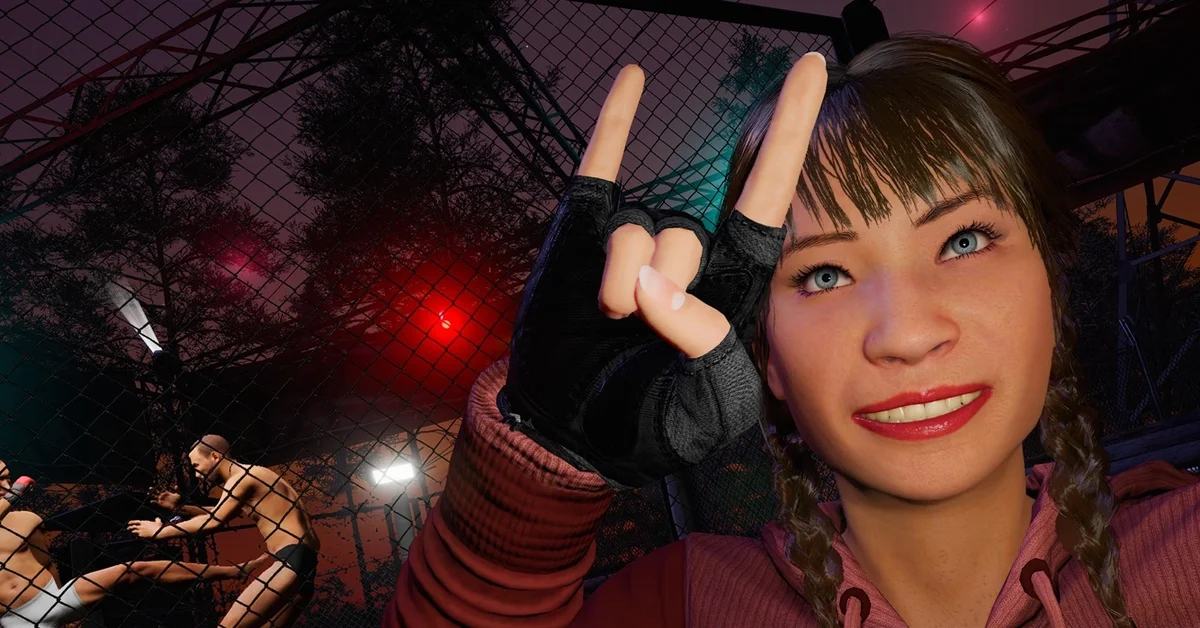
Press P to open Photo Mode in SCUM, or select Photo Mode from your controller’s radial menu. Since the November Update on November 11, 2026, Photo Mode is free for every player; before that, it came only with the Supporter Pack 2 DLC.
Below we cover how to open it on keyboard and controller, what the menu’s tabs and sliders do, how the selfie camera and poses work, how to keep your pictures, and what Supporter Pack 2 owners get now that Photo Mode is free.
How to Open Photo Mode
Gamepires’ November Update notes give both shortcuts: “Press P or select Photo Mode from your controller’s radial menu.”
- Make sure the game is updated. Free Photo Mode arrived in version 1.3.6.0.177121, which Steam downloads automatically.
- Get into the world. Photo Mode works on servers and in single-player.
- Open it. Press P on the keyboard, or open your controller’s radial menu and choose Photo Mode.
- Set up the shot with the tabs below, then put the settings panel away to see the clean frame. In Gamepires’ controller screenshot, that is the Close Settings prompt on B.
The Photo Mode Menu
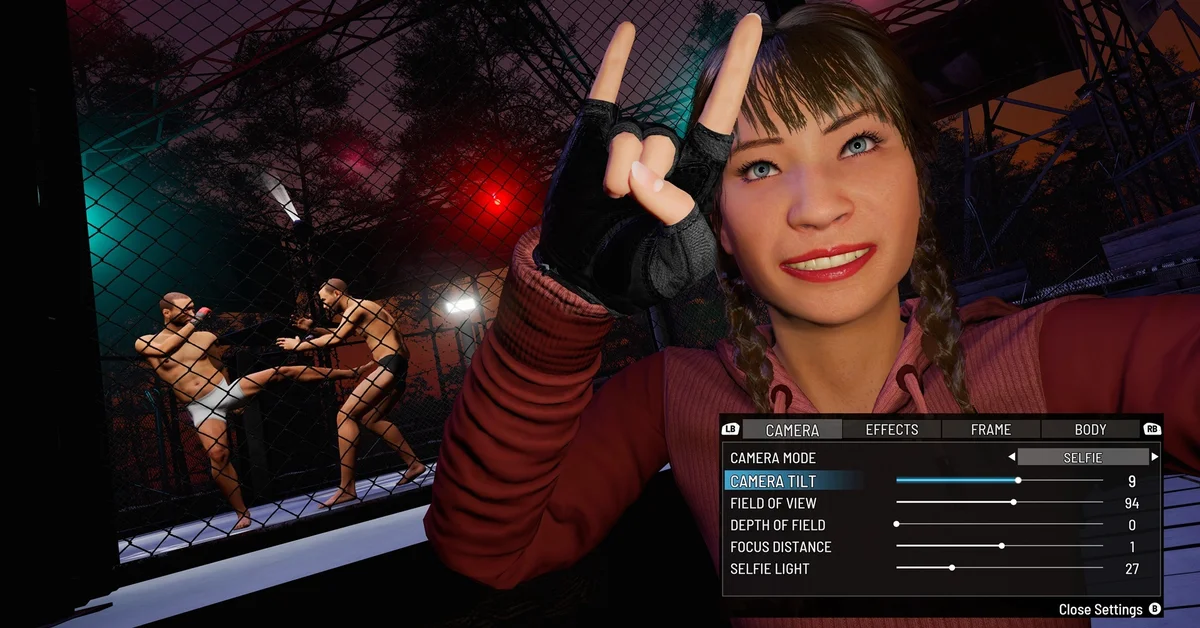
Gamepires’ own screenshot from the update shows the menu laid out in four tabs:
- Camera
- Effects
- Frame
- Body
On a controller, LB and RB flip between the tabs. The Camera tab holds the settings that do the most work:
| Setting | What it does |
|---|---|
| Camera Mode | Switches the camera type; Selfie is one of the options |
| Camera Tilt | Rolls the camera for an angled shot |
| Field of View | Widens or narrows the view |
| Depth of Field | Controls how much of the scene stays sharp |
| Focus Distance | Sets where the sharp area sits, near or far |
| Selfie Light | Lights your prisoner’s face in selfie shots |
Gamepires’ screenshot does not show what is inside the Effects, Frame and Body tabs, so open each one and experiment before you frame the shot.
Selfies and Poses
Set Camera Mode to Selfie to turn the camera on your own prisoner, as in Gamepires’ screenshot of a prisoner throwing a peace sign beside a cage fight. The update’s fix list mentions “upper-body poses in Photo Mode’s selfie camera,” and Gamepires has added facial poses for Photo Mode in the past, so there is more to your prisoner than a blank stare.
You are not limited to the poses in the base game. The notes say: “You can also use any Photo Mode poses included in packs you own.” The Apex Predator Pack, for example, includes selfie poses among its cosmetics.
How to Save Your Photos
Gamepires’ notes do not name the button that saves a picture or the folder it goes to. The dependable way to keep a shot is Steam’s own screenshot key, F12 unless you have changed it, which works over games while the Steam overlay is on. Steam keeps those images in its screenshot library, which you can open from View > Screenshots in the Steam client and upload or save to disk from there.
Photo Mode in Multiplayer
Photo Mode works on multiplayer servers: the November Update fixed the Photo Mode camera clipping into nearby players “when they entered its view in multiplayer.” Nothing in the notes says Photo Mode protects your prisoner, though, so on a server take your pictures somewhere safe, such as a safe zone or inside your base, rather than in the open.
The same update fixed the Improvised Paint Sprayer clipping into your character during certain upper-body poses in the selfie camera.
What Supporter Pack 2 Owners Get
Photo Mode was part of Supporter Pack 2, and Gamepires acknowledged it “was a reason some of you bought the pack.” Now that it is free for everyone, pack owners receive “three exclusive face tattoos as replacement content,” which the pack’s store page lists as “Added 3 new Face Tattoos.” The rest of the pack stays as it was: the movie script, dance emotes, the personal music player and two extra hairstyles.
Our guide to getting tattoos in SCUM covers where to apply them, and the barber trader in a safe zone is where you change your look later.
If Photo Mode Will Not Open
- Check the version. Free Photo Mode needs the November Update, 1.3.6.0.177121 or later.
- Use the radial menu on a pad. On a controller, Photo Mode lives in the radial menu rather than on a single button. Our guide SCUM: Does It Have Controller Support? Answered covers getting a pad working first.
- Report it. Gamepires takes bug reports through SCUM Support and the Bug Reports forum on SCUM’s Steam discussions.
The November Update also came without a server wipe, and our guide to when the next SCUM wipe is has the official plan for official servers.
Frequently Asked Questions
Is Photo Mode free in SCUM? Yes. Since the November Update on November 11, 2026, Photo Mode is free for every player. It used to come only with Supporter Pack 2.
What key opens Photo Mode in SCUM? Press P on the keyboard.
How do you use Photo Mode on a controller? Select Photo Mode from your controller’s radial menu. Inside it, LB and RB switch between the Camera, Effects, Frame and Body tabs, and B closes the settings panel.
Where are SCUM Photo Mode pictures saved? Gamepires’ notes do not say. Steam’s screenshot key, F12 by default, saves a shot to your Steam screenshot library, which you can open from View > Screenshots in Steam.
Can you take selfies in SCUM? Yes. Set Camera Mode to Selfie, and use the Selfie Light slider to light your prisoner’s face.
Can you use poses from DLC packs in Photo Mode? Yes. Gamepires says you can use any Photo Mode poses included in packs you own.