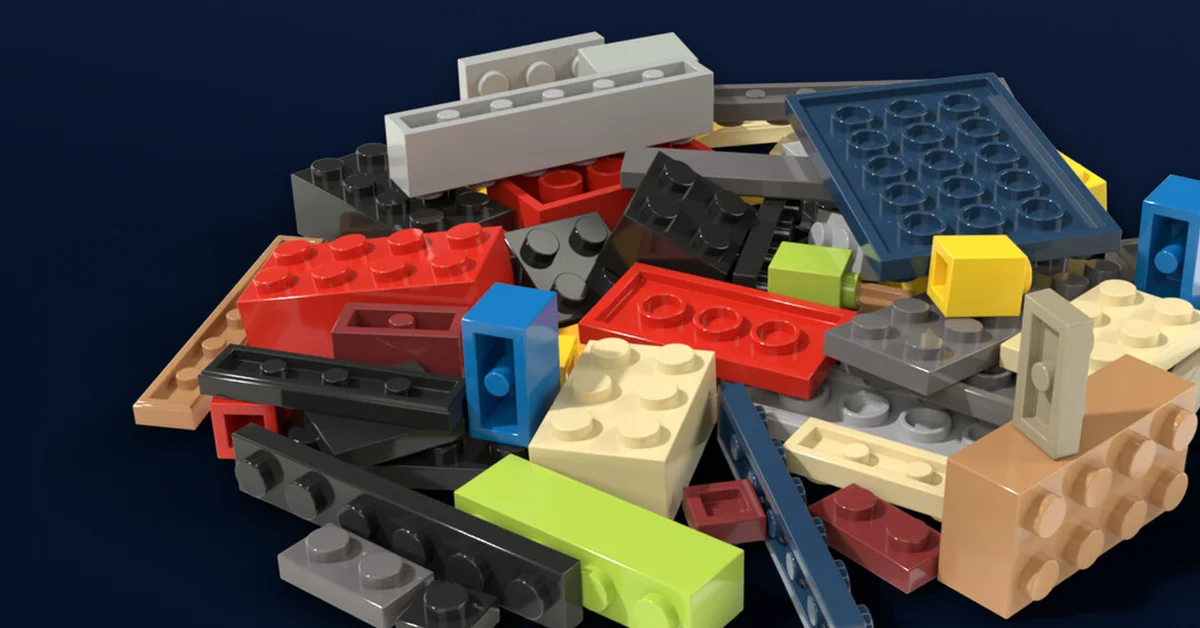
The most important tip in Never Sort By Color is the one in its name: sort by part, never by color, because every bin and drawer is labeled for one part type and an instruction book rejects the wrong piece when you pull a model’s parts. After that, label your storage early, buy the finding upgrades (Magnet Glove, Sorter’s Eye and Locator) as soon as you can, and use Restore Missing Pieces in Options when the last few bricks will not turn up.
Never Sort By Color is a first-person sorting sim from solo developer Bryan Livingston (Legend Studio), out on Steam since November 10, 2026. You inherit a workshop buried under the Pile, a mountain of loose bricks, and sort it into labeled storage, then pull parts for instruction books to watch models build themselves. There are no timers and no fail states, so these tips are about saving time, not avoiding failure.
Learn What “Complete a Part” Means
The tutorial asks you to complete a part, and the developer reworded that step during the demo to spell it out: it means putting every piece of one part type in bins labeled for that part. Completed parts are your real progress, and the progress readout counts Pieces, Parts and the Models you have built. A gold bin label also shows how many of that part are already built into models.
Label Everything
Labels are what make the whole system work. Aim at a bin or drawer and press Label (G on keyboard by default) to assign it a part. The label menu has a search box that searches the whole catalog by name or part number, and typing “2×4” finds “2×4.”
- Labels show under the crosshair. Aim at a bin, drawer or book and its name sits just under the crosshair; drawers also show their label, whether they are open, and how many bricks are inside.
- Name Plates label your furniture. The shop sells a Name Plate for ¥100, a small sign for a table or shelf. Aim at it and press Label to write what belongs there.
- Throw at closed drawers. Throwing a brick at a closed drawer labeled for it slides the drawer open and the brick flies in.
Pick Your Mode: Spontaneous or Planned
The game has two modes, each with its own finish achievement (“Pile gone, every drawer sealed, every model built”). Planned mode gives you a laid-out workshop: each stack of cabinets starts with a Name Plate (Bricks, Plates, Tiles, Arches and so on), drawers run in the same order as the label menu, parts get a drawer close to the size they need, and the biggest piles get a second Wide Bin. The other mode is Spontaneous. If you want the game to lay out your storage for you, pick Planned.
The Upgrades That Matter Most
Upgrades are bought from the Upgrades book. The store page lists the core tools, and each one cuts hours off a full sort:
| Upgrade | What it does |
|---|---|
| Magnet Glove | Aim at a part and every loose copy streams out of the Pile into your hand |
| Sorter’s Eye | Mark a part type and every copy glows through the Pile, even while you hold a bin labeled for one part |
| Locator | Hold up a brick and its home drawer lights up across the room |
| Sieve Tray | Scoop and shake a load to sort it by size in one motion |
| Bucket Sort | Bind bins to hotkeys (four slots) and fling bricks into them without looking |
| Tidy | Packs the matching pieces in a bin or drawer into neat rows and moves strays to the label side |
| Flashlight | Lights up wherever you look and throws real shadows across the Pile |
There is also an achievement, Feet on the Ground, for finishing the game without ever buying the Magnet Glove, which tells you how much work the glove saves.
Build MOCs Faster
Instruction books lie around the workshop, each one a MOC (a fan-designed model) waiting for parts. Open one and pull its bill of materials from your drawers, and the model builds itself. A few habits speed this up:
- Open several drawers at once. Click several drawers while building and they all feed the model at once instead of queuing.
- Scoop from drawers. While holding a book, hold Walk and Primary and every drawer in the circle with a part the model needs opens and sends it over.
- Trust the auto-close. A drawer you open while holding a book closes itself once the book has what it needs.
- Keep drawers honest. A drawer with the wrong part in it means the tray rejects that piece in front of you.
Finished models stay in your workshop, and planes and helicopters can be flown around the room.
Controls Worth Knowing
The keyboard defaults changed during the demo, so here is the layout from the October 20 update: Space jumps or flies up, Q and C fly down, F interacts with drawers, books and vehicles, X and Z cycle the piece in your hand, V zooms (the middle mouse button works too), L toggles the flashlight, and G labels. On a controller, LB is Scoop, LB plus RB toggles the flashlight, and B crouches. Tab cycles the move modes: Free Look, Drone Mode and Walk Mode. Every key can be rebound, and a Controls button in Options lists them all.
When Bricks Go Missing
A full sort comes down to the last few pieces, and the game has tools for that:
- Restore Missing Pieces (in Options) checks every unfinished instruction book against the pieces in your workshop and drops anything missing near where you start. Near the end of a sort, once a couple hundred loose pieces are left, it also gathers the last loose pieces of any part you have not finished.
- Clear bricks are easier to see since the November 11 update, after a set of clear Studs 2-Sides pieces proved nearly invisible in the Pile.
- Autosave runs every 15 minutes, and a small AUTO-SAVING label shows in the corner.
On a weaker PC or a Steam Deck, the Physics Quality setting and the Brick Draw Limit (which hides bricks past 1 to 6 meters) help most. If you like this kind of calm, tidy game, our best cozy games of 2026 has more, and our best PC games of 2026 covers the year’s bigger releases.
Frequently Asked Questions
Can you fail in Never Sort By Color? No. The developer describes it as having no timers and no fail states.
Does demo progress carry over to the full game? Yes. The developer’s patch notes say demo saves carry over to the full game.
How often does Never Sort By Color autosave? Every 15 minutes, with a small label in the corner of the screen.
Is there an achievement for sorting by color? Yes. The achievement named Never Sort By Color is for falling for the trap and sorting all the 2×4 bricks by color.
Is there a free build mode? Not at launch. The developer said there have been many requests for a direct build mode and asked players to say whether they still want it after finishing the game.