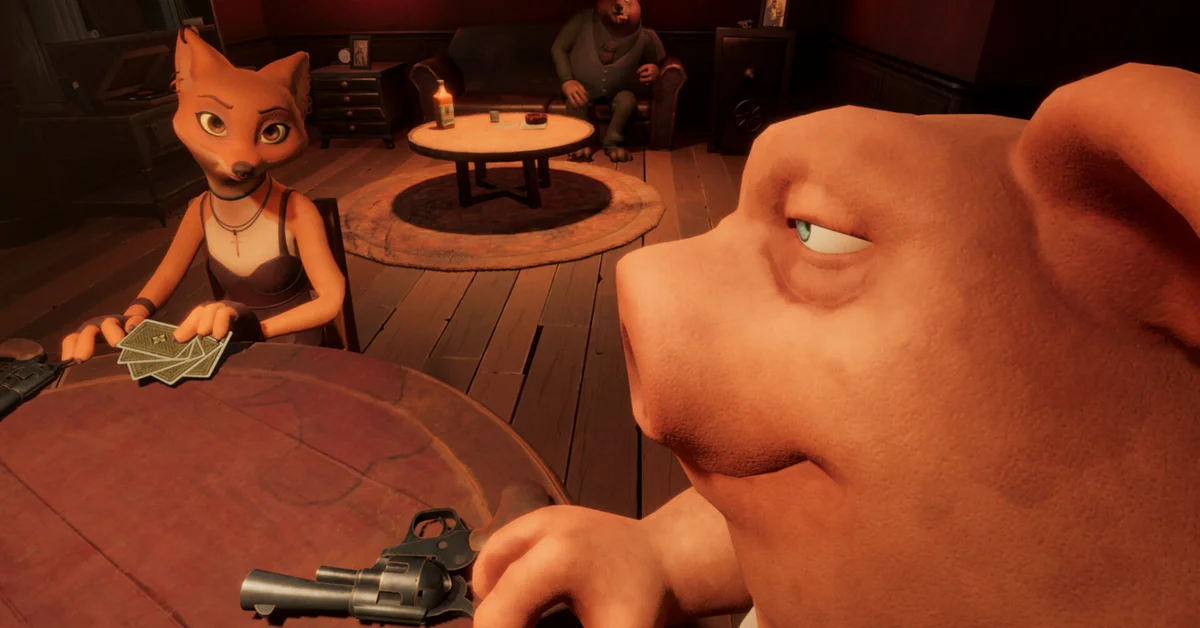
To change your skin in Liar’s Bar, open the SKINS tab in the lobby and pick a new look for your character. Curve Animation added that tab in its Season 6 update on November 13, 2026, and its patch notes say it “lets you change your character’s skin from the lobby.”
Skins change how your character looks; they are separate from the character you pick. Below we cover the steps, how to switch characters, where skins came from before Season 6, and what to try if your choice does not stick.
How to Change Your Skin, Step by Step
- Launch Liar’s Bar and get into a lobby. That is where the SKINS tab lives, so you can change your look before a match starts.
- Open the SKINS tab.
- Pick a new skin. The tab changes the skin of the character you are playing, so choose your character first if you want a different one.
- Head back and take your seat. Your new look comes with you to the table.
If the tab is missing, check that the game has updated. The SKINS tab came with Season 6, so an older install will not have it. On Steam, a restart of the client usually prompts the download.
Skins vs Characters
Liar’s Bar has a cast of animal regulars, and you pick one to sit at the table as. Curve Animation’s patch notes name characters such as Foxy, Bristle, Toar, Gerk, Kudo, Ejder and Tusk.
- Changing your character happens on the character selection screen. Since a January 8, 2026 update, you can right-click to go back on that screen, and the lobby remembers the last character you played.
- Changing your skin gives that character a different outfit or look. Curve Animation pitched skins as a way to “customize your style and stand out at the table.”
So if you want a different animal, change your character. If you like your character and want a new outfit, change the skin.
Where Skins Come From
Skins have been part of Liar’s Bar since March 12, 2025, when Curve Animation opened an in-game Store with the promise to “customize your characters with stylish new looks.” Since then:
- August 15, 2025: the Toska Bar update added a new skin set “available to all players at no cost.”
- August 25, 2025: the Store was renamed the Wardrobe and rebuilt in 3D.
- September 29, 2025: the free Madhouse Skin Set was added to the Wardrobe.
- October 27, 2025: a Halloween Skin Collection arrived with the bar’s Halloween decorations.
Curve Animation’s later fixes also mention a Vision Set glasses skin for Bristle, which was fixed to sit on the ear and move with it. Steam lists no DLC or in-app purchases for the game, which costs $6.99 on Windows PC.
Do Skins Change Anything at the Table?
Curve Animation describes skins as a way to stand out, and its patch notes tie no gameplay effect to them. The bluffing works the same whoever you are and whatever you wear: in Liar’s Deck, a called bluff still ends with someone pulling the trigger.
What does change your game in Season 6 is ranked. Curve Animation now resets ranks every month, shows how long the current season has left on the matchmaking screen, and keeps the top 100 players of every finished season on its LEGENDS board. Our news story on Liar’s Bar Season 6 covers the achievements, returning modes and what is coming next.
If Your Skin or Character Will Not Stick
- Update first. The SKINS tab, the lobby skin change and several Wardrobe fixes all came in updates, so an old version can behave differently.
- Character resets to the default. A January 8, 2026 fix made the lobby correctly save the last character you played. If yours keeps resetting, make sure you are on the current version.
- Wardrobe looks off. Curve Animation fixed large characters not fitting the Wardrobe screen on January 8 and a rotation offset on characters in the Wardrobe on January 14, 2026.
- Restart the game. If a new skin does not show at the table, back out to the lobby, reselect it, and restart if it still will not apply.
More Games for a Table of Friends
If the revolver is the part you love, see how Buckshot Roulette passed 10 million players. For more to play with a group, we keep lists of the best PC co-op games of 2026 and cover every game in Jackbox Party Pack 12.
Frequently Asked Questions
How do you change your skin in Liar’s Bar? Open the SKINS tab in the lobby and pick a skin for your character. Curve Animation added the tab in the Season 6 update.
Where is the Wardrobe in Liar’s Bar? The Wardrobe is the 3D screen that replaced the Store in August 2025, where Curve Animation has added its skin sets. Since Season 6, the SKINS tab in the lobby also lets you change your skin.
Are Liar’s Bar skins free? Curve Animation called the skin set from the August 2025 Toska Bar update and the Madhouse Skin Set free, and Steam lists no DLC or in-app purchases for the game.
How do you change your character in Liar’s Bar? Use the character selection screen. You can right-click to go back there, and the lobby remembers the last character you played.
Do skins affect gameplay in Liar’s Bar? No gameplay effect is tied to them. Curve Animation pitches skins as a way to stand out at the table.