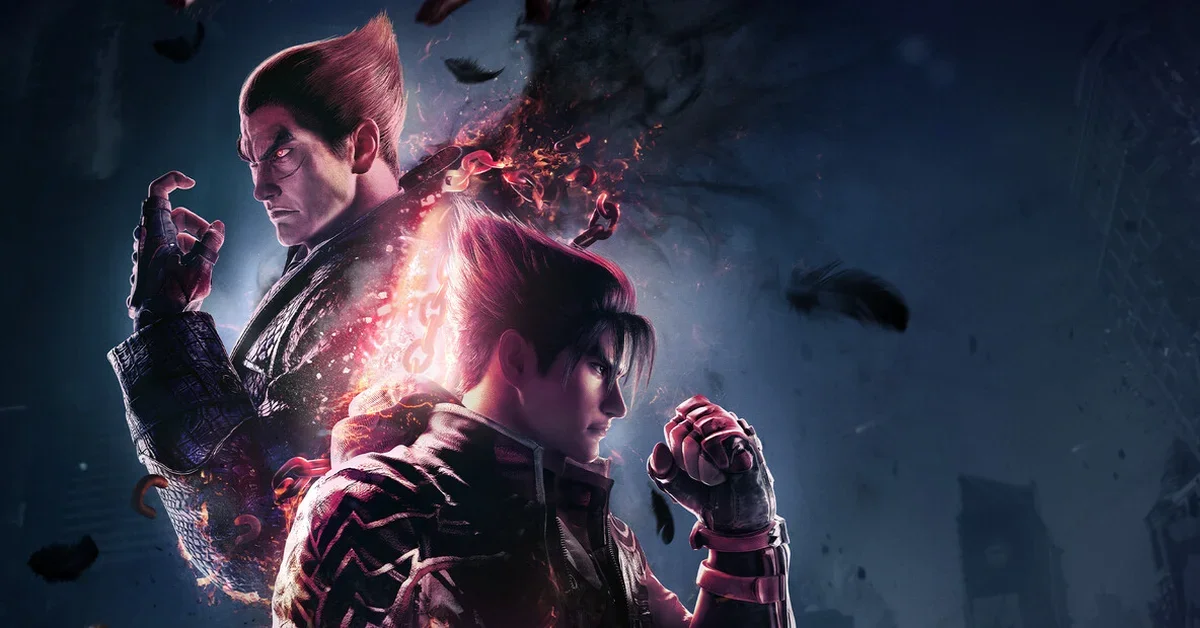
The best Tekken 8 mods start with Enhanced Tekken 8 Visuals, which strips out the blur, grain and bloom and sharpens the whole picture, and T8 – SPF, which goes after stutter and long loads without lowering the graphics. From there, the list moves into controller prompts and a sidestep cheat sheet for practice, Shadow and classic looks for the Mishimas, glowing katanas for Yoshimitsu, crossover costumes from Dragon Ball to Berserk, and a few meme sound effects for when a match needs a laugh.
Every mod below is free on its creator’s Nexus Mods page, none is flagged as adult, and each is a file for the Steam version of Tekken 8 on PC. Bandai Namco’s license does not allow modding, so use these offline, in practice, arcade, story and local matches, and turn them off before you go online: the rules are explained below the list, along with where each kind of mod goes.
Visuals and Performance
1. Enhanced Tekken 8 Visuals
The most endorsed Tekken 8 mod on Nexus Mods is a clean-up of the game’s post-processing. It turns off bloom, chromatic aberration, film grain, lens flare, motion blur and vignette, and turns on sharpening and anisotropic filtering, so fighters and stages look crisper and less smeared in motion. Separate files also raise the game’s internal resolution to 125, 150, 175 or 200 percent; its page recommends 150 or 125 and says to go to 200 only on a strong PC. Optional files bring back just the bloom, or the bloom, lens flare and motion blur, for anyone who misses them. Drop the file in the ~mods folder. Creator: FrancisLouis. Download: Enhanced Tekken 8 Visuals on Nexus Mods.
2. T8 – SPF
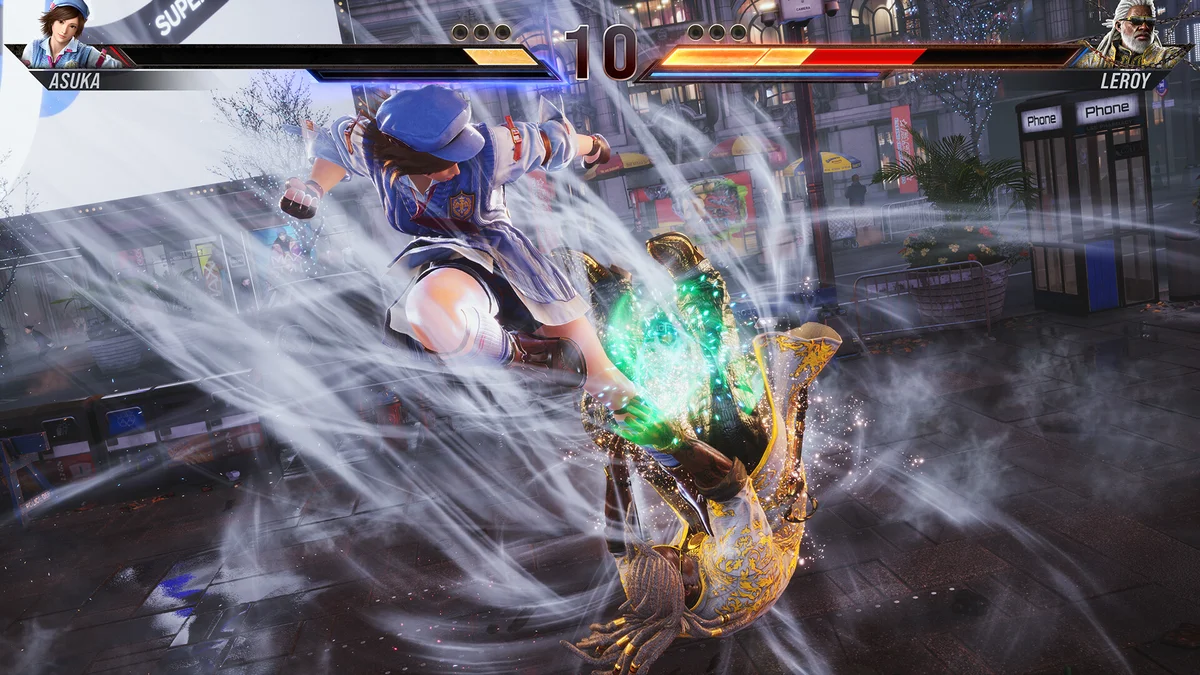
T8 – SPF is a performance mod aimed at stutter and slow loading. It changes Unreal Engine settings for background asset loading, multi-core rendering, multithreaded shader compiling, streaming and memory management, so assets load in the background instead of pausing the game, and it adds extras such as binaural audio and a less blurry TAA. Version 1.6, from August 2025, brought further performance gains and fixed known crashes, per its page. Creator: xowny. Download: T8 – SPF on Nexus Mods.
3. T-UP – Maximum Plus
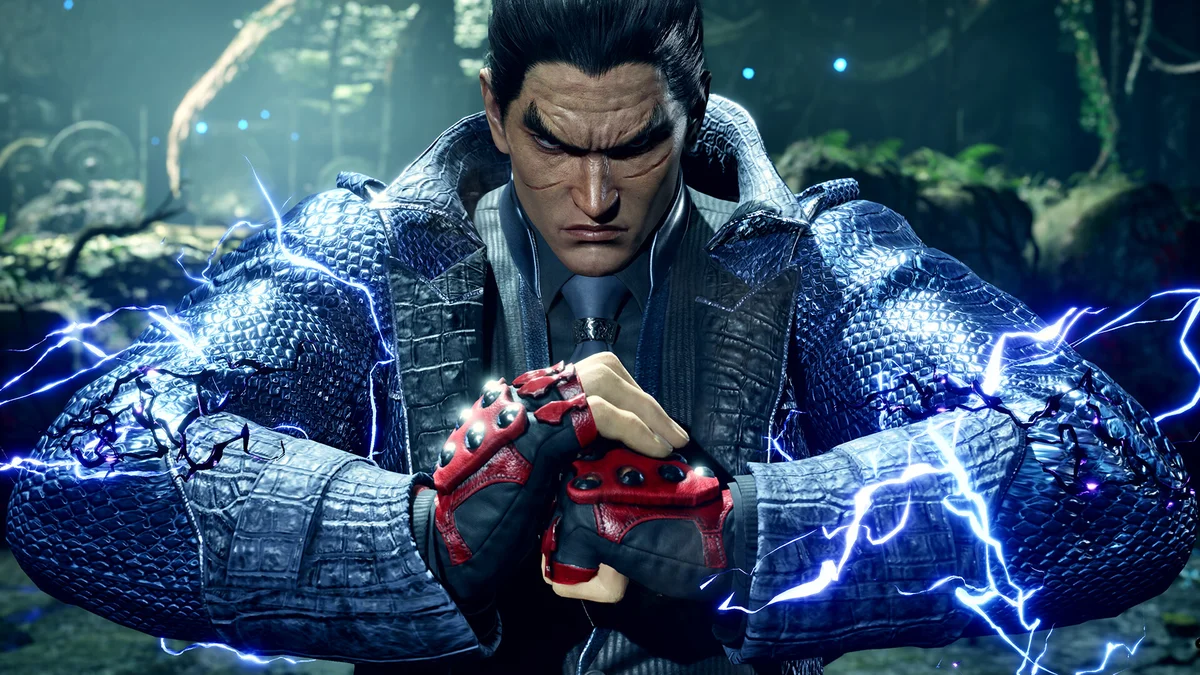
From the same creator as T8 – SPF, T-UP pushes the graphics past the Ultra preset. It raises anisotropic filtering to 16x (the game’s default is 8x), renders screen-space reflections and subsurface scattering at full resolution, and adds a shadow denoiser to cut flicker and blocky shadows. Its optional files add 4K or 8K shadows, a global illumination denoiser, separate switches to remove film grain, lens flare, bloom, depth of field, lens distortion or chromatic aberration, and a registry tweak that raises the game’s CPU priority. Version 1.8 was redone from scratch in December 2024. Creator: xowny. Download: T-UP – Maximum Plus on Nexus Mods.
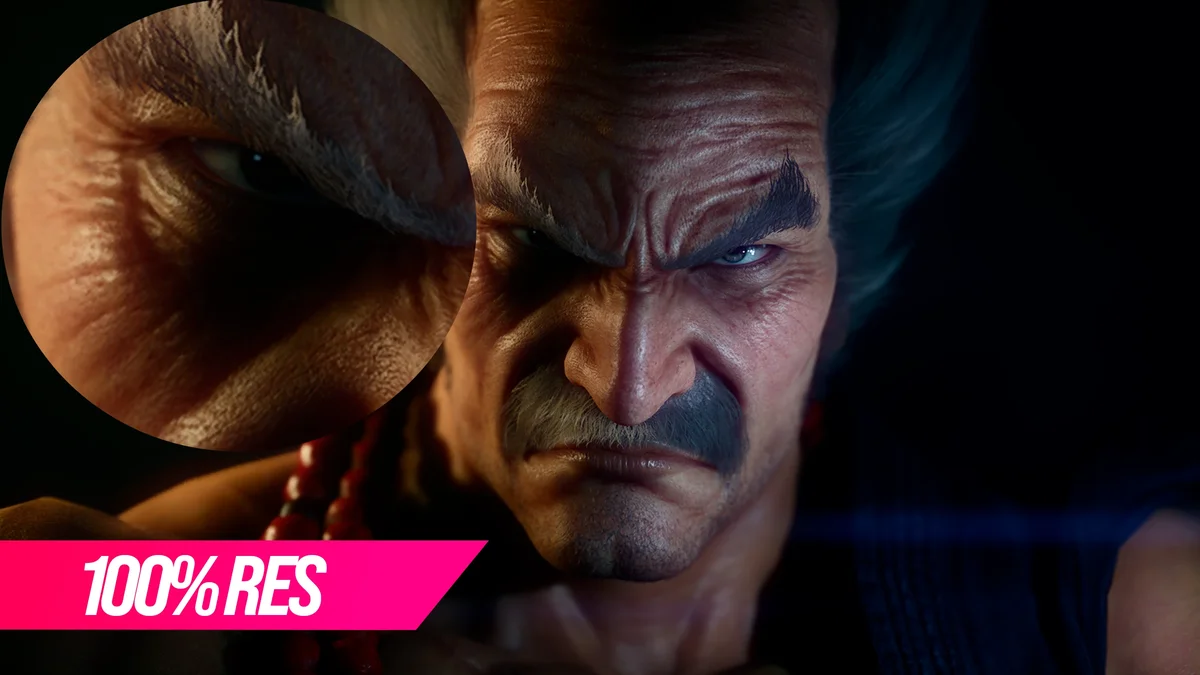
4. SUPER HD TEKKEN 8
The game’s own settings stop internal resolution at 100 percent; SUPER HD TEKKEN 8 unlocks it up to 200 percent, with a file for each step from 100 to 200. Its creator also tuned hidden engine values to fix hair artifacts, raise hair resolution, adjust Lumen lighting and set 16x anisotropic filtering, and the page says to use Catmull-Rom antialiasing with it. The higher files are demanding: the page recommends at least an RTX 3060 Ti, RTX 3070 or RTX 3080 to be safe. Enhanced Tekken 8 Visuals, T-UP and this mod change several of the same settings, so start with one of the three. Creator: CesarGuedesVE. Download: SUPER HD TEKKEN 8 on Nexus Mods.
5. RenoDX HDR Fix
For HDR screens, RenoDX rewrites Tekken 8’s DirectX 12 shaders to fix the game’s native HDR and adds real-time sliders for character lighting (the “hero light”), paper white, UI brightness, exposure, highlights, shadows, contrast and saturation. It hooks in through ReShade’s add-on system rather than ReShade effects, which its page says avoids needing a new patch after every game update. Turn HDR on in the game’s settings, then open its menu with the Home key. Creator: Ritsu. Needs: ReShade 6.5.0 or newer with add-on support. Download: RenoDX – HDR Fix on Nexus Mods.
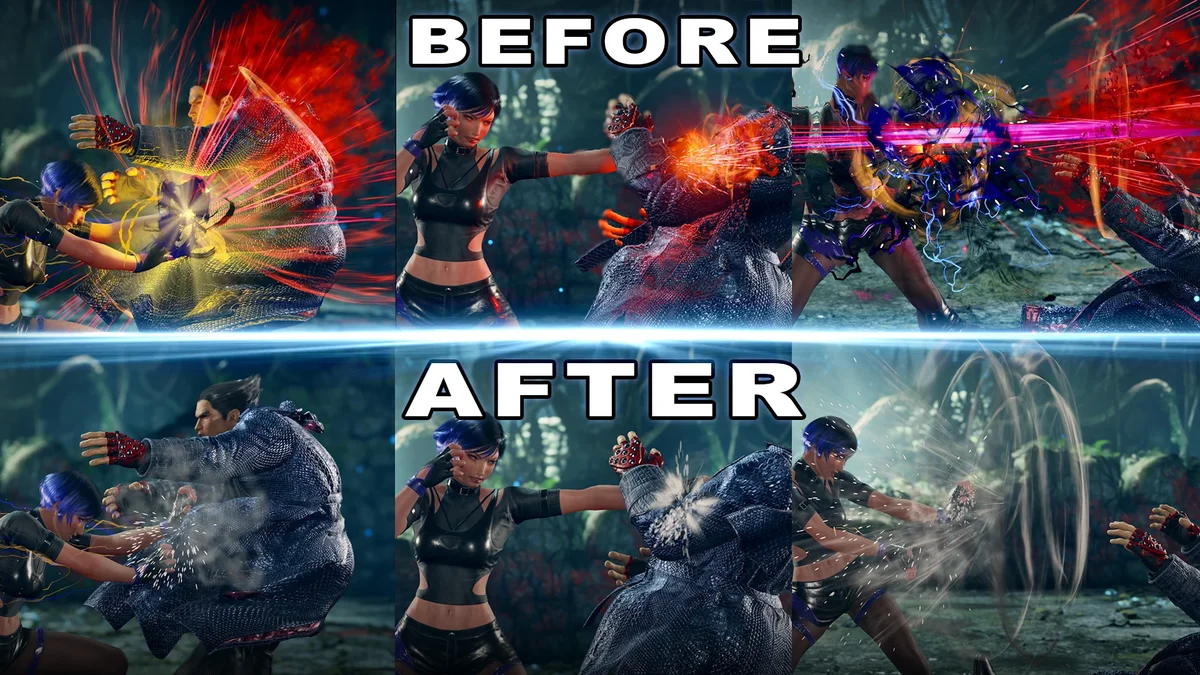
6. Replace And Lessened Hit Effects
Tekken 8’s sparks and flashes are loud on purpose, and this mod tones them down. It swaps hit effects for the smaller block effects, removes block effects altogether so the two cannot be confused, and reduces heat and grab effects. Each character’s unique hit effects are turned off too, except the ones you pick in Character Customization. It goes in the mods folder. Creator: Kashara. Download: Replace And Lessened Hit Effects on Nexus Mods.
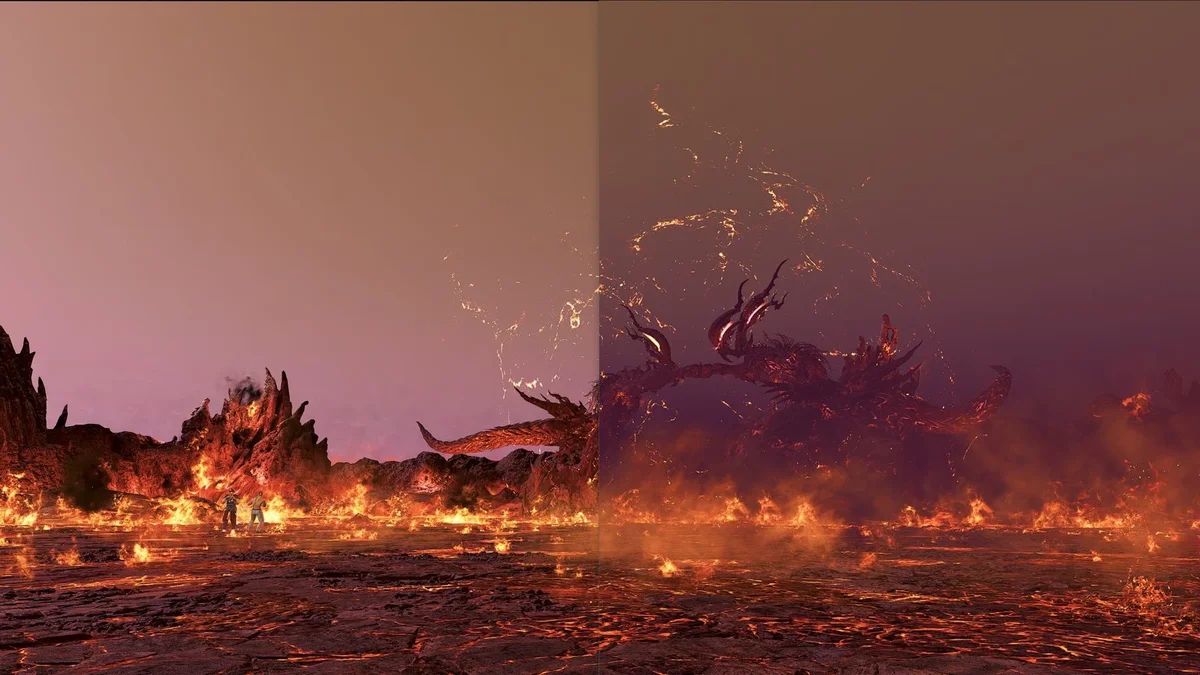
7. Removing Fog from All Stages
The most endorsed stage mod for Tekken 8 clears the haze from every stage. The download is a text file of instructions rather than a pak file, so follow it step by step. Creator: I GoT No AiMBoT. Download: Removing Fog from All Stages on Nexus Mods.
Utilities and Quality of Life
8. Storage Saver
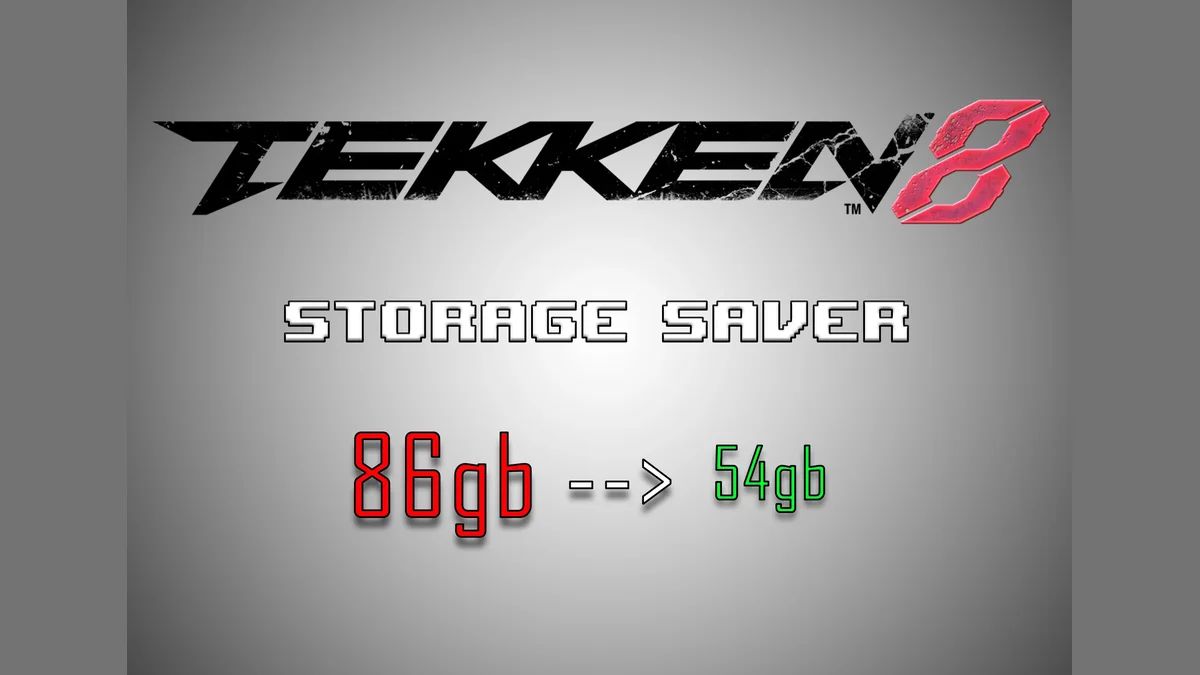
Storage Saver frees about 32GB by replacing the story mode and character story cutscenes with blank files. There are three downloads: both sets, character stories only, or the main story only. The trade-off is in its page’s warning: the modes you blank become unplayable, so only use it once you are done with them, and it may need reinstalling after a game update. Unlike the other mods here, its folders go in Polaris\Content\Movies\usm. Creator: Smelly Fart (uploaded by NickyNoo). Download: Storage Saver on Nexus Mods.
9. Mod Manager Plus by Avl
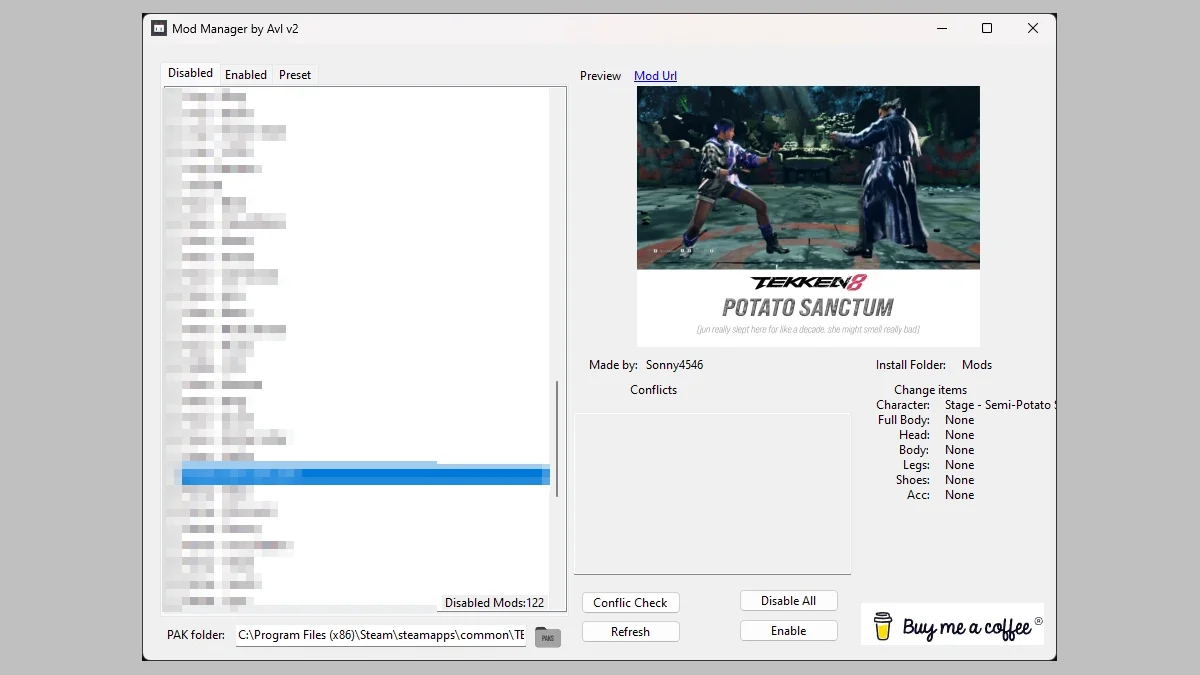
Once a mods folder fills up, this manager keeps it under control. It turns mods on and off, saves and loads presets, lists which customization slots each mod changes, warns when two mods use the same slot, and shows a preview. Point it at your Paks folder before anything else. Version 2.0 added presets; its page notes a known bug where a new preset only appears after you switch tabs. Creator: AvlNan (uploaded by MyModHehe). Download: Mod Manager Plus by Avl on Nexus Mods.
10. No-Splash
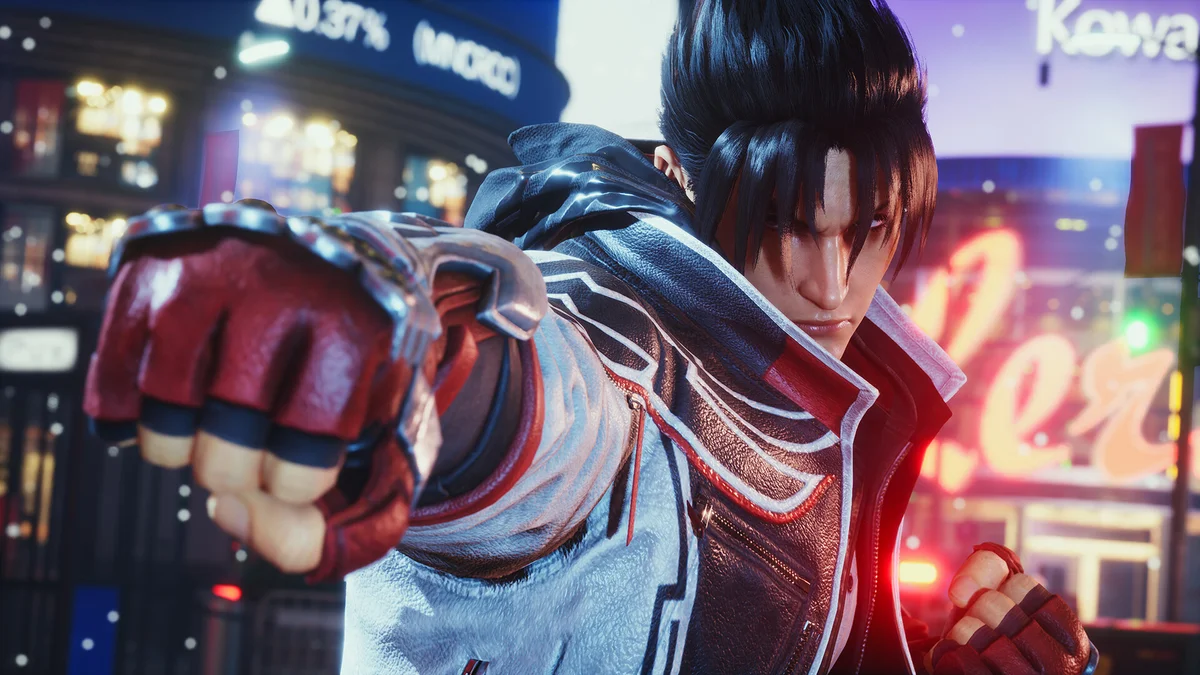
No-Splash removes the splash screen that shows while the game starts. Its files replace some of the game’s own, so extract it into the game’s install folder and keep a copy of the originals. Version 0.2 is from March 2026. Creator: Gametism. Download: No-Splash on Nexus Mods.
11. Intro Movie Skip
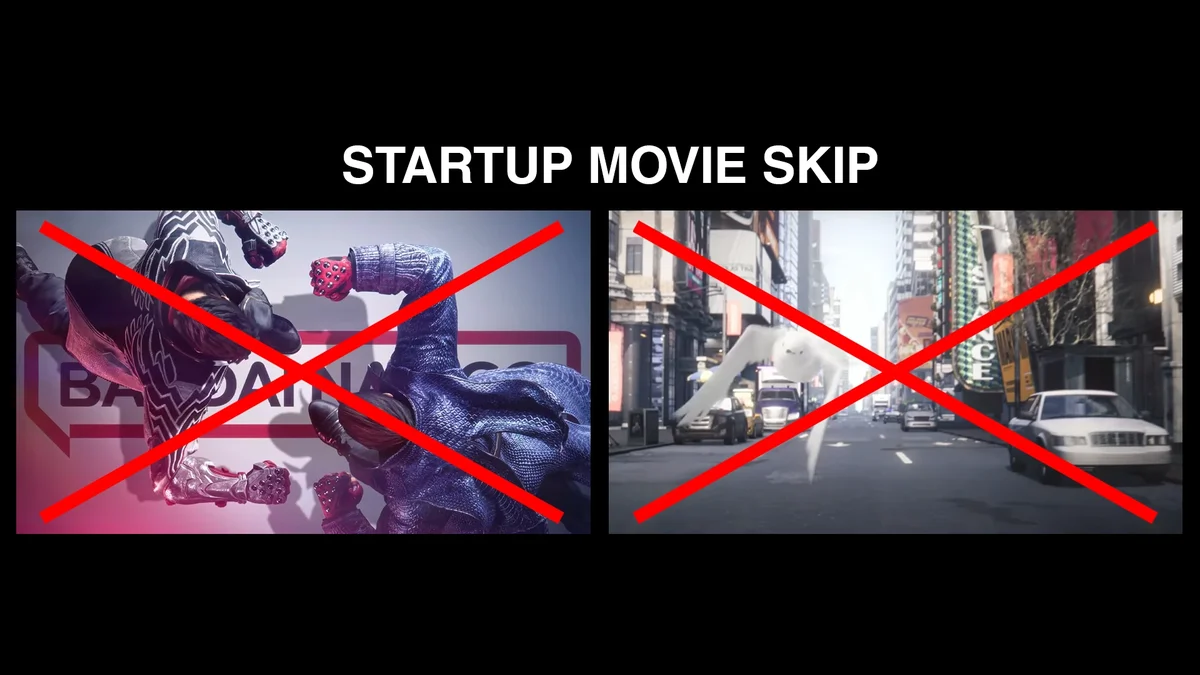
Intro Movie Skip gets rid of the intro movies at launch. The license page still loads, but it is invisible, so you reach the title screen faster. It goes in the LogicMods folder. Creator: 9876789. Download: Intro Movie Skip on Nexus Mods.
Interface, Controls and Practice
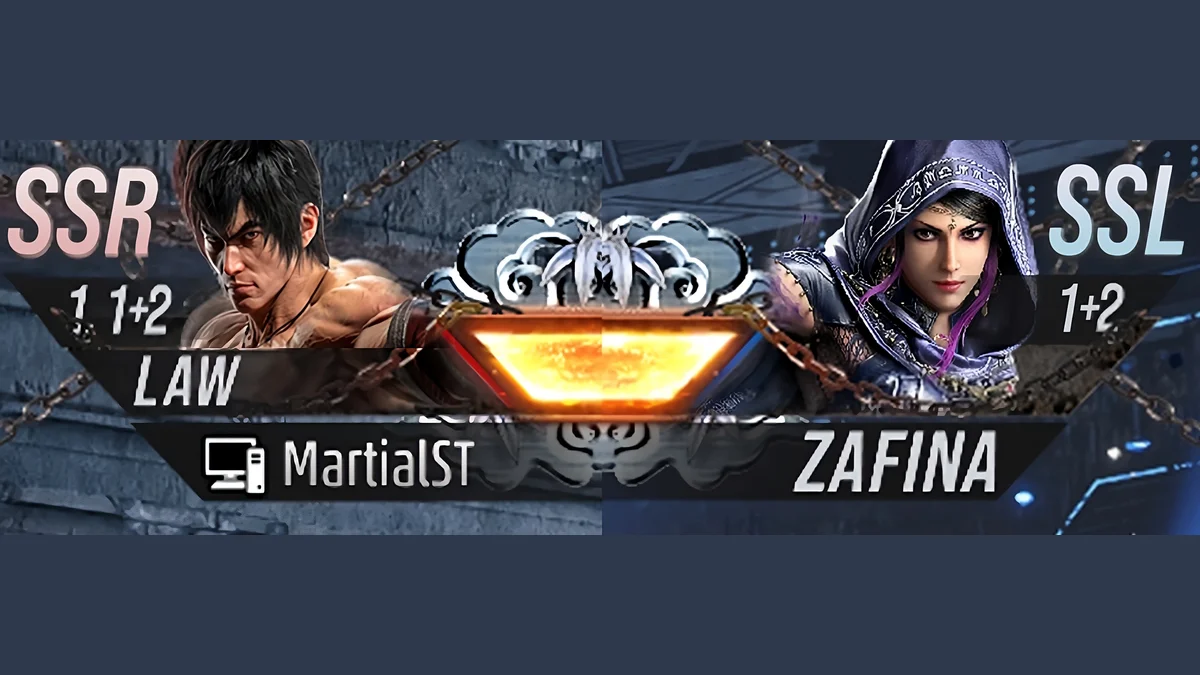
12. UI – Sidestep and Throw Break HUD
Two of the hardest things to learn in Tekken are which way to sidestep each character and how to break their throws. This mod puts the recommended sidestep direction and throw breaks on every character’s panel, right on screen, so the answers are in front of you during practice and offline sets. Download “All” for both sides in one file, or “Separated” to add it to just one side. Its files date from March 2024, before any DLC fighters arrived, so newer characters may be missing. Creator: hnzwayora. Download: UI – Sidestep and Throw Break HUD on Nexus Mods.
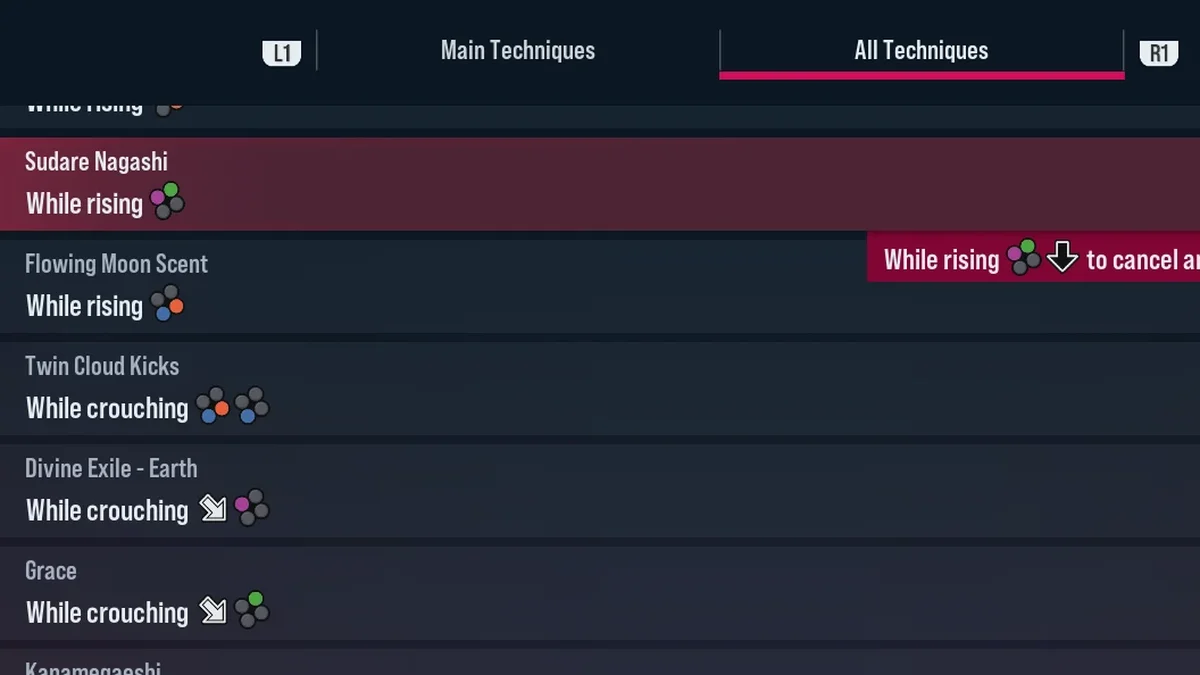
13. Force PlayStation Buttons over Xbox Buttons
Playing on PC with a PlayStation-style layout in your head? This mod shows PlayStation buttons instead of Xbox ones and color codes the face buttons in move list commands with the PlayStation color scheme. Version 2.0 made the blue buttons brighter and raised the resolution of every button. It goes in LogicMods. Do not install it with the next mod, because both overwrite the same files; this one already includes the color coding. Creator: peek6. Download: Force PlayStation Buttons over Xbox Buttons on Nexus Mods.
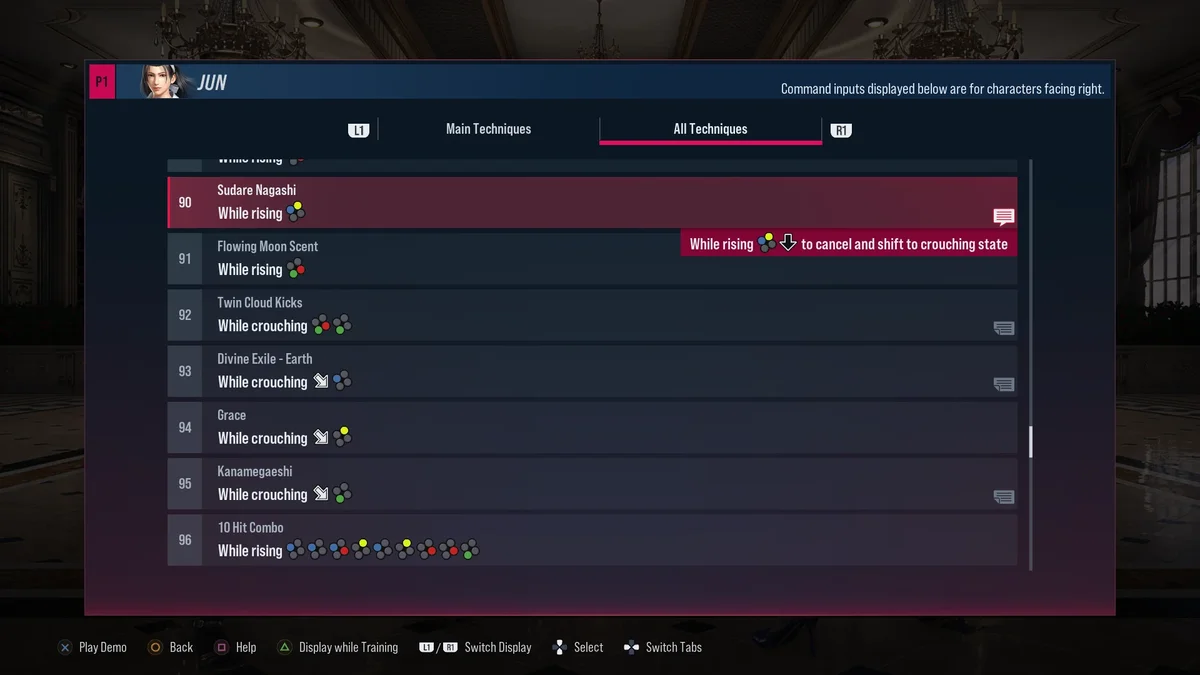
14. Move List Face Buttons Color Coding
The color coding on its own, for players who want to keep their current button icons. Pick the PlayStation scheme or the Xbox scheme, never both, since they overwrite the same files and use the same chunk ID. It makes long strings in the move list much easier to read at a glance. Creator: peek6. Download: Move List Face Buttons Color Coding on Nexus Mods.
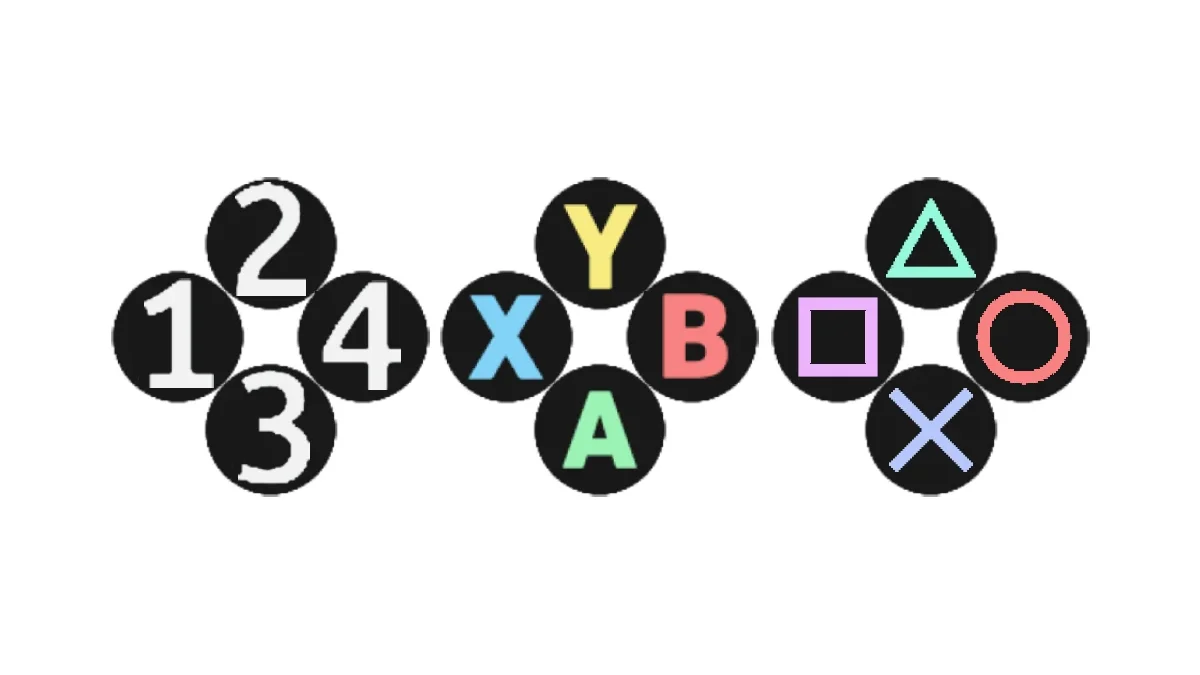
15. Tekken 8 Controller Face Button Notation
This one changes the button notation itself: PlayStation face buttons, Xbox face buttons, or Tekken’s classic 1234 limb numbering. The 1234 option is handy if you learn combos from notation written that way. It goes in the mods folder. The same creator also makes Tekken 7 Style Notations for anyone who wants the older look. Creator: SakifX9. Download: Tekken 8 Controller Face Button Notation on Nexus Mods.
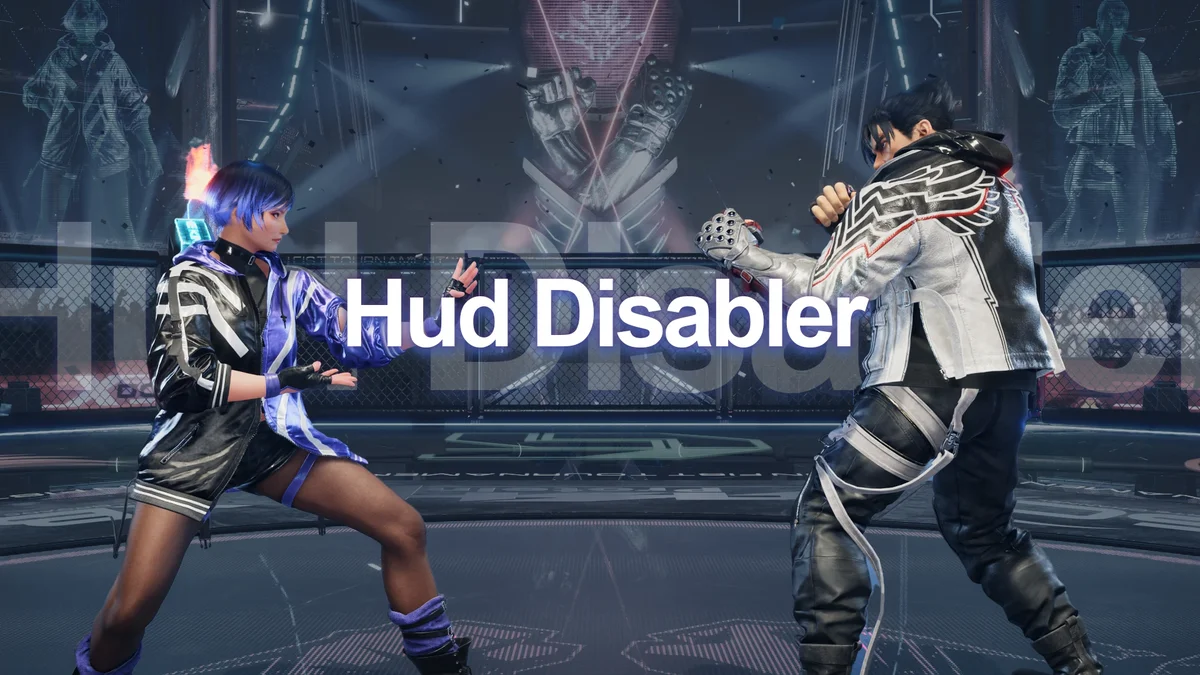
16. Tekken Hud Disabler
A Lua script that hides the whole gameplay HUD, just the battle messages, or just the guide text, which is useful for clean screenshots and for replays that look like real matches. Change what it hides in its config.lua file. Its creator built it during the closed beta and updated it for the full release. Creator: Koenji. Needs: UE4SS v3.0.1, placed in Polaris\Binaries\Win64, plus the line TekkenHudDisabler : 1 in UE4SS’s mods.txt. Download: Tekken Hud Disabler on Nexus Mods.
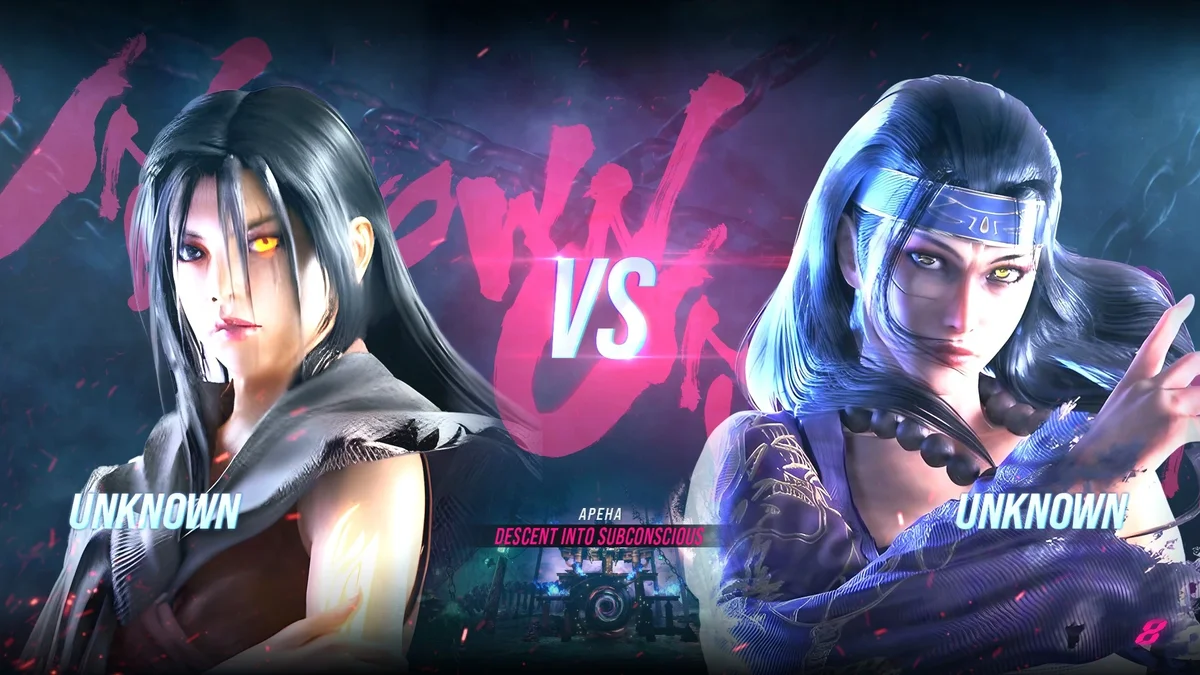
17. Unknown Panels Icons and Names for Jun Kazama
For fans of Tekken Tag Tournament 2’s hidden boss, this mod swaps Jun’s character panel for Unknown’s classic panel from that game, along with her icons and name panels in every Tekken 8 font. Three bonus panels based on community art, credited on the page, are included to choose from. It goes in LogicMods. Creator: Violet Hill. Download: Unknown Panels Icons and Names for Jun Kazama on Nexus Mods.
Effects and Classic Tekken Looks
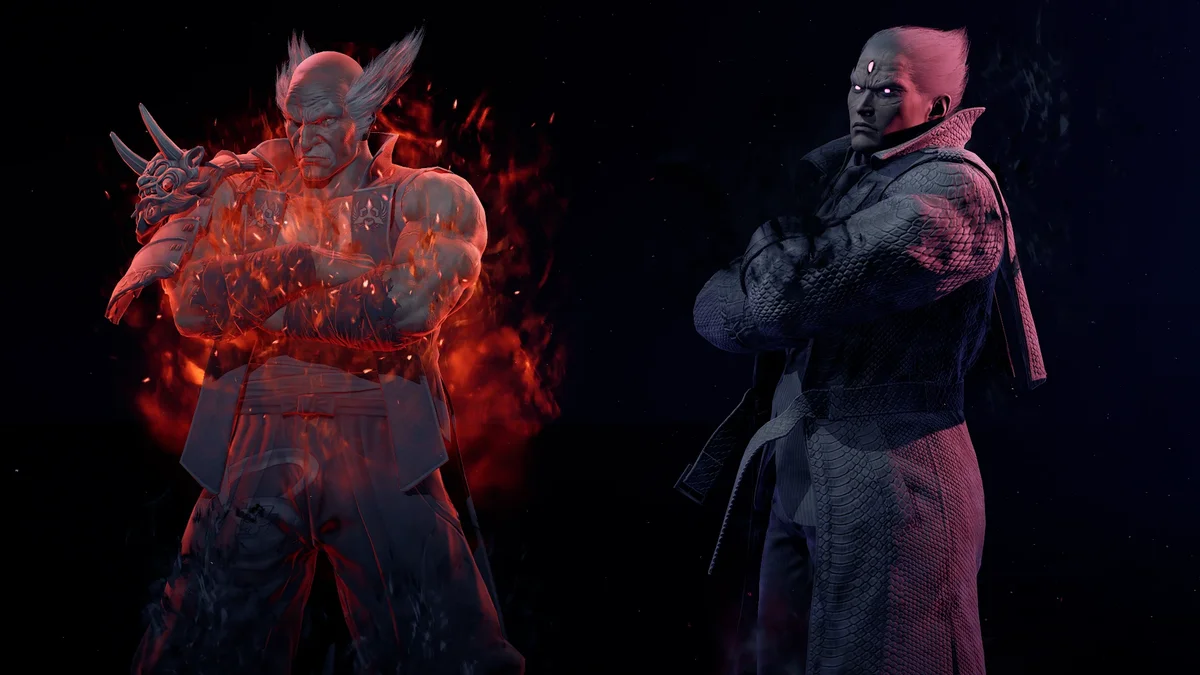
18. Shadow Heihachi – Shadow Kazuya
This mod replaces Preset 2 for both Kazuya and Heihachi with their Shadow variants, and a second file adds an Aura version. It is one of the simplest ways to make the Mishimas feel more menacing in offline matches. Creator: LaRosaWRLD. Download: Shadow Heihachi – Shadow Kazuya on Nexus Mods.
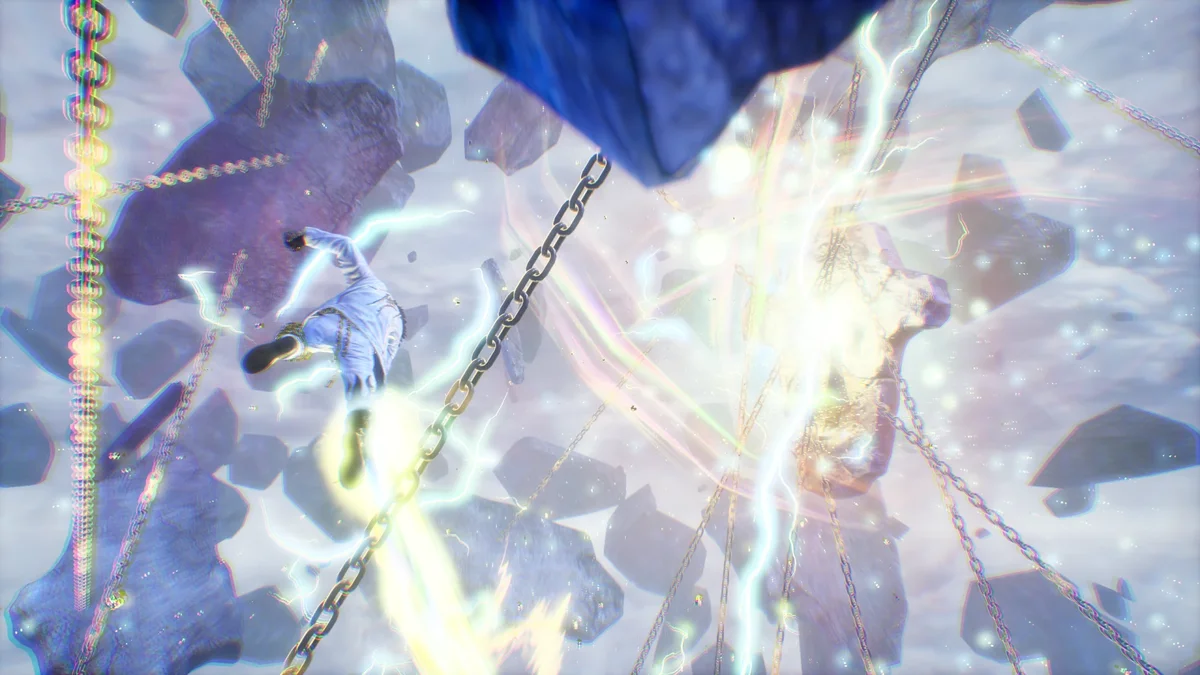
19. Devil Jin with Angel Jin’s VFX and Story Rage Art
Devil Jin gets Angel Jin’s visual and hit effects, and his default Rage Art becomes the special one from Chapter 12 of the story. An optional file removes the red filter during the Rage Art, and a second version adds Angel Jin’s Rage Art stage. A later update improved the Rage Art visuals. Files go in Paks\mods. Creator: Remix. Download: Devil Jin with Angel Jin’s VFX and Story Rage Art on Nexus Mods.
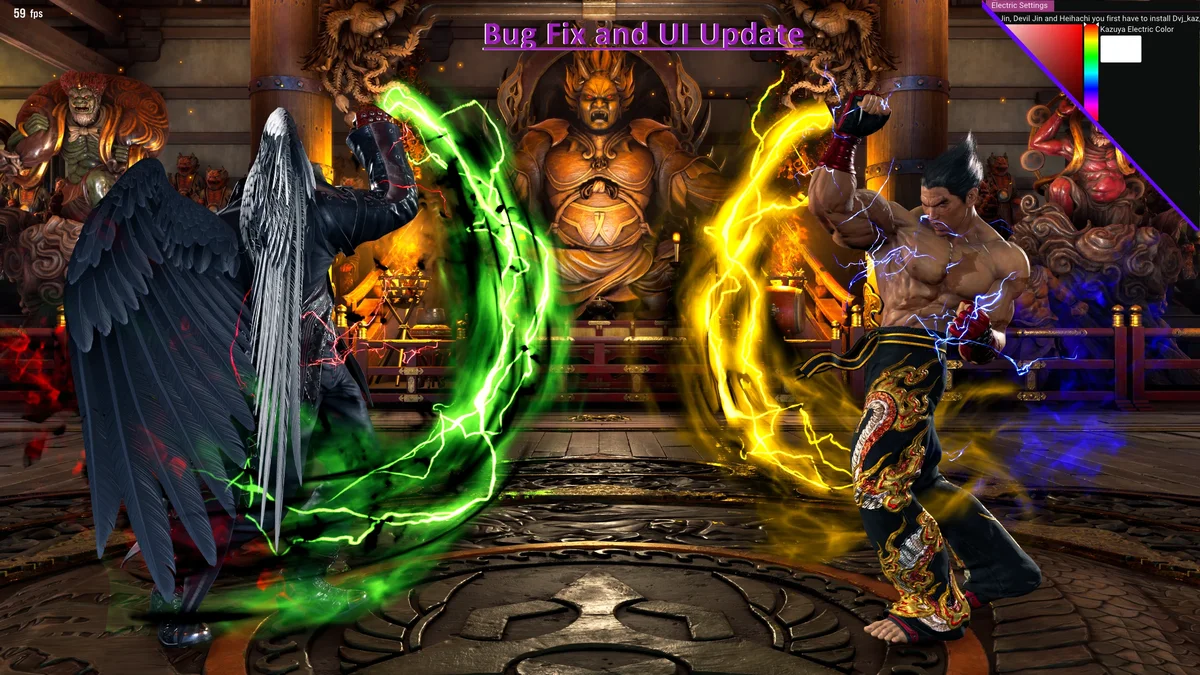
20. Electric Color Pack (GUI Update)
Recolor every Mishima’s electric. The simple version is drag-and-drop pak files that swap one character’s electric color for another’s, such as Devil Jin’s red for Kazuya’s blue. The Remix Electric Mod version lets you pick any color from a small app, but it takes more setup: its files go in Polaris\Binaries\Win64, the game must run in borderless or windowed mode, you start ElectricUI.exe each time you play, and F9 opens or closes it. Creator: Remix. Download: Electric Color Pack on Nexus Mods.
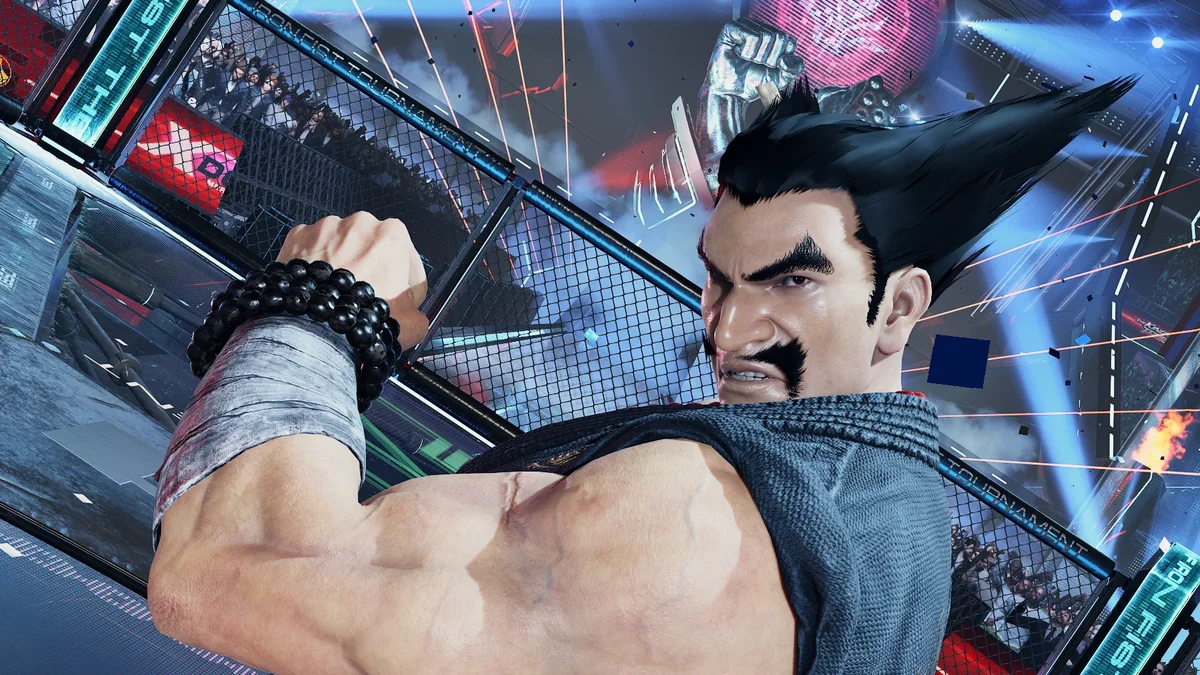
21. Young Heihachi
Young Heihachi replaces Heihachi’s default face with his younger self and adds his hair and mustache to the customization options, so you can dress up the younger version of the series’ oldest villain. Creator: Lilotty and FireRosely. Download: Young Heihachi on Nexus Mods.
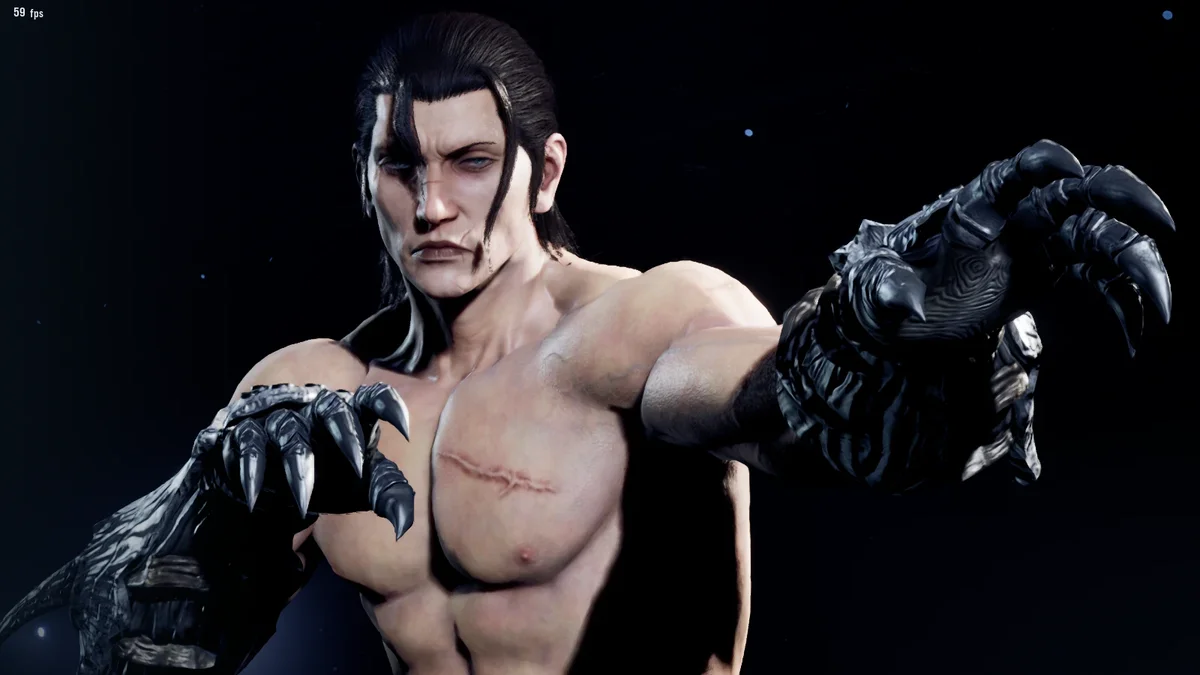
22. Devil Jin’s Glove for Most Male Characters
Devil Jin’s Tekken 7-style glove, taken from Tekken 8’s own files, made wearable by most male characters, all except Jack-8 and Yoshimitsu. It replaces the Raglan Sleeve T-Shirt in customization and goes in LogicMods; any other mod that replaces the same item will conflict with it. Creator: kazumashirou. Download: Devil Jin’s Glove for Most Male Characters on Nexus Mods.
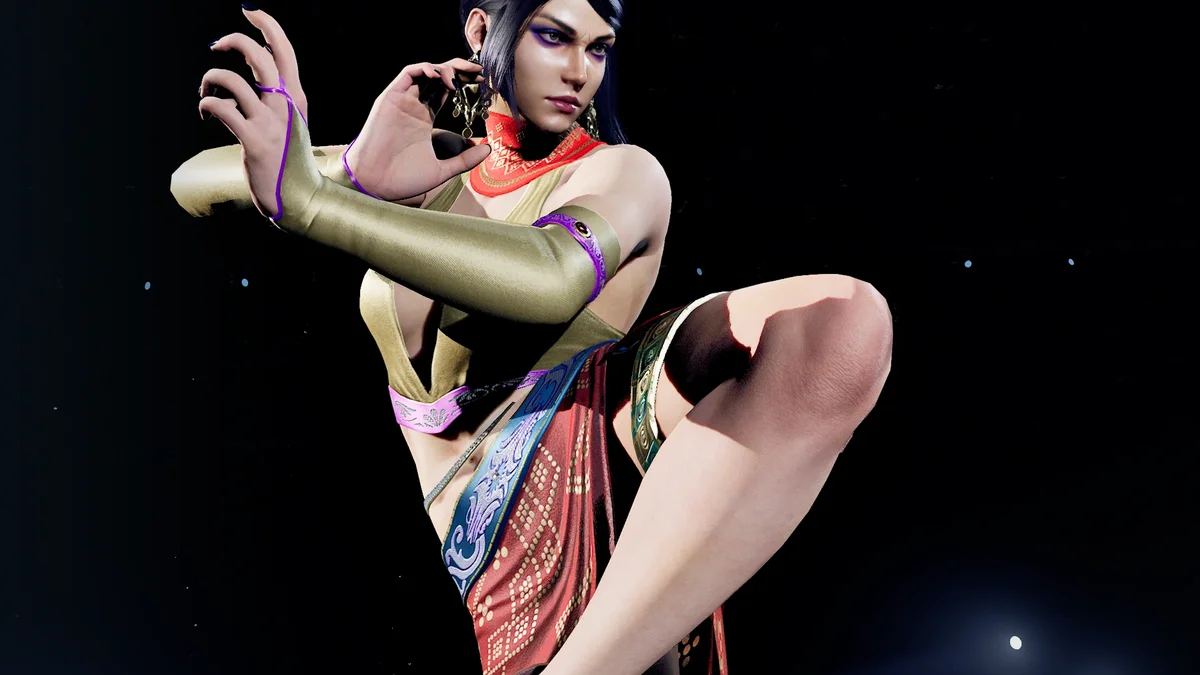
23. Zafina TK6 Human Hand
Zafina’s Tekken 6 nostalgia costume comes with Azazel’s hand by default. This small mod gives her a human hand instead, closer to how she looked when she debuted. Creator: Lilotty. Download: Zafina TK6 Human Hand on Nexus Mods.
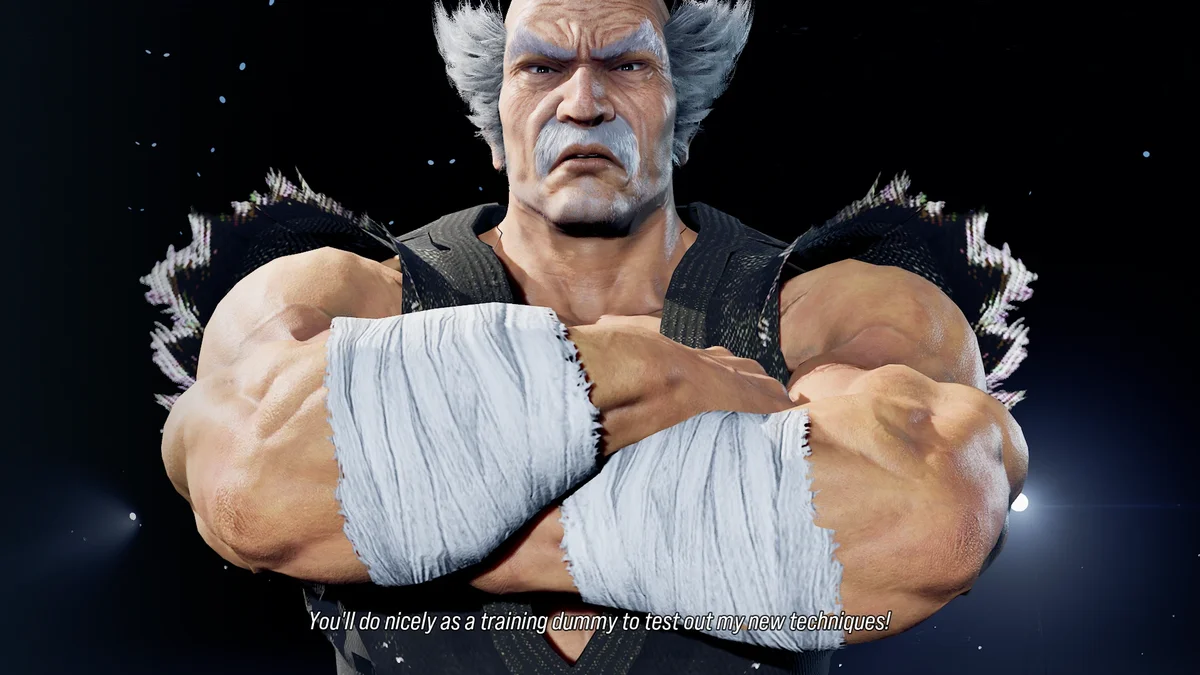
24. Heihachi Classic Gi
Heihachi wore his classic gi in nearly every Tekken until this one, and this mod brings it back with a better material, a higher-resolution texture and his own proportions. It replaces his TK8 Style (Alternate B) outfit. Version 1.1 is from December 2024. Creator: Lilotty and firerosely. Download: Heihachi Classic Gi on Nexus Mods.
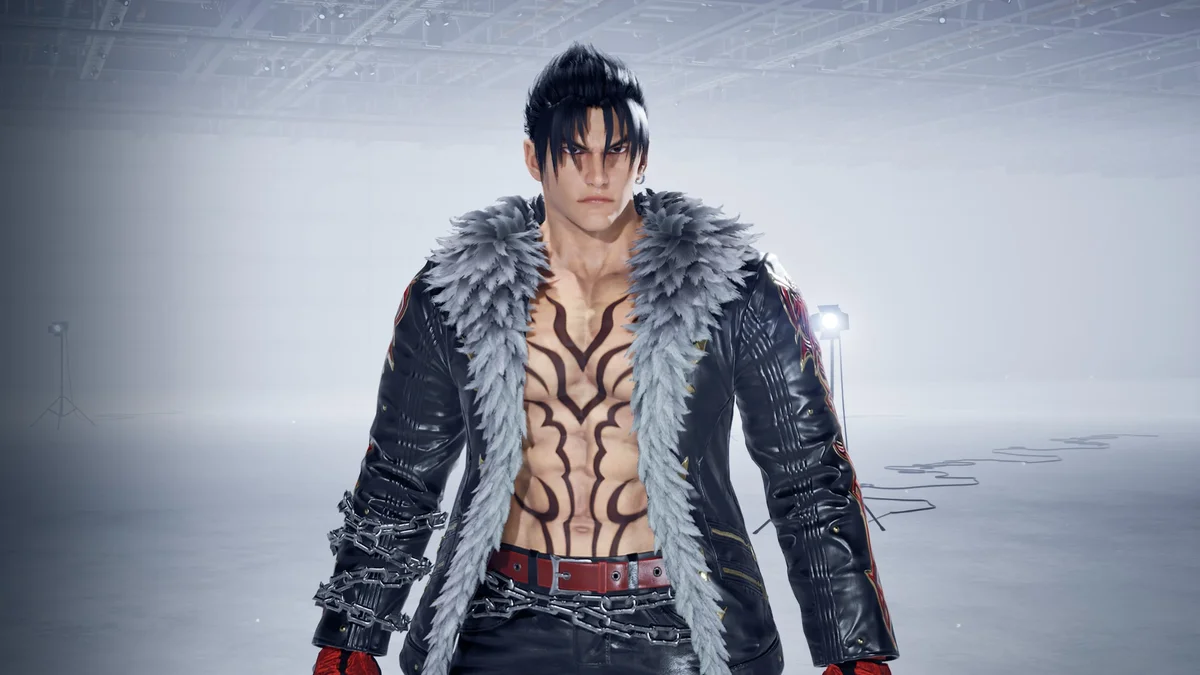
25. Devil Jin Outfit 3 for Normal Jin
Jin gets the jacket from Devil Jin’s third outfit, fully colorable, in place of his Hwoarang outfit. It was a commissioned mod that its creator made public. Creator: NobodyLikesMe23. Download: Devil Jin Outfit 3 for Normal Jin on Nexus Mods.
Character Customization
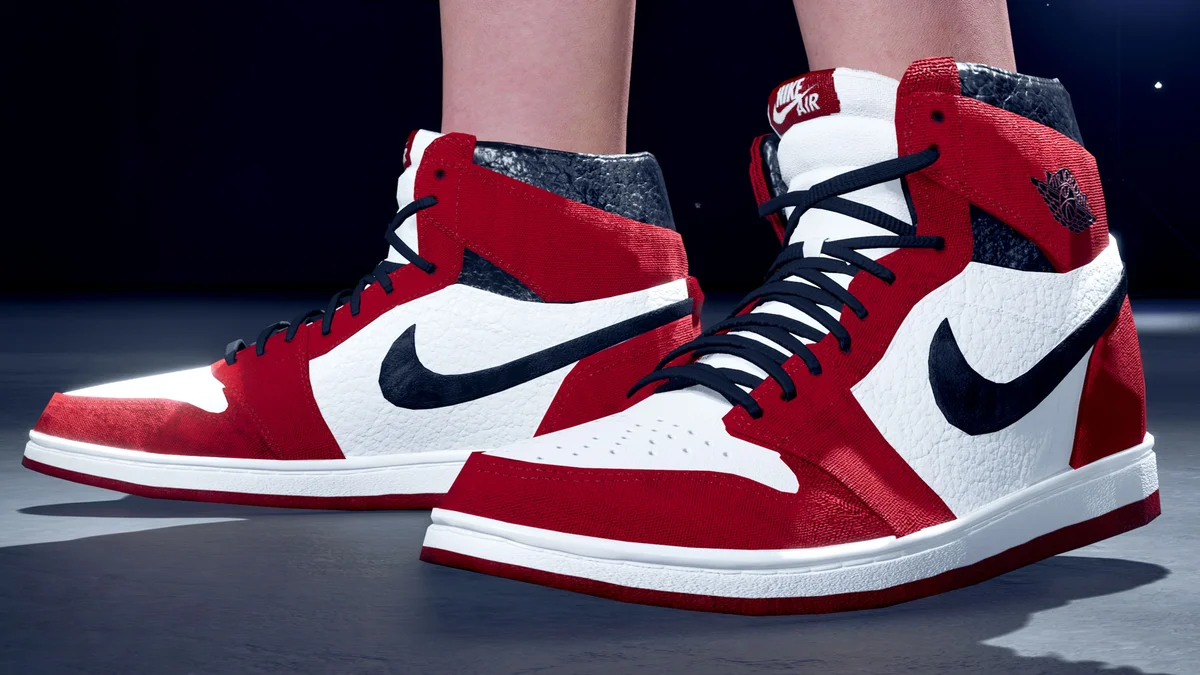
26. Nike Air Jordan 1 Character Customization
The most endorsed customization mod we kept replaces the unbranded High Top Sneakers with Nike Air Jordan 1s for every male and female character, with four custom color slots. The bears are left out because they cannot wear shoes. It goes in LogicMods. Creator: SweetFluff3D. Download: Nike Air Jordan 1 Character Customization on Nexus Mods.
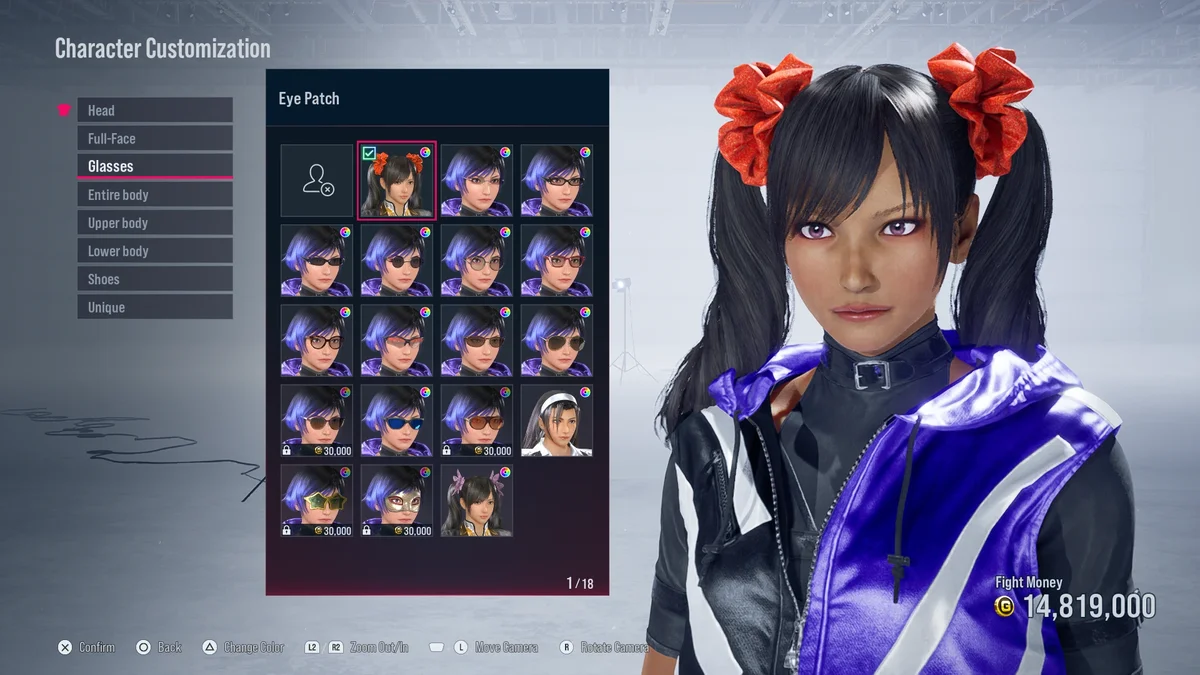
27. All Ladies Can Equip Longer Default Hairstyles
Lets any female character wear the default hairstyles of Nina, Jun, Xiaoyu, Alisa or Lili in place of the short hair options in the customizer. The game blocks hair accessories on custom hairstyles, so an optional file moves them to the glasses slot as a workaround. Version 1.1 fixed a crash when selecting Jun’s accessory. Creator: peek6. Download: All Ladies Can Equip Longer Default Hairstyles on Nexus Mods.
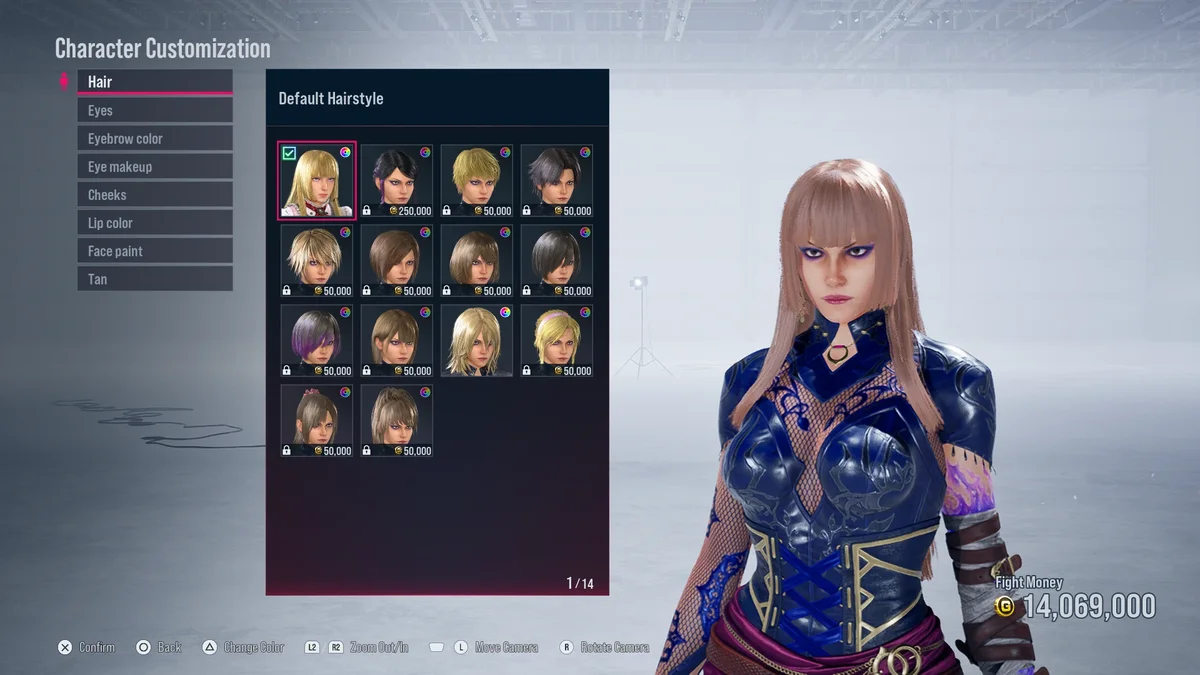
28. Lili Hairstyle for Any Lady
Lili’s long blonde hairstyle, physics included, for any female character, replacing the default hairstyle. Its page warns it can clip with some outfits. Creator: peek6. Download: Lili Hairstyle for Any Lady on Nexus Mods.
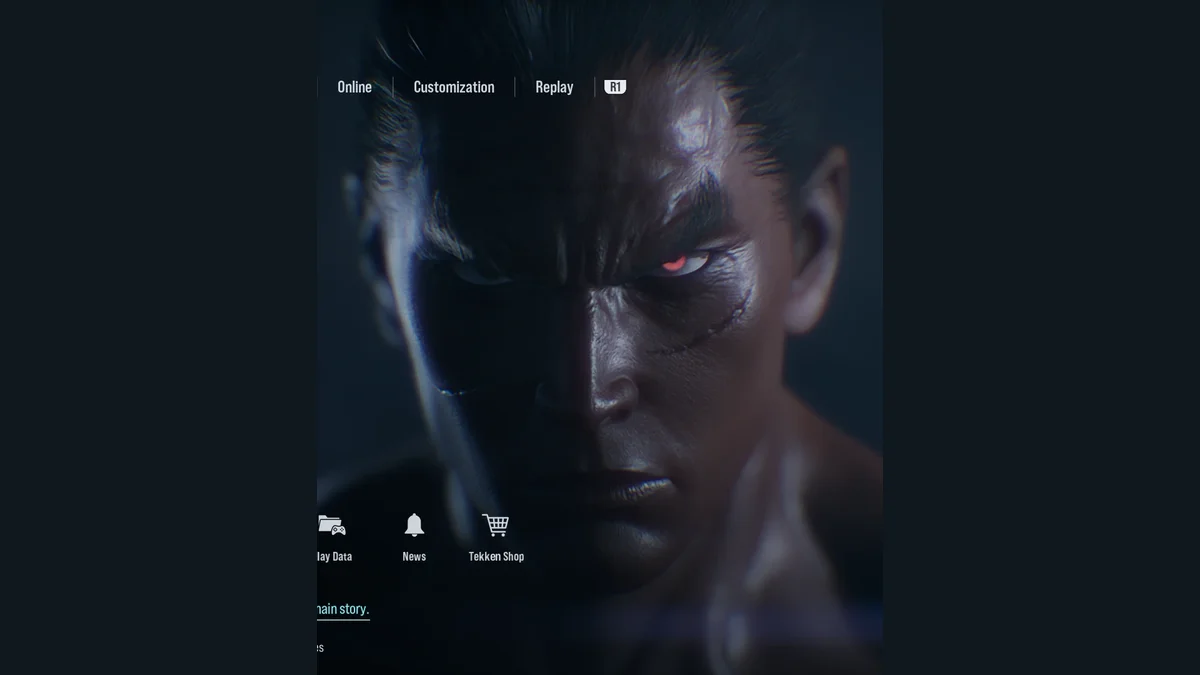
29. Skin Tone Customizer
Change any character’s skin tone to Dark, Light, Coffee or Medium, each modeled on a fighter’s own coloring (Leroy, Lili, Azucena, and Jin or Jun). Every character works except Kuma, Panda, Yoshimitsu and Jack-8, and you install the files per character or for all the men or all the women. Its creator later released an improved version that keeps facial hair and eyebrows working for everyone except Feng. Creator: peek6. Download: Skin Tone Customizer on Nexus Mods.
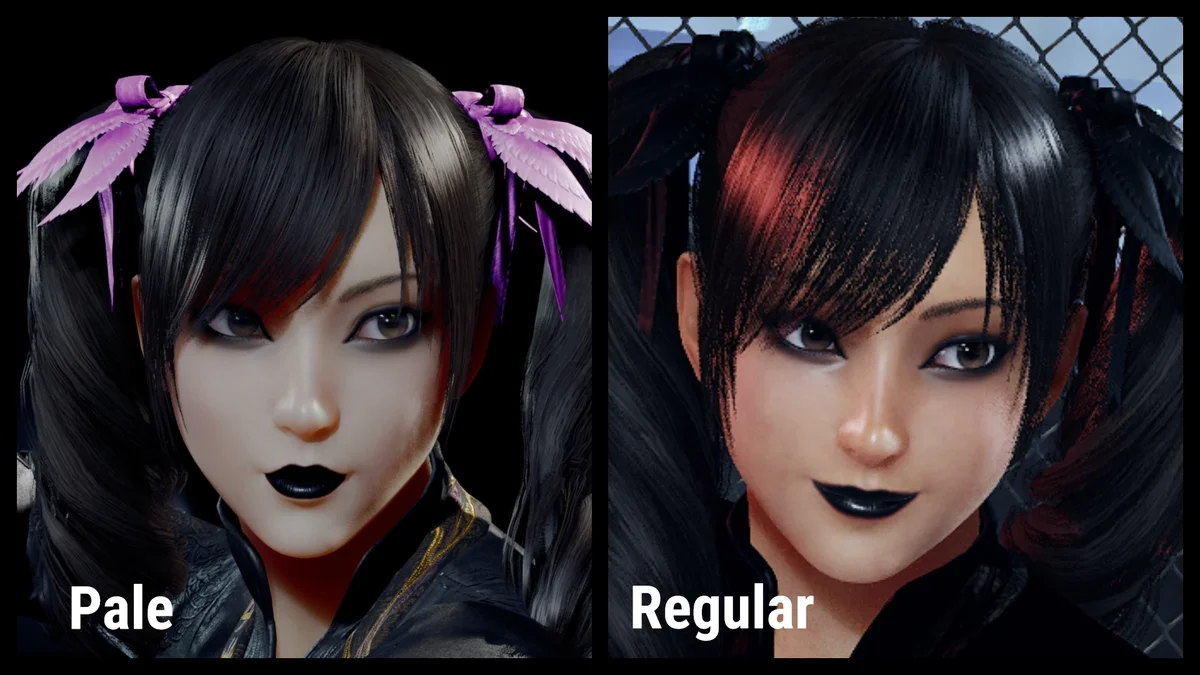
30. Xiaoyu Goth Makeup with Pale Option
Goth makeup for Ling Xiaoyu, with dark lips and eyeliner, in a regular version and a pale one. It changes her default face skin, so you can still mix it with the game’s other makeup options. Put its three files in Paks\Mods, and use the updated Pale or Regular file. Creator: Misberave. Download: Xiaoyu Goth Makeup with Pale Option on Nexus Mods.
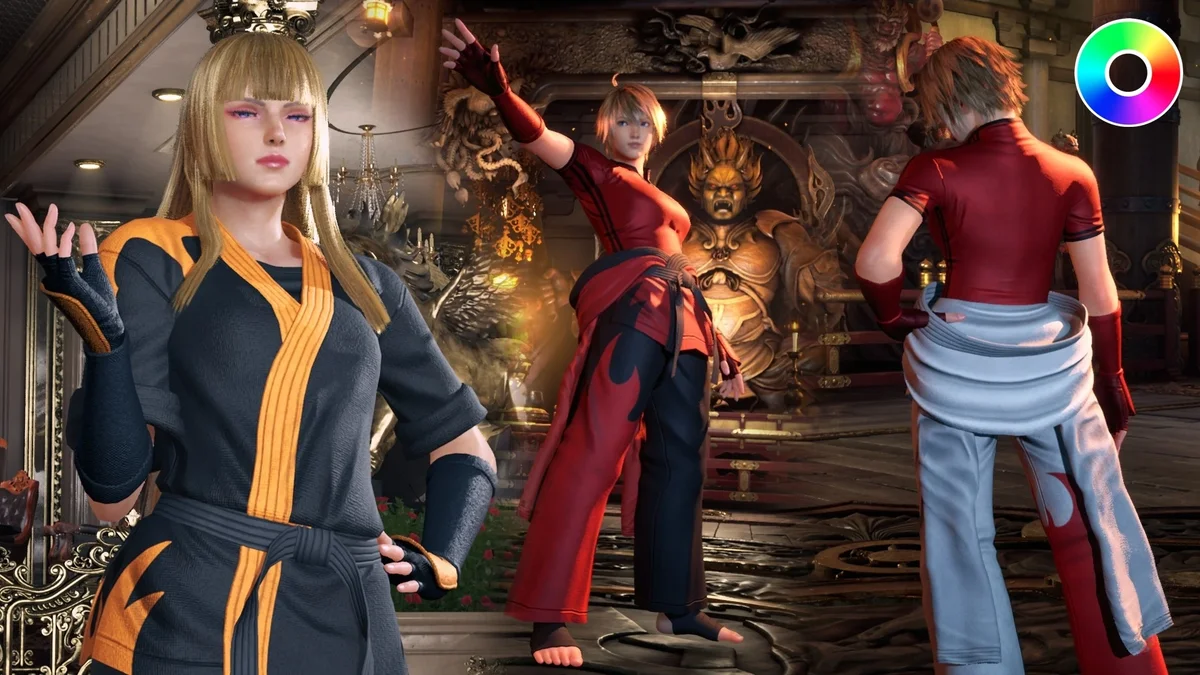
31. Flame Gi
A flame-patterned gi for every female character, Alisa and Leo included, and colorable. The sleeves and belt cannot be recolored because of their physics, so the download includes several sleeve color versions to pick from. Its newest file, from September 2025, is labeled for game version 2.05, so if a later patch breaks it, check its page for an update. Creator: stoner037. Download: Flame Gi on Nexus Mods.
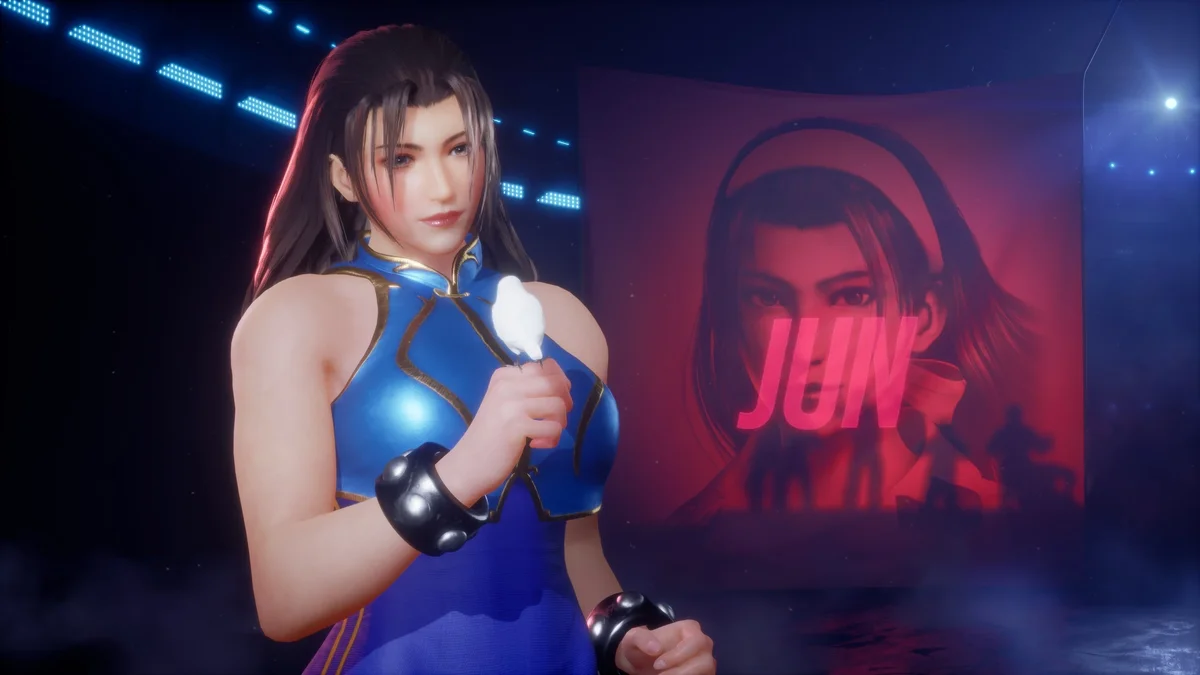
32. Chun-Li’s Alpha Costume
Chun-Li’s Street Fighter Alpha outfit for Jun, with or without the jacket. Version 1 replaces her TK8 Style (Alternate B) and version 2 replaces TK2 Style, and both have full color customization (nine colors and six). Its creator reworked every texture for Tekken 8 with new stitching and patterns, plus dirt that builds up as a match goes on. Read the included readme before installing. Creator: Koenji. Download: Chun-Li’s Alpha Costume on Nexus Mods.
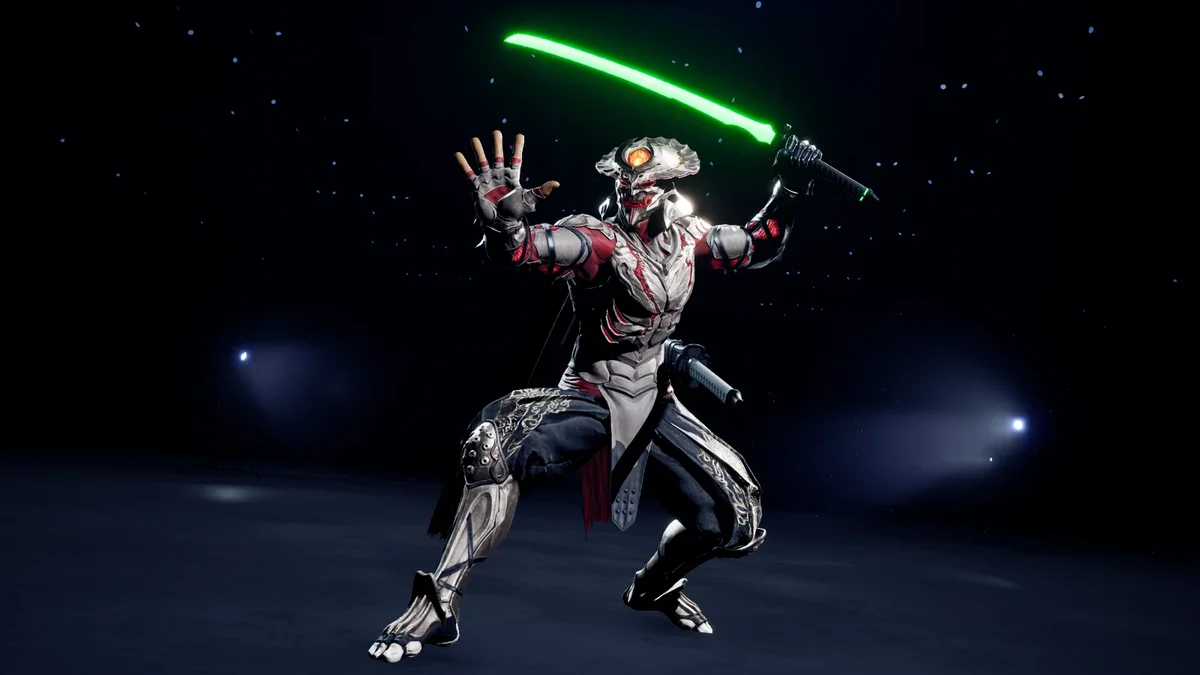
33. Glowsticks for Yoshi
A pair of katanas for Yoshimitsu that glow in the dark, with a green version added in June 2024. How bright they glow depends on each stage’s lighting and your own effects quality setting, and they are not colorable. Install one version at a time in LogicMods; any other mod replacing the same weapon set will conflict. The katana model is RyanReos’s, edited and ported by kazumashirou. Creator: kazumashirou. Download: Glowsticks for Yoshi on Nexus Mods.
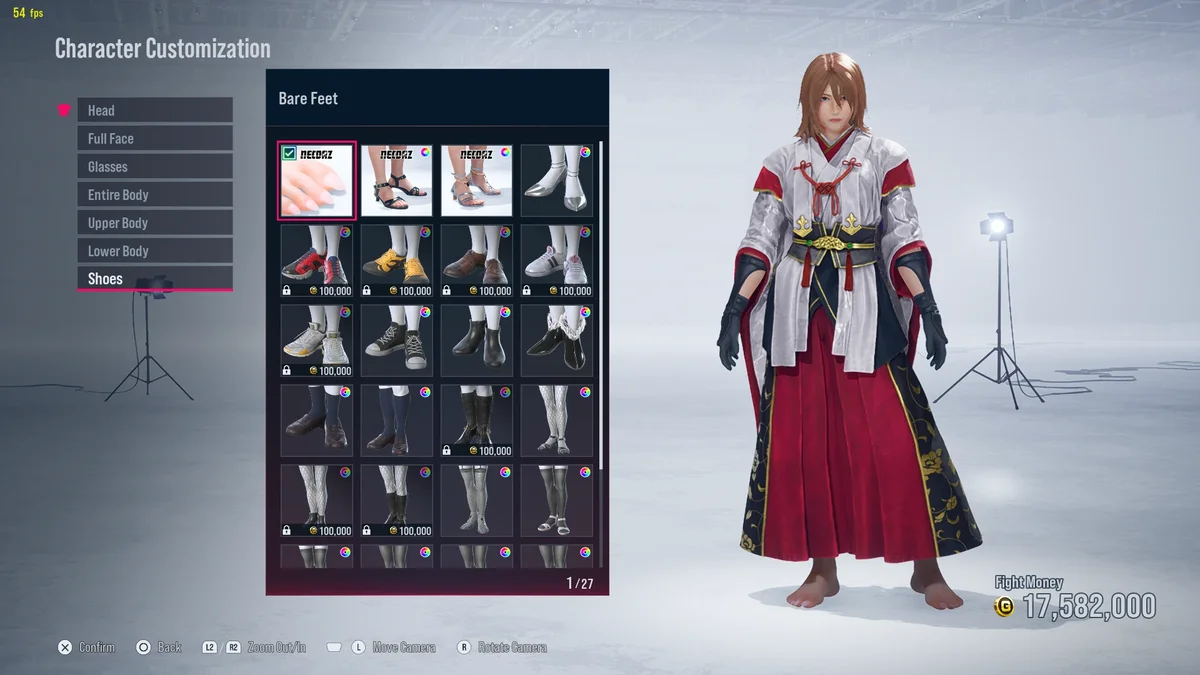
34. Jun Miko Kimono and Hakama
Jun’s red and white miko kimono and hakama, wearable by any female character except Alisa as an upper body item, with its physics intact. You choose which coat and pants it replaces, and it is fully colorable, though the right color slot can sit far to the right of the list. Install the required files listed on its page along with it. Creator: peek6. Download: Jun Miko Kimono and Hakama on Nexus Mods.
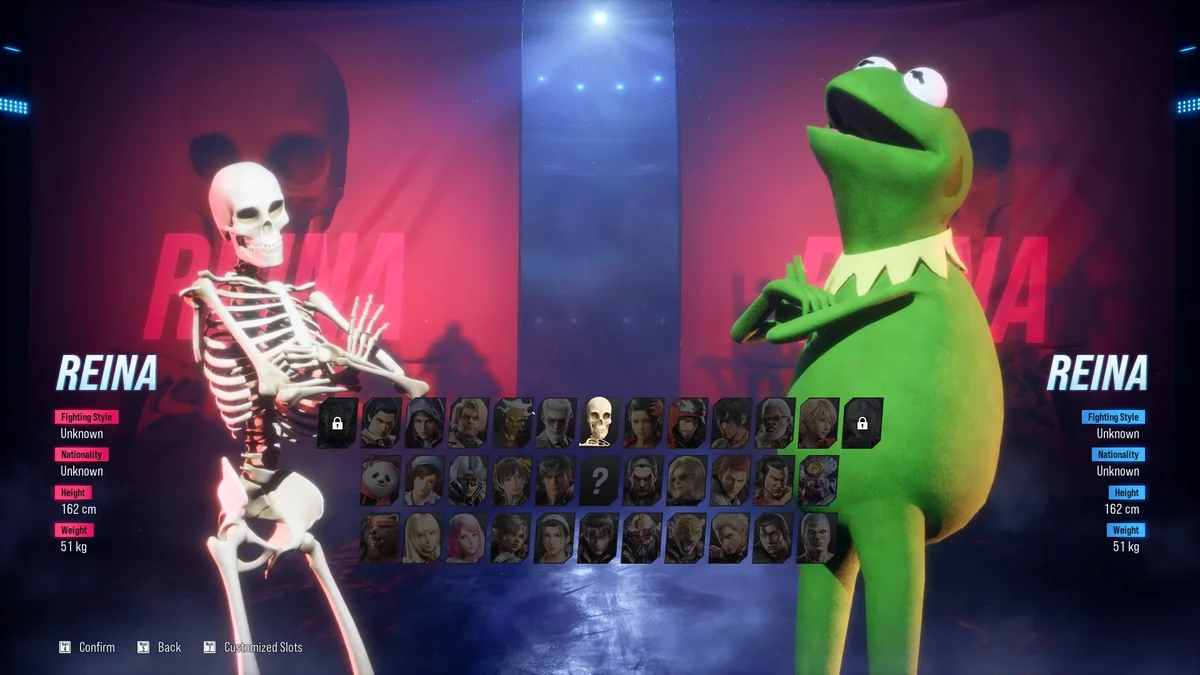
35. Kermit and Skeleton Reina
The silliest pick in this group: Reina’s Default 1 and Default 2 become a skeleton and Kermit the Frog. The skeleton also gets matching UI changes. Creator: stoner_037. Download: Kermit and Skeleton Reina on Nexus Mods.
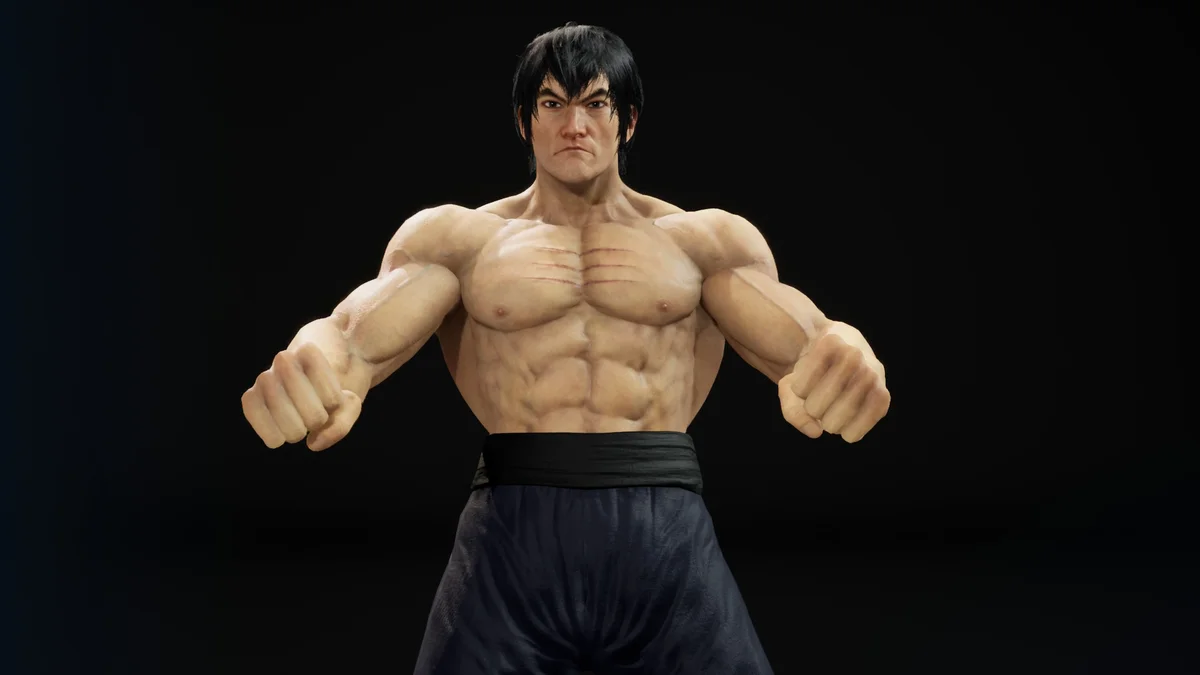
36. Marshall Law – Fist of Fury
Law’s TK7 Style outfit, reworked into a look inspired by Bruce Lee in Fist of Fury: the bracelets and scarf are gone, the pants get a classic kung fu texture, and the shoe textures are four times sharper. Version 3.1 lets you choose fabric shoes with a white sole or leather shoes with a brown sole. It goes in LogicMods. Creator: TH3GH0ST555666. Download: Marshall Law – Fist of Fury on Nexus Mods.
Crossover Costumes
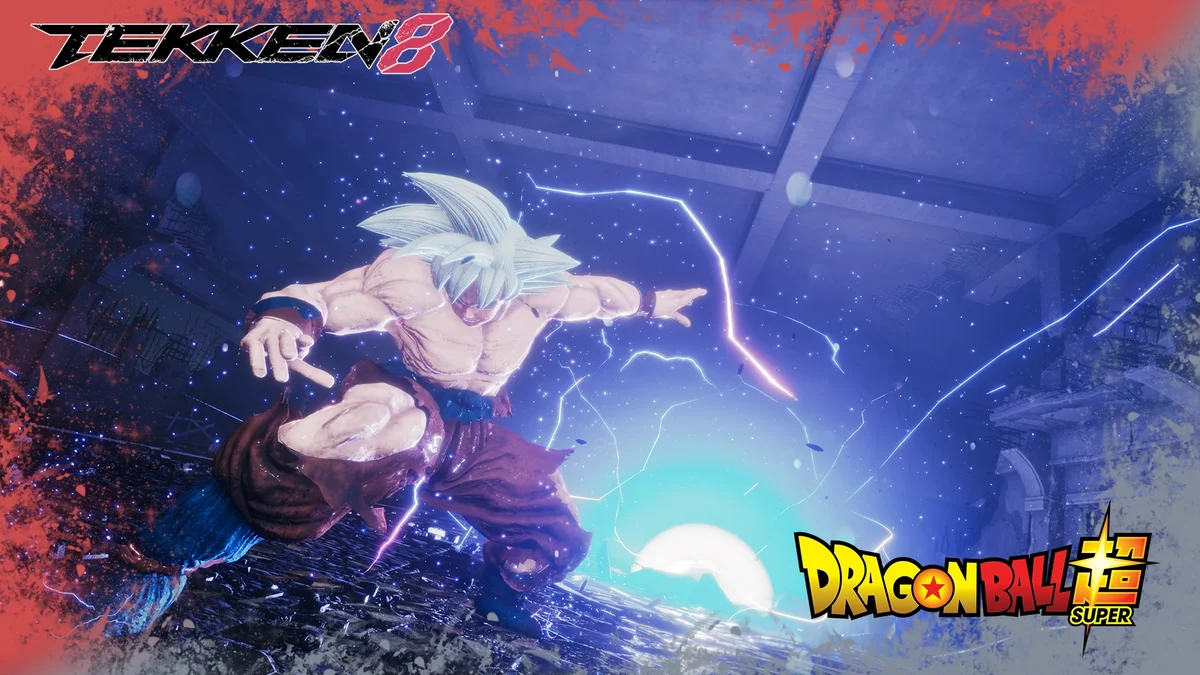
37. Goku UI Dragon Ball (Lars)
Goku in his Ultra Instinct form, in Lars’s Tekken 7 Style slot. Like all of MrMorritos3D’s costumes, it goes in Paks\mods (create the folder if needed). Creator: MrMorritos3D (uploaded by Ercuallo). Download: Goku UI Dragon Ball (Lars) on Nexus Mods.
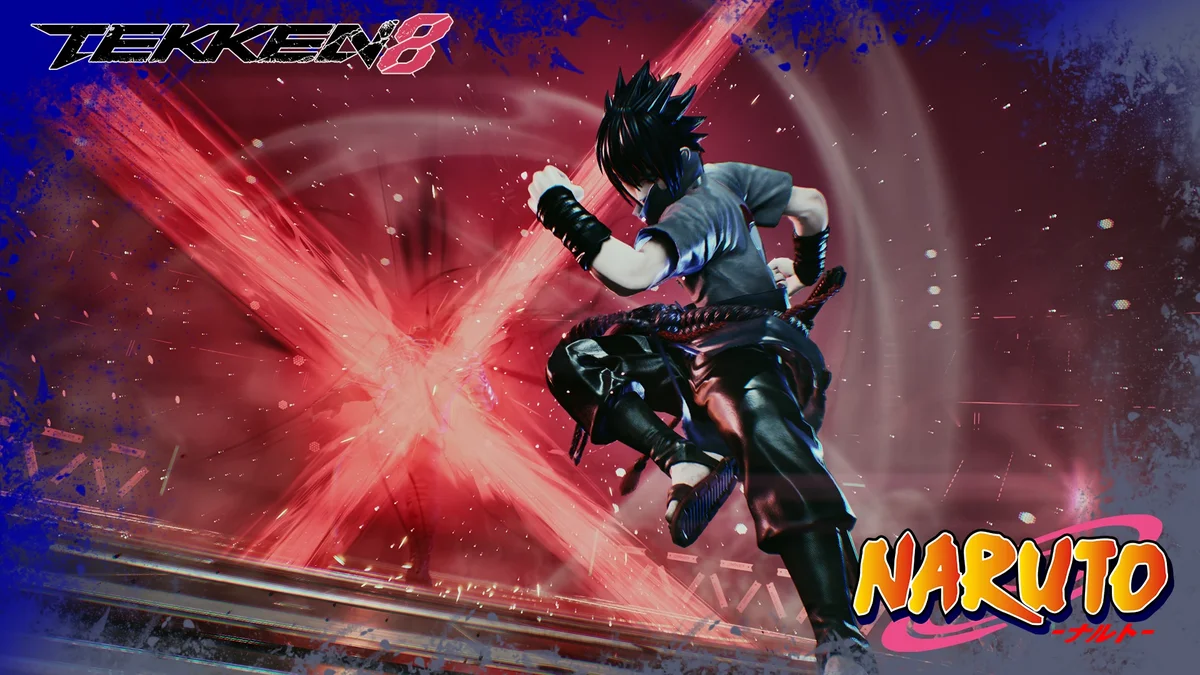
38. Sasuke (Raven)
Sasuke from Naruto, worn as Raven’s last outfit, which suits Raven’s ninja moveset. Creator: MrMorritos3D (uploaded by Ercuallo). Download: Sasuke (Raven) on Nexus Mods.
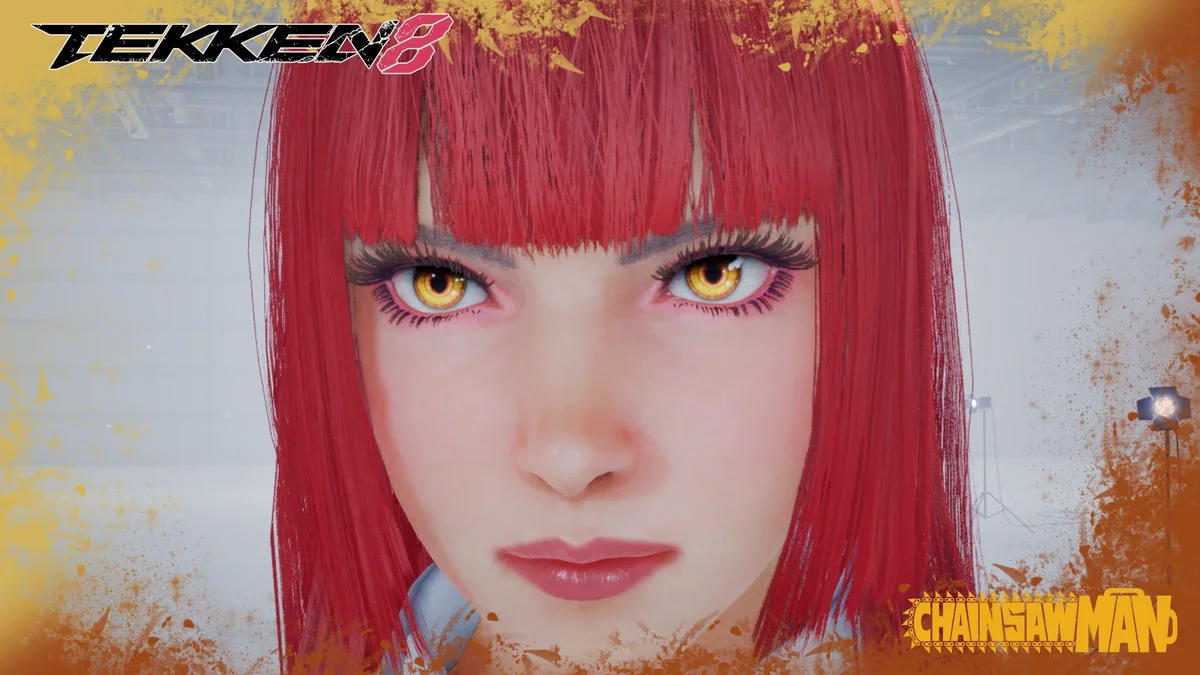
39. Makima Eyes
Makima’s ringed eyes from Chainsaw Man, replacing the blue beast eyes in customization, so any character can wear them. Creator: MrMorritos3D (uploaded by Ercuallo). Download: Makima Eyes on Nexus Mods.
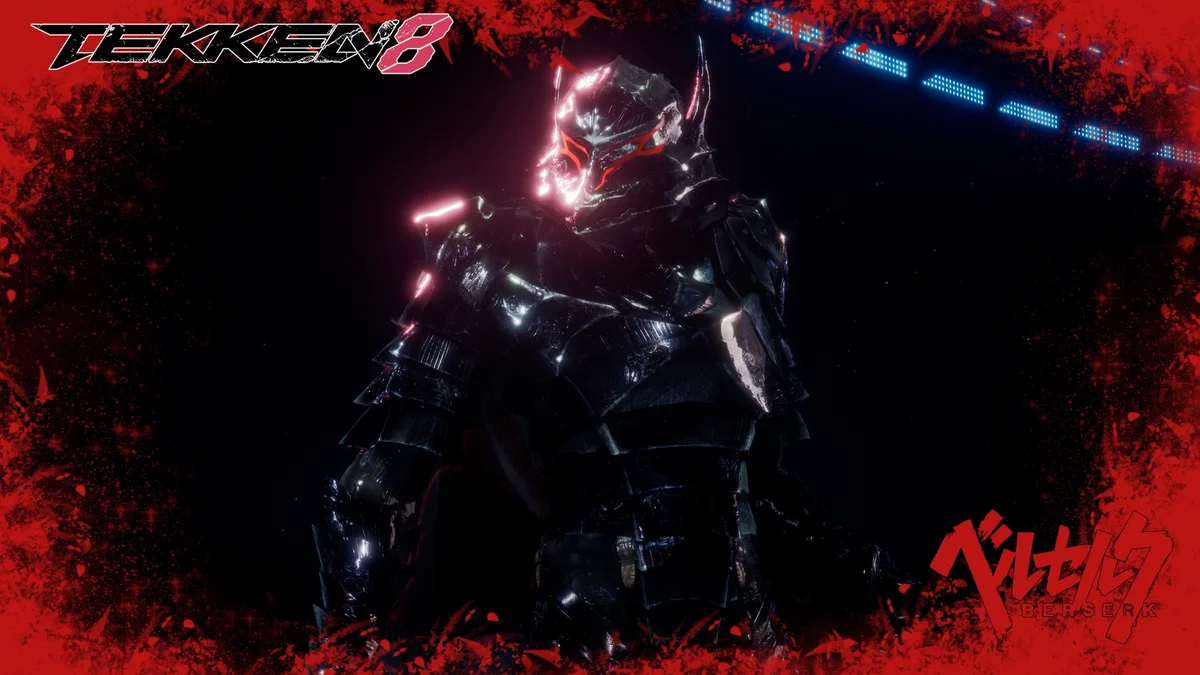
40. Berserker Armor Guts (Kazuya)
Guts’s Berserker Armor from Berserk, in Kazuya’s Tekken 7 Style slot. Equip the motorcycle helmet in customization so it displays correctly, and grab the optional Guts icons to replace Kazuya’s. Version 1.1 improved the cape. Creator: MrMorritos3D (uploaded by Ercuallo). Download: Berserker Armor Guts (Kazuya) on Nexus Mods.
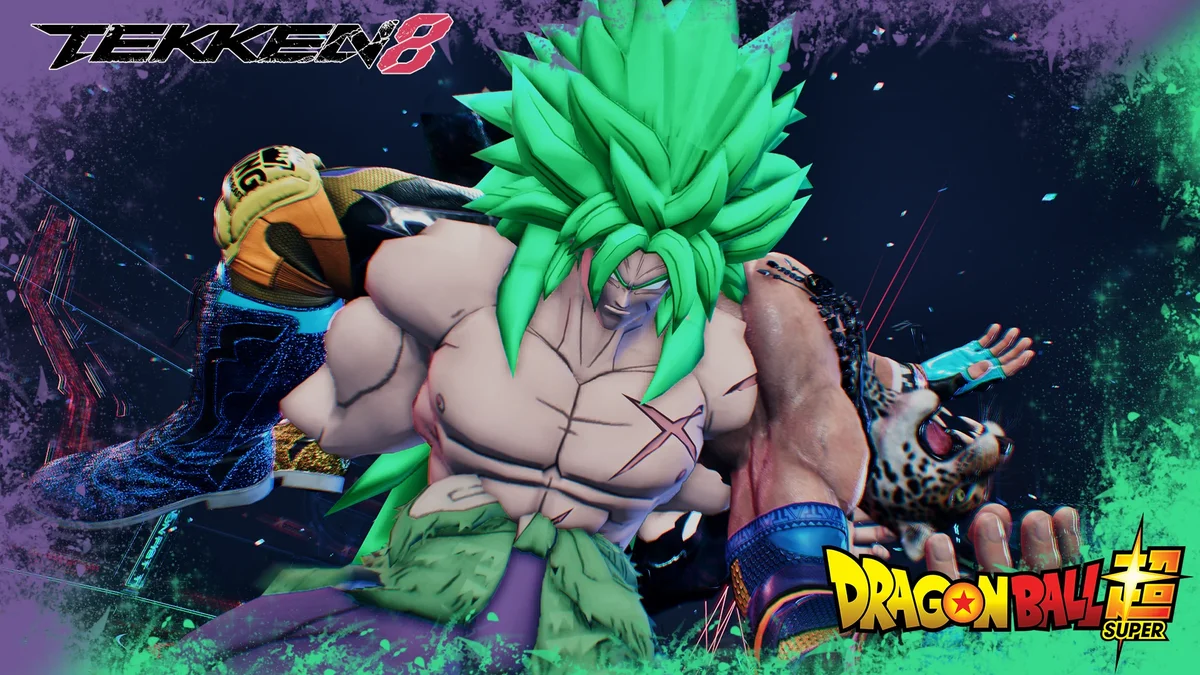
41. Broly (King)
Broly from Dragon Ball Super, built on King’s last outfit, the one bought with Tekken Coins per its page. Equip the motorcycle helmet to hide King’s head. Creator: MrMorritos3D (uploaded by Ercuallo). Download: Broly (King) on Nexus Mods.
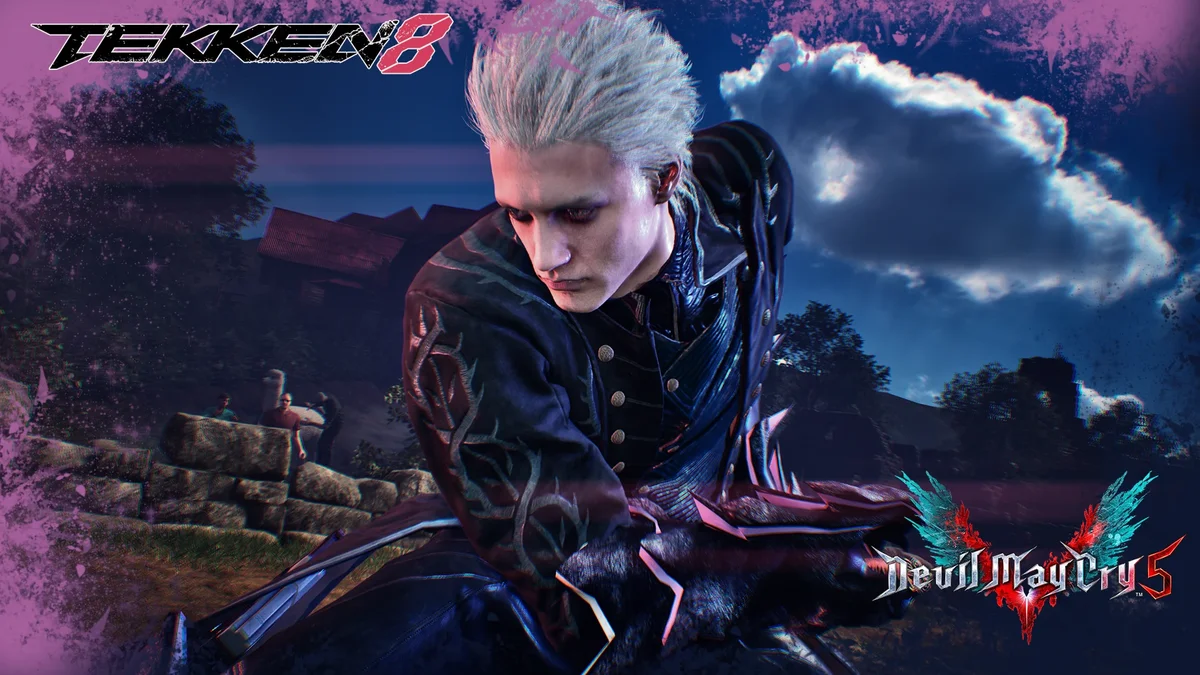
42. Vergil with Yamato and Beowulf (Victor)
Devil May Cry’s Vergil, with his Yamato sword and Beowulf gauntlets, on Victor’s elite costume, with physics. Version 2.00 fixed the camera popping. Creator: MrMorritos3D (uploaded by Ercuallo). Download: Vergil with Yamato and Beowulf (Victor) on Nexus Mods.
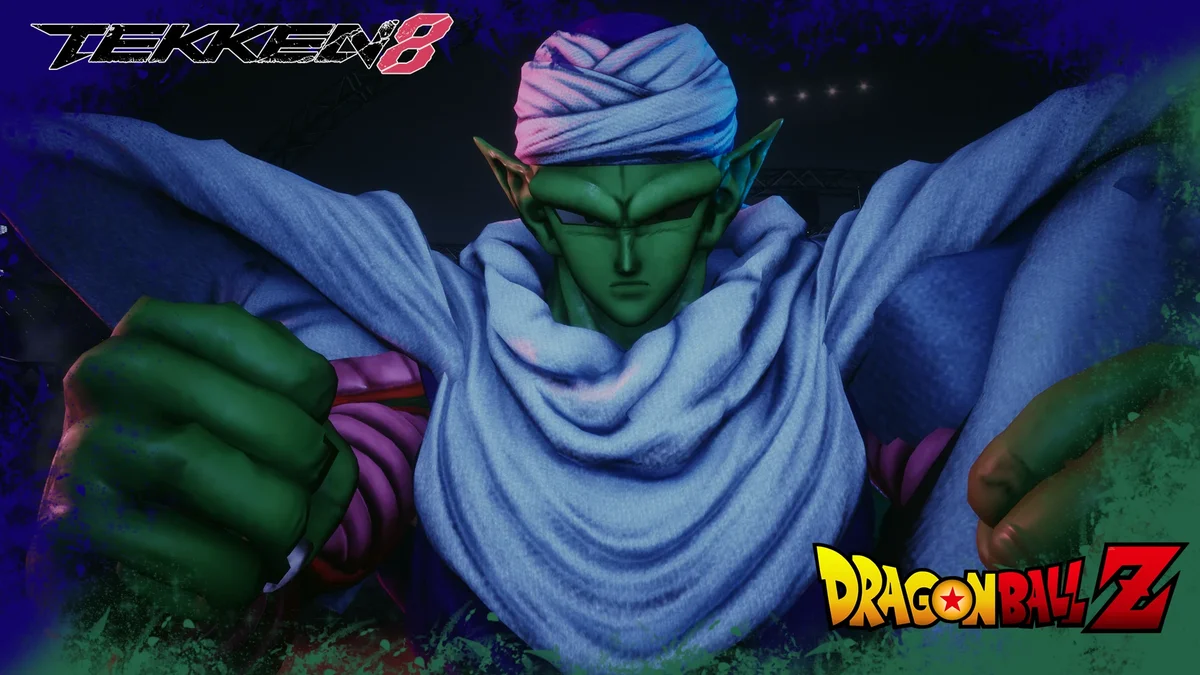
43. Piccolo (Feng)
Piccolo from Dragon Ball Z, with physics, worn by Feng. Version 1.1 improved the physics. Creator: MrMorritos3D (uploaded by Ercuallo). Download: Piccolo (Feng) on Nexus Mods.
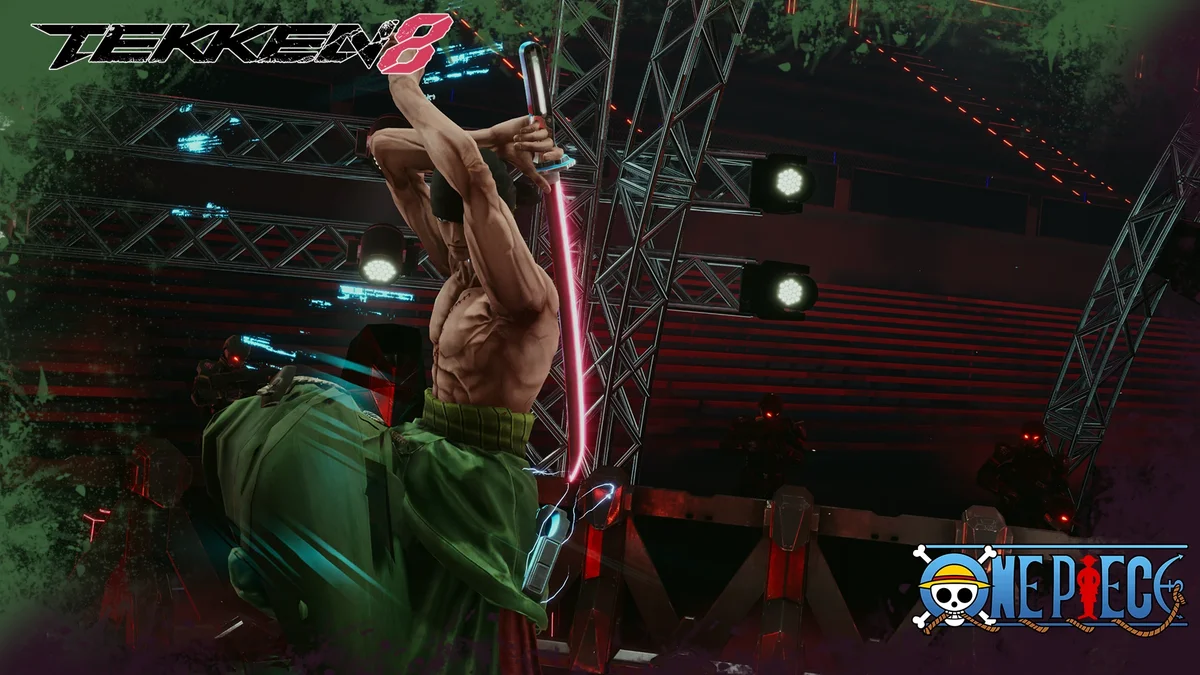
44. Zoro (Victor)
One Piece’s Roronoa Zoro on Victor’s default outfit, and version 1.1 added a version for his Ranger outfit. Creator: MrMorritos3D (uploaded by Ercuallo). Download: Zoro (Victor) on Nexus Mods.
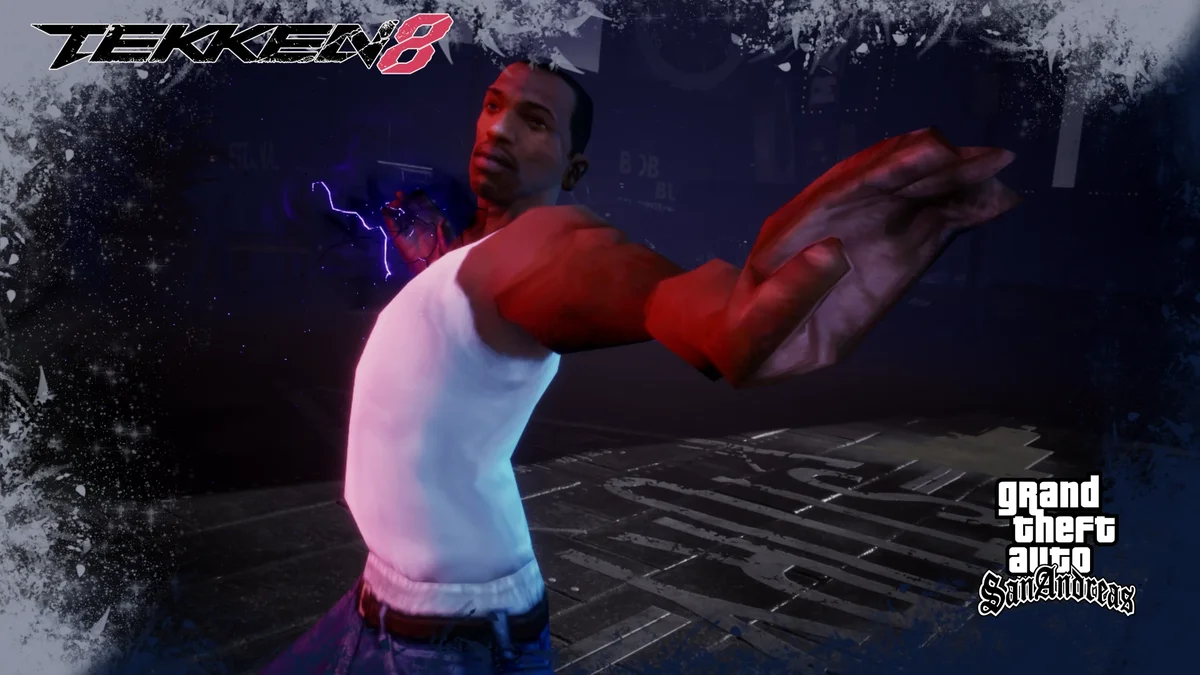
45. CJ San Andreas (Kazuya)
Carl “CJ” Johnson from Grand Theft Auto: San Andreas, on Kazuya’s Tekken 7 outfit. Make a custom preset with the motorcycle helmet, or CJ keeps Kazuya’s head. Version 1.1 fixed the body texture. For more of CJ, our GTA guides cover the whole series. Creator: MrMorritos3D (uploaded by Ercuallo). Download: CJ San Andreas (Kazuya) on Nexus Mods.
Sound Effects and Announcers
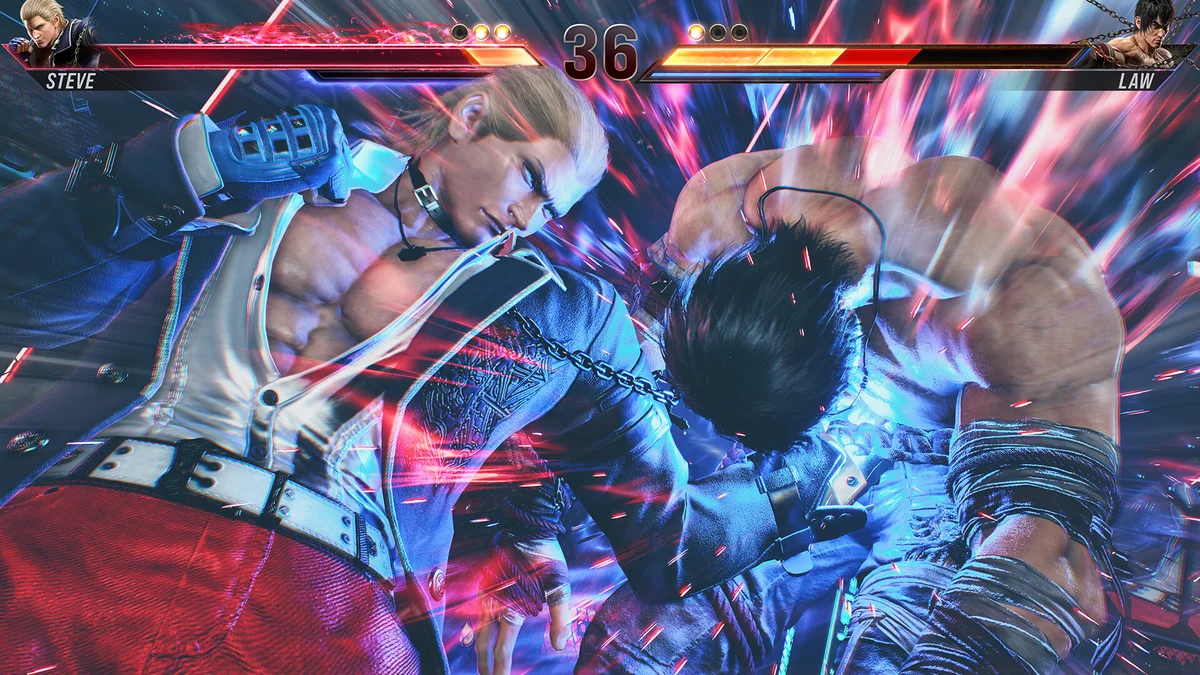
46. Supa Hot Fire OHH for Slow Mo
When a match ends in slow motion, the crowd from the Supa Hot Fire rap battle video yells instead of the usual sound. Put it in ~mods; if that does not work, try the mods folder, and if you use a LogicMods folder, add _P to the end of the pak file’s name. Creator: I GoT No AiMBoT. Download: Supa Hot Fire OHH for Slow Mo on Nexus Mods.
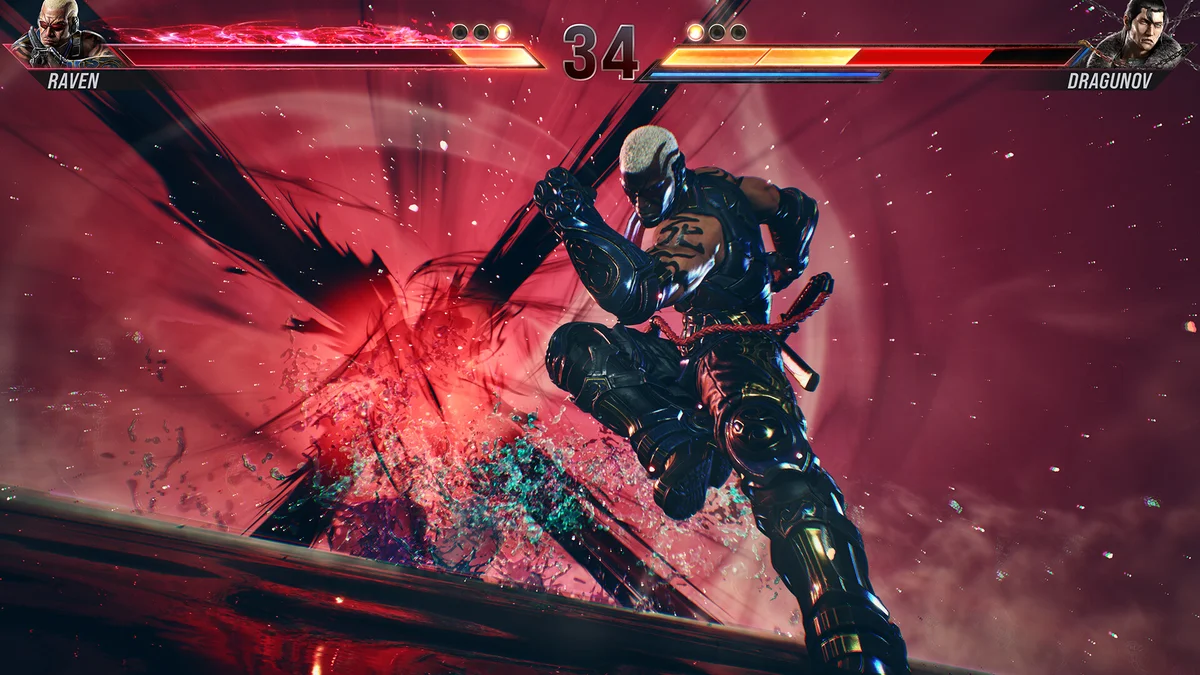
47. Counter Hit Grab Vine Boom
The meme “vine boom” sound, played on counter hits. Note that it replaces every counter hit sound effect, not only counter hit grabs. It goes in Paks\mods. Creator: FelonMuskk. Download: Counter Hit Grab Vine Boom on Nexus Mods.
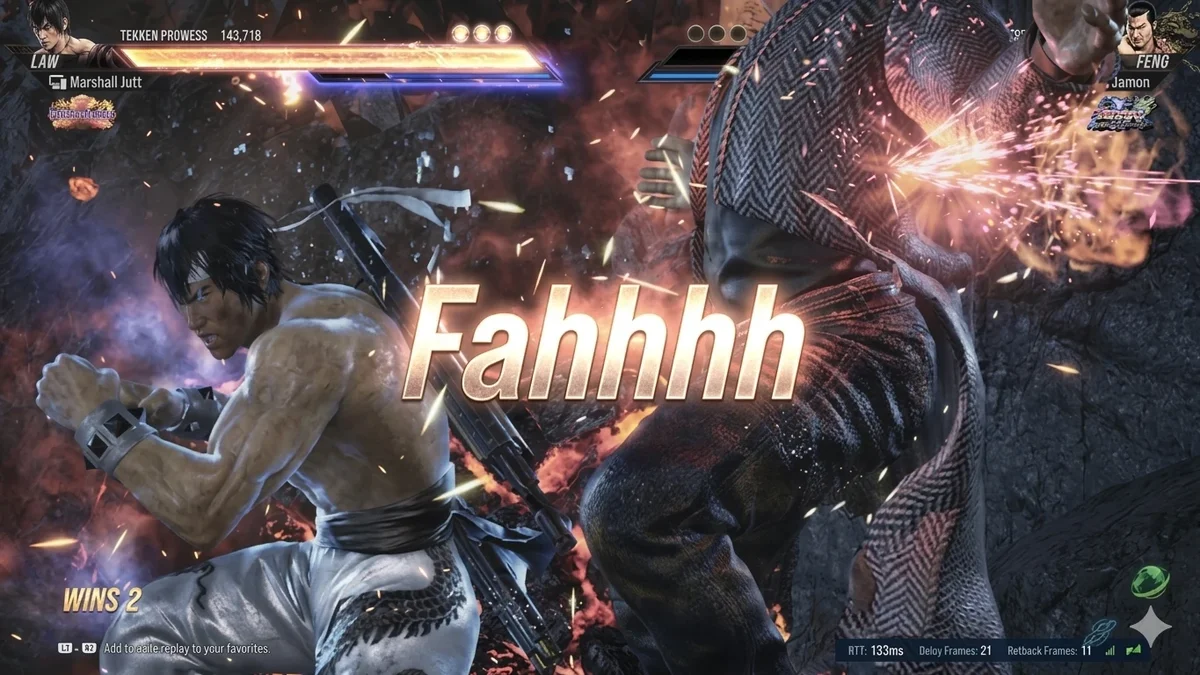
48. Faahhh Meme on Perfect
Win a round without taking damage and the “fahh” meme plays. It is the newest pick here, from April 2026. Paste its ~mods folder into Paks. Creator: Ducky. Download: Faahhh Meme on Perfect on Nexus Mods.
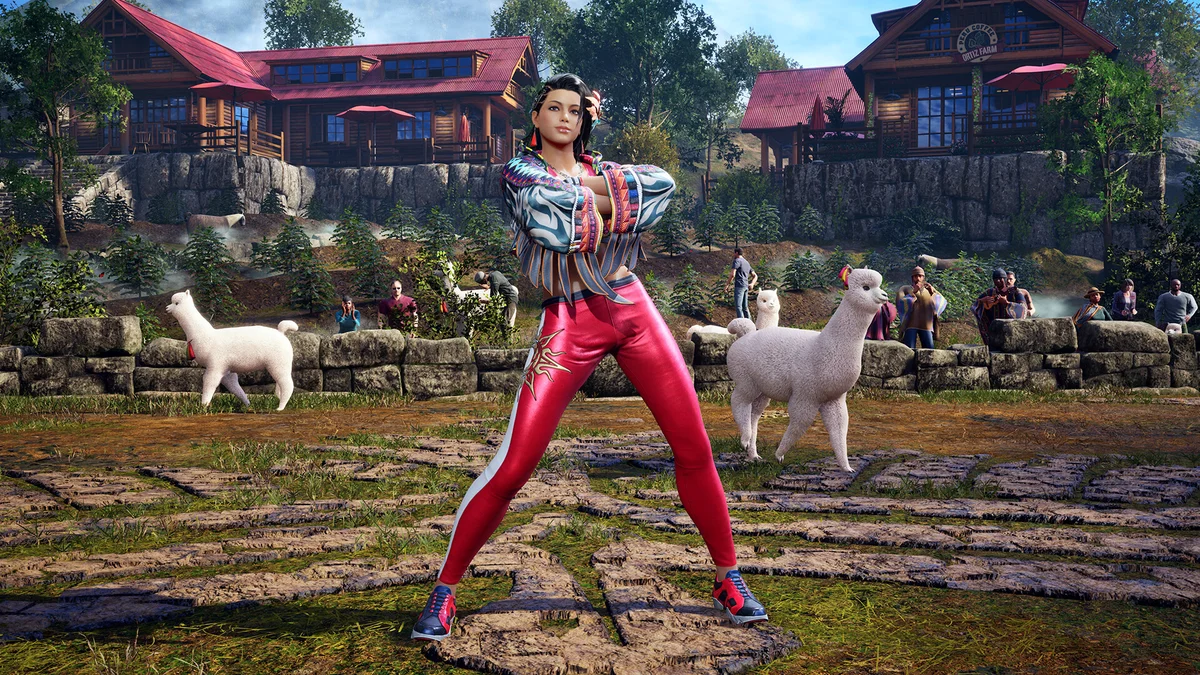
49. Ayo the Pizza Here
Another meme sound, this one plays the famous reply to “ayo the pizza here” when someone is parried or tornadoed. It goes in ~mods. Creator: me mr bomber smile. Download: Ayo the Pizza Here on Nexus Mods.
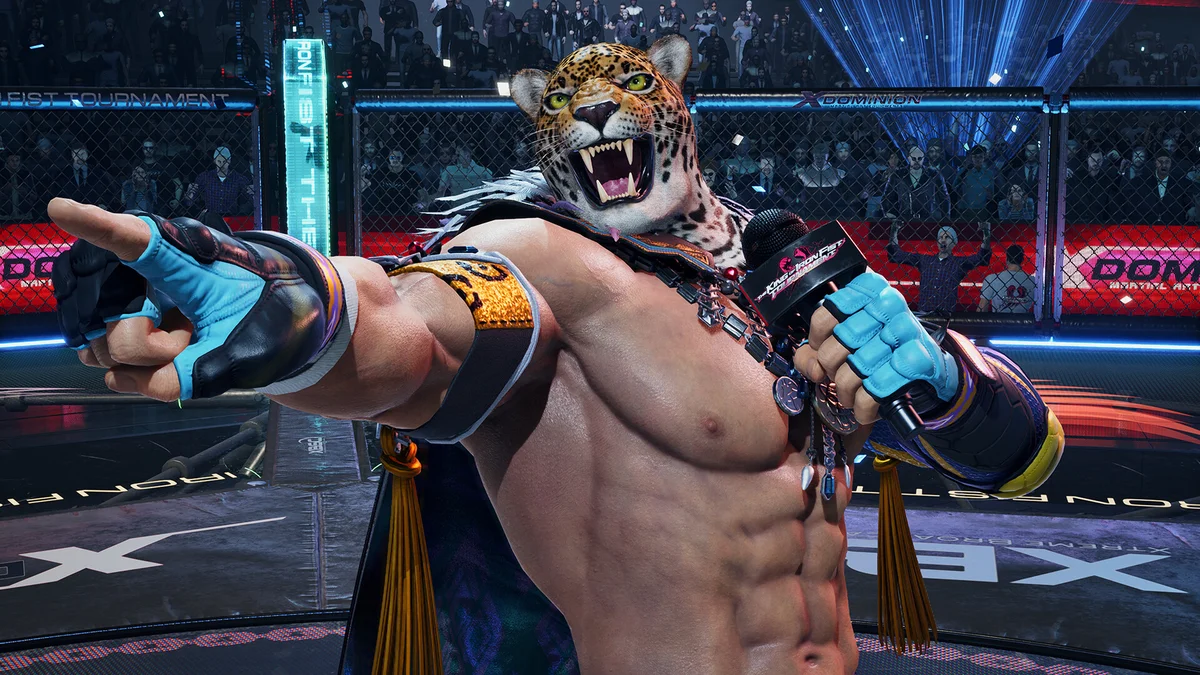
50. Imyourfather Announcer
Swaps the announcer for lmyourfather’s voice, following the Tekken 7 version of this mod by TReXx, who supplied the sounds. Version 1.1 is from April 2024. It goes in Paks\mods. Creator: FelonMuskk. Download: Imyourfather Announcer on Nexus Mods.
How to Install Tekken 8 Mods
Nearly every mod here is a set of pak files (sometimes with matching .ucas and .utoc files) that goes in a folder inside TEKKEN 8\Polaris\Content\Paks. You create the folder yourself the first time, and each entry says which one its creator uses:
~mods: Enhanced Tekken 8 Visuals and the slow-mo, Perfect and parry sounds.mods: most cosmetics, the button notation, the hit effects mod, the Devil Jin effects, the counter hit sound and the announcer.LogicMods: mods built on the game’s logic files, such as peek6’s customization swaps, the glove and katana mods and Intro Movie Skip.
A few work differently. Storage Saver goes in Polaris\Content\Movies\usm. Tekken Hud Disabler is a Lua script that needs UE4SS in Polaris\Binaries\Win64, and the Electric Color Pack’s GUI version also goes in that folder. RenoDX needs ReShade with add-on support installed first, and No-Splash overwrites files in the game folder, so back those up. If a mod does not load, the usual fixes are the wrong folder, a missing _P at the end of the pak name, or two mods replacing the same outfit slot; Mod Manager Plus (number 9) shows which slots each mod uses. Game updates can break mods too, so check each creator’s page after a patch.
Mods and Online Play: Bandai Namco’s Rules
The official word on mods is Bandai Namco’s End User License Agreement, linked from the game’s Steam page, and it makes no exception for them. In section 4, you agree not to “modify, alter, or create any derivative works of the Game.” Section 12, on online conduct, rules out using “bots, emulators, or other unauthorized third party tools,” and says Bandai Namco “may suspend or terminate your access to the Game at any time” if you break that section or any other term of the agreement. Section 6 adds that it can “limit, suspend, or terminate your license” if you do not comply.
That is why this list sticks to cosmetics, visuals, sound and practice aids, and why we left out mods made for online play, such as scripts that hide ranks and player data in ranked matches. Even a mod that only changes what you see is still a modification under the license, so the safest way to use any of them is offline, in practice, arcade, story and local matches. Move your mods out of the Paks folders (or switch them off in Mod Manager Plus) before you play online.
How We Chose These Mods
Every mod here comes from the top of Nexus Mods’ own popularity data for Tekken 8, its most endorsed and most downloaded mods, and links to its creator’s page. We kept mods that are free and still downloadable, and we set aside every mod Nexus Mods flags as adult, plus the many unflagged costume, swimwear, underwear and body mods that are sexualized all the same, which make up a large share of the most popular Tekken 8 mods. We also left out mods made from other games’ files or soundtracks (outfits whose pages say their models come from another game, and music replacers built on other games’ tracks), online-play tools, modding tools and tutorials, and near-duplicates of picks already here, such as a second PlayStation prompts mod. Tekken 8 does not have 100 mods that clear that bar, so this list is 50.
The crossover costumes are almost all from one creator, MrMorritos3D, because no one else on Nexus Mods makes as many popular, non-adult Tekken 8 crossovers. Only download from the creator pages linked above, not from re-upload sites or bundled packs.
If you mod other games, our best Elden Ring mods and best Monster Hunter Wilds mods lists follow the same rules, and our best moddable games on PC has more to try. For the series’ past, Tekken 3 is one of our best PS1 games, and our video game sales figures page lists what Bandai Namco has said about Tekken 8’s sales.
Frequently Asked Questions
What are the best Tekken 8 mods? Enhanced Tekken 8 Visuals and T8 – SPF are the best places to start for how the game looks and runs. After those, the Sidestep and Throw Break HUD helps with practice, the controller prompt mods fix button icons, and the costume mods change how your fighters look.
Where is the Tekken 8 mods folder? Inside your install folder at TEKKEN 8\Polaris\Content\Paks. Create a ~mods, mods or LogicMods folder there, depending on what each mod’s page says. On Steam, the install folder is usually steamapps\common\TEKKEN 8.
Why are my Tekken 8 mods not working? Check that each mod is in the folder its page names, that pak files meant for LogicMods end in _P, and that no two mods replace the same outfit or slot. A game update can also stop mods from loading until their creators update them, and Storage Saver may need reinstalling after a patch.
Are there stage mods for Tekken 8? A few, and the most endorsed is Removing Fog from All Stages (number 7), which clears the haze from every stage. Most Tekken 8 mods change characters and visuals rather than stages.
Can you get custom skins and costumes in Tekken 8? Yes, on PC. Mods replace an existing outfit, customization item or preset slot, so you pick the replaced item in Character Customization. The costume picks above run from Heihachi’s classic gi to Goku, Vergil and CJ.
Can you get banned for using mods in Tekken 8? Bandai Namco’s license bans modifying the game and lets it suspend or terminate access for breaking its terms, as explained above the FAQ. Use mods offline only and remove them before playing online.
Can you use mods on Tekken 8 on PS5 or Xbox? No. Every mod on this list is a PC download for the Steam version, and none of their pages offers a console version.
Are Tekken 8 mods free? Yes, all 50 are free on Nexus Mods. Some creators take donations or commissions, but nothing here is paywalled.