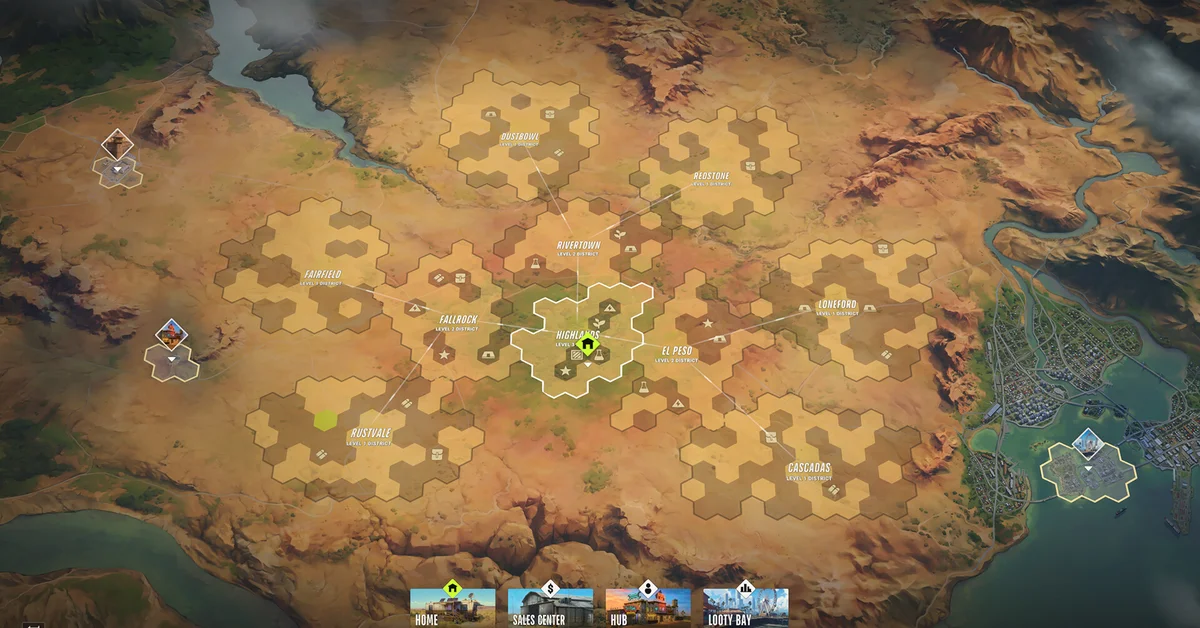
If you can’t get into Looty Bay in ROB RUN, the problem may be on Kefir’s side, not yours. At 10:24 AM Eastern on November 23, the studio said on its Telegram channel that it knows some players are having trouble entering Looty Bay and is already working on a fix. As of 2 PM Eastern that day, Kefir had not posted that it was solved or said what caused it.
While you wait, the workarounds Kefir has given for the same symptom before are worth a try: give the game a few minutes after a server restart, disband your party and enter again, and run the help center’s checks on your own PC. Below is what Kefir has said, what else can keep you out of the city, and what to do about each.
What Kefir Has Said About the Looty Bay Problem
Kefir’s Telegram channel posts in Russian, and it is one of ROB RUN’s official communities listed in Kefir’s help center. Its November 23 posts, in order, with times in Eastern:
- 8:39 AM: a warning that the servers would restart in 20 minutes to install an update and improve stability.
- 9:17 AM: a small update that closed some server vulnerabilities cheaters had been using and lets you use the laptop during a raid.
- 10:24 AM: the notice that some players have problems entering Looty Bay and that the team is working on it.
Kefir did not tie the entry problem to the restart or the update, so we would not assume a link either. What matters for you: if Looty Bay will not let you in today, reinstalling the game is unlikely to help. Kefir’s Telegram warning about fake fixes says real fixes only ever arrive as a game update through Steam, so ignore anyone offering a “fix” file. Watch the Telegram channel, the game’s Steam news page and @ROBRUNGame on X for the all-clear.
Other Things That Keep You Out of Looty Bay
A Server Restart Just Happened
Kefir restarts ROB RUN’s servers often to install fixes, usually with a warning on Telegram 10 to 30 minutes ahead. When the EU servers came back from a restart on November 14, Kefir warned that loading into Looty Bay could take longer than usual because so many players were trying to get in at once, and asked anyone with loading problems to wait a little. If a restart was posted in the last half hour, give it a few minutes before you try again.
Your Party Is Stuck
On launch day, November 4, Kefir said its party system was having problems and posted a simple workaround: if you cannot get into Looty Bay, disband the party and enter again. It is the quickest thing to try when a group cannot load in together.
Two more rules trip up groups. Everyone has to be back on the global map before you enter a location together, and everyone has to be on the same server. Our guide to playing with friends covers the whole setup, and our party size guide explains why a group stops at three. Looking ahead, players on Kefir’s planned restricted servers will be matched separately from standard servers, “including in Looty Bay,” so a friend on the other kind of server will not turn up in your city once those open.
The Game Hangs on the Loading Screen
On November 20, Kefir said on Telegram that it was working on loading freezes that stop some players from getting back into the game, and that it ties progress rollbacks to server crashes caused by DDoS attacks. In the same post, it said it knows about connection problems for players in some regions, especially Russia, and has no plans for separate servers there. ROB RUN runs EU and East US regions as of launch, and switching region means a trip through the prison, as our guide to changing servers explains.
You Are Trying to Join the Police
A full police force is a different problem: you are in the city, but the station will not take you. Kefir capped cops at four per city on November 5, and since the November 20 patch the game checks for a vacant cop spot before the equipment selection window opens. Our guide to becoming a cop covers what to do when the slots are full.
Rule Out Your Own PC
If Kefir has posted nothing and your friends are getting in fine, work through the steps from Kefir’s help center for a game that won’t load or keeps freezing:
- Check your internet connection. Make sure websites load normally.
- Restart the game and Steam. Close both fully, then launch ROB RUN from your Steam library.
- Update your graphics driver.
- Verify the game files. In Steam, right-click ROB RUN, then go to Properties, Installed Files, and Verify integrity of game files.
If the game shows an error code instead, Kefir’s error code list says what it means. These are the codes most likely to stop you loading in:
| Code | What Kefir says it means | What to do |
|---|---|---|
| E-0101, E-0110 | The game cannot reach the server for startup data | Check your internet connection |
| E-0201 | You were connected, then lost the game server | Check your connection and restart the game |
| E-0202 | The authentication server is not responding | Check that other sites load and your provider is not blocking anything; if it keeps happening, send the error text to support |
| E-0301, E-0302 | Your game version is outdated | Close the game, restart Steam and update |
| E-0406, E-0407, E-0408 | Steam sign-in was denied, failed or timed out | Make sure Steam is online and on the right account, then restart Steam and the game |
| E-0503 | Easy Anti-Cheat flagged a security violation | Verify your files, relaunch, and try wired instead of Wi-Fi or the other way round |
Our guide to checking if the servers are down covers more codes and how ROB RUN’s outages have played out since launch. If the game struggles on your setup in general, compare your PC with the system requirements.
If You Get In and Something Is Missing
Kefir has said server crashes caused some progress rollbacks. Before you contact support, make sure the weekly Federal Raid did not just hit your server, since it wipes property on purpose, as our guide to when the servers wipe explains. If no wipe happened, Kefir’s help center says to check you are on the right Steam account, then write to robrun.support@kefircyprus.com with your UID, your player name and roughly when the loss happened. Every guide for the game is on our ROB RUN hub.
Frequently Asked Questions
Why can’t I get into Looty Bay in ROB RUN? On November 23, Kefir said some players are having problems entering Looty Bay and that it is working on a fix, without giving a cause. A recent server restart, a stuck party or a problem on your own PC can also keep you out.
Is the Looty Bay problem fixed? Not as of 2 PM Eastern on November 23. Kefir posts updates on its Telegram channel, the game’s Steam news page and @ROBRUNGame on X.
What should I do if my party can’t get into Looty Bay? Disband the party and enter again, which is the workaround Kefir gave for a party bug at launch. Make sure everyone is on the same server and back on the global map first.
Why is Looty Bay taking so long to load? Right after a server restart, many players try to join at once, and Kefir has said loading into Looty Bay can take longer than usual then. Wait a few minutes and try again.
Will reinstalling ROB RUN fix it? Not if the problem is on Kefir’s side. Verify the game files in Steam first, which checks your install without a full download, and only reinstall if Kefir has posted nothing and the help center steps fail.