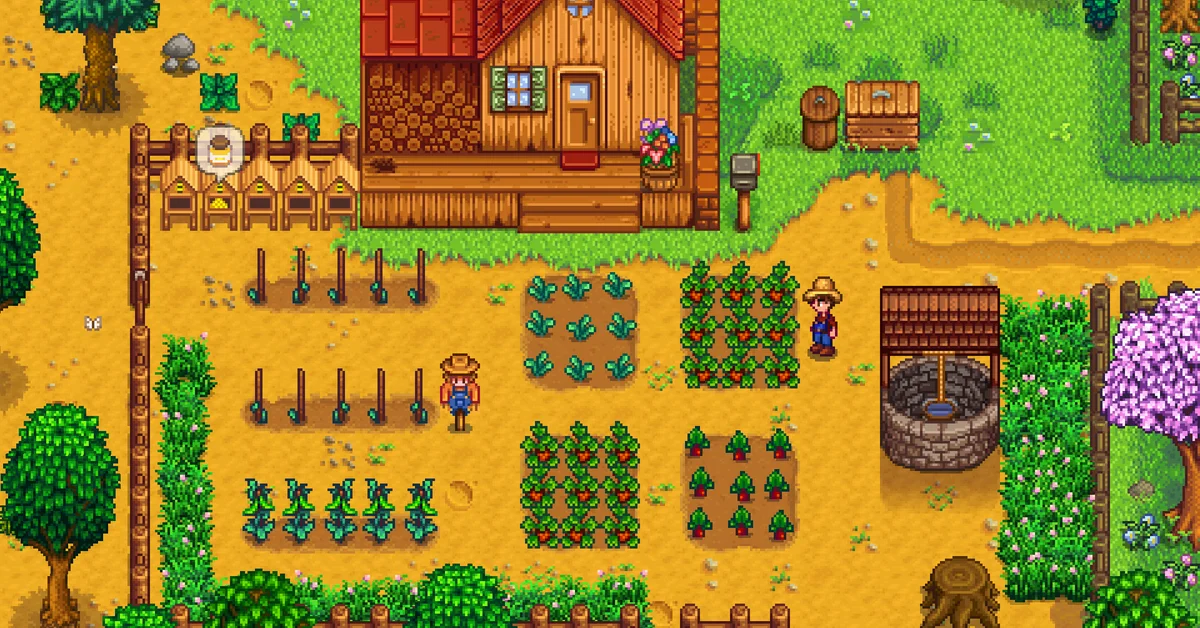
To play co-op in Stardew Valley, the host picks Co-op instead of New or Load on the title screen, and the farm needs one cabin for every extra player. Friends then join online from the Co-op menu’s Join tab, or sit down together in split-screen after the host chooses Start Local Co-op from the Options tab of the in-game menu.
Below we walk through hosting a new or existing farm, joining on each platform, split-screen, player limits, crossplay, and what players share once they are on one farm.
Which Version This Covers
This guide covers Stardew Valley 1.6, the current version on PC, consoles and mobile. The official 1.6 changelog made three co-op changes worth knowing: “You can now have up to 8 players on PC”, “Building cabins no longer requires materials, only the 100g price”, and players now need the same build number, not just the same version, to connect. It also added four new cabin styles.
Player Limits on Each Platform
| Platform | Online players | Split-screen | Online needs |
|---|---|---|---|
| PC (Steam, GOG) | Up to 8 | Up to 4 | Nothing extra |
| PlayStation | Up to 4 | Up to 4 | PlayStation Plus |
| Xbox | Up to 4 | Up to 4 | A Game Pass tier with online play |
| Nintendo Switch | Up to 4 | 2 | Nintendo Switch Online |
| Nintendo Switch 2 Edition | Up to 8 | Up to 4 | Nintendo Switch Online |
| Mobile | Experimental | None | Wi-Fi recommended |
Per the community wiki, consoles stayed at four players after 1.6, and split-screen is free while online play needs the console’s subscription. Nintendo’s store page for the Switch 2 Edition, a free upgrade for Switch owners released December 25, 2025, confirms up to four players in split-screen and eight online, plus GameShare for inviting up to three friends who do not own the game. On the original Switch, each split-screen player needs a full controller or a pair of Joy-Con.
There is no crossplay between platforms, except between PC versions (Windows, Mac and Linux) and a mobile device joining a PC-hosted farm by IP address.
How to Host a Co-op Farm
Starting a new farm:
- On the title screen, choose Co-op, then the Host tab.
- Choose Host New Farm and create your character as normal.
- Set the number of starting cabins: one per player who will join. Cabins chosen at creation are free.
- Pick the money setting (shared or separate wallets) and, if you like, a lower profit margin, covered below.
Opening an existing single-player farm:
- Visit Robin’s Carpenter’s Shop and build a Cabin for each friend. Since 1.6 each one costs just 100g, with no materials, and it appears instantly.
- Save and quit to the title screen.
- Load the farm through Co-op instead of Load, and friends can now join.
Per the wiki, you can have up to 7 cabins on PC and Switch 2 and up to 3 on other consoles. The Four Corners farm map was designed with co-op in mind, giving each player a quadrant.
How to Join a Friend’s Farm
- PC: open Co-op, then the Join tab. Farms hosted by Steam friends appear in the list. Otherwise, the host finds an invite code in the Options tab of their game menu and you type it into the join screen (Steam and GOG Galaxy both use codes). You can also connect by IP address; the wiki says the game uses UDP port 24642.
- PlayStation, Xbox and Switch: join from the same Co-op menu through your friends list, with the subscription listed above. Nearby Switch owners can also play over local wireless without Nintendo Switch Online.
- Mobile: per ConcernedApe’s official mobile multiplayer guide, co-op is a hidden, experimental feature on Android and iOS (not the Apple Arcade version). Tap the leaves on the title screen logo in the order up, up, down, down, left, right, left, right, then tap the “?” button, and a Co-op button appears. Joining is by IP address only, and the guide recommends a local Wi-Fi network and a backed-up save.
Everyone must be on the same game version and build to connect.
How to Play Split-Screen
- Load the farm and make sure there is a free cabin for each extra player.
- Connect a controller for each extra player. On PC, the keyboard always belongs to player one.
- Open the in-game menu, go to the Options tab, scroll to the multiplayer section, and choose Start Local Co-op.
- Each extra player presses Start (Options on PlayStation, + on Switch) on their controller.
The game cannot mix split-screen and online players in the same session on consoles, per the wiki. ConcernedApe’s 1.5 notes also suggest adjusting the zoom and UI zoom in Options so each screen stays readable.
What Players Share, and What They Don’t
- Shared: the farm, its buildings and crops, Mines progress, the Museum, and Community Center bundles. Big choices, like going to bed, starting a festival, or picking the Community Center over Joja, need everyone.
- Individual: energy, skills, tools, recipes and friendships. Whoever harvests a crop gets the Farming XP, which matters if you are following our Farming leveling guide. Each player has their own Stardrops to find too; see our energy guide.
- Money: shared or separate, switchable at any time with the Town Ledger in the Mayor’s Manor. A lower profit margin (25%, 50% or 75%, set only at creation) cuts sell prices to offset the extra hands; our make money fast guide assumes the default.
- Time does not pause when you open a menu in online co-op, so do your inventory sorting quickly. The host can type /pause in chat.
- Marriage: each villager can marry only one player, first to propose wins. Players can also marry each other with a Wedding Ring, crafted from 5 Iridium Bars and a Prismatic Shard after buying the recipe from the Traveling Cart.
Farmhands cannot visit the farm unless the host is online, and ownership cannot be handed over without mods. For more, see the Stardew Valley hub.
Frequently Asked Questions
How many players can play Stardew Valley co-op? Up to eight online on PC and Switch 2 Edition, and up to four on PlayStation, Xbox and the original Switch.
Is Stardew Valley crossplay? No, apart from PC versions playing together and mobile devices joining a PC-hosted farm by IP.
Can you add co-op to an existing save? Yes. Build a cabin at Robin’s for each friend, then load the save through the Co-op menu.
Do you need a subscription for split-screen? No. Local split-screen is free on every console; only online play needs the platform’s subscription.
Can farmhands play without the host? No. The farm lives on the host’s save, so the host must be online for anyone else to play.