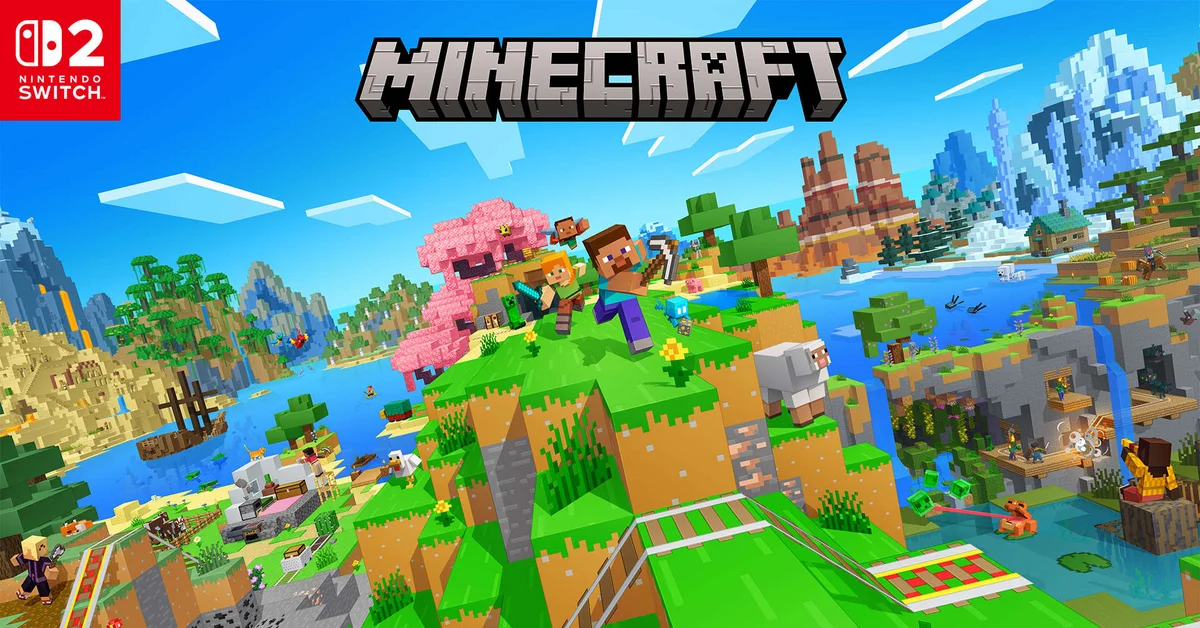
If you own a digital copy of Minecraft on the original Nintendo Switch, you can get the digital Standard Edition of Minecraft for Nintendo Switch 2 for free through the Nintendo eShop, as long as you claim it by January 31, 2027. Sign in to the eShop with the Nintendo Account that bought the Switch version, open the Switch 2 version’s store page and pre-order the Standard Edition, and it unlocks when the game launches on October 27, 2026.
The offer has limits that catch people out: it covers digital copies only, it runs only through the eShop, and two regions pay a token fee. Below we cover who qualifies, the claim steps, the discounted Deluxe and Ultimate upgrades, and what happens to your worlds. Everything here is verified against Mojang’s announcements and Nintendo’s store listings as of October 14, 2026.
Who Qualifies for the Free Upgrade
Mojang’s October 7 pre-order announcement and the publisher notice on Nintendo’s store listing set the rules:
- You must own a digital version of Minecraft for Nintendo Switch. Mojang’s wording is “If you already own a digital version of Minecraft for Nintendo Switch”, and Nintendo’s notice uses the same phrase.
- The Standard Edition is the free one. Owners can also move up to the Deluxe Collection or Ultimate Collection, but those come “at a discount”, not free.
- The deadline is January 31, 2027. Mojang says “until the end of January 2027”, and Nintendo’s listing says “by January 31, 2027”. Neither names a cut-off hour, so do not leave it to the last evening.
- It is free everywhere except Japan and Taiwan. Mojang’s fine print puts the upgrade at 100 JPY in Japan and 30 NTD in Taiwan.
- It is Nintendo eShop only. Mojang says the offer is “only available through Nintendo eShop”, so no retailer can sell or apply it for you.
How to Claim It, Step by Step
- Find the Nintendo Account that owns Minecraft. The free price follows the original purchase, so you need the account that bought the Switch version. In a household with several accounts, check which one made the purchase before you start.
- Open Nintendo eShop on your Switch 2, or Nintendo’s online store while signed in to that same account, and search for Minecraft.
- Pick the Nintendo Switch 2 version. Both versions are listed simply as “Minecraft”, and the original Switch version is still on sale at $29.99. The right listing shows “Nintendo Switch 2” as the version and a release date of October 27, 2026.
- Choose the Standard Edition and check the price before you confirm. Per Mojang, eligible owners can pre-order it for free (or for the small fee in Japan and Taiwan). If the store asks for the full $29.99, stop: the usual causes are the wrong account or a Deluxe or Ultimate bundle selected by mistake.
- Complete the pre-order. Mojang’s offer explicitly covers pre-orders, so you can claim it now and download the game when it launches on October 27. You can also wait until after launch, as long as you claim it before the end of January 2027.
The Discounted Deluxe and Ultimate Upgrades
Instead of the free Standard Edition, owners can upgrade straight to one of the bigger bundles at a reduced price. New buyers pay $39.99 for the Deluxe Collection and $49.99 for the Ultimate Collection on Nintendo’s US store. Mojang describes the owner prices only as “discounted fees” and has not published them, so compare what your account is quoted against those full prices before you buy.
- Deluxe Collection: three add-ons (Celebration Food, Rescue Dogs and Plenty O’ Blocks), three exclusive Character Creator items and 700 Minecoins.
- Ultimate Collection: the same three add-ons plus Decocraft and Weapons + Tools, five exclusive Character Creator items and 1,000 Minecoins.
Mojang’s fine print says Minecoins included with these bundles, and any bought in Minecraft on a Nintendo device, must be spent in the Nintendo ecosystem. If you also play on Xbox or PC, those coins will not follow you there.
What the Switch 2 Version Adds
The upgrade is worth claiming even if you are happy with the old version. Mojang’s June 9 announcement calls it a native version “optimized to take advantage of the console’s more powerful hardware”, and it brings Vibrant Visuals, Mojang’s official lighting and shadow overhaul, to a Nintendo console for the first time as the default graphics setting. The Super Mario Mash-Up Pack, exclusive to the Nintendo versions, also gets an update built for those graphics, with Peach’s Castle and Delfino Plaza to explore.
Nintendo’s listing puts the download at an estimated 1.2 GB and supports one to four players on one system, plus two to eight over local wireless or online. Our guide to installing shaders explains how Vibrant Visuals works on the other Bedrock platforms in the meantime.
What Happens to Your Worlds and Purchases
Nintendo’s listing states that “Nintendo Switch worlds can be carried over, so you can pick up right where you left off.” Mojang has not yet published step-by-step transfer instructions for the Switch 2 version. For context, when Minecraft on Switch moved from the old Nintendo Switch Edition to the current version in 2018, Mojang’s help center had players use a Sync Old Worlds option at the bottom of the worlds list; it has not said whether the Switch 2 transfer works the same way.
Three things are worth doing before launch:
- Sign in with your Microsoft account on the Switch version if you have not already. Nintendo’s listing for the original version says a free Microsoft account lets Switch players play with people on other devices and “enables the portability of Minecoins and in-game store purchases.”
- Remember that Realms are not on your console. Realms worlds live on Mojang’s servers, so a Realm you own or belong to does not need transferring.
- Keep the original version installed until your worlds show up on Switch 2. Nintendo lists the original version as supported on Switch 2, with “game behavior consistent with Nintendo Switch”, so holding onto it costs nothing.
Mojang has not spelled out how existing Marketplace purchases appear in the Switch 2 version. We will update this guide when it does.
If You Own the Physical Cartridge
Neither Mojang nor Nintendo has announced an upgrade for physical Switch copies: the offer is worded for digital owners only. Cartridge owners can keep playing their copy on Switch 2 through backward compatibility, or buy the Switch 2 version at full price, $29.99 for the digital Standard Edition. Mojang also points buyers to a physical Switch 2 version at retail. At least one retailer listing describes it as a Game-Key Card, which would mean the box holds a download key rather than the game itself, but Mojang and Nintendo have not described the physical version on their own pages.
Still waiting on the console itself? Our guide to buying a Nintendo Switch 2 covers stock and bundles, and Minecraft’s launch sits alongside the rest of the month’s releases in our October 2026 games list. Once you are in, our play with friends guide covers Realms and crossplay, and every other guide is on our Minecraft hub.
Frequently Asked Questions
Is the Minecraft Switch 2 upgrade free? For owners of a digital copy on the original Switch, the Standard Edition is free in most regions until January 31, 2027. Japan and Taiwan pay 100 JPY and 30 NTD.
Do physical Switch owners get the free upgrade? Not as announced. Mojang and Nintendo word the offer for digital owners only, and no route for cartridge owners has been announced.
Can I claim the upgrade after launch? Yes. Pre-orders count, but so does claiming it after October 27, as long as you do it before the end of January 2027.
Will my Switch worlds carry over to Switch 2? Nintendo’s listing says Switch worlds can be carried over. Mojang has not published the exact steps yet, so keep the original version installed until your worlds appear.
Can I keep playing the original Switch version on Switch 2? Yes. Nintendo lists it as supported on Switch 2 with behavior consistent with the original Switch, which means no Vibrant Visuals.
How big is the Switch 2 download? Nintendo estimates 1.2 GB for the Switch 2 version.