
Elden Ring has no save button: it autosaves at set moments as you play, and an autosave icon in the upper-right corner of the screen shows when it is writing your progress. To stop playing safely, open the main menu, choose System, and select Quit Game, which saves you out to the title menu.
That second step matters more than it looks. FromSoftware’s official online manual tells you to always stop through Quit Game, because closing the game any other way may not let you resume from where you were. Below we cover how autosave behaves, the exact quit steps on each platform, how many characters you can keep, where PC saves live, and how cloud saves work on PlayStation, Xbox, Steam, and the Switch 2 Tarnished Edition.
How Autosave Works in Elden Ring
The manual describes it plainly: the game saves automatically at specific times, the autosave icon appears in the upper-right corner while it does, and each save overwrites the previous one. Three things follow from that:
- Each character has exactly one save. There is no list of older saves to roll back to, so a bad choice, a lost questline, or a death is written in for good.
- Sites of Grace are not save points. They are where you respawn, refill your flasks, and level up, but the game saves whether you rest at one or not.
- Dying is saved too. Your dropped runes wait where you fell, and there is no reload that undoes the death.
The icon is the one moment not to power off or close the game. Wait for it to disappear first.
How to Quit Elden Ring Without Losing Progress
- Open the main menu: Options on PlayStation, the Menu button on Xbox or a PC controller, or Esc on a PC keyboard. The Switch 2 Tarnished Edition opens the same main menu from its own menu button.
-
Select System.
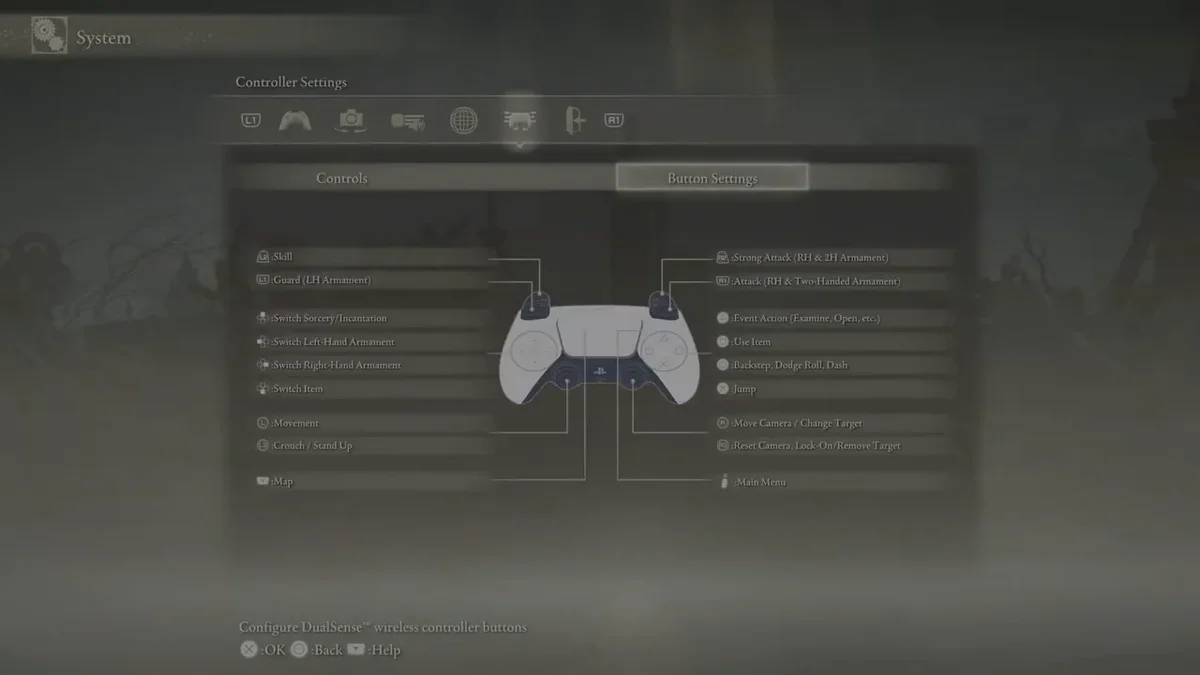
- Move across the System tabs to Quit Game, the last one after the game, camera, display, sound, network, and controller settings.
-
Confirm. The game saves and drops you at the title menu.
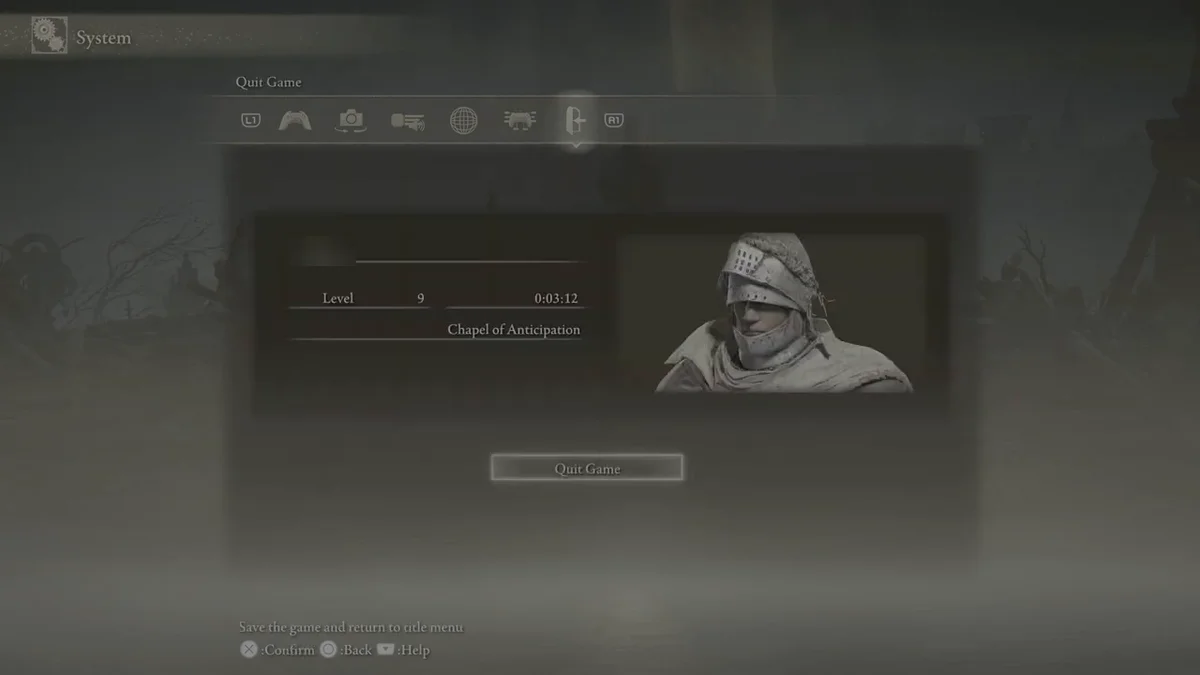
- On PC, pick QUIT GAME on the title menu to close the program itself.
Our video at the end of this guide shows us saving the game on PS5. The screenshots above come from the same recording.
| Platform | Open the main menu | Then |
|---|---|---|
| PS5 and PS4 | Options | System, then Quit Game |
| Xbox Series X and S, Xbox One | Menu button | System, then Quit Game |
| PC (keyboard) | Esc | System, then Quit Game, then QUIT GAME on the title menu |
| PC (controller) | Menu button | System, then Quit Game, then QUIT GAME on the title menu |
Opening the menu does not pause the game, since Elden Ring has no pause. Quit from somewhere quiet, not halfway across the Lake of Rot with scarlet rot ticking. When you come back, CONTINUE on the title menu resumes the character you last played, and LOAD GAME lets you pick another.
Rest Mode on PlayStation and Quick Resume on Xbox only suspend the game. They are handy for short breaks, but before a console shuts down fully or the game is closed, use Quit Game.
How Many Characters You Can Keep
A save holds up to 10 characters, each with its own single autosave. To try a different build without losing your current one, start a New Game, and it goes into an empty slot. Shadow of the Erdtree uses the same characters as the base game, so there is no separate DLC save to manage.
Where Elden Ring Saves on PC (and How to Back Up)
On PC, Elden Ring keeps its saves in your Windows AppData folder, at %APPDATA%\EldenRing, inside a folder named after your 17-digit Steam ID. The save file in that folder is ER0000.sl2.
To get there, press Windows and R, type %appdata%\EldenRing, and press Enter.
To back up a character:
- Quit through System, then Quit Game, and close the game.
- Copy the whole numbered folder somewhere safe, such as another drive.
- To restore, close the game first, then copy your backup back over the folder.
Steam Cloud is supported, and you can check it under the game’s Properties, General tab, “Keep game saves in the Steam Cloud.” If Steam reports a cloud conflict after you restore a backup, pick the copy you actually want to keep. Saves are tied to the Steam account that made them, so restore your own backups rather than a file from someone else.
Modded play keeps its own files: the Seamless Co-op mod saves to .co2 files instead of .sl2, and our Elden Ring mods list covers save managers that back up characters for you. Never carry a modded save back into online play.
Cloud Saves on PlayStation, Xbox, and Switch 2
- PS5: with PlayStation Plus, turn on auto-sync under Settings, Saved Data and Game/App Settings, Saved Data (PS5), Sync Saved Data, Auto-Sync Saved Data. Sony’s cloud storage page explains that the console syncs when you close a game or enter Rest Mode.
- PS4 to PS5: the PS5 version’s title menu has a CONVERT SAVE DATA option that reads the PS4 save stored on the console and creates a PS5 save from it. It overwrites any PS5 save you already have, so convert before you start fresh on PS5.
- Xbox: saves sync to the cloud automatically while you are online, and Xbox One and Xbox Series X and S share the same save.
- Switch 2: the Tarnished Edition, out since August 28, 2026, lists Save Data Cloud among its Nintendo Switch Online features, so members are covered there too.
There is no cross-save between platform families. A character made on PC stays on PC, and a Switch 2 character stays on Switch 2.
Elden Ring Nightreign Saves Separately
Elden Ring Nightreign is a standalone game with its own save data, and your Elden Ring characters do not carry into it. It follows the same quit rule, though: Bandai Namco’s starter manual for it says to go to Main Menu, System, Quit Game, then Return to Title Menu.
If you are new to the series, our guide to two-handing a weapon also shows where the controller settings live if a button does not do what you expect.
Frequently Asked Questions
Can you manually save in Elden Ring? No. The game only autosaves. Quitting through System, then Quit Game, is the closest thing to a manual save, and it is the safe way to stop.
Does resting at a Site of Grace save the game? The game saves whether you rest or not. Graces set where you respawn and let you level up, but they are not save points.
What happens if I close Elden Ring without using Quit Game? You may not resume exactly where you were, and you can lose anything that happened after the last autosave. FromSoftware’s manual says to always quit through Quit Game.
How many characters can you have in Elden Ring? Up to 10. Each one has a single save of its own.
Where is the Elden Ring save file on PC? In %APPDATA%\EldenRing, inside a folder named with your Steam ID. The file is ER0000.sl2.
Does Elden Ring have cross-save? No. Saves stay within a platform family. PS4 saves can be converted for the PS5 version, and Xbox One and Xbox Series X and S share saves.
Can I undo a mistake by reloading? Not in the game itself, because each character has one save that is constantly overwritten. On PC, restoring a backup you made earlier is the only way back.