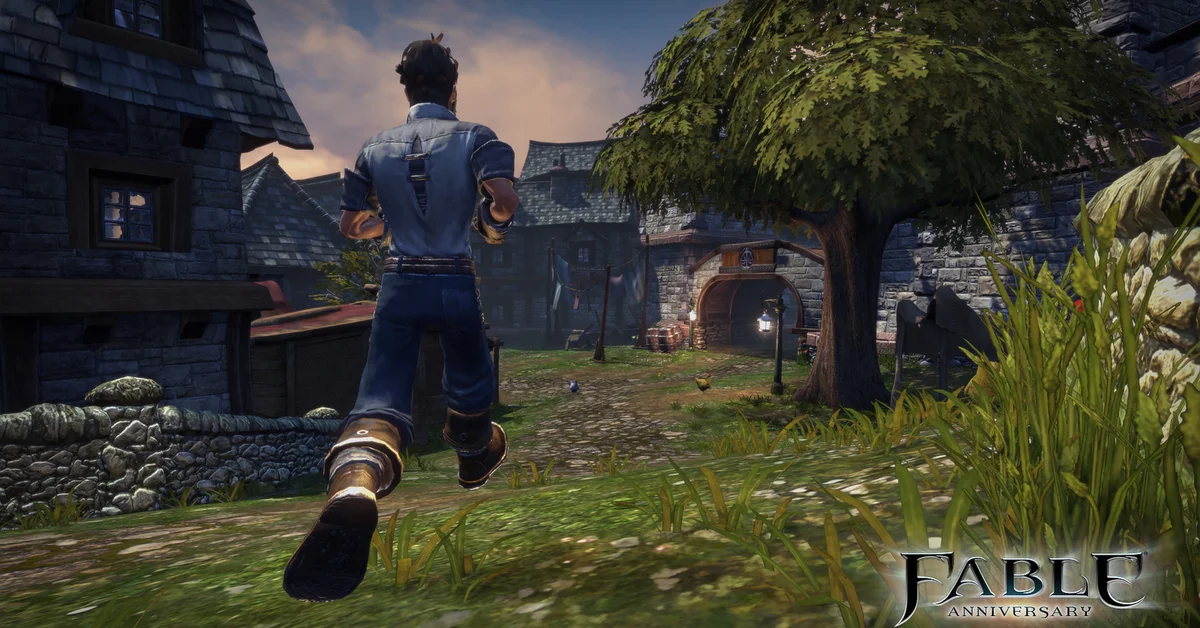
In Fable Anniversary, you put your melee weapon away by pressing the same button that draws it: RB on an Xbox controller with the Original Fable control scheme, or Q on the keyboard. Your bow has its own toggle (LB, or E on the keyboard). This guide covers the original Fable from Lionhead (2004) and its two re-releases, not the new Fable from Playground Games, and below we cover every control scheme, the original Xbox buttons, and why sheathing matters so much in towns.
Which Fable This Guide Covers
The original Fable launched on the original Xbox in 2004. It came back as Fable: The Lost Chapters on PC and Xbox in 2005, an expanded edition with extra quests and a new late-game region, and again as Fable Anniversary, the HD remaster that came to Xbox 360 in 2014 and to PC on Steam later that year. Anniversary is built on The Lost Chapters, so it includes that added content. On Xbox One and Xbox Series X|S, you play the Xbox 360 version of Anniversary through backward compatibility, so the Xbox 360 button layout below applies there too.
If you came here looking for the Playground Games reboot, that is a different game, and our Fable release date and platforms roundup covers it.
Fable Anniversary Controls on Xbox
Anniversary offers two controller layouts, and the sheathe button depends on which one you picked. Per the game’s own “At Your Command” controls screen:
- Original Fable Control Scheme: RB arms and sheathes your melee weapon. LB arms and sheathes your ranged weapon.
- Fable 2 / 3 Inspired Control Scheme: LB arms and sheathes your last armed weapon. RB is used for Block (hold) and Roll in this layout, so pressing it will not put your sword away.
So if you press RB and your Hero starts rolling instead of sheathing, you are on the Fable 2 / 3 layout. Tap LB instead, or switch schemes in the options. Pressing the button once draws the weapon and pressing it again puts it back on your back or belt.
These are the same buttons on an Xbox One or Xbox Series X|S controller, since those consoles run the Xbox 360 release.
Fable Anniversary Controls on PC
On Steam, the Keyboard Options screen lists two separate sheathe keys by default:
- Q: Unsheathe Melee Weapon (press again to put it away)
- E: Unsheathe Ranged Weapon (press again to put it away)
Both can be rebound on the same Keyboard Options page. If you would rather play with a gamepad, the Steam version supports controllers, and it uses the same two schemes described above. Our guide on how to connect an Xbox controller to PC walks through wired, wireless adapter and Bluetooth setups.
The Original Xbox and The Lost Chapters Buttons
The 2004 Xbox controller had White and Black buttons in place of bumpers, and that is where sheathing lived:
- White button: arm or sheathe your melee weapon
- Black button: arm or sheathe your ranged weapon
Fable: The Lost Chapters on the original Xbox uses the same layout. When Anniversary moved to the Xbox 360, those two functions were mapped to the bumpers, which is why the Original Fable scheme puts them on RB and LB.
For Fable: The Lost Chapters on PC, player guides describe Q as the melee sheathe key, the same default Anniversary later kept. We could not confirm the ranged key for the 2005 PC release from an official source, so check the game’s control options if E does nothing.
Why Putting Your Weapon Away Matters
Most players go looking for this control after a guard stops them. In Albion’s towns, walking around with a drawn weapon counts as a crime. Per the community wiki, the guards give you a warning and a chance to sheathe, and if you ignore it you are fined. Oakvale, Hook Coast and Snowspire are among the places where a drawn weapon is treated as criminal.
There is one well-known exception. Knothole Glade in Witchwood lets you walk around armed, because the village lives under constant threat of balverine and bandit attacks. Everywhere else, get into the habit of pressing your sheathe button as you cross a town boundary.
A sheathed weapon also protects you from a worse charge. Per the community wiki, attacking villagers with a weapon or a spell is treated as assault, a much more serious crime than simply walking around armed, and in a crowded market a single stray swing is enough. Keeping the blade away until you actually need it removes that risk entirely.
If you have played other RPGs from the same era, the idea will be familiar. Guards in Elder Scrolls 4 Oblivion also react to how you behave in town, although Fable’s system is far simpler: sheathe, and the guards leave you alone.
Troubleshooting
If the button seems to do nothing, check these in order:
- Confirm you have a weapon equipped. The sheathe toggle only works on a weapon assigned to the melee or ranged slot. Open the inventory (F on PC) and equip one.
- Check your control scheme. On the Fable 2 / 3 layout, only LB toggles weapons, and it acts on whichever weapon you drew last.
- Check your key bindings. On PC, the Keyboard Options screen shows which key is currently assigned to Unsheathe Melee Weapon and Unsheathe Ranged Weapon. If you rebound either one, the new key is the one that puts the weapon away too.
- Check which weapon is out. The melee and ranged toggles are separate on the Original Fable scheme and on keyboard. If your bow is drawn, the melee button will not put it away; press the ranged button instead.
Frequently Asked Questions
What button puts your sword away in Fable Anniversary on Xbox? RB on the Original Fable Control Scheme. On the Fable 2 / 3 Inspired Control Scheme, use LB, which toggles your last armed weapon.
How do you put your weapon away in Fable on PC? In Fable Anniversary, press Q for your melee weapon and E for your bow or crossbow. Both can be rebound under Keyboard Options.
Why do guards stop me for having my weapon out? Carrying a drawn weapon in most towns is a crime in Fable. Guards give you a chance to sheathe it, and ignoring the warning gets you fined.
Is there any town where you can keep your weapon out? Yes. Knothole Glade in Witchwood allows drawn weapons, since the village is regularly attacked by balverines and bandits.
Does this work the same on Xbox Series X|S? Yes. Xbox One and Series X|S run the Xbox 360 version of Fable Anniversary through backward compatibility, so the RB and LB layout is identical.