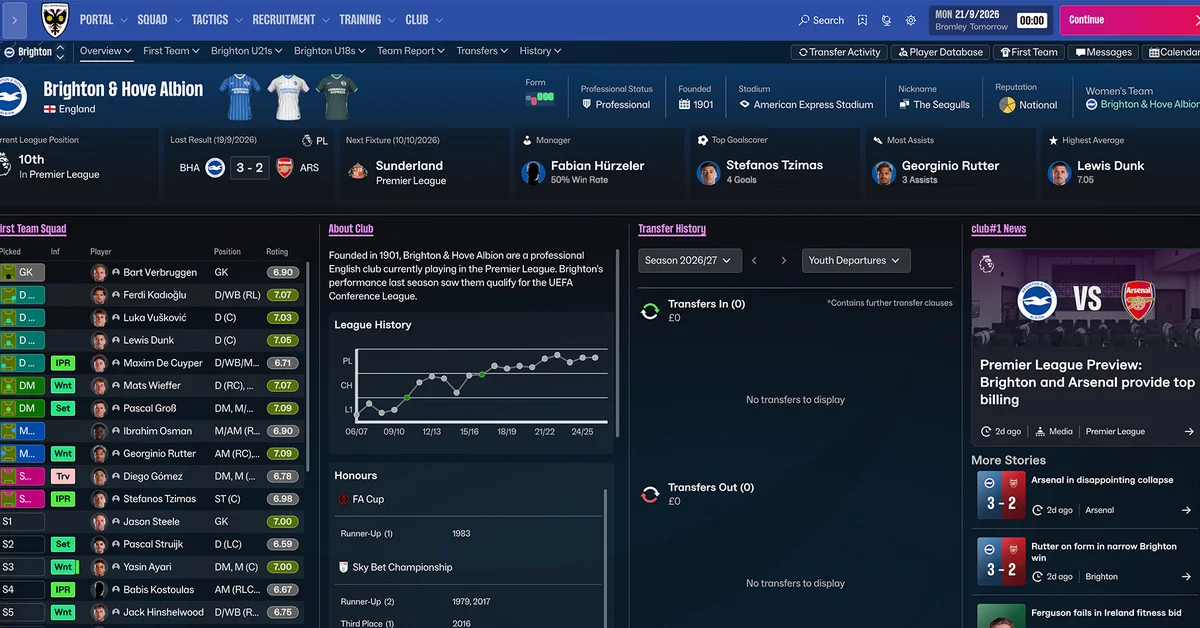
The Football Manager 27 In-Game Editor is a separate, paid add-on, not part of the base game: Sports Interactive describes it as “an additional tool available on Steam and Epic stores from full release,” which is November 10, so it is not in the Launch Preview. To use it, buy the FM27 editor on the same Steam or Epic account as the game, then tick “Allow use of the In-Game Editor” in Advanced Setup when you create a new save, because SI says that setting cannot be changed afterwards.
Below we cover what the editor can change, what it costs, which versions of Football Manager 27 can use it, how to enable and open it, how it differs from the Pre-Game Editor, and what to do if it does not show up. Facts are verified against Sports Interactive’s FM27 pages and SEGA’s support site as of November 2, 2026.
What the FM27 In-Game Editor Does
The In-Game Editor (IGE) changes your save while you play. SI says it “allows you to make in-game edits to players, clubs and leagues in your game world as your save progresses.” The FM26 version’s store page spells out the depth: every player’s attributes, plus their hidden Current and Potential Ability, transfers in and out, and a club’s finances and reputation.
FM27’s editor has been redesigned. In its 2D match engine and In-Game Editor deep dive, SI says the IGE is now “more of a full-screen experience, spotlighting the most common areas to interact with,” with signifiers for your default active tab, tooltips on editable fields, and smoother performance. Our news story on the editor and 2D engine changes has the full rundown.
Is the In-Game Editor Included in FM27?
No. It is sold separately, as it has been for years:
- Price: SI has not announced FM27’s editor price, and it had no Steam listing as of November 2. For reference, the FM26 In-Game Editor sells on Steam for $8.99 (£7.49).
- Stores: SI names Steam and the Epic Games Store. It does not list the Microsoft Store, PC Game Pass or consoles.
- Version lock: SEGA’s support site says the editor must match your game, so you need “IGE 26 if you want to use it for FM26.” Your FM26 editor will not work in FM27.
- Mac: FM26’s editor is listed for Windows only on Steam. SI has not said whether FM27’s runs on Mac.
If you play through Game Pass, check our guide to how FM27 works on Game Pass before planning an edited save, since SI only names Steam and Epic for the editor.
How to Enable the In-Game Editor in FM27
- Buy the FM27 In-Game Editor on the same Steam or Epic account that owns FM27, once it is available from the full release. SEGA notes that if you buy the game and the editor on separate accounts, “the IGE won’t appear in game.”
- Start a new career and choose Advanced Setup. The option lives in the Advanced Settings, alongside choices such as fake players and attribute masking.
- Tick “Allow use of the In-Game Editor.” SI lists it among settings that “cannot be amended once a save has been created,” so decide now.
- Load your save. As with FM26’s editor, it only works with a save game loaded and active.
- Make your edits. Pick the player, club or league you want to change; the tooltips on editable fields explain what each one does.
That third step matters for Launch Preview players. A career started in the preview carries into the full game, but if it was created without the editor setting, SI’s wording suggests you cannot switch it on later. If you know you want the editor, start your long-term save once you own it. Our Launch Preview guide covers how preview saves carry over.
In-Game Editor vs Pre-Game Editor
They are different tools:
- The In-Game Editor edits a save in progress and is sold separately.
- The Pre-Game Editor edits the game’s database before you start a save. SEGA’s support site says it is available on Steam, Epic and the Microsoft Store. On Steam, open your Library, select the Games dropdown, tick Tools, and install the Football Manager Editor from the list. On the Microsoft Store, search for the editor and select Get; SEGA says it then works with both the Microsoft Store and PC Game Pass versions. On Epic, install it to the same location as the game.
SI has not announced when FM27’s Pre-Game Editor arrives, so check your Tools list after launch.
What to Do If the In-Game Editor Does Not Appear
SEGA’s support article on a missing editor recommends:
- Make sure the editor and the game are the same version (FM27 with the FM27 editor).
- Check you are signed in to the account that bought both.
- Turn off any VPN, and check your PC’s clock and time zone are correct.
- On Steam: start FM27 from the In-Game Editor’s Steam store page, verify the game files, and deauthorise other machines on your account.
- On Epic: verify the game, restart the launcher, and revoke FM’s Epic access so you are asked to allow it again on the next launch.
- If none of that works, submit a ticket to SEGA support with your log files.
Frequently Asked Questions
Is the In-Game Editor free in FM27? No. Sports Interactive calls it an additional tool sold on Steam and Epic from the full release on November 10. The price had not been announced as of November 2.
Can I use the In-Game Editor in the FM27 Launch Preview? No. SI says it is available from full release, and the Launch Preview comes before that.
Can I enable the In-Game Editor on an existing FM27 save? Not according to SI, which lists “Allow use of the In-Game Editor” among the advanced settings that cannot be changed after a save is created. Tick it when you start a new save.
Does the FM26 In-Game Editor work with FM27? No. SEGA says the editor must match the game version.
Is the In-Game Editor on Game Pass or console? Sports Interactive names only Steam and the Epic Games Store for FM27’s editor.
What can the In-Game Editor change? Players, clubs and leagues in your save. In FM26 that included attributes, Current and Potential Ability, transfers, finances and reputation. If you want to test the FM27 wonderkids or set up one of our FM27 save ideas, the editor is the tool.