
To turn on the flashlight in GTA 6, aim your gun with L2 and press Up on the D-pad while you keep aiming. Press Up again, still aiming, to switch it off. That’s the game’s own instruction, “Press [Up] while aiming to toggle your tactical flashlight,” which came up on our PS5 copy of Grand Theft Auto VI while Lucia had a Duke 556 assault rifle in her hands.
The screenshots in this guide are from our own PS5 recordings. Below is the button step by step, why it’s so easy to miss, how to see whether a gun has a flashlight slot, and what to check when the light won’t come on.
How to Turn On Your Gun’s Flashlight
- Get a gun with a tactical flashlight out. The tip came up for us on the Duke 556, a longarm the weapon wheel lists as a carbine rifle. Hold L1 to open the weapon wheel and pick your gun.
- Hold L2 to aim.
- Press Up on the D-pad while you’re still holding L2. The tip’s D-pad icon has the Up arrow lit, and the wording is “press,” so a quick tap does it.
- Press Up again while aiming to turn it off. The tip calls it a toggle, so the same button switches the light on and off.
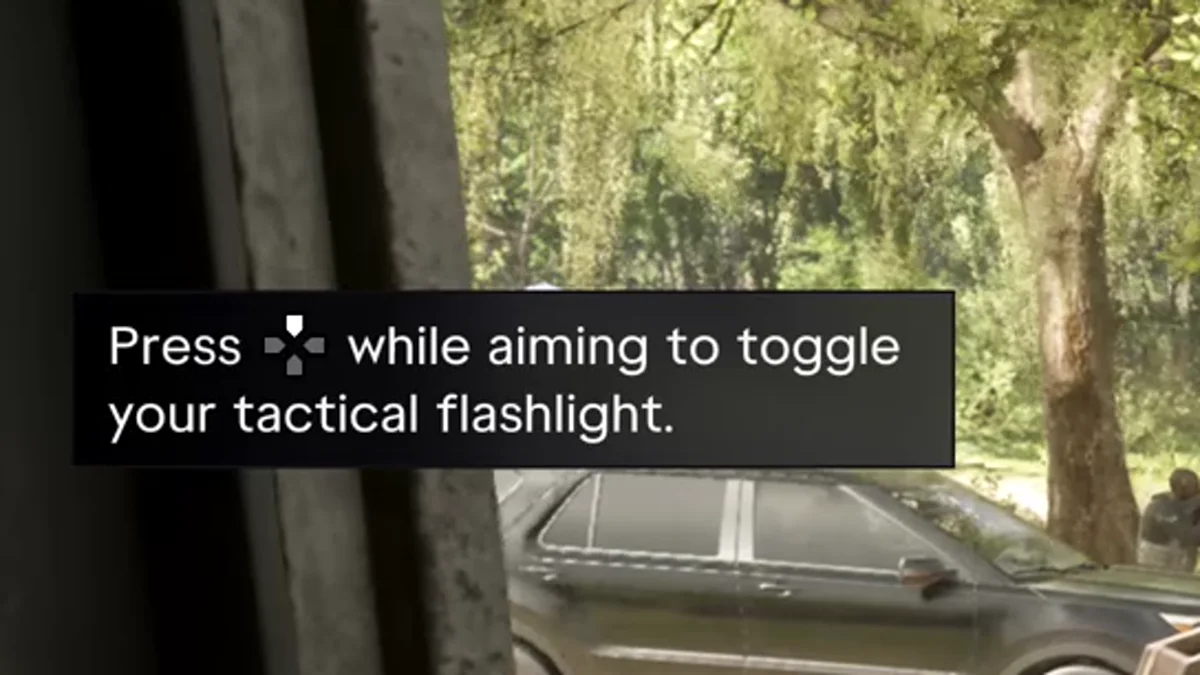
The tip appeared during a daytime firefight, so it’s worth trying the light somewhere dark first, where you can see the beam and know it’s working before you need it.
Why the Controls Menu Doesn’t Show It
If you went looking in Settings, that’s why you didn’t find it: none of the Control Scheme pages lists a flashlight. On the Aiming page, Up on the D-pad is listed as Zoom Scope In, and it’s the zoom button on a scoped rifle (the scope on the hunting rifle we carried for Bret showed a Zoom prompt on the D-pad).
Away from your sights, Up does something else entirely. On foot it’s the Cellphone button, and holding it opens the WAiNK app. So the flashlight only answers while L2 is held down. Our guide to every GTA 6 control on PS5 has the full layout, and our WAiNK app guide covers what the phone’s scanner does.
How to Check Whether a Gun Has a Flashlight Slot
Every gun’s card lists its mods. Hold L1 to open the weapon wheel, highlight the gun, and look at the Mods row at the bottom of the card on the right. A flashlight is one of the icons in that row.
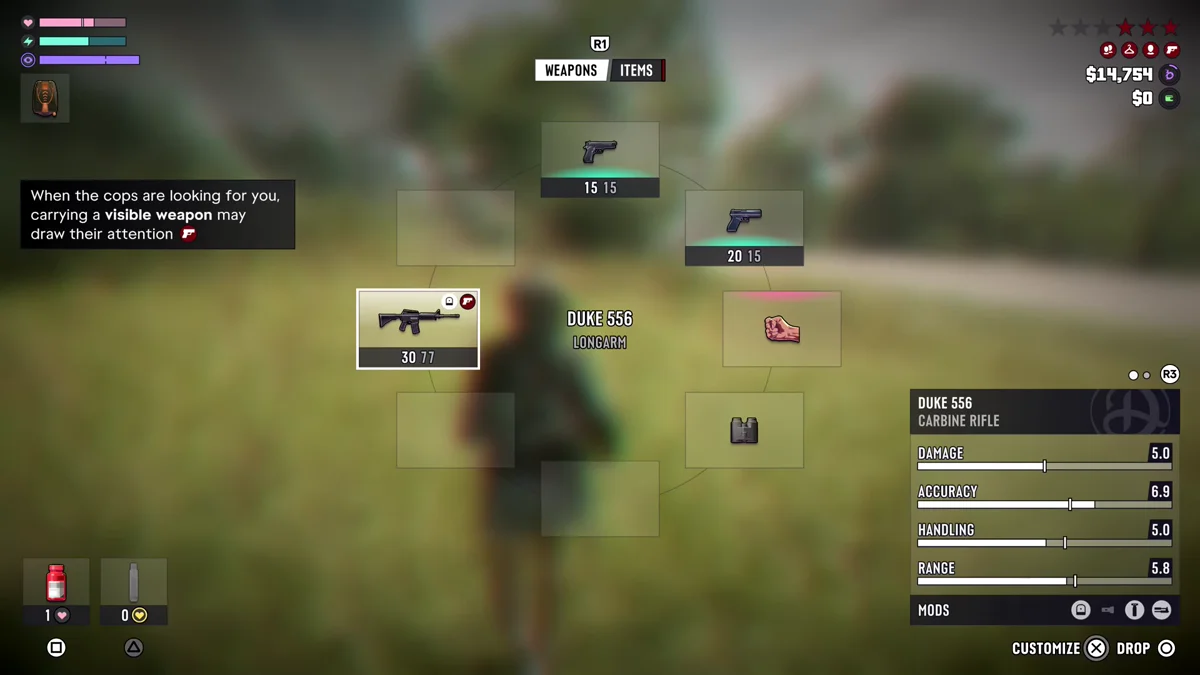
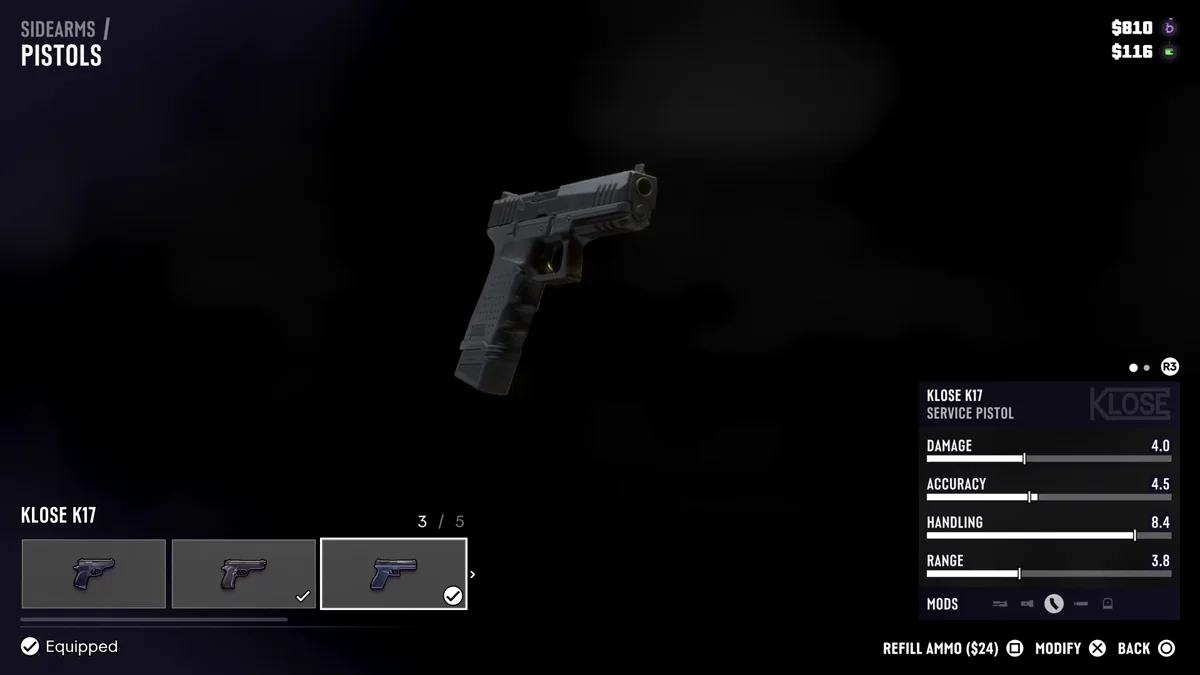
The row doesn’t treat every icon the same. On the Duke 556’s card in our capture, three of the four icons sat in white circles and the flashlight was drawn dim. On a Klose K17 pistol at a gun store, one icon was circled and the flashlight was dim again. The game doesn’t spell out what the difference means, but if your light never comes on, a dim flashlight icon is the first thing we’d check. Our guide to switching guns covers the weapon wheel itself.
Where You Change a Gun’s Mods
Mods are handled at gun stores. At Gellhorn Outfitters, each gun on the shop menu had the same Mods row, and guns we owned had a Modify option on Cross, next to Refill Ammo on Square.
A tip in the store adds an important detail: “Owning a weapon allows both Jason and Lucia to modify their own version, but they don’t share mods or ammo.” So if one of them has a light on a gun, the other’s copy of the same gun can still be without one. We didn’t open the Modify screen on camera, so we can’t yet say what a flashlight costs or which guns take one. Our guide to customizing weapons walks through the store steps, and our guide to buying guns covers what’s on sale.
Flashlight Not Working? What to Check
- You’re not aiming. Up on its own brings out your phone. Hold L2 first, then press Up.
- The gun may not have one. We can only confirm the tip on the Duke 556. Check the gun’s Mods row in the weapon wheel.
- You switched characters. Jason and Lucia don’t share mods, so a light on one character’s gun says nothing about the other’s.
- It’s daytime. A beam is hard to see in bright sun, so test it at night or indoors.
- It’s a scoped gun. Up while aiming is listed as Zoom Scope In, so on a scope it zooms.
Every other GTA 6 guide is on our GTA 6 hub.
Frequently Asked Questions
How do you turn on the flashlight in GTA 6?
Aim with L2 and press Up on the D-pad. Press Up again while aiming to turn it off.
Why won’t my flashlight turn on in GTA 6?
You have to be aiming when you press Up, and the gun needs a flashlight. Without L2 held, Up brings out your phone instead.
Which guns have a flashlight in GTA 6?
We saw the flashlight tip on the Duke 556 assault rifle. Every gun’s card in the weapon wheel has a Mods row with a flashlight icon, and we can’t yet say which guns come with one fitted.
Is the flashlight button in the GTA 6 controls menu?
No. The Control Scheme pages in Settings don’t list it. The button comes from the tip the game shows while you aim a gun that has one.
Do Jason and Lucia share weapon mods?
No. A tip at the gun store says each of them modifies their own version of a gun, and they don’t share mods or ammo.