Pay ‘n’ Spray starts taking tracked cars in GTA 6 early in Chapter 3: shortly after the chapter opens, a tip reads “Pay ‘n’ Sprays now buy and register untracked vehicles and any with a standard tracker.” That only covers the standard tracker, so a car with an advanced tracker still gets turned away until Randy arranges a deal later in Chapter 3, and even then Pay ‘n’ Spray will buy it but never register it.
We saw the tip on our PS5 copy of Grand Theft Auto VI, then sold a car with a standard tracker at one Pay ‘n’ Spray and had a car with an advanced tracker turned away at another. The screenshots in this guide are from our own PS5 recordings. Below is when each kind of car opens up, how to check a car before you drive over, and what to look at when Pay ‘n’ Spray isn’t working for you.
When Pay ‘n’ Spray Opens Up to Tracked Cars
Through Chapter 2, a tracked car has nowhere to go. Moses is the mechanic who registers and buys stolen cars at that point, and he won’t touch one with a tracker; the game’s tip spells it out: “Moses won’t take vehicles with trackers installed.”
Chapter 3 changes that. Shortly after the chapter opens, right after a quick text exchange with Moses, the tip appears on screen: “Pay ‘n’ Sprays now buy and register untracked vehicles and any with a standard tracker.” From then on, a Pay ‘n’ Spray buys and registers clean cars and cars with a standard tracker. The word “now” matters for clean cars too, because this is the point where Pay ‘n’ Spray becomes a place to sell a car, not just to repair or respray one.
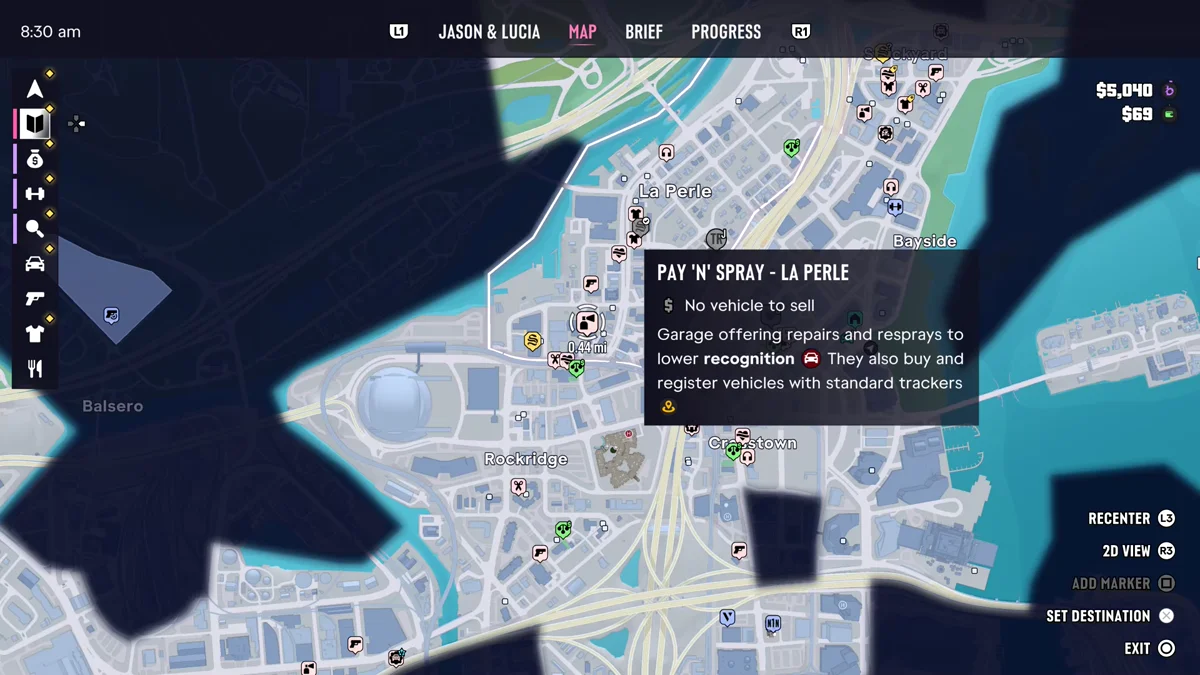
The map says the same thing. Highlight a Pay ‘n’ Spray and its card reads “Garage offering repairs and resprays to lower recognition. They also buy and register vehicles with standard trackers.”
Here is how it plays out across the story:
| When | What a Pay ‘n’ Spray takes |
|---|---|
| Before Chapter 3 | Repairs and resprays; it doesn’t buy or register cars yet |
| Early in Chapter 3 | Buys and registers clean cars and cars with a standard tracker |
| After you deliver the Mamba to Randy (Chapter 3) | Also buys cars with an advanced tracker, but still won’t register them |
The last row comes from Randy: shortly after you bring him the Mamba from his list, he calls to say Pay ‘n’ Spray will now buy advanced-tracker cars. Our Mamba GT location guide shows where that car is, and our guide to selling advanced-tracker cars covers the rest.
How to Check a Car Before You Drive Over
- Scan the car with WAiNK. Hold Up on the D-pad to open the WAiNK app, then hold R1 over the car. The card’s Tracker line reads None for a clean car or Standard for the kind Pay ‘n’ Spray takes. Our WAiNK app guide explains the rest of the card.
- Check the icon by the minimap once you’re driving. The tracker icon is the pin on the left of the row of icons: yellow on the 8F Drafter we sold, which had a standard tracker, and red on a Pfister Comet S2, which had an advanced one.
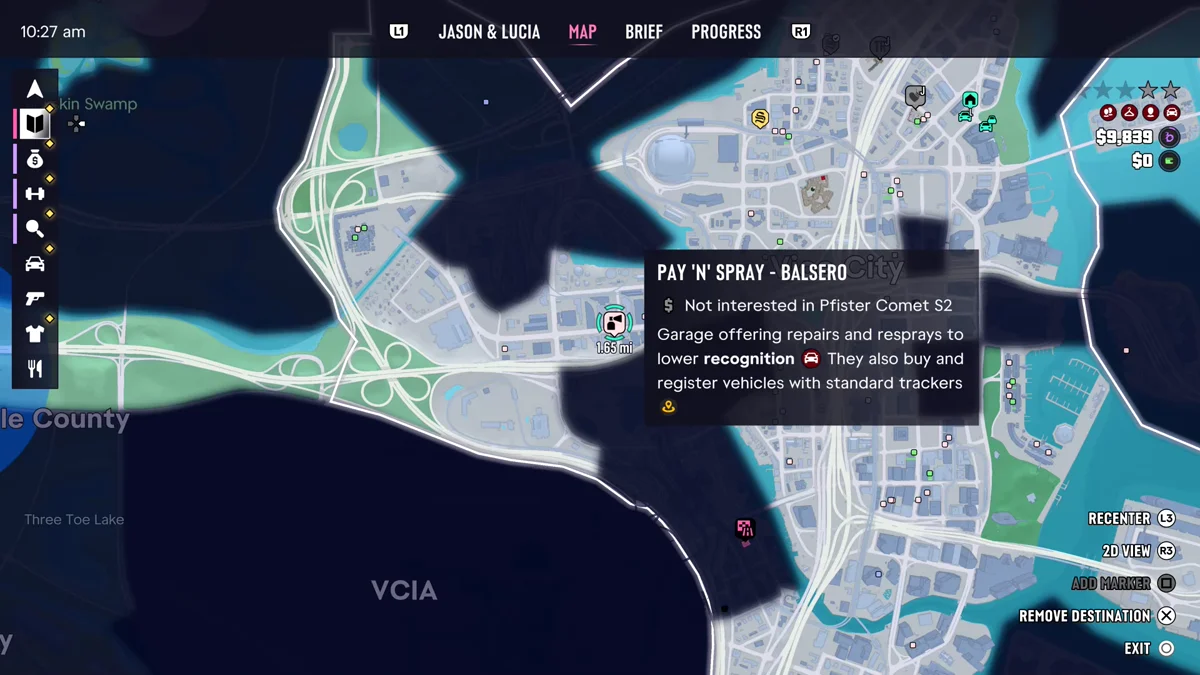
- Look at the Pay ‘n’ Spray’s map card. Its first line reacts to your car. In the Comet S2, Pay ‘n’ Spray Balsero’s card read “Not interested in Pfister Comet S2,” which saved us a wasted drive.
How to Sell or Register a Tracked Car at Pay ‘n’ Spray
- Get to early Chapter 3 and wait for the tip above.
- Steal a car with a standard tracker and keep moving, since the tracker can still lead the police to you until the car is sold or registered. Our guide to losing a wanted level helps if they catch up.
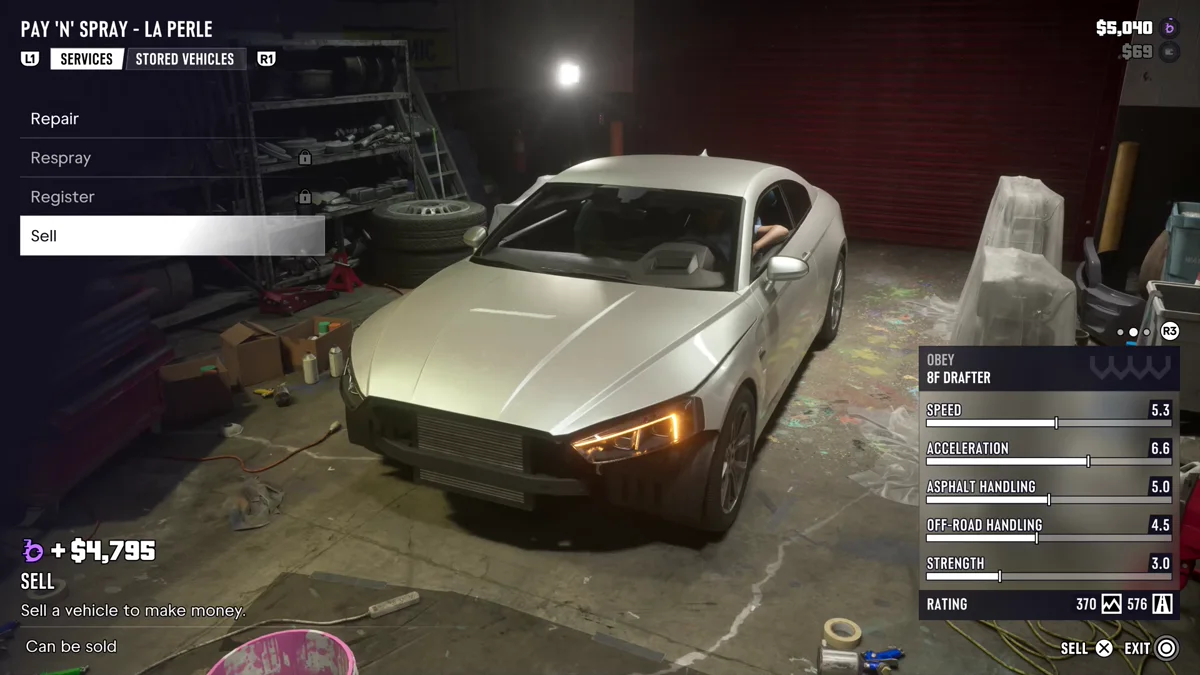
- Drive into any Pay ‘n’ Spray. The Services menu lists Repair, Respray, Register and Sell, and L1 and R1 switch to a Stored Vehicles tab.
- Pick Sell or Register. Sell takes the car off your hands for cash in your BuckMe account; Register makes it yours and puts it in a garage.
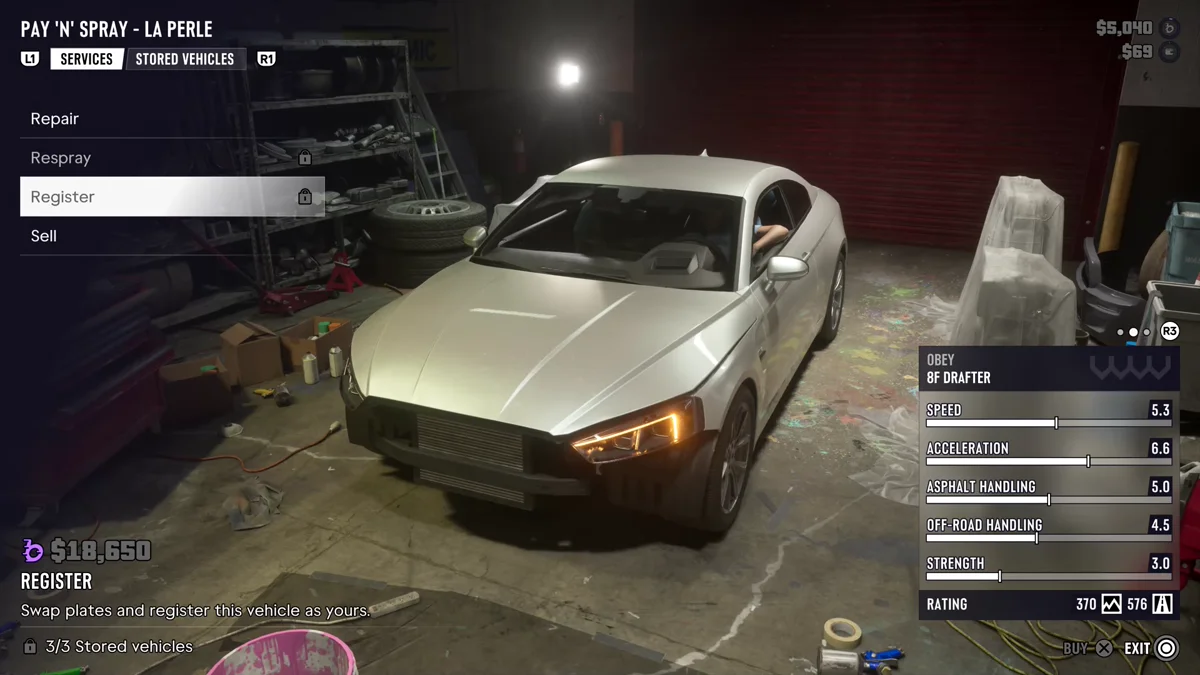
We drove a white Obey 8F Drafter with a standard tracker into Pay ‘n’ Spray La Perle in Vice City. Sell offered $4,795, the game asked “Sell for $4,795? This can’t be undone,” and a moment later the payment landed in BuckMe. Register was on the same menu, priced at $18,650.
Registering a standard-tracker car is how you get rid of the tracker for good, which our guide to removing trackers walks through, and our guide to registering cars covers what a registered car gets you.
Why Pay ‘n’ Spray Is Not Working
If a Pay ‘n’ Spray won’t take your car, it’s one of these:
- The car has an advanced tracker. Drive one up to a Pay ‘n’ Spray before Randy’s deal and the game says so: “Pay ‘n’ Sprays don’t currently service vehicles with trackers installed.” We saw that message in Chapter 3, well after standard-tracker cars had opened up, because our Comet S2 carried the advanced kind. Sell those cars to Randy until he arranges the Pay ‘n’ Spray deal; our Randy location guide shows where he works.
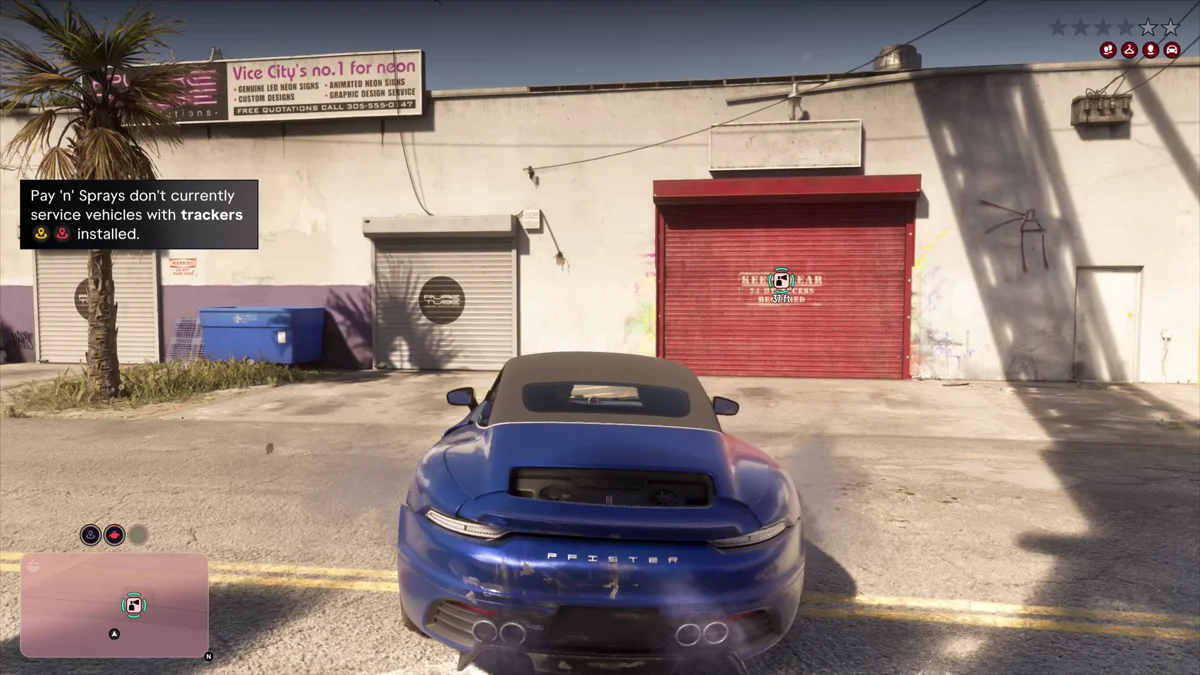
- It’s too early in the story. Before the Chapter 3 tip, Pay ‘n’ Spray doesn’t buy or register cars at all, and Moses won’t take a tracked one.
- Every garage space is full. Register greys out with a lock when you’re out of room. Ours read “3/3 Stored vehicles,” though Sell still worked. Buy another garage (our garage locations guide lists them) or sell a car you’ve already registered.
- The car is damaged. Respray locks with “Vehicle must be repaired first.” Repair was $255 for our Drafter, and our guide to repairing your car explains the rest.
- You just sold a car at that shop. Rob Nelson, co-studio head at Rockstar North, told Famitsu that after you sell a car at a Pay ‘n’ Spray, that same shop won’t take another for a while. Try a different one.
Our guide to selling cars covers every buyer in one place, and every other GTA 6 guide is on our GTA 6 hub.
Frequently Asked Questions
When does Pay ‘n’ Spray take cars with trackers in GTA 6?
Early in Chapter 3. Shortly after the chapter opens, a tip says “Pay ‘n’ Sprays now buy and register untracked vehicles and any with a standard tracker.”
Does Pay ‘n’ Spray take advanced-tracker cars in GTA 6?
Not at first. It starts buying them after you deliver the Mamba to Randy in Chapter 3, and it never registers them.
Why won’t Pay ‘n’ Spray take my car in GTA 6?
The car may have an advanced tracker, it may be too early in the story, you may have just sold a car at that shop, or, if Register is the problem, every garage space may be full. A damaged car also needs a repair before a respray.
Can you register a car with a tracker at Pay ‘n’ Spray?
Yes, if it’s a standard tracker and you’re in Chapter 3 or later. Registering it gets rid of the tracker. A car with an advanced tracker can’t be registered anywhere.
Does Moses take tracked cars in GTA 6?
No. The game’s tip says “Moses won’t take vehicles with trackers installed,” so tracked cars go to Pay ‘n’ Spray or Randy instead.