
To use the Vintage Vice City Pack weapon wrap in GTA 6, take a gun you own to any Ammu-Nation, hold L2 at the clerk, press Triangle to browse the shop menu, pick the gun and press Cross on Modify, then press R1 for the Cosmetics tab and choose the wrap. It’s the pack’s tropical pattern, inspired by Tommy Vercetti’s shirt from GTA: Vice City, and it only appears once you’ve collected the pack’s ’55 Vapid Stanier in Chapter 3.
The pack’s store listing says it can “adorn most guns,” not all of them. We unlocked the pack on our PS5 copy of Grand Theft Auto VI, and the screenshots in this guide are from our own PS5 recordings. Below is how to unlock the wrap, how to apply it step by step, which guns can’t take it, and the catch when you switch characters.
How to Unlock the Weapon Wrap
- Own the Vintage Vice City Pack. It came with copies bought before November 20, 2026, and it has been a $4.99 add-on on the PlayStation Store and the Microsoft Store since then. Our guide to the pre-order bonuses lists everything in it.
- Reach Chapter 3. The pack’s items can’t be claimed before then.
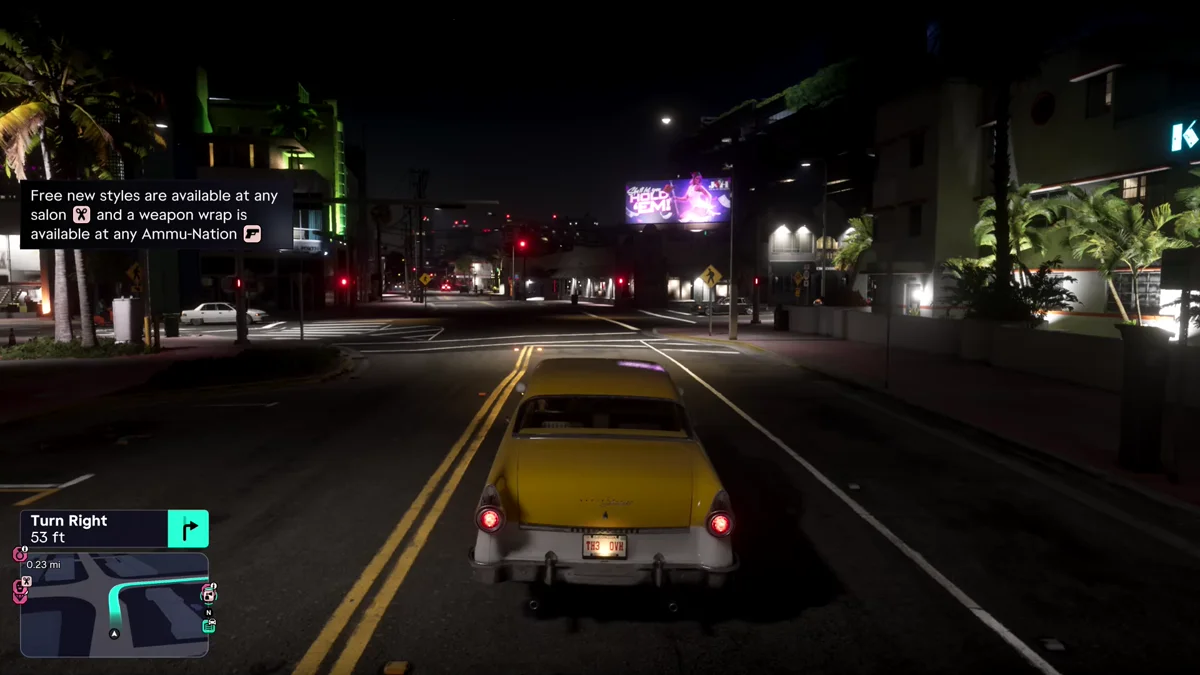
- Collect the ’55 Vapid Stanier near the Ocean View Hotel. The car comes first, and the rest of the pack, the wrap included, unlocks once it’s yours. Our guide to the Tommy Vercetti shirt covers the pickup.
- Read the notice. Right after the car, ours read: “Free new styles are available at any salon and a weapon wrap is available at any Ammu-Nation.”
How to Apply the Wrap, Step by Step
- Own the gun first. The wrap goes on a gun you’ve bought. In the shop menu, a gun you own shows Modify on Cross, and one you don’t shows Buy & Equip instead. Our guide to buying guns covers that part.
- Go to any Ammu-Nation. Every store has its own card on the map, and the first most people reach is Chuck’s Tackle & Shot in Key Lento. Our first gun guide shows where the early stores are.
- Hold L2 at the clerk, then press Triangle to browse the shop menu.
- Find the gun on the Sidearms or Longarms tab (L1 and R1 switch tabs) and press Cross on Modify.
- Press R1 for the Cosmetics tab. Modify opens on Attachments, the gun’s parts, with Cosmetics beside it.
- Choose the wrap and confirm it.
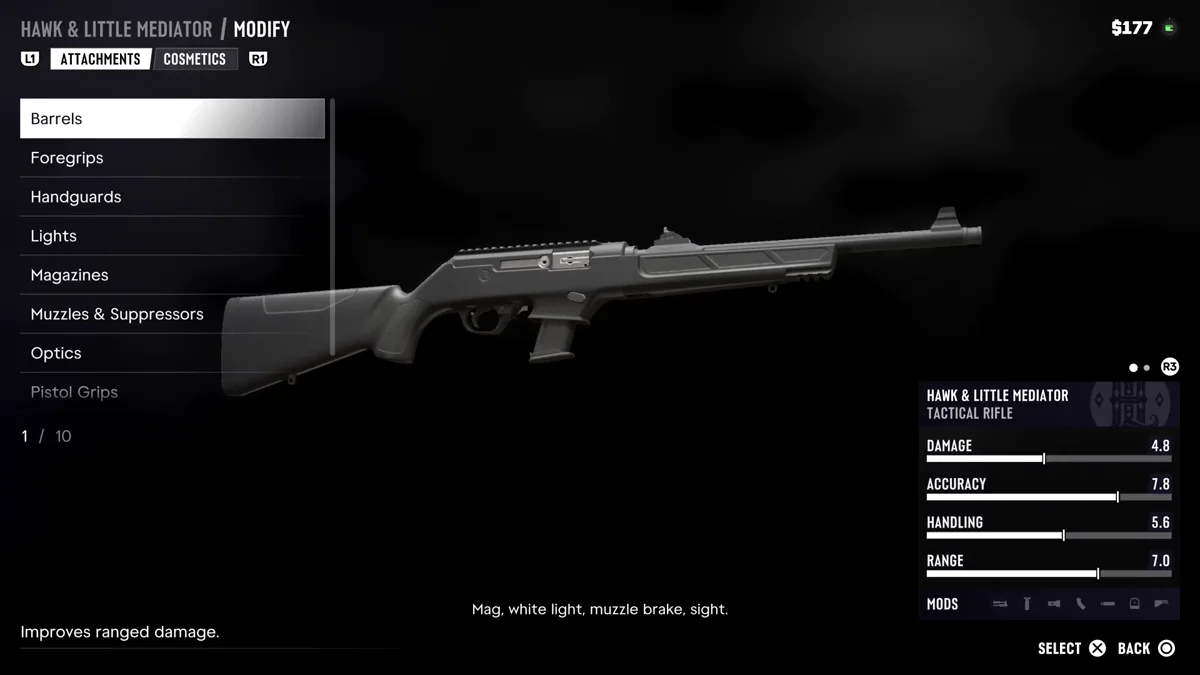
The Attachments tab is where parts like optics and suppressors go, and our guide to getting a silencer walks through it. The wrap is a change of look, not a part, so it’s on the other tab.
Guns That Can’t Take the Wrap
The pack’s store listing says the pattern can “adorn most guns,” so a few won’t take it. One group is easy to spot: unique variants, the one-of-a-kind guns with their own names and finishes, such as the Mahi Nipper .38 sold only at Chuck’s Tackle & Shot. The gun menu notes that “Variants can’t be modified,” so put the wrap on the standard model instead. Our guide to owned, unowned and unique weapons explains how variants work, and our GTA 6 weapons list has every standard gun by class.
The Jason and Lucia Catch
Modifying works per character. A tip in the gun store reads: “Owning a weapon allows both Jason and Lucia to modify their own version, but they don’t share mods or ammo.” So once you’ve wrapped a gun as one of them, switch characters and check their copy before you count on the look. Our guide to switching between Jason and Lucia covers swapping.
The pack’s other unlocks aren’t at the gun store: the outfits are in your wardrobe and the hairstyles are at the salon, which our guide to the Vintage Vice City Pack hairstyles covers.
Frequently Asked Questions
Where is the Vintage Vice City Pack weapon wrap in GTA 6?
At any Ammu-Nation, on the Cosmetics tab of a gun’s Modify menu, once you’ve collected the pack’s ’55 Vapid Stanier in Chapter 3.
Why can’t I find the Vintage Vice City Pack weapon wrap?
It unlocks only after you collect the pack’s ’55 Vapid Stanier near the Ocean View Hotel, which you can’t do before Chapter 3. You also need to own the gun you want to wrap.
Is the Tommy Vercetti shirt the weapon wrap?
Yes. The pack’s tropical weapon pattern is inspired by Tommy Vercetti’s shirt from GTA: Vice City.
Can you put the Vintage Vice City Pack wrap on any gun?
Not every one. The pack’s store listing says it fits most guns, and unique variants can’t be modified at all.
Do Jason and Lucia share weapon mods?
No. Each of them modifies their own version of a gun, and a store tip says they don’t share mods or ammo.