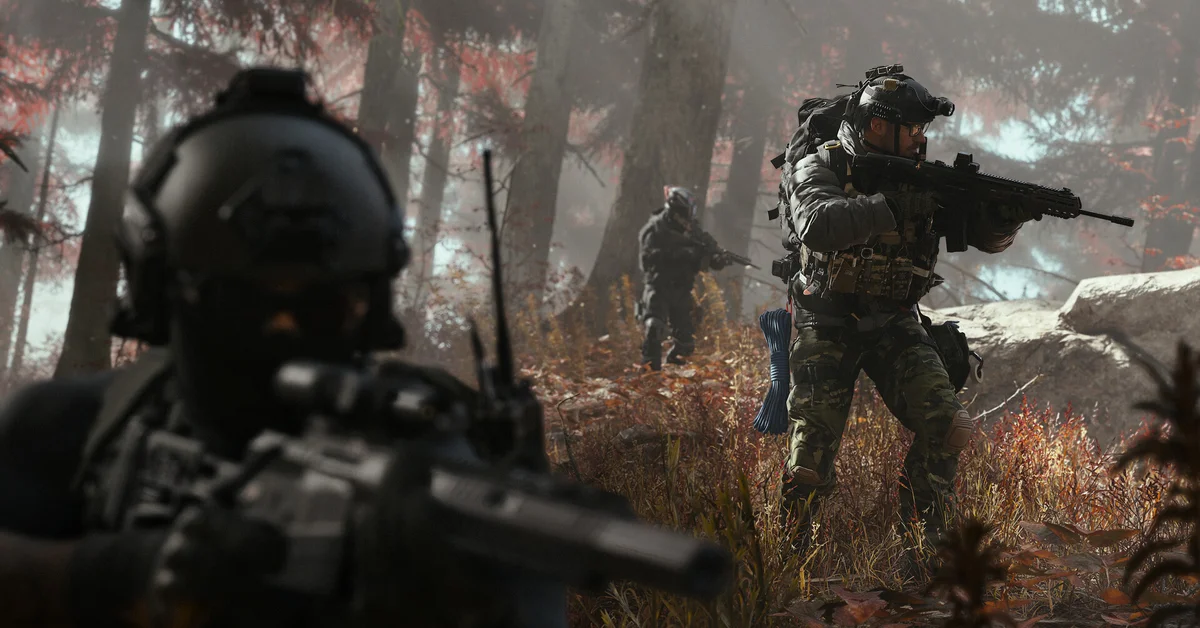
The best way to set up Call of Duty: Modern Warfare 4 on PC is to run its built-in Benchmark Tool first, then change a handful of settings: use the upscaler made for your graphics card (DLSS 4.5 on NVIDIA RTX, FSR Redstone on AMD, XeSS 3 on Intel Arc), turn World Depth of Field off for multiplayer, save ray tracing for the campaign, and skip frame generation in competitive matches. Before any of that, install the Xbox PC app so Advanced Shader Delivery can precompile your shaders.
Activision says the game configures itself based on your hardware and targets 90 FPS in multiplayer on High at its recommended specs without manual tweaks, so this is fine-tuning rather than rescue work. Everything below is built from Activision’s official Modern Warfare 4 PC post and NVIDIA’s official driver notes. Where we recommend a value, it is our suggestion, not Activision’s.
Before You Touch the Settings
Get these right first, or no settings menu will help:
- TPM 2.0 and Secure Boot. Activision says both “are required to play” on PC, as part of the RICOCHET anti-cheat. Its TPM support page explains how to check.
- A supported CPU and GPU setup. Only Intel and AMD processors with the AVX instruction set are supported, and Intel Arc cards need Resizable BAR switched on.
- Current drivers. Activision recommends AMD 26.7.1, Intel 32.0.101.8974 and NVIDIA 616.56, with an NVIDIA driver supporting Advanced Shader Delivery promised before launch. NVIDIA’s Game Ready 617.42 driver, released October 6, adds Modern Warfare 4 optimizations.
- The Xbox PC app. Advanced Shader Delivery delivers precompiled shaders at install and through updates. Activision says to install the Xbox PC app ahead of time “no matter what your PC platform,” and notes it is only needed if you want that feature.
- An SSD. Every spec tier needs 115 GB of SSD space. Our Modern Warfare 4 download size guide covers storage on every platform.
Which Spec Tier Your PC Is In
Activision’s official requirements set three tiers:
| Tier | What Activision targets | GPU (NVIDIA / AMD / Intel) | VRAM | RAM |
|---|---|---|---|---|
| Minimum | Playable | GTX 970 or 1060 / RX 470 / Arc A580 | 3 GB | 8 GB |
| Recommended | 90 FPS in multiplayer on High | RTX 3060 Ti / RX 6600 XT / Arc B580 | 8 GB | 16 GB |
| Ray tracing | High ray tracing at 4K, upscaled | RTX 5070 Ti / RX 9070 XT | 16 GB | 32 GB |
The full list, including CPUs, is in our Modern Warfare 4 PC specs story. If your card sits between tiers, start from the tier below and work up.
Step 1: Run the Benchmark Tool
Activision built a Benchmark Tool into the game that runs a simulated multiplayer sequence and shows your average FPS, CPU and GPU load, ping and input latency in real time. Afterward it breaks the results down zone by zone and suggests settings to improve performance in different gameplay scenarios.
Our advice: accept its suggestions as your baseline, play a few matches, then use the steps below to tune. Run it again after every change that matters, such as switching upscalers or turning on ray tracing.
Step 2: Pick Your Upscaler and Frame Generation
Activision lists AMD FSR Redstone, NVIDIA DLSS 4.5, Intel XeSS 3 and Filmic SMAA T2X among its “upscaling and frame generation technologies,” with Filmic SMAA T2X as the default anti-aliasing. NVIDIA’s notes add which GeForce cards get which DLSS 4.5 feature:
| Your GPU | Upscaler | Frame generation | Latency |
|---|---|---|---|
| NVIDIA RTX 50 Series | DLSS 4.5 Super Resolution | Dynamic Multi Frame Generation, up to 6X | NVIDIA Reflex |
| NVIDIA RTX 40 Series | DLSS 4.5 Super Resolution | DLSS 4.5 Frame Generation | NVIDIA Reflex |
| Other NVIDIA RTX cards | DLSS 4.5 Super Resolution | Not listed by NVIDIA | NVIDIA Reflex |
| AMD Radeon | FSR Redstone | Not broken out by Activision | Not detailed by Activision |
| Intel Arc | XeSS 3 | Not detailed by Activision | Not detailed by Activision |
Our recommendations:
- Multiplayer and DMZ: use your card’s upscaler and turn Reflex on if you have an NVIDIA RTX card, but leave frame generation off. Generated frames raise the number on the counter without making the game respond faster, and in a fast shooter, response is what matters.
- Campaign: frame generation is a good fit. NVIDIA pitches Multi Frame Generation as “perfect for maximizing frame rates” with Modern Warfare 4’s ray-traced reflections on.
- Image looks soft? Activision added a sharpness slider that works with any upscaler. Nudge it up a little rather than raising your render resolution.
Step 3: Our Picks for Multiplayer
These are the settings we would change first for competitive play, all of which Activision lists for Modern Warfare 4:
- World Depth of Field: Off. Activision split depth of field into World and Weapon settings, so you can keep the world sharp without losing the aiming effect.
- Weapon Depth of Field: your call. Leave it on if you like the look of aiming down sights, or turn it off for maximum clarity.
- Ray tracing: Off. Activision supports it in every mode, but its ray tracing tier asks for 16 GB of VRAM. In multiplayer, frame rate is worth more than reflections.
- Enhanced FOV: try it. This PC-only option widens the view near the edges of your screen without changing the center, which Activision pitches at players who prefer a smaller field of view but want more awareness.
- HDR10+: on, if your monitor supports it. Activision says it adjusts contrast and lighting in real time for clarity, without manual sliders.
- Heavy effects first when you need frames. If you are short of your target, lower Shadow Filtering Quality, Screen Space Reflections, and Occlusion and Screen Space Lighting before you lower texture quality or resolution.
Visibility also gets help before you change anything: Activision says muzzle effects are masked at your point of aim, and bullets now fire from the barrel’s position with no random bloom.
Step 4: Campaign and DMZ Settings
The campaign is where the extra hardware pays off. If your PC is in the ray tracing tier, turn ray tracing on, pair it with DLSS 4.5 or FSR Redstone, and add frame generation for smoothness. Activision’s ray tracing tier is built around High ray tracing at 4K, upscaled.
DMZ sits in between: it is a shared, competitive space, so we would treat it like multiplayer if you play aggressively and like the campaign if you mostly loot and explore. Our DMZ beginner guide covers the mode itself, and our release time guide has every unlock time. More guides land on our Call of Duty hub.
Frequently Asked Questions
What are the best PC settings for Modern Warfare 4? Start with the built-in Benchmark Tool’s suggestions, then use your GPU’s upscaler, turn World Depth of Field off, keep ray tracing and frame generation for the campaign, and install the Xbox PC app for Advanced Shader Delivery. Those are our picks, built on Activision’s official feature list.
Does Modern Warfare 4 have DLSS 4.5 and frame generation? Yes. NVIDIA says DLSS 4.5 Super Resolution works in all modes, DLSS 4.5 Frame Generation is available on RTX 40 Series cards, and Dynamic Multi Frame Generation of up to 6X is available on RTX 50 Series cards.
Does Modern Warfare 4 support FSR? Yes. Activision lists AMD FSR Redstone, alongside Intel XeSS 3 and Filmic SMAA T2X.
Should you use ray tracing in Modern Warfare 4 multiplayer? We would not. Activision supports it in every mode, but its ray tracing tier needs a 16 GB card, and multiplayer rewards frame rate over reflections.
What is Enhanced FOV in Modern Warfare 4? A PC-only option that uses lens effects to widen the field of view near the edges of your monitor without changing the center of the screen.
Do you need the Xbox app to play Modern Warfare 4 on Steam or Battle.net? Only for Advanced Shader Delivery. Activision recommends installing it on any PC platform so precompiled shaders arrive at install, but says it is only necessary if you want that feature.