To play Worst Class Ever with friends, one of you creates a room and the others join it, either through an invite sent from the in-game phone to your Steam friends or by picking the room from the public room list. A room holds up to 8 players, and the full release added LAN play, so friends on the same local network can also create a room and play together directly.
Worst Class Ever is an asymmetric party game from Funcore Games, published by 2P Games and Elegoose Games, that launched on Steam on November 9, 2026 and sold over 100,000 copies on its first day, per the developer. Here is how a room works, what the host can change, and the details to sort out before your group starts.
How Multiplayer Works
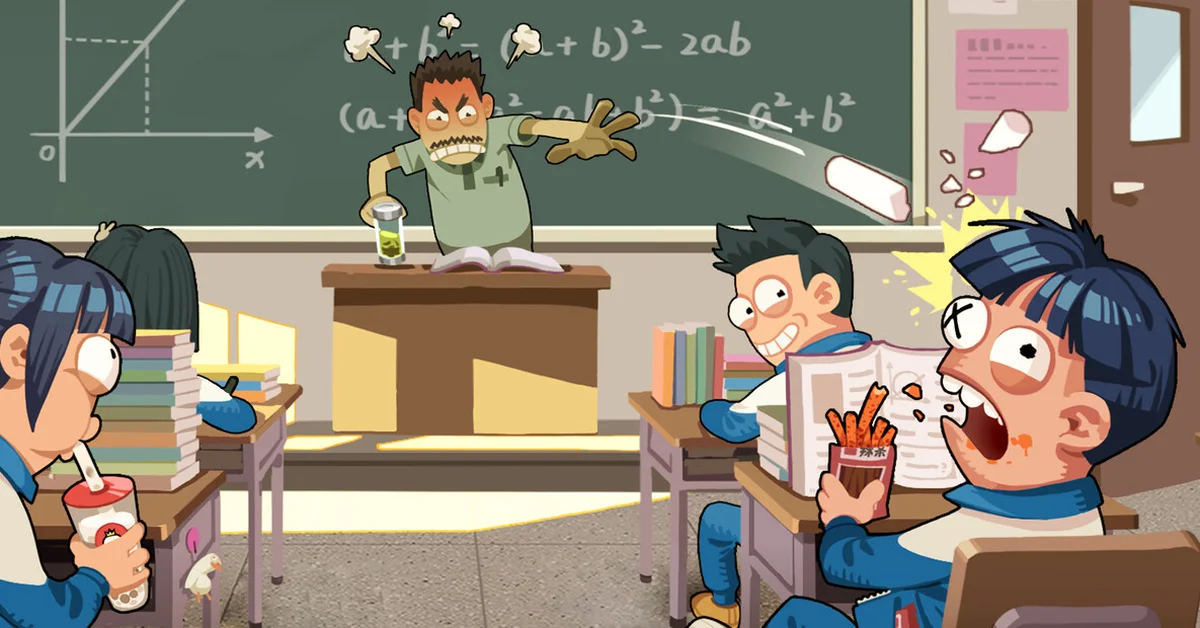
In the default mode, one player is the teacher and everyone else is a student. The store page sums it up as “1 Teacher vs 7 Students”: the students hide among dozens of computer-controlled classmates, sneaking snacks, passing notes and playing on their phones whenever the teacher looks away, while the teacher tries to spot every real player in the crowd and restore order.
| Detail | What the game supports |
|---|---|
| Players per room | Up to 8 |
| Online play | Yes, through rooms |
| LAN play | Yes, added in the full release |
| Teachers per room | 1 by default, adjustable by the host |
| Single-player | No |
| Platforms | Windows PC on Steam |
The player cap rose for launch. The free demo, which hit number one in player count during the October Steam Next Fest, ran smaller rooms, and the full release raised the limit to 8 players per match.
How to Invite Friends
The game handles invites inside the school itself. The demo’s 0.1.6 update added the ability to invite Steam friends through the in-game phone, and that is still the way to pull your group into a room.
- Launch the game and create a room. The person who creates it is the host and controls the room’s settings.
- Open the in-game phone and use it to invite your Steam friends.
- Friends accept the invite and load into your room.
Friends can also find your room in the public room list, which works for open lobbies too. If someone is late, they do not have to wait for a new room: an update during the demo made it possible for new players to join after each round ends. Between matches, everyone returns to the school hallway in their student look.
Each player needs their own copy of the game on Steam.
Room Settings the Host Can Change
The full release added custom rooms. The host can adjust around 20 settings, according to the launch announcement, including:
- The number of players allowed in the room.
- The number of teachers, so a big group can split into more than one teacher against the class.
- Item spawn probabilities, to make pranks and counterplay more or less frequent.
- Random item combinations, which the store page describes as a switch for “nonstop hilarious moments.”
The full version has 10 themed classrooms that rotate in, each with its own hiding spots, prank tasks and interactive objects. The game also scales itself to the room: an update during the demo lowered the Mischief Points students need to win when there are fewer of them, let the teacher recover some stamina after each catch when there are more, and adjusted item spawns to the number of students.
Playing Over LAN
LAN mode arrived with the full release, alongside improved server performance. The launch announcement says you can “create a room and play together directly over a local area network with friends,” which helps when the whole group is in one house or the online rooms are struggling.
Voice Chat and Mods
The game has built-in voice chat: one of the demo patches fixed a bug where players sometimes could not hear each other after joining a game. The full release also added Steam Workshop support, so you can browse and share creations made for the game.
Can You Play Worst Class Ever Solo?
No. There is no single-player mode. The Steam store page lists online and LAN multiplayer (both competitive and co-op) and no single-player play, and the whole design depends on real players hiding among the computer-controlled classmates while another player hunts them. If your friends are offline, the public room list is the way to get a match.
The game is on Windows PC only, so there are no console or Mac players to worry about and no crossplay question. If you want more games to play as a group, see our best PC co-op games of 2026 and our rundown of every game in Jackbox Party Pack 12. Our coverage of the October Steam Next Fest covers the demo event where Worst Class Ever first took off.
Frequently Asked Questions
How many players can play Worst Class Ever? Up to 8 players per room. The default split is one teacher and seven students.
How do you invite friends in Worst Class Ever? Create a room, then use the in-game phone to invite your Steam friends. They can also find the room in the public room list.
Does Worst Class Ever have LAN? Yes. LAN multiplayer was added in the full release, so you can create a room on a local network.
Can you have more than one teacher? Yes. The host can change the number of teachers in the room settings.
Can you play Worst Class Ever alone? No. It is a multiplayer-only game, with no single-player mode listed on its store page.
Is Worst Class Ever on PS5, Xbox or Switch? No. It is a Windows PC game on Steam.