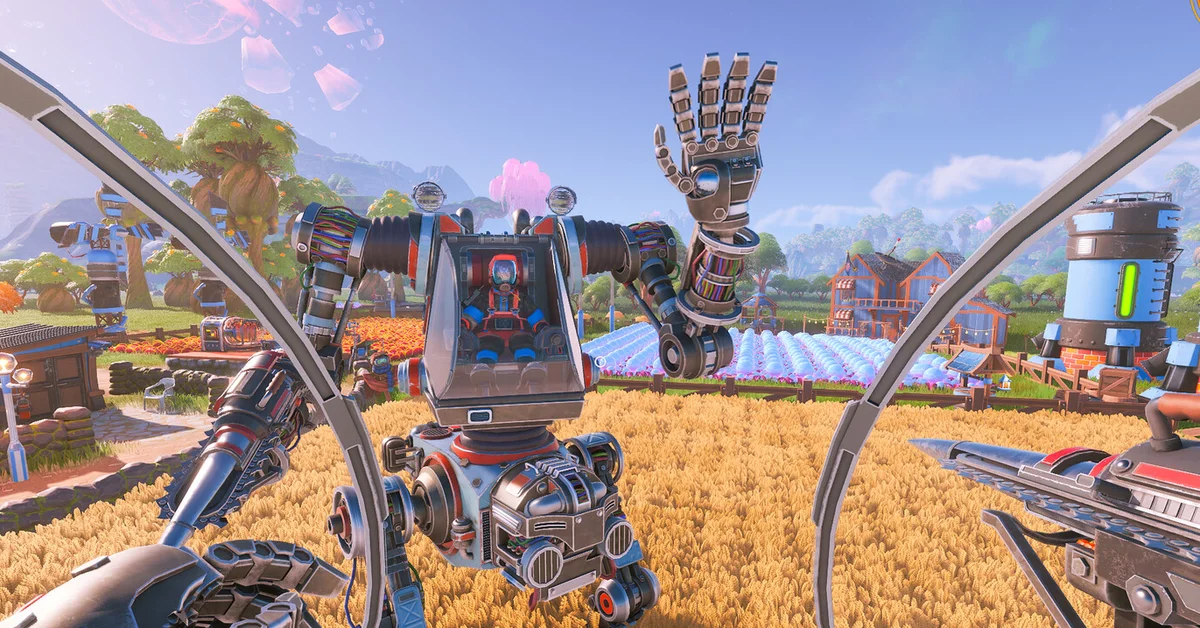
Yes, Lightyear Frontier is multiplayer: you can farm with up to three friends in online co-op, so four Exofarmers can share one world. It plays just as well solo, and the 1.0 release on November 4, 2026 keeps the co-op FRAME BREAK built during Early Access, including Shared saves that anyone in your group can host.
Lightyear Frontier is FRAME BREAK’s mech farming game on Steam and Xbox Series X|S. Below: how co-op works, the difference between Standard and Shared saves, how to host and join, what everyone keeps, and what 1.0 changes for groups.
How Co-op Works in Lightyear Frontier
The Steam store page calls it “an open-world mech farming game for 1-4 players” and puts it simply: “Up to three friends can join you on your farm.” The basics:
- Online only, up to four players. Steam lists Online Co-op and Cross-Platform Multiplayer. There is no local or split-screen mode listed, and every official description of co-op is about online sessions.
- One host, everyone else joins. The host loads the world and the others connect to it. FRAME BREAK’s patch notes also stop clients from joining before the host has finished loading.
- A shared world. Day count, completed deliveries, available Mech Power, crafted items in storage and built Constructs all belong to the world, per FRAME BREAK’s save migration guide.
- Your own mech. Items in your personal inventory and your character’s own progression, such as Mech Parts, Mods, loadouts and some completed missions, belong to your character in that world, not to the group.
That split matters when you join a friend’s farm. FRAME BREAK describes joining an existing world as arriving “as a new player”: the Mech Parts and Mods from your own save stay there, even if the shared farm is deep into the late game.
Standard vs Shared Saves
FRAME BREAK added Shared saves in the Greater Cause update of September 2025, and it is the setting most groups ask about.
| Standard save | Shared save | |
|---|---|---|
| Who can host | Only the player who created it | Anyone who has joined it |
| Solo play | Yes, single player or multiplayer | No, it must be hosted as a multiplayer game |
| Players at once | Up to four | Up to four, though more players can have access |
| Where progress lives | On the creator’s save | Synced to everyone through the cloud |
| Limit | Normal save slots | Up to 10 Shared saves at a time |
A Shared save exists as long as at least one player keeps it. If the last person deletes it, it is gone for good. Only one person can host a Shared save at a time; everyone else joins that host.
Save files can be copied in both directions. From the save list, hover over a save and press F on keyboard or Y on controller (the default bindings) to make a Standard or Shared copy. That makes it easy to turn a solo farm into a group farm without risking the original.
How to Host and Join a Session
- From the main menu, open Multiplayer and choose Host Multiplayer.
- Pick the save you want to host, or start a new world. Use the Shared tab for a Shared save.
- Once you are in the world, open the pause menu and find your invite code.
- Send the code to your friends. They use it to join your session from their own copy of the game.
- When a friend joins a Shared save, it is added to their own list of Shared saves, so they can host it later even if you are offline.
Everyone needs to be on the same version of the game. After a big update such as 1.0, any player who has not updated yet will not be able to join.
What 1.0 Changes for Multiplayer
FRAME BREAK’s 1.0 patch notes include several changes that affect groups:
- Host-controlled world settings. 1.0 unifies the playstyle settings “in a per-world, host-controlled framework.” That covers damage taken, day length, fuel consumption, tornado and Floater presence, crafting time, growth time and more, so the host sets them for the whole world. The new Creative, Relaxed, Balanced and Challenging presets are picked when a save starts, and the 1.0 quality of life post says they also show up the first time you load an old save.
- Research Deliveries replace Research Initiatives. Research Initiatives were community goals that needed thousands of players to contribute. 1.0 removes them, and Prometheus Station now offers Research Deliveries that you can complete on your own, with blueprints for new mech Mods as the reward.
- Map stamps with text. You can now write on map stamps, and whatever you write is visible to the other players in your session. Handy for marking a good mining spot.
- No more day transition screen. Days now roll straight into the next, with no forced transition screen in between.
- Smoother hosting and joining. The notes say CPU performance is “significantly” better, “especially when hosting a late-game session.” They also “potentially” fix a join failure that made every later attempt fail until you restarted the game, stop clients being kicked from sessions with very large fields, stop Shared save sessions showing as offline in the session browser, and stop late-game saves dropping some progression flags for clients.
Tips for a Smoother Co-op Farm
- Let the strongest PC host. In its Automation Update notes of March 2026, FRAME BREAK recommends that “the player with the most powerful machine hosts,” and warned that hardware at or below an Xbox Series console’s CPU should not expect a fully stable 60 FPS hosting three or four players on a late-game save. 1.0’s CPU work is aimed at exactly that kind of session, but the strongest machine is still the safest host.
- Use a Shared save for busy schedules. It lets whoever is online keep the farm going.
- Keep a backup. Shared saves also keep a local copy in case the cloud copy fails to load, since the April 2026 patch, but a manual copy before a big update costs nothing. Our guide to whether you need a new save for 1.0 covers how existing farms, including Shared ones, carry over.
- Split the jobs. Co-op is the fastest way to cover a big world, and storage is shared. Send one player after red crystal while another rounds up feathers, and mark the good spots with a text stamp so everyone can find them. Every guide is collected on our Lightyear Frontier hub.
Frequently Asked Questions
How many players can play Lightyear Frontier together? Four. You can invite up to three friends into your world in online co-op.
Does Lightyear Frontier have split-screen? No. Co-op is online only, and the Steam store page lists online co-op with no local or split-screen option.
Can my friends play on our farm when I am offline? Yes, with a Shared save. Anyone who has joined a Shared save can host it, and progress syncs to everyone through the cloud.
Can you play Lightyear Frontier solo? Yes. Standard saves can be played in single player or hosted for friends, and 1.0 replaced the community Research Initiatives with Research Deliveries you can finish on your own.
Who sets the difficulty in co-op? The host. In 1.0, playstyle settings such as damage taken, day length and growth time belong to the world and are controlled by whoever hosts it.
Does my mech come with me when I join a friend’s world? No. Your personal inventory, Mech Parts, Mods and loadouts belong to your character in each world, so you start fresh on a friend’s farm.
Is Lightyear Frontier crossplay between Steam and Xbox? Yes. Steam lists Cross-Platform Multiplayer, and FRAME BREAK’s save migration guide has Xbox and Steam players joining the same session with an invite code.