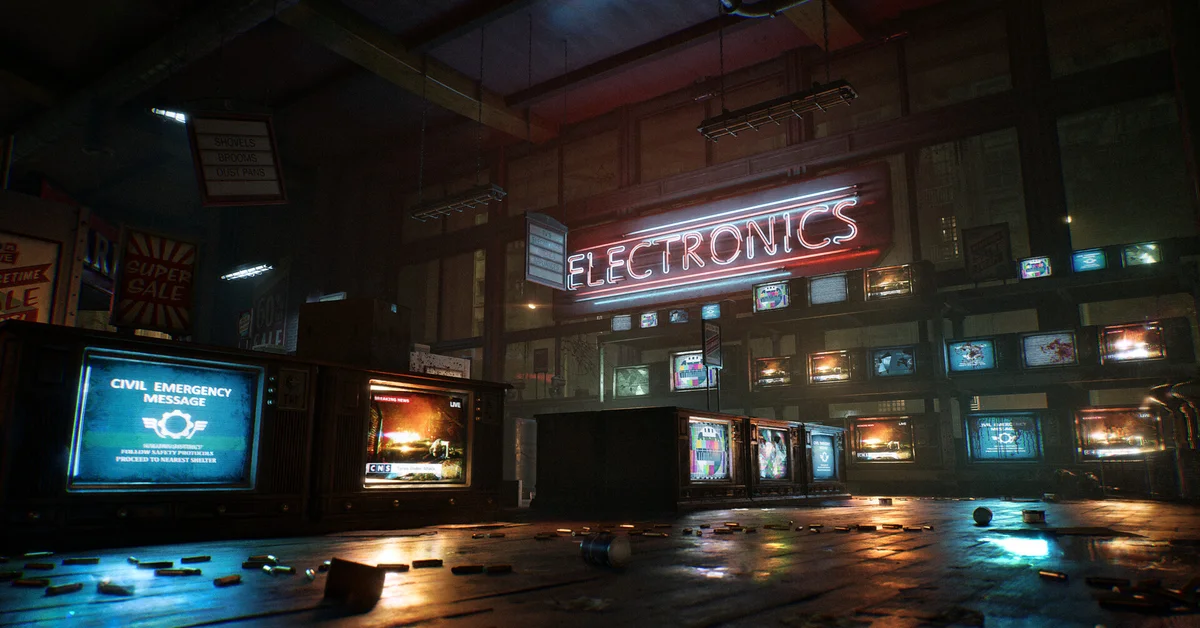
You cannot turn ray tracing off in Gears of War: E-Day. It is built into the game’s lighting, so there is no “RT off” switch on PC or Xbox, and The Coalition requires a graphics card with hardware ray tracing even at the lowest settings. What you can do on PC is turn each ray-traced setting down, which gets you most of the performance an off switch would.
Below we cover the exact settings to lower and in what order, the one ray tracing toggle that does exist, what Xbox players can change instead, and what the requirement means if your card has no ray tracing hardware. Requirements and options are verified against The Coalition’s official PC specs, support guide and patch notes for Gears of War: E-Day, as of the November 6 patch.
Why There Is No Ray Tracing Off Switch
E-Day uses hardware ray tracing for its global illumination, reflections and shadows. The official PC specs state that “Graphics cards without dedicated hardware ray-tracing support are not supported,” and that applies to the minimum tier as well as Ultra. The minimum cards are the RTX 2060, RTX 5050, RX 6600 and RX 9060.
Because the lighting depends on it, the PC graphics menu gives each ray-traced effect its own quality row, but none of those rows has an Off position. That is why lowering the rows, rather than hunting for a toggle, is the only way to cut the cost.
Step-by-Step: How to Cut Ray Tracing to the Minimum on PC
Open Settings > Graphics and lower these in order, checking your frame rate after each one:
- RTX Mega Geometry: Off. This NVIDIA-only option is the one ray tracing setting with a real Off position. It needs a GeForce RTX card with at least 12 GB of video memory, and it costs both performance and VRAM.
- Reflections: Medium or Low. Each step down lowers the cost of ray-traced reflections, and Low is the closest thing to “off” in the menu.
- Ray Traced Shadows: one step down. These cover shadows from local lights, not the sun (sunlight has its own Sunlight Shadows row).
- Global Illumination: Medium or Low. This is the ray-traced bounce lighting that colors every scene. Lowering it is a bigger visual change, so try it after the first three.
Then make sure an upscaler is on. Every official performance target assumes DLSS, FSR, XeSS or TSR, and The Coalition pairs the minimum cards with the Medium preset at 1080p and 60 FPS. Frame Generation is also available on supported cards. Our best PC graphics settings guide covers presets, upscaling and frame generation in full.
What Xbox Players Can Change
There is no ray tracing option on Xbox Series X|S. Per The Coalition’s support guide, the Graphics tab offers Eco Mode, Idle Timeout, and a separate Graphics Mode for each of Campaign, Horde Siege and Versus, each one choosing “between higher framerate or higher quality.”
If you want the smoothest game, set all three Graphics Modes to the higher framerate option. Xbox Cloud Gaming players should check theirs too: The Coalition’s October 22 hotfix fixed cloud sessions defaulting to Quality instead of Performance. Our controller settings guide covers the rest of the console menu.
Running E-Day Without a Ray Tracing Graphics Card
If your card has no ray tracing hardware, such as NVIDIA’s GTX 16 series or AMD’s RX 5000 series, E-Day does not support it, however fast the card is otherwise. The Coalition has not announced a software fallback, and no setting changes that requirement. Unofficial workarounds are not supported, so we would not count on one, especially in a game with online anti-cheat.
The options that do work:
- Xbox Cloud Gaming. With a Game Pass plan that includes cloud play, the game runs on Microsoft’s servers, so your own graphics card does not matter.
- A supported card. The RTX 2060, RTX 5050, RX 6600 and RX 9060 are the official floor. Our Steam and PC guide lists the full CPU, RAM and SSD requirements.
- An Xbox Series X|S. One purchase through the Xbox store covers console and PC through Xbox Play Anywhere.
Ray Tracing Noise, Errors and Crashes
Ray-traced reflections can look noisy or unstable, and the current build offers no DLSS Ray Reconstruction option to clean them up. If that bothers you, raising Reflections helps more than any other single setting, if your card has the headroom.
If the game crashes or will not start on a ray tracing card, update your graphics driver first. Our error codes guide lists the official fixes and minimum driver versions. The Coalition’s launch notes also fixed graphics settings resetting between launches, so if your lowered settings keep reverting, make sure the game is fully updated.
Every other guide is on our Gears of War: E-Day hub.
Frequently Asked Questions
Can you turn off ray tracing in Gears of War E-Day? No. There is no ray tracing off setting on PC or Xbox. On PC you can lower each ray-traced setting, and turn off the separate RTX Mega Geometry option.
Is ray tracing required for Gears of War E-Day? Yes. The official PC specs say graphics cards without dedicated hardware ray tracing support are not supported, even at minimum settings.
Can I play Gears of War E-Day on a GTX 1660 or RX 5700 XT? Not officially. Neither has ray tracing hardware. Xbox Cloud Gaming is the supported way to play without a ray tracing card.
Which setting gives the most performance back? Turn RTX Mega Geometry off if it is on, then lower Reflections.
Does Xbox have a ray tracing toggle? No. Xbox has a framerate or quality Graphics Mode for each of Campaign, Horde Siege and Versus.