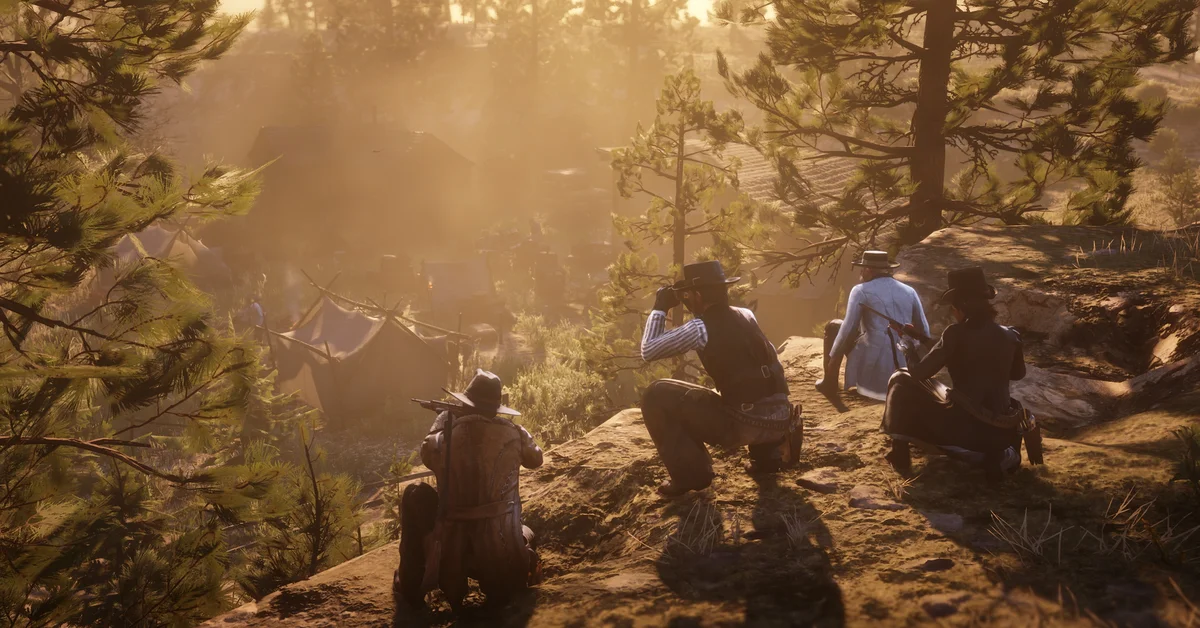
To play Red Dead Online with friends, get everyone into the same session, then form a posse: tap Left on the D-pad (L on PC) to open the Player Menu, select Posse, press Square on PlayStation, X on Xbox or Enter on PC to set it up, and invite your friends. A temporary posse is free and holds up to four players, while a persistent posse holds up to seven and is saved, so you do not rebuild it every time you log in.
Below we cover what has to happen before the invite options work, both ways to get into a friend’s session, every posse setting, the difference between the two posse types, what you can do together once you are grouped, and which platforms can play with each other.
Which Version This Covers
This guide covers Red Dead Online as it runs today on PS4, Xbox One and PC. PS5 and Xbox Series X|S players run the PS4 and Xbox One versions through backward compatibility, so every step below is the same on those consoles. On console you also need the platform’s online membership: PlayStation Plus on PlayStation, and on Xbox a Game Pass plan that includes online multiplayer. PC needs no subscription, only the Rockstar Games account every PC copy signs into.
Before You Start: Finish the Opening
A new character cannot ride with friends straight away. Red Dead Online begins with character creation and an opening stretch that takes you out of Sisika Penitentiary, gets you a horse, sets up your first camp and introduces the characters behind its story. The posse and invite options open up once that is done, and every friend in your group has to clear it on their own character too.
If one of you is brand new, let them finish the opening while the others wait in free roam. It is the most common reason an invite seems to do nothing.
Step 1: Get Into the Same Session
There are two ways to end up in the same world.
Invite a friend to your session:
-
Tap Left on the D-pad (L on PC) to open the Player Menu. Holding Left opens the catalogue instead, so tap it.
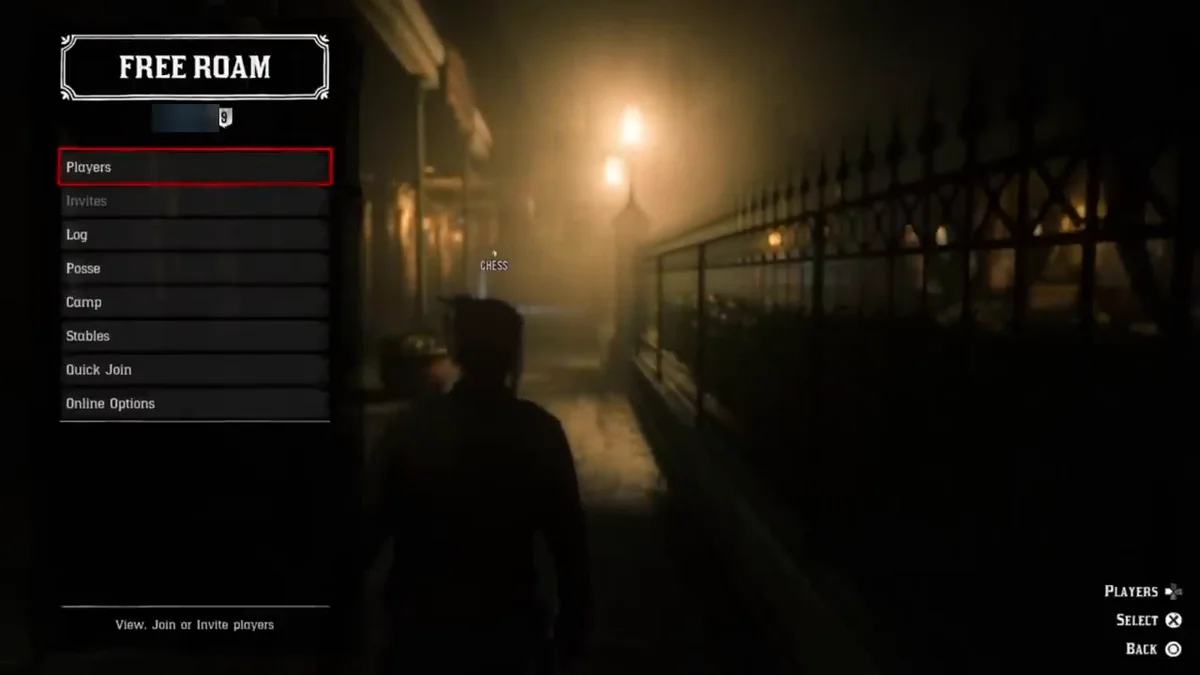
- Select Players. It lists everyone in your current session, and a Friends tab shows your platform friends.
- Pick your friend and send the invite.
- Once they accept, the game moves them into your session, as long as it has room.
Our video at the end of this guide shows us inviting friends to a posse on PS4. The screenshots in this guide come from the same recording.
Join a friend who is already playing: open the same Players list, find your friend under Friends and choose to join their session. This also fails if their session is full, so try again in a minute or have them invite you once space opens.
Step 2: Form a Posse
Being in the same session is not the same as being grouped. A posse is what ties you together: shared waypoints, shared missions and shared rewards.
- Open the Player Menu (Left on the D-pad, L on PC).
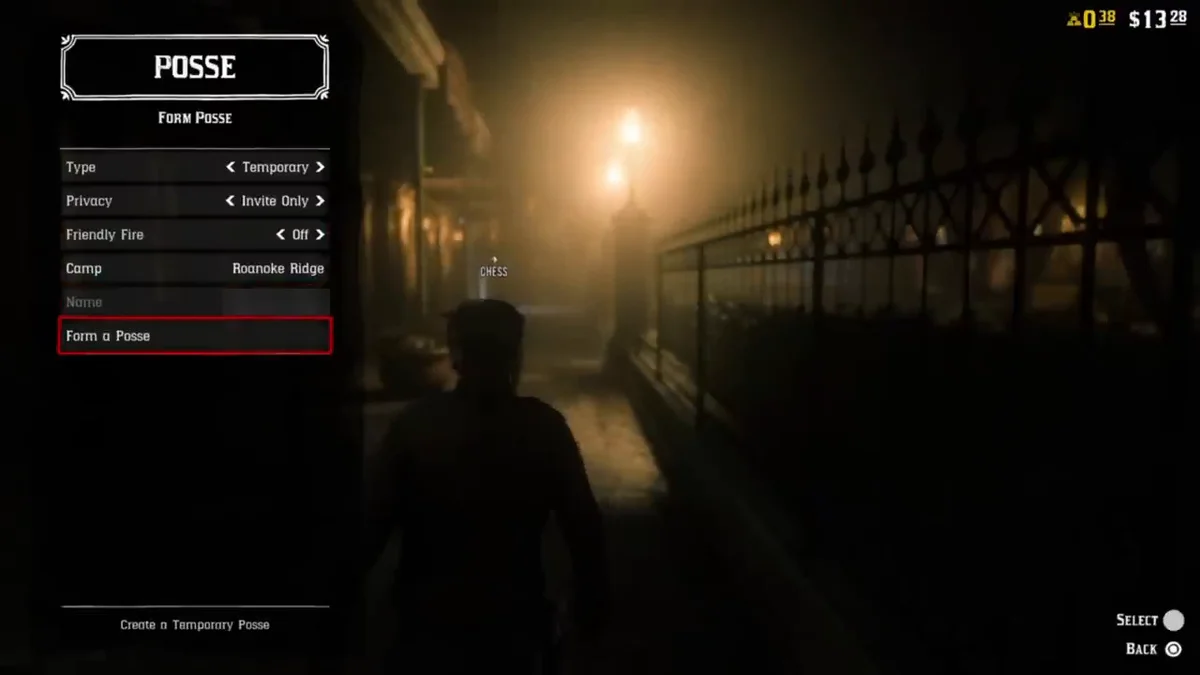
- Highlight Posse and press Square, X or Enter to start setting one up.
- Choose your settings: – Type: temporary or persistent (compared in the next section). – Privacy: whether other players can join freely or only by invite. – Friendly Fire: switch it off if you would rather not shoot each other by accident. – Camp: where the posse’s camp goes. The leader’s camp is the one the posse uses. – Name: for a persistent posse.
-
Confirm to form the posse.
-
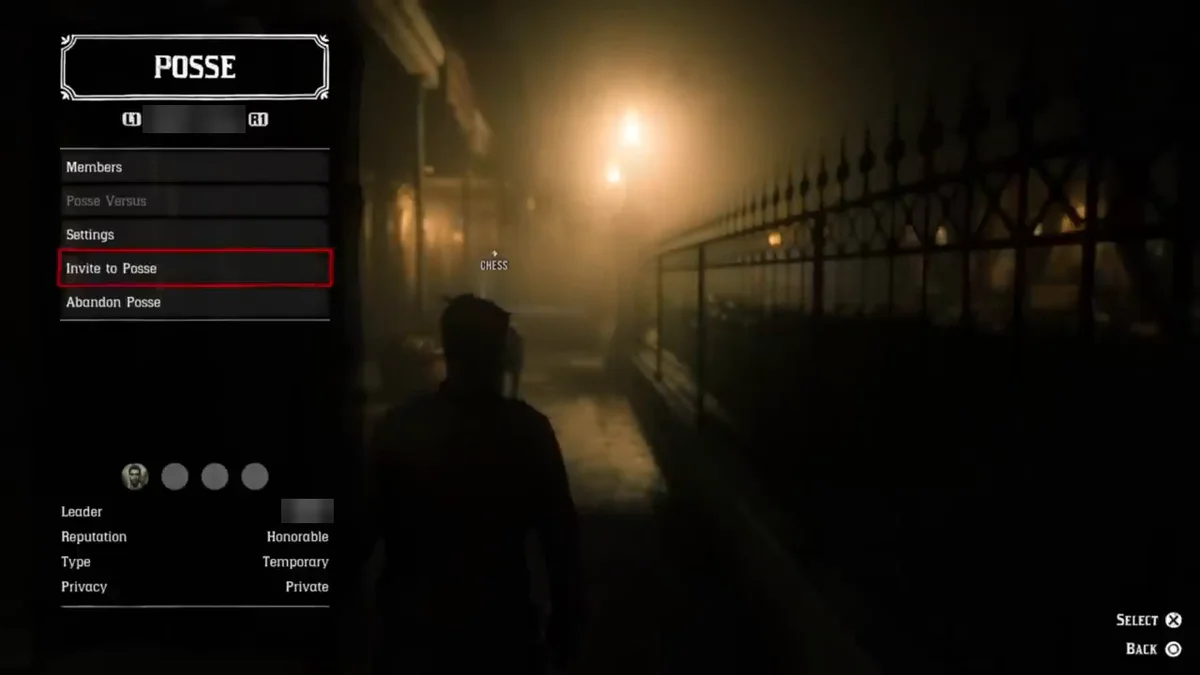
Open the Posse menu again and invite your friends from the list. Anyone who is not in your session yet needs a session invite first (Step 1).
Want company but have no friends online? Open the pause menu, go to the Online menu and select Posse Up, which puts you into a posse with other players.
Temporary vs Persistent Posses
| Temporary posse | Persistent posse | |
|---|---|---|
| Maximum size | 4 players | 7 active players |
| Cost to set up | Free | $200 in RDO cash |
| When the leader leaves | The posse disbands | It is saved and re-forms when the leader comes online |
| Extras | None | Outfit style for the whole posse, a custom name, posse races |
A temporary posse is the quick option for a one-night session with a friend or two. A persistent posse suits a regular group, since nobody has to rebuild it each time, and it is the only way to ride with more than four. Rockstar waives the persistent posse set-up fee during some of its weekly Red Dead Online events, so check the current week’s bonuses on the Red Dead Online page before you pay.
One change to know about: since a September 2024 update, Rockstar’s patch notes say custom posse names are no longer shown publicly. Your posse’s name still shows for you, but other players see your group as members of the leader’s posse.
What You Get From Riding Together
Rockstar’s own posse tips spell out the benefits:
- Bonus rewards. Certain activities and missions pay more RDO cash and XP when you play them in a posse.
- One leader, one destination. When the leader joins a Free Roam Event, a competitive challenge or a Showdown Series from the Player Menu or the map, the whole posse comes along.
- Shared waypoint. Every member sees the leader’s waypoint on the map.
- Shared camp. The leader’s camp works for everyone, with your own lockbox and wardrobe plus a shared camp stew. Our guide to setting up camp explains how Online camps differ from Arthur’s.
- Posse Versus contests. The leader can start quick in-posse competitions from the Player Menu, such as the Biggest Fish Contest, the Bird Shooting Contest and the Herb Picking Contest. If fishing is new to anyone in the group, our fishing guide covers the basics.
Story Missions, Free Roam Missions and Poker
Most of what Red Dead Online has to offer works in a group:
- Story missions. The A Land of Opportunities missions are co-op jobs for up to four players. Your honor decides which version of those missions you get, so check where everyone stands with our guide on how to check honor.
- Free Roam Missions. Ride to a Stranger icon on the map alone or with your posse to start one.
- Poker. Poker tables in Blackwater, Saint Denis, Tumbleweed, Valentine and Flatneck Station seat up to six, and you can start a private, invite-only game for just your friends.
- Role work. Bounty hunting, trading and the other roles can all be done side by side in the same session.
Private Sessions and Keeping the Peace
Red Dead Online has no menu option for a private, friends-only free roam session, so your group always shares the world with strangers. Two settings help:
- Defensive playing style. Set it from the Player Menu. Defensive players show a shield icon, take reduced damage from other players, and cannot be lassoed, melee attacked or targeted with auto-aim. Attacking anyone yourself switches you back to Offensive.
- Parley and Feud. After another player kills one of you, these options let you call a truce with their whole posse, or settle it with a short, timed Feud.
Crimes in free roam still bring the law, posse or not. Our guide to getting rid of your bounty covers how bounties work.
Can You Play Across Platforms?
No. Red Dead Online has no crossplay between PlayStation, Xbox and PC, and Rockstar told Polygon in 2019 that cross-platform play was not coming. Your character and progress also stay on the platform family where you made them.
Within a family it works: PS5 runs the PS4 version, so PS4 and PS5 friends play together, and the same goes for Xbox One and Xbox Series X|S. PC players play with other PC players.
When a Friend Cannot Join
Run through these before anything else:
- They have not finished the opening. Invites and posses only work once both characters are through it.
- The session is full. Wait a minute and invite again, or have them invite you.
- You are on different platforms. See the crossplay section above.
- The invite went to the wrong menu. A session invite and a posse invite are separate. Get them into your session first, then invite them to the posse.
For the rest of our coverage, browse the Red Dead guides hub.
Frequently Asked Questions
How do you invite friends in Red Dead Online? Tap Left on the D-pad (L on PC), open Players, find your friend under Friends and send an invite. Once they are in your session, invite them to your posse from the Posse menu.
How many players can be in a posse? Up to four in a temporary posse and up to seven in a persistent one.
How much does a persistent posse cost? It costs $200 in RDO cash to set up. Rockstar sometimes waives the fee during weekly events.
Is Red Dead Online cross-platform? No. PlayStation, Xbox and PC players cannot play together. PS4 and PS5 players can, and so can Xbox One and Xbox Series X|S players.
Can you play Red Dead Online story missions with friends? Yes. The A Land of Opportunities story missions are built for co-op with up to four players.
Can you make a private session in Red Dead Online? There is no menu option for one. The Defensive playing style in the Player Menu is the closest thing to keeping other players off your group.
Why can other players not see my posse name? Since a September 2024 update, custom posse names only show to you. Other players see your group as part of the leader’s posse.