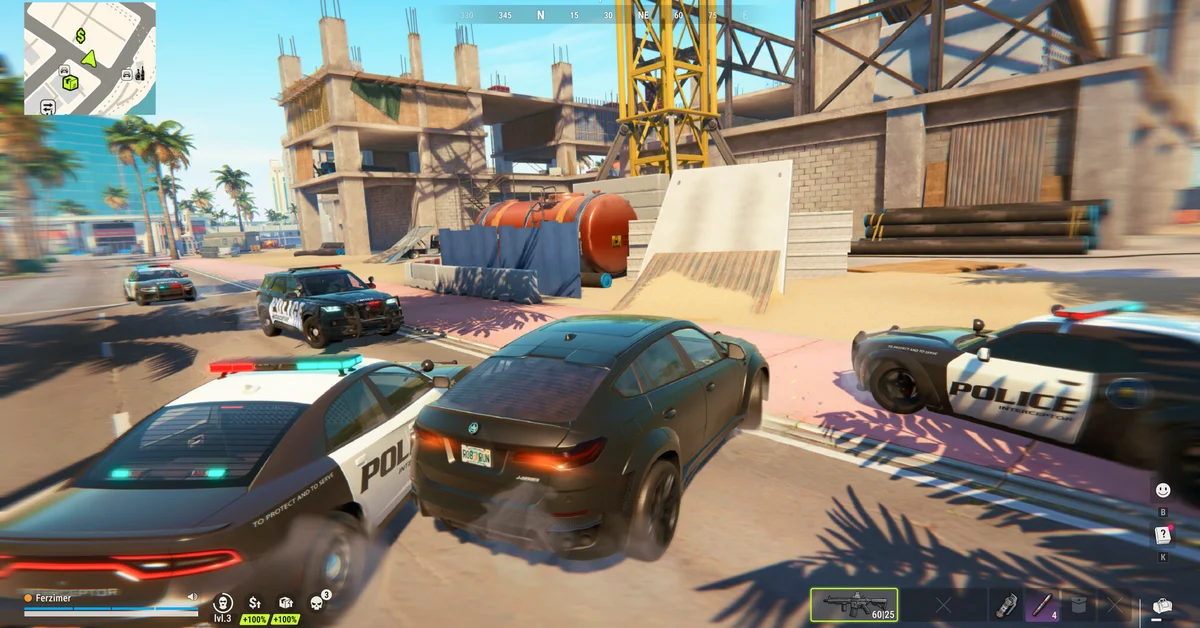
The best settings for ROB RUN start outside the game: Kefir’s one published performance fix is to lower your mouse polling rate if your frame rate falls to single digits when you move the mouse. Kefir has not published a recommended list of in-game graphics settings, so we are not going to print an invented one.
What follows is everything official, in the order worth trying it, plus a simple way to find your own settings on your own PC. It beats copying a list built on someone else’s hardware.
Fix This First: Mouse Polling Rate
This is the strange one, and it is worth checking before you touch any graphics option. Kefir says: “If the game starts lagging and your FPS drops to single digits every time you move your mouse (even though it runs smooth when staying still), it’s caused by an excessively high mouse polling rate.”
- Open your mouse’s configuration app. Kefir names Logitech, Razer and Bloody as examples.
- Find the Polling Rate setting.
- Lower it. Kefir gives no exact number, so go down one step at a time until the drops stop.
Polling rate is how often your mouse reports its position to your PC. It is not the same as DPI, so lowering it does not change your sensitivity.
The Rest of Kefir’s Official List
If the stutter continues, Kefir’s next steps are:
- Update your graphics card drivers.
- Update your BIOS. Kefir calls this out especially for 13th and 14th Gen Intel processors. Follow your motherboard maker’s instructions, and leave this for last, since it is the riskiest job here.
- Turn off third-party overlays. Kefir names Discord and GeForce Experience.
- Close other apps. Kefir’s crash advice is to close what you do not need and restart.
- Verify your files. Kefir’s freezing advice is Steam Properties, then Installed Files, then Verify integrity of game files.
How to Find Your Own Best Graphics Settings
With no official list to go on, testing on your own machine is the honest method, and it only takes a few minutes.
- Turn on a frame rate readout. Steam has one: Steam, then Settings, then In Game, then Performance Monitor.
- Test where it matters. A quiet desert road tells you little. Pick a busy part of Looty Bay, like Downtown, since Kefir’s store page promises 5,000 players around you and a crowded street is the hard case for your PC.
- Stand still first, then turn the camera. A big drop only when you turn points back at the polling rate fix.
- Change one option at a time. Start with the broad quality preset, then resolution, then work through what the menu offers. Compare in the same spot.
- Watch your lowest numbers. A shootout is decided in the dips, so a steady frame rate is worth more than a high average.
What to Expect From Your Hardware
Kefir’s system requirements give the two reference points:
| Minimum | Recommended | |
|---|---|---|
| Processor | Intel i5-6600K or Ryzen 5 1600 | Intel i5-9600K or Ryzen 5 3600 |
| Memory | 12 GB | 16 GB |
| Graphics | GTX 1050 Ti, RX 580 or Arc A380 | RTX 2070, RX 5700 XT or Arc B570 |
Kefir does not say what resolution or frame rate either tier targets, so treat them as starting points. If you are near the minimum, begin at the lowest preset and work up. On a laptop with two graphics chips, make sure Windows uses the dedicated one: open Settings, then System, then Display, then Graphics, select the game and choose High performance.
When It Is Not Your Settings
Not all lag is your frame rate, and no graphics option can fix a server problem. Kefir’s developers posted on Steam in early November that DDoS attacks were causing connection errors, and warned on the game’s official channels that servers might restart without notice while they dealt with them.
Here is how to tell which one you have: if your frame rate readout stays steady while the game rubber-bands or disconnects, the problem is your connection or the server. Kefir’s error code list says E-0201 means an established connection to the game server was lost and not restored.
Your region matters as well. ROB RUN runs EU and East US regions as of launch, so if you are far from yours, the prison route in our server guide is how to swap regions. It costs everything you own on that server, so do it early. Once the game runs smoothly, our money guide is the next stop.
Frequently Asked Questions
Why does my FPS drop when I move my mouse in ROB RUN? Kefir says an excessively high mouse polling rate causes it. Lower the Polling Rate in your mouse’s configuration app.
What polling rate should I use? Kefir does not give a number. Lower it a step at a time until the drops stop, and keep the highest rate that runs smoothly.
Does Kefir recommend specific graphics settings? Not as of early November. Its official help covers the polling rate, drivers, BIOS, overlays and file checks, and it lists no recommended in-game options.
Should I update my BIOS for ROB RUN? Kefir suggests it if stuttering continues, especially on 13th and 14th Gen Intel processors. Try the simpler fixes first.
Why do I lag even with a high frame rate? That usually points to your connection or the server. Check for an error code and for Kefir’s server notices.