No. Saves made with any earlier version of Beyond Skyrim: Bruma will not work with Bruma 2.0, and the mod’s team says you need a new save after updating. A character that has never had Bruma installed is a different case: the team still says you can take an existing character over the border into Cyrodiil.
The Beyond Skyrim Cyrodiil team released Bruma 2.0 on Nexus Mods on the evening of November 10, 2026, for The Elder Scrolls V: Skyrim Special Edition and Anniversary Edition, and announced PlayStation support alongside it. Below is exactly which saves still work, why the old ones break, what to do if you are halfway through a Bruma playthrough, and how to install 2.0 cleanly.
What the Beyond Skyrim Team Says
The warning appears everywhere the team announced the update. The description of its 2.0 update video says “saves of previous versions of Bruma will not be compatible and a new save is needed.” The Nexus Mods page puts it in capital letters: Bruma 2.0 is not compatible with previous Bruma saves, “and most submods for Bruma will need updates to function properly.” The 2.0 download itself carries the note “Incompatible with saves of previous versions,” and the team’s Bluesky post adds “Please start a new save after updating.”
The team offers no workaround, conversion tool or save-cleaning step that makes an old Bruma save safe on 2.0.
Which Saves Still Work With Bruma 2.0
| Your save | Works with 2.0? |
|---|---|
| Any save made while Bruma 1.6.4 or older was installed | No. The team says to start a new save |
| A character that has never had Bruma installed | Yes. The team’s FAQ says you can use existing characters |
| A save from before you first installed Bruma | It carries none of the old version’s data, the same as a character that never had it |
| A brand new game | Yes |
| The original Skyrim (Legendary Edition) | Not affected. That version’s page stays on 1.6.4 |
The middle rows are the useful ones. The FAQ on the team’s new Assets page, posted with 2.0, still answers “Does Beyond Skyrim require a new game?” with “Nope! You are able to use your existing characters from Skyrim.” So “a new save” means a save that has never had the old Bruma in it, not necessarily a new character. If you kept a save from before you first added Bruma, that save is the one the team’s own uninstall notes point to for removing the mod, because it predates everything Bruma wrote into your game.
Why Old Saves Break
The team has not published a technical breakdown, but its uninstall notes explain the general problem: the game engine “bakes” a mod’s data into your saved games, which is why removing Bruma mid-playthrough has never been supported either. Version 2.0 changes a lot of that data at once. It adds new dungeons and a greatly extended exterior, rebalances loot and enemies, improves the level design of several dungeons, and moves the shared Beyond Skyrim: Assets files to their own mod page. The team says 2.0 was needed to keep Bruma compatible with upcoming Beyond Skyrim releases and to fix several major bugs, and that its new tools will let it ship future patches more smoothly.
If You Are in the Middle of a Bruma Playthrough
On PC, nothing updates by itself. Mods from Nexus Mods stay on the version you installed until you install new files, so if you are deep into a Bruma character, you can finish on 1.6.4 and update afterward. The team has moved the 1.6.4 files off the main download list, so keep your own copy of those archives (Mod Organizer 2 and Vortex both keep downloaded archives unless you delete them) in case you ever need to reinstall.
On Xbox, Bruma has been a Creation for years, and its Creations page does not say whether that version has the 2.0 content yet. As of November 11, 2026, the page shows version 5, not 2.0, lists an install size of 3.12 GB, and still offers the separate Beyond Skyrim – Bruma DLC Patch Creation alongside it. If an update for Bruma does come through on Xbox, keep a save from before you take it: the team’s warning covers every save made with an older version, whatever platform it is on.
On PS5, Bruma is not out yet. As of November 11, 2026, its Creations page offers no PS5 version, though the team has announced PlayStation support. When it does arrive it will be the first PlayStation release, so there will be no older PlayStation saves to break. Our guide Is Beyond Skyrim Bruma on PS5? covers what the team has announced and how installing it will work.
Whatever you decide, save your game to a fresh slot and back up your saves folder before you touch your Bruma install.
How to Update to Bruma 2.0 on PC
- Finish or retire your Bruma 1.x character. Its saves will not load properly on 2.0.
- Remove the old files: Beyond Skyrim – Bruma, the old Beyond Skyrim Assets file that came from the Bruma page, and the old DLC Integration Patch.
- Install Beyond Skyrim – Assets SE from its new mod page. It is now a separate download, and the team says to install only one copy, since the newest version is made to work with every Beyond Skyrim mod.
- Install Bruma 2.0 from the Bruma page. The team recommends Mod Organizer 2. Its Assets page asks you not to use Nexus Mod Manager or Vortex for that download, because they can lose or corrupt data on large mods, so use Mod Organizer 2 or install it by hand.
- Set the load order: BSAssets.esm first, then BSHeartland.esm (Bruma), then BS_DLC_patch.esp.
- Update or remove your Bruma submods. The team says most of them need updates for 2.0, so check each one’s page for a 2.0 version before you load.
- Start a new game, or load a character that has never had Bruma, and travel to the Pale Pass southeast of Helgen to cross the border.
Two compatibility notes from the team’s pages are worth reading before you load in. Bruma needs Skyrim Special Edition’s update files from version 1.6 or newer, so a downgraded game or Skyrim VR needs the updated update.esm and update.bsa copied in. Mods that change the interface need patches if Bruma’s custom map markers are on (the team offers an optional file to turn them off, or you can use the CoMAP patcher), and mods that add custom animations need patching through Pandora or another animation patcher, for which the Assets page offers an optional Pandora patch.
What You Get for Starting Over
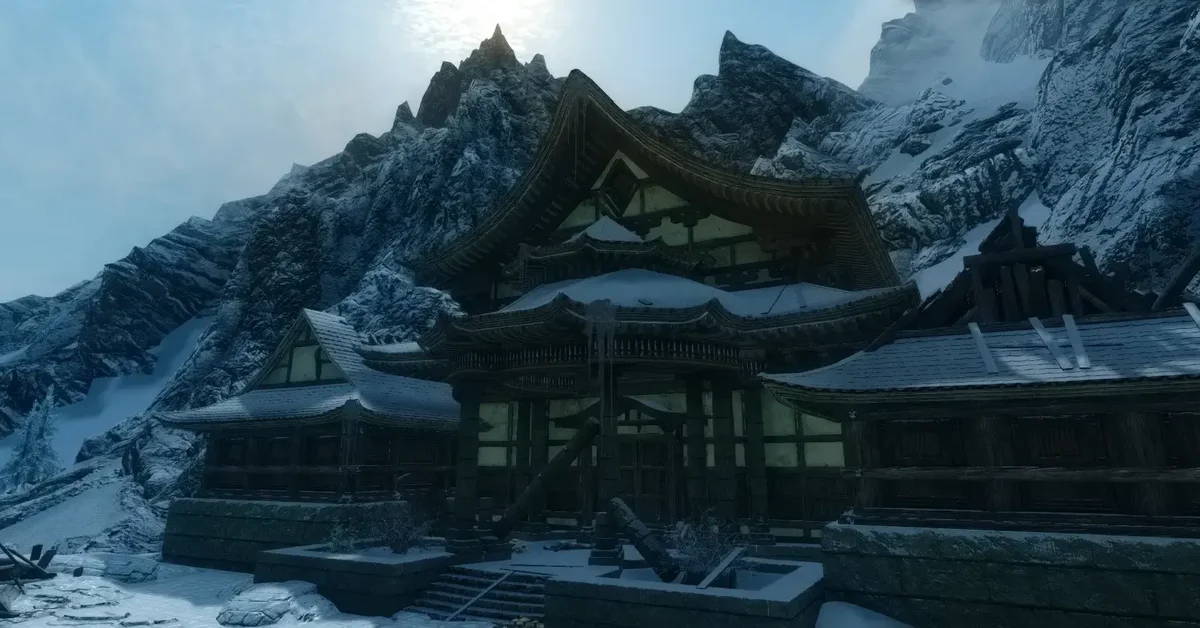
The new save buys a lot of content, according to the team: new dungeons and a much larger exterior, new weapons and armor, a quest and many lines of dialogue that were cut before, custom boss fights and new enemy variants, hundreds of new custom assets, better integration with the official DLC, full Survival Mode support, and hundreds of bug fixes. Cloud Ruler Temple, Underpall Keep and Frostcrag Spire, the wizard’s tower from Oblivion, are all still there.
Bruma also sits on our list of the 100 best Skyrim mods, and every guide for the series is on our Elder Scrolls hub.
Frequently Asked Questions
Will my Bruma 1.6.4 save work with Bruma 2.0? No. The team says saves from previous versions are not compatible and a new save is needed after updating.
Do you need a new game for Bruma 2.0? Not if your character has never had Bruma installed. The team says existing characters can cross the border; only saves that had an older Bruma in them need replacing.
Can you keep playing Bruma 1.6.4? Yes, on PC, as long as you do not install the new files. Keep your own copy of the 1.6.4 archives, since the team has taken them off the main download list.
Do Bruma submods work with 2.0? Most do not yet. The team says most submods for Bruma will need updates to work properly with 2.0.
Does the save warning affect PS5 players? Not yet, because Bruma is not on PS5. As of November 11, 2026, its Creations page offers no PS5 version, though the team has announced PlayStation support. When it arrives, it will be the first PlayStation release, so there will be no older PlayStation saves to break.
Is Bruma 2.0 on Xbox? The Creations page does not say. As of November 11, 2026, it shows version 5 rather than 2.0 and lists 3.12 GB, so check the page again before you take any Bruma update on Xbox, and keep a save from before it.
Is Bruma 2.0 out for the original Skyrim? Not as of November 11, 2026. The Legendary Edition page for the original 2011 release is still on version 1.6.4; 2.0 is for Special Edition and Anniversary Edition.