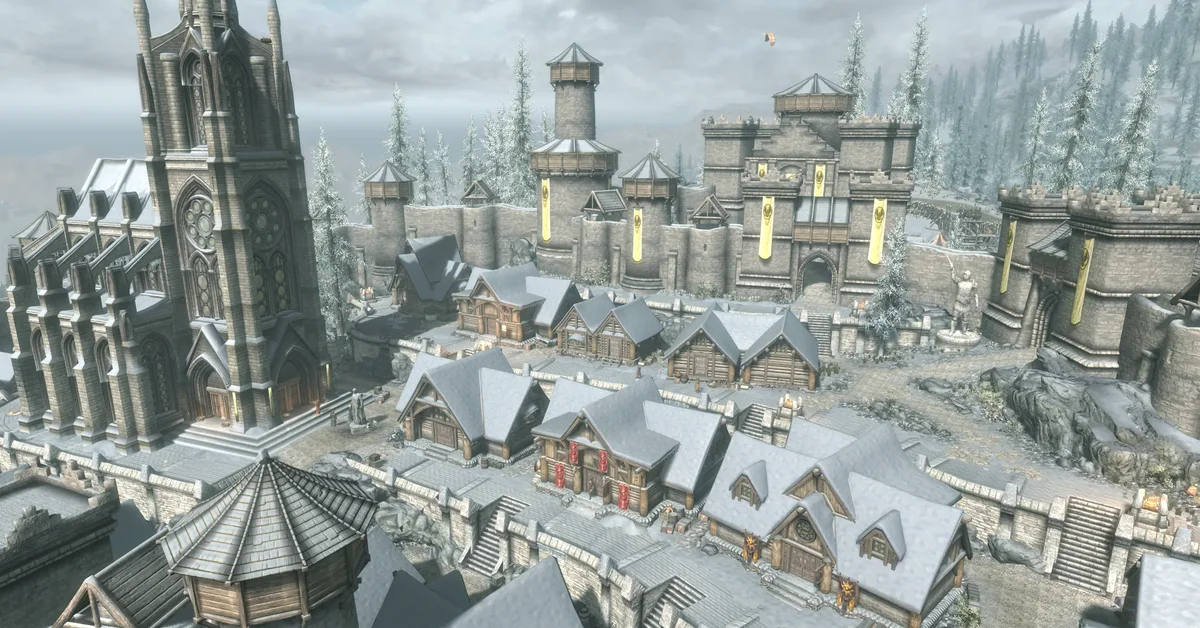
Not yet. As of November 11, 2026, Bruma’s page on Bethesda’s Creations site offers no PS5 version, even though the Beyond Skyrim team announced PlayStation support with its Bruma 2.0 update on November 10. For now, Bruma is on PC through Nexus Mods and, according to the team, on Xbox through Creations.
Below is what the team has said, what the Creations page shows today, how to check for the PS5 version yourself, and how installing it will work once it is listed, so you are ready the day it lands.
What the Beyond Skyrim Team Has Announced
The Beyond Skyrim Cyrodiil team released Bruma 2.0 for The Elder Scrolls V: Skyrim on the evening of November 10, 2026. The description of its 2.0 update video says: “Along with this update, we are also adding PlayStation support.” The team’s new Nexus Mods page for Beyond Skyrim – Assets, the shared files every Beyond Skyrim mod needs, also names PlayStation 4 and 5 among its console platforms.
Those are announcements, not a release. The same video description says the update “can be downloaded right now on these platforms” and links only Nexus Mods, which is PC. The team has not given a date for the PlayStation version.
The groundwork is in place on Bethesda’s side. Its August 20, 2026 update raised mod storage to 15 GB on PS5 and added archive support and new file types (meshes, textures, video and audio) to PlayStation Creations. Bruma’s team had said it needed to work out technical issues with porting mods to PlayStation before it could release there.
What Bruma’s Creations Page Shows Right Now
As of November 11, 2026, Bruma’s Creations page shows:
| What the page shows | As of November 11, 2026 |
|---|---|
| PS5 version | Not available |
| Install size | 3.12 GB |
| Version | 5 |
| DLC Patch | The separate Beyond Skyrim – Bruma DLC Patch Creation is still offered |
The version number on the page is 5, not 2.0, so the page itself does not say whether the console release has the 2.0 content yet.
How to Check for the PS5 Version
You do not need to wait for an announcement. Two quick checks will tell you:
- On the Creations website, open Bruma’s page (linked above) while signed in to Bethesda.net and look at the platforms it lists. When PS5 appears there, it is out.
- In the game, launch Skyrim on PS5, select Creations from the main menu and search for Beyond Skyrim. The team’s uploads come from the account BeyondSkyrim_DC, which it links from its own mod pages. If Beyond Skyrim – Bruma shows up in the PS5 results from that account, you can download it.
Anything else with Bruma in its name is someone else’s patch or add-on, not the mod itself.
How to Install Bruma on PS5 Once It Arrives
When the PS5 version is listed, Bethesda’s install instructions for Creations are the steps to follow:
- Launch Skyrim, select Play, then select Creations from the main menu.
- Log in with your Bethesda.net account if the game asks. It must be the account linked to the PlayStation Network account you play on.
- Download Beyond Skyrim – Assets first. The team says every Beyond Skyrim mod on consoles needs it, and that you should only ever install one copy.
- Download Beyond Skyrim – Bruma from BeyondSkyrim_DC.
- If the Beyond Skyrim – Bruma DLC Patch Creation is offered for PS5 too, download it as well. The Creations page still offers it, and on PC the team’s load order still ends with its DLC patch file.
- Open Load Order in the Creations menu and check that Assets sits above Bruma, with the DLC Patch right below Bruma.
- Save your game to a new slot, then load it.
Bethesda’s help pages warn that downloading many new Creations at once can leave the game stuck on loading, and they put the risk at 10 or more. Bruma is large, so we would add it on its own rather than in a batch with other new mods.
What You Will Need Alongside It
- Skyrim Special Edition or Anniversary Edition. Both include Dawnguard, Hearthfire and Dragonborn, which Bruma is built to work alongside; our guide on when to start Dawnguard and Dragonborn helps you fit the stories together.
- A Bethesda.net account linked to your PSN account. The Creations menu asks you to sign in the first time.
- The latest Skyrim update, since the August 2026 update is the one that opened PlayStation Creations to archives and new file types.
- Storage space. The Creations page lists 3.12 GB for Bruma, and Beyond Skyrim – Assets is a separate download on top of it. PS5 gives Skyrim mods 15 GB in total, and Bethesda caps PlayStation at 100 active Creations. By comparison, all 25 picks on our list of the best Skyrim mods for PS5 come to roughly 800 MB of PS5 files, nearly all of it the Unofficial Patch.
- The right load order. The team’s install notes say BSAssets.esm (Assets) loads before BSHeartland.esm (Bruma), with the DLC patch after Bruma. If you run the Unofficial Skyrim Special Edition Patch, its page asks for the very top spot, so keep the Beyond Skyrim files below it.
Two more things to know before you commit a save. The team warns that Bruma may clash with any mod that changes the Pale Pass or the road south of Helgen, where its border crossing sits. And Bethesda says Creations other than Creation Club items turn trophies off, unless a Verified Creation is marked Trophy-Friendly, so expect Bruma to disable trophies for that save unless its page says otherwise.
What to Expect When It Lands
You will not need a new game. The team’s FAQ answers “Does Beyond Skyrim require a new game?” with “Nope! You are able to use your existing characters from Skyrim. Just hop over the border, and continue your adventures.” As it would be Bruma’s first PlayStation release, there will be no saves from older versions on PS5 to break. Keep a save from before you install it, though: the team does not support removing Bruma from a save, because the engine bakes the mod’s data into it.
To cross, you travel southeast from Helgen to the Pale Pass, where the mod’s border gate into Cyrodiil stands. On the other side is the rebuilt city of Bruma, which the team says has more than 70 residents with their own dialogue and routines, in a county it calls larger than the Dragonborn DLC. Oblivion players will recognize Cloud Ruler Temple, Underpall Keep and Frostcrag Spire, and the team lists more than 24,000 lines of voiceover and more than three hours of original music.
Version 2.0, out on PC through Nexus Mods, adds new dungeons and a greatly extended exterior, new weapons and armor, a previously cut quest and dialogue, a balancing pass with custom boss fights and new enemy variants, better DLC integration, full Survival Mode support, and hundreds of bug fixes, according to the team.
For PC, see our 100 best Skyrim mods, and for the rest of the series, our Elder Scrolls hub.
Frequently Asked Questions
Is Beyond Skyrim Bruma on PS5? Not yet. As of November 11, 2026, Bruma’s Creations page has no PS5 version, though the team announced PlayStation support with its 2.0 update on November 10.
When is Bruma coming to PS5? The team has not given a date. It has announced PlayStation support, and the Creations page is the place to watch: when PS5 appears in its platforms, it is out.
Is Bruma on Xbox? Yes. The team says Bruma is available on Xbox One and Xbox Series X|S through Creations. As of November 11, 2026, its Creations page shows version 5 and an install size of 3.12 GB.
Will you need Beyond Skyrim Assets for Bruma on PS5? Yes. The team says every Beyond Skyrim mod on consoles requires Beyond Skyrim – Assets, which loads above Bruma. Install only one copy.
Will Bruma need a new game on PS5? No. The team says you can take an existing character over the border. Keep a save from before you install it, because removing Bruma from a save is not supported.
How big is Bruma on Creations? The Creations page lists 3.12 GB as of November 11, 2026, with Beyond Skyrim – Assets as a separate download. PS5 gives Skyrim mods 15 GB in total.