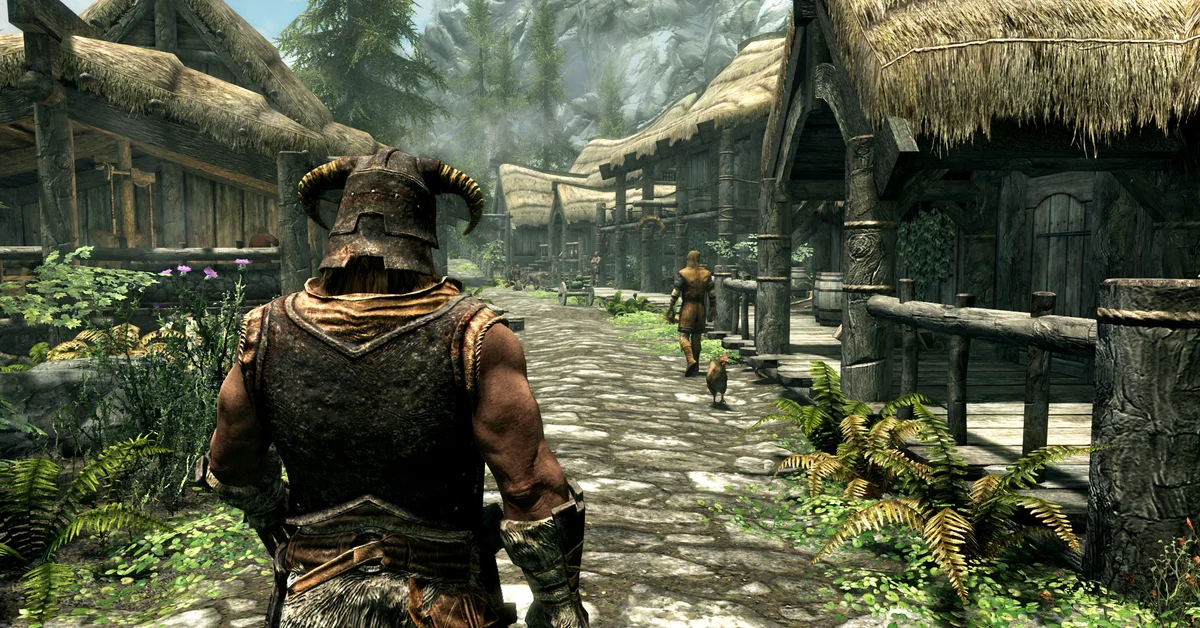
The best Skyrim mods on PS5 start with the Unofficial Skyrim Special Edition Patch, SkyUI 5 and Immersive Citizens, then branch out into weather overhauls, bigger towns, follower systems and a magic expansion with more than 250 spells. All 25 below are free Creations for The Elder Scrolls V: Skyrim Special Edition and Anniversary Edition on PlayStation 5, they install from the in-game Creations menu, and we ranked them by the PlayStation download and like counts on Bethesda’s Creations site.
Every entry is either the creator’s own upload or a port whose page names the original author and the permission to port it. Paid Verified Creations, Creation Club content and adult mods are left out. Playing on PC instead? Our 100 best Skyrim mods list covers the Nexus Mods side, script extender and all.
Fixes and Interface

1. Unofficial Skyrim Special Edition Patch (USSEP)
The Unofficial Patch fixes hundreds of gameplay, quest, NPC, object, item, text and placement bugs that Bethesda never resolved, and it is the patch most PC load orders are built on. Since August 25, 2026, days after the update that opened PlayStation Creations to archives, the Unofficial Patch Project’s own full release has been on PlayStation, and its page says it needs game version 1.7.99 or newer and must sit at the very top of your load order with nothing before it. Before that, PlayStation players used Vexona’s authorized PS Version port, which has about 318,000 PlayStation downloads but whose page says it leaves out the main patch’s script and mesh changes; they are two versions of the same patch, so install only one. As of October 27, 2026, the official release is version 4.3.9c from September 5, 2026, and at about 750 MB it is by far the largest download on this list. Creator: Arthmoor and the Unofficial Patch Project Team. Download: USSEP on Bethesda Creations.

2. SkyUI 5
SkyUI 5 brings the look of SkyUI, the most popular interface mod on PC, to the console menus: sortable item lists with type and armor class columns, colored icons for items and spells, and restyled favorites and crafting menus for smithing, enchanting, alchemy and cooking. Its page says the features that need the PC script extender, the Mod Configuration Menu, search and read-book markers, are not part of it. On a controller, L3 changes the sort order, L1 and R1 switch between the type, value and weight views, and the touchpad swaps between your inventory and a container. The page credits the SkyUI Team and links a SkyUI developer’s go-ahead for the console port. As of October 27, 2026, version 5.2SE (June 2025) lists PS4, PS5 and Xbox files and supports English, Russian and Brazilian Portuguese. Creator: CegoPorts (port), the SkyUI Team (original). Download: SkyUI 5 on Bethesda Creations.

3. Fast Alternate Start
Fast Alternate Start skips the Helgen opening: you design your character, pick a backstory and walk out into Skyrim. You can start at the Guardian Stones, in any tavern, robbed and left for dead, falling off a mountain, or already owning any vanilla property, Hearthfire homes included, which saves you buying a house the slow way. You can also start as a member of the Companions, the College, the Thieves Guild, the Dark Brotherhood, the Legion, the Stormcloaks or the Dawnguard, and optionally as a vampire or werewolf, with any Standing Stone. The creator says it was inspired by Arthmoor’s Alternate Start on PC but is entirely their own work, and notes that you will sometimes start at level 2 instead of 1. As of October 27, 2026, its page lists PS4 and PS5 files, last updated in May 2020. Creator: bellasarius. Download: Fast Alternate Start on Bethesda Creations.

4. Stones of Barenziah Quest Markers
Collecting the 24 Stones of Barenziah for Vex’s “No Stone Unturned” quest is one of Skyrim’s most tedious jobs without a guide open. This small mod, from the same creator as the PC version, adds a quest marker to every stone, but only after you take an Unusual Gem to Vex and she gives you the objective. Its page says to load it after the Unofficial Patch (entry 1), and to move it to the bottom of your load order if the markers still do not appear. As of October 27, 2026, its page lists PS4 and PS5 files, last updated in November 2016. Creator: toaDime. Download: Stones of Barenziah Quest Markers on Bethesda Creations.
Graphics, Weather and Lighting

5. Obsidian Weathers
Obsidian Weathers is the most liked weather or graphics mod on PlayStation by the Creations site’s counts, with more than 2.8 million PlayStation downloads and about 16,800 likes. It redoes about 90 weathers, DLC areas included, with sharp nearby detail, rolling fog over distant landscapes, region-specific climates, remastered storm audio and new precipitation, all in a plugin of about 400 KB. Its page says it works with everything except other weather mods, which includes mods that make nights darker and storm mods without a patch, and that it is compatible with interior lighting overhauls. As of October 27, 2026, version 1.03 lists PS4 and PS5 files and was last updated in January 2018. Creator: Dr. Megaloblast and Arindel. Download: Obsidian Weathers on Bethesda Creations.

6. Rain and Snow FX
Rain and Snow FX makes your character visibly react to the weather: skin and armor ice over in snowstorms, and you turn shiny and drip in the rain and just after a swim, with the effect fading once the weather clears or you step indoors. It comes from Chesko, the creator of Frostfall and Campfire on PC, who credits Isoku’s Wet and Cold for the shader technique. The effect applies to the player only, which the page says avoids the “brawl bug” that can turn fistfights deadly, and Solstheim’s ash storms get no effect because of PlayStation’s asset limits at the time. As of October 27, 2026, its page lists PS4 and PS5 files, last updated in December 2017. Creator: Chesko. Download: Rain and Snow FX on Bethesda Creations.

7. WATER: Water and Terrain Enhancement Redux
WATER fixes how Skyrim’s water moves and looks: rivers flow correctly where vanilla gets it wrong, ponds and small lakes flow gently, dungeon water sits still, the ocean laps at the shore and fake sparkle is toned down. It also adds animated waves with sound around Skyrim and gives Riften its own custom water, with extra edits made specifically for the PlayStation version. Its page says not to combine it with separate wave mods and to load it at the bottom of your load order if you see seams in the water. As of October 27, 2026, its page lists PS4 and PS5 files, last updated in March 2020. Creator: SparrowPrince. Download: WATER on Bethesda Creations.

8. Epic Enhanced Console Graphics V5
This is the final version of ImperialAgent1992’s console graphics overhaul, which its creator modeled on the Vivid ENB preset they use on PC: a more vivid, saturated Skyrim with color correction, reworked effects and stronger lighting. It has more than 330,000 downloads on PS5 alone, one of the highest PS5 counts of any mod here. The creator says not to combine it with their other Enhanced Console Graphics releases because it overwrites them, but suggests pairing it with their Crystal Clear Water mod. As of October 27, 2026, its page lists PS4 and PS5 files, last updated in February 2020. Creator: ImperialAgent1992. Download: Epic Enhanced Console Graphics V5 on Bethesda Creations.
NPCs, Combat and Magic

9. Immersive Citizens: AI Overhaul
Immersive Citizens is the most downloaded Skyrim mod on PlayStation by the Creations site’s counts, with more than 5 million PlayStation downloads and about 24,500 likes. It makes townsfolk behave like people: they follow better schedules, travel now and then, react to the weather, their jobs and their relationships, and use a “Survival Instinct” to judge danger and respond realistically when attacked, and its page says each town gets roughly twice as many unique conversations. The PlayStation version has no in-game settings menu and does not affect NPCs added by other mods. The first time it loads on a save, some players get a black screen: its page says to wait, then save to a new slot. As of October 27, 2026, version 0.4.0.2 lists PS4 and PS5 files; load it near the bottom of your load order, and expect conflicts with mods that change the layout of towns or rooms. Creator: Arnaud dOrchymont. Download: Immersive Citizens on Bethesda Creations.

10. Immersive Movement
Immersive Movement gives every body in Skyrim weight. People move slower, two-handed weapons slow you the most, strafing, backpedaling and moving with a drawn bow are slower, and you are no longer an Olympic swimmer. Animals go the other way: sabre cats, wolves and bears are much faster, horses gallop faster, Dwemer automatons become quick and agile, and draugr slow down slightly. It only edits movement types, so its page says it works with almost everything and can be installed or removed at any time. As of October 27, 2026, its page lists PS4 and PS5 files, last updated in April 2018. Creator: zanadaniel. Download: Immersive Movement on Bethesda Creations.

11. Better Combat AI
Better Combat AI makes enemies fight like they want to win. NPCs power attack when you are blocking or staggered, gang up more aggressively, bash, block and circle for an opening, while archers and mages back away from melee and draw a blade if charged. Combat styles diverge more (a farmer fights far worse than a bandit chief), wolves circle and take turns attacking, and dragons prefer strafing runs but stay on the ground longer once they land. Lone animals are also quicker to flee. As of October 27, 2026, its page lists PS4 and PS5 files, last updated in November 2016. Creator: mattwwbethesda. Download: Better Combat AI on Bethesda Creations.

12. Phenderix Magic Reloaded
Phenderix Magic Reloaded is the PlayStation edition of the Phenderix Magic World spell mod, and it adds more than 250 spells, more than 60 arrows and bolts, new summons, staffs, enchanted artifacts, elemental unarmed martial arts and boss fights. Most spells are sold by new vendors in Dragonsreach, the Blue Palace, Understone Keep, the Palace of the Kings and Mistveil Keep, and a portal outside Whiterun leads to the optional world of Manantis, which the creator warns can be glitchy and says you can skip while still getting over 95% of the content. It replaces the older Phenderix Magic Evolved, which its page now calls obsolete, so do not run it alongside Magic Evolved, Magic World, Arcane Archery or Elemental Fighter. As of October 27, 2026, both parts list PS4 and PS5 files, last updated in January 2020. Creator: phenderix. Needs: Part 1 and Part 2, both required. Download: Phenderix Magic Reloaded Part 1 on Bethesda Creations and Part 2 on Bethesda Creations.

13. More Blood and Gore!
More Blood and Gore does exactly what it says: you see blood more often, in larger amounts, with more blood drops on screen when you land a hit, while its creators aim to keep it noticeable rather than absurd. It is part of the BIG (Better Improvements for Gameplay) series from sp0ckrates, a father-and-son team, and its page says it works alongside mods that change blood textures and needs no special steps to uninstall. It has more than 2.5 million PlayStation downloads. As of October 27, 2026, its page lists PS4 and PS5 files, last updated in June 2023. Creator: sp0ckrates. Download: More Blood and Gore on Bethesda Creations.
Cities, Towns and Roads

14. Magical College of Winterhold
Magical College of Winterhold clears the barns-and-pelts look out of the College and makes it feel like a school of magic, built entirely from the game’s own meshes and textures. Each NPC gets a themed room, your starter room gets safe storage, a bed and a Shrine of Julianos, and the Arcanaeum adds alchemy and enchanting stations, a scroll-crafting station and study lecterns that briefly boost a school of magic. The Archmage’s quarters get every crafting station, and the Hall of the Elements adds a practice golem (its page says to use only base-game spells on it). Empty your player storage before installing, keep your things only in the player room and Archmage’s quarters, and load it after other mods that edit the College; the creator recommends a new game. As of October 27, 2026, version 53 lists PS4 and PS5 files, last updated in November 2023. Creator: sable17. Download: Magical College of Winterhold on Bethesda Creations.

15. The Great Cities by Soldierofwar
The Great Cities merges Soldierofwar’s six town overhauls into one download, expanding Dawnstar, Dragon Bridge, Falkreath, Morthal, Rorikstead and Winterhold in a lore-friendly way. It also adds merchants: general goods in Dawnstar and Morthal, and blacksmiths in Dragon Bridge and Winterhold. It leaves the five major cities and all original interiors alone, but its page says it is incompatible with any mod that significantly changes the exterior around those six towns. The port credits Soldierofwar and says the original’s permissions are open to uploads with credit. As of October 27, 2026, its page lists PS4 and PS5 files, last updated in December 2018. Creator: Soldierofwar (original), DonkyConq (port). Download: The Great Cities on Bethesda Creations.

16. Lampposts of Skyrim
Lampposts of Skyrim adds more than 250 lit lampposts along Skyrim’s major roads, so night travel between holds no longer means riding through pitch darkness. It is a simple placement mod that its creator says works in any load order and alongside other mods, and with nearly 2.4 million PlayStation downloads it is one of the most installed world mods on the platform. As of October 27, 2026, its page lists PS4 and PS5 files, last updated in November 2017. Creator: Micahghost. Download: Lampposts of Skyrim on Bethesda Creations.

17. Julihah’s Old Town Riften
This overhaul rebuilds Riften inside and out: the Bee and Barb, Elgrim’s Elixirs, the Pawned Prawn, Haelga’s Bunkhouse, Honorhall Orphanage, Black-Briar Manor, the Temple of Mara, Mistveil Keep and the Ragged Flagon all change, and the Thieves Guild headquarters gains a sleeping room with a player bed and chest. It retextures by placing new copies of objects, which its page says keeps it compatible with other retexture mods. Install it outside Riften: make a new save, exit to the main menu, enable the mod, load that save and wait at least 10 in-game days before visiting so the cells reset. It edits navmeshes, so its page warns of possible problems with NPC AI mods such as Immersive Citizens (entry 9), and says it works best on a new game. As of October 27, 2026, its page lists PS4 and PS5 files, last updated in January 2022. Creator: Julihah. Download: Julihah’s Old Town Riften on Bethesda Creations.

18. Kato’s Whiterun
Kato’s Whiterun fills out Skyrim’s first big city with new decoration and detail, aiming for a fuller but deliberately designed Whiterun rather than clutter. Its page says it works with anything that does not change Whiterun’s interior space, and the same creator made matching overhauls for Riverwood, Falkreath and Ivarstead. With nearly 1.3 million PlayStation downloads, it is the most popular Whiterun overhaul we found for the platform. As of October 27, 2026, its page lists PS4 and PS5 files, last updated in November 2017. Creator: Jaeryan (Kato Xivar). Download: Kato’s Whiterun on Bethesda Creations.
Characters, Companions and Loot

19. Character Editor: All In One Customization Pack
RaceMenu needs the PC script extender, so on PlayStation this pack is the most downloaded way to expand Skyrim’s character creator by the Creations site’s counts, with more than 1.4 million PlayStation downloads. It adds retextured horns for every race (under Scars), new hair, skin and eye colors including heterochromia, every warpaint for every race, human face complexions for Dark Elves and other races, extra presets and hairstyles shared between male and female characters. It only expands the editor: to reopen it mid-game you need a separate mod such as LBGSHI’s Race Menu Any Time, and the creator suggests changing your load order if another warpaint or skin mod overwrites it. Pair it with our best race guide before you commit. As of October 27, 2026, version 23 lists PS4 and PS5 files, last updated in January 2022. Creator: Julihah. Download: Character Editor on Bethesda Creations.

20. Multiple Followers System
Multiple Followers System adds four more follower slots, so you can travel with five followers and five pets at once, and changes follower AI so your companions act more lively, like Serana. Craft its “MFS: Basic Manual” at a tanning rack with a Roll of Paper, then the “Stop Friendly Fire” power so your party stops fighting itself. Dismiss every follower before you install, update or uninstall it, and load it at or near the bottom of your load order; it conflicts with any mod that changes the default follower system. If you are not sure who to recruit, start with our best followers in Skyrim. As of October 27, 2026, version 4.0 lists PS4 and PS5 files, last updated in October 2021. Creator: uniSL. Download: Multiple Followers System on Bethesda Creations.

21. Marry Almost Anyone
Marry Almost Anyone opens marriage to about 750 NPCs, even ones who are already married (their former spouse turns up angry at the wedding), and most can work as merchants once they move into your home. It works by lifting the vanilla marriage restrictions, so anyone with a marriage voice type qualifies, which leaves out Khajiit and characters with unique voices such as Ulfric and Serana. You still need the Amulet of Mara from Maramal in Riften. As of October 27, 2026, its page lists PS4 and PS5 files, last updated in May 2021. Creator: LBGSHI. Download: Marry Almost Anyone on Bethesda Creations.

22. Better Horses
Vanilla horses are barely faster than walking and die at the worst moments; Better Horses fixes both. Horses get more stamina and run faster, they become essential so they cannot be killed, and they flee combat instead of charging into it, so you stop losing the 1,000 gold you paid for one (see how to call and find your horse if it wanders off). Its page says it is incompatible with other mods that change vanilla horses, and that where two mods change the same values, the one lower in your load order wins; Immersive Movement (entry 10) also speeds up horses, so decide which one you want on top. As of October 27, 2026, its page lists PS4 and PS5 files, last updated in November 2016. Creator: paullebrun. Download: Better Horses on Bethesda Creations.

23. Better Loot (Treasure Hunter Edition)
Better Loot reworks the loot tables of more than 7,000 containers so exploring pays off more often without breaking the economy. Barrels and sacks hold more food and ingredients, chests roll for rare items more often (where a bandit chest had one 10% chance at a gem, it now gets three), and urns become worth robbing. Its page says it works with leveled-list mods but conflicts with any other mod that changes container loot tables. As of October 27, 2026, its page lists PS4 and PS5 files, last updated in November 2016. Creator: XxMrHollywood. Download: Better Loot on Bethesda Creations.

24. Rich Merchants of Skyrim
Vanilla merchants run out of gold almost immediately once you start hauling dungeon loot. Rich Merchants of Skyrim raises every merchant’s gold to 10,000, and with more than 2.8 million PlayStation downloads it is one of the most installed mods on the platform. Its page says it can sit anywhere in your load order and only conflicts with other mods that change merchant gold. As of October 27, 2026, its page lists PS4 and PS5 files, last updated in October 2016. Creator: Micahghost. Download: Rich Merchants of Skyrim on Bethesda Creations.

25. Alidons Ultimate Armory
Alidons Ultimate Armory has more likes than any other Skyrim mod on PlayStation by the Creations site’s counts, about 26,500, and it is a sandbox rather than a balance mod. A “Void Armory” marker appears next to Riverwood, leading to a new village with a teleport room to every hold, guild, dungeon and player home, more than 100 custom followers (creatures and a dragon among them), more than 100 new spells, weapons, armors and arrows, a cheat room, a leveling room, a crafting room and a battle hall to test your gear. It will trivialize a normal playthrough, so consider keeping it to a separate save. Before you disable or delete it, part ways with its followers and remove any of its gear with effects, or those effects stay on your character. As of October 27, 2026, its PS5 file is version 1.00 from July 2025 (about 25 MB), and the page was last updated in January 2026. Creator: Alid0n. Download: Alidons Ultimate Armory on Bethesda Creations.
How to Install Mods on PS5
Bethesda’s install instructions are the same on PS5 as everywhere else:
- Launch Skyrim Special Edition or Anniversary Edition, select Play, then select Creations from the main menu.
- Log in with your Bethesda.net account the first time you open the menu. The account must be linked to the PlayStation Network account you play on.
- Find a mod, select it and choose Download. You can also add Creations to your game from the Creations website while signed in.
- Open Load Order from the Creations menu to set the order, then load your save.
To remove a mod, find it in your Library in the Creations menu and choose Delete, or simply disable it there. Bethesda’s help pages also warn against downloading many new Creations at once (they put the risk at 10 or more), and if the PS5 game gets stuck on loading or will not start after a big batch, the fix they give is to uninstall and reinstall the whole game. Bethesda’s install notes say you can disable Creations and go back to your original save at any time, so save your game to a new slot before adding mods mid-playthrough and keep that save untouched.
Mods also turn off trophies. Bethesda says Creation Club items do not disable them, but all other Creations and mods do, including every mod on this list. Since Bethesda’s August 2026 update, Verified Creations can be marked Trophy-Friendly, which requires starting a new game. To earn trophies again, disable or remove all mods and load a save from before you installed them.
Load Order and Storage Limits on PS5
The Load Order screen follows fixed rules, according to Bethesda: Creation content defaults to the top, and among other files, master files (.esm) go first, light masters (.esl) next and regular plugins (.esp) last. You can rearrange masters among themselves, but they always stay above plugins. If the game will not save your order, Bethesda suggests checking for duplicate file names and updating your Creations to their newest versions. Beyond that, follow each mod’s own advice: the Unofficial Patch goes at the very top with nothing before it, Immersive Citizens, WATER and Multiple Followers System go at or near the bottom, Stones of Barenziah Quest Markers loads after the Unofficial Patch, and Magical College of Winterhold loads after anything else that edits the College.
PlayStation 5 has 15 GB of storage for Skyrim mods, a limit Bethesda’s August 20, 2026 update raised, and Bethesda caps PlayStation at 100 active Creations at a time. On PS4 the limit is now approximately 16 GB, but Bethesda says installed sizes there can run larger than download sizes. The 25 mods on this list are small by comparison: by the file sizes on their Creations pages, their PS5 files add up to roughly 800 MB, nearly all of it the Unofficial Patch.
The same update changed what PlayStation mods can contain. When mods first came to PS4 in 2016, Bethesda said creators could not upload external assets and could only use assets that come with the game, which is why most of the older mods here work with what is already in Skyrim. The August 2026 update’s patch notes add archive support and new file types for PlayStation Creations (meshes, textures, video and audio), which lets creators include new art and sound.
How We Chose These Mods
Every mod here is a free Creation for Skyrim Special Edition or Anniversary Edition with a PlayStation 5 file on Bethesda’s Creations site. We pulled the top 1,500 Skyrim Creations for PlayStation 5 by the site’s popularity sort, then ranked candidates by their PlayStation download and like counts as the site reports them (PS4 and PS5 combined), and checked PS5-only counts for the newer ports. The bar was simple: near the top of those numbers, loved by players, published and downloadable today, and either uploaded by its own creator or a port whose page names the original author and their permission. At most two entries come from any one creator.
We left out paid Verified Creations, Creation Club and Anniversary Edition content, adult mods, mods with AI-generated voice acting, ports that do not name their permission, near-duplicates of mods already listed, modder resources that do nothing alone, and mods whose own pages say they no longer work. Four entries share a name with a mod on our PC list, as PlayStation versions: the Unofficial Patch, SkyUI, Stones of Barenziah Quest Markers and Immersive Citizens. For the rest of the series, including Oblivion and Morrowind, see our Elder Scrolls guides hub, and if you mod other games on PS5, see how Cyberpunk 2077’s console mods and The Witcher 3 Remastered’s console mods work.
Frequently Asked Questions
Do Skyrim mods disable trophies on PS5? Yes, with exceptions. Bethesda says Creation Club items do not disable trophies, but all other Creations and mods do. Since Bethesda’s August 2026 update, some Verified Creations can be marked Trophy-Friendly, which needs a new game. To earn trophies again, remove or disable all mods and load a save from before you installed them.
How much storage do Skyrim mods get on PS5? 15 GB on PlayStation 5, raised by Bethesda’s August 20, 2026 update. PS4 gets approximately 16 GB, though Bethesda says installed sizes there can be larger than download sizes. PlayStation also caps you at 100 active Creations at once.
Can PS5 Skyrim mods use new textures, models and sounds? Yes. Bethesda’s August 2026 patch notes list archives and new file types for meshes, textures, video and audio as supported for PlayStation Creations, and the Creations site already carried PS5 ports with new textures before that update. It is a big change from 2016, when Bethesda said PS4 mods could not include external assets and could only use assets that come with the game.
How do you install mods on Skyrim for PS5? Select Creations from the game’s main menu, log in with a Bethesda.net account linked to your PlayStation Network account, choose a mod and select Download. Set the order under Load Order in the same menu, then load your save.
Why is Skyrim stuck loading after installing mods on PS5? Bethesda’s help pages say downloading 10 or more new Creations at once risks the game hanging on the loading screen or not starting. Its fix on PS5 is to uninstall and reinstall the whole game, then add mods back a few at a time.
Are these Skyrim PS5 mods free? Yes. Every mod on this list is free to download from the Creations menu. We left out paid Verified Creations and Creation Club content.