To restart a mission in GTA 6, press Options while the mission is running to open the pause menu, then pick Restart Mission from the short list on the right, under the mission’s name. Retry Checkpoint sits just above it if you only want to go back to the last checkpoint. We checked where both live on our PS5 copy on launch night, during Chapter 1’s Gone Fishing.
Below is where the options are, which one to pick, why you won’t always see them, and what to do about a mission you’ve already finished in Grand Theft Auto VI. We recorded both options in the pause menu for the video at the end of this guide, and the screenshots in this guide come from the same recording.
Where the Restart Option Is
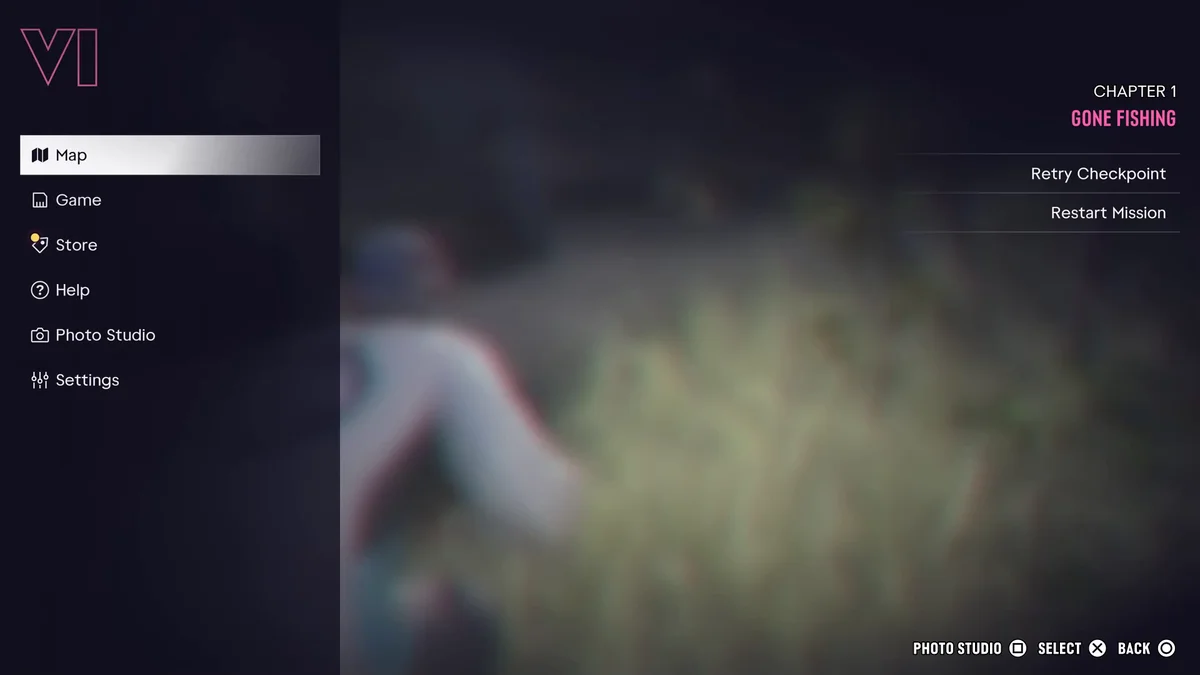
- Press Options during the mission. The game pauses and the menu opens.
- Look past the main list. The left side is the usual list: Map, Game, Store, Help, Photo Studio and Settings.
- Find the mission name at the top right. Ours read Chapter 1 over Gone Fishing in pink, and under it sat two options: Retry Checkpoint and Restart Mission.
- Highlight the one you want and press Cross. The footer lists Select on Cross and Back on Circle, so Circle backs out if you change your mind.
The same corner shows up in the prologue too. There it reads Prologue instead of a chapter number, with the same two options under it, so you can start over from the opening stretch of the story as well. Our controls guide lists the rest of the PS5 buttons.
Retry Checkpoint or Restart Mission
The two options do what their names say, and which one you want depends on how far into the mission you are:
- Retry Checkpoint sends you back to the mission’s last checkpoint, so you only replay the stretch since then. Pick it when a chase or a shootout near the end went wrong and the first half went fine.
- Restart Mission starts the whole mission over from the beginning. Pick it when you want a different approach from the start, or when the mission went sideways early.
If you’re not sure, try Retry Checkpoint first. It costs you less of the mission, and Restart Mission stays in the same menu if the checkpoint drops you somewhere you don’t want to be.
Why You Don’t See the Options
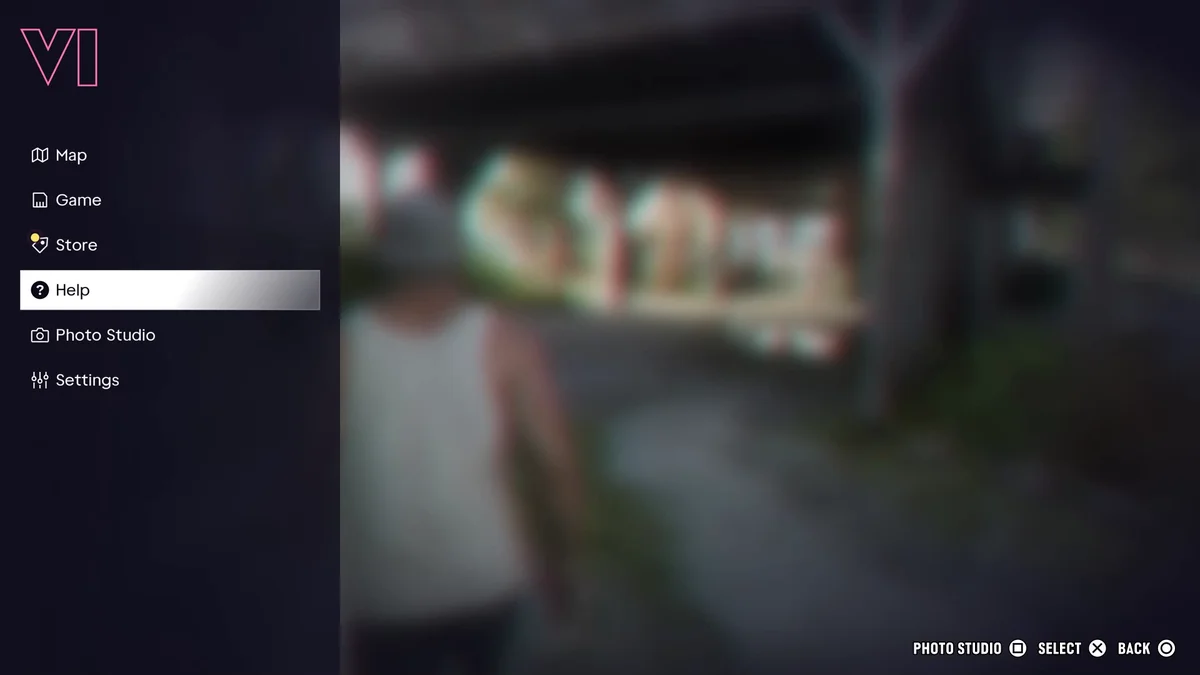
The two options only appear while a mission is running. Later in the same session we paused in free roam, and the right side of the menu was empty: just the left-hand list, with nothing about missions at all.
So if Restart Mission isn’t there, you’re not in a mission. Start or rejoin it first, then pause again. Our mission list shows where each story mission falls.
Restarting a Mission You’ve Already Finished
Once a mission is over, the pause menu can’t take you back into it. GTA 6 has no menu for replaying finished missions, which our guide to replaying missions explains. The only way back is a manual save from before the mission, so make one before any mission you think you might want to play again. Our guide to saving in GTA 6 shows how.
Frequently Asked Questions
How do you restart a mission in GTA 6? Press Options during the mission, then pick Restart Mission on the right side of the pause menu, under the mission’s name.
What is the difference between Retry Checkpoint and Restart Mission? Retry Checkpoint takes you back to the last checkpoint in the mission. Restart Mission starts the whole mission over.
Why is there no Restart Mission option in my pause menu? The option only shows while a mission is running. In free roam, the right side of the pause menu is empty.
Can you restart the prologue in GTA 6? Yes. Pausing in the prologue shows the same Retry Checkpoint and Restart Mission options, under the word Prologue.
Can you replay a mission you’ve finished? Not from a menu. Load a manual save from before the mission instead.
Every GTA 6 guide we’ve written is on our GTA 6 hub.