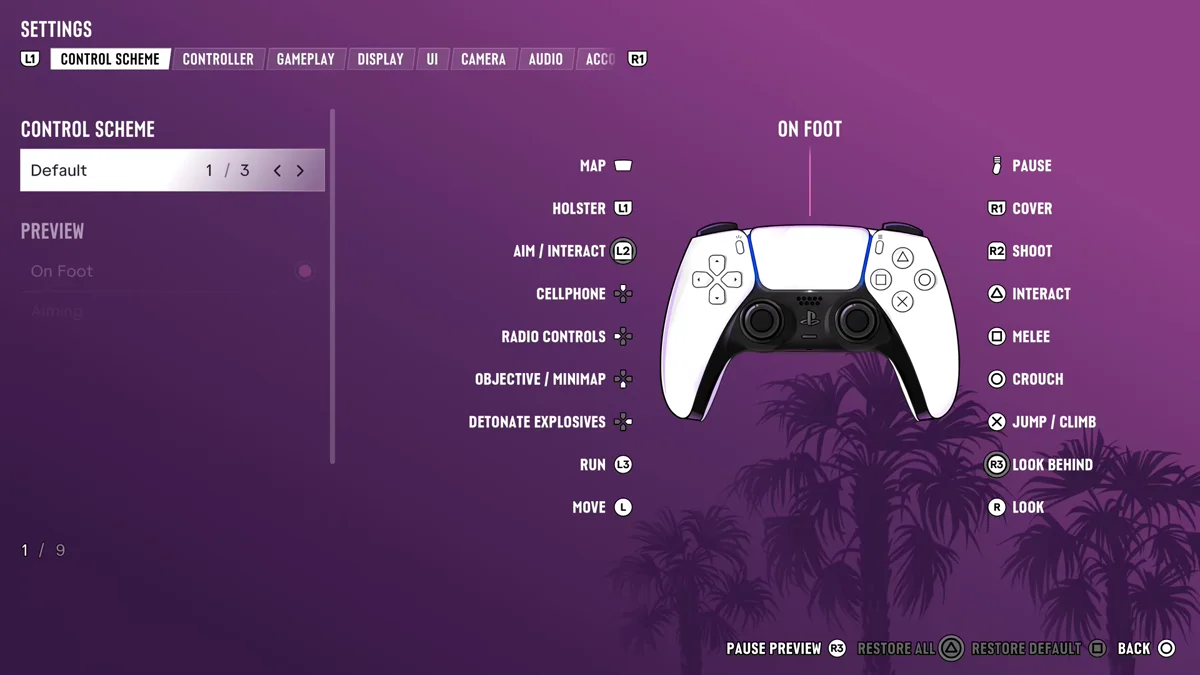
To put your gun away in GTA 6, tap L1. The game’s Control Scheme screen lists Holster on L1 in its On Foot layout, and a quick tap is all it takes, because holding L1 does something else: it opens your loadout, the game’s name for the weapon wheel.
You can also put your gun away from that loadout by picking the Unarmed slot, and a setting decides whether Jason and Lucia holster on their own in a car. All three show up in our own PS5 recordings of Grand Theft Auto VI from launch night, and the screenshots in this guide are from those recordings. The video at the end of this guide shows a quick tap of L1 putting a pistol away.
How to Holster Your Weapon
- Tap L1 while you have a gun out. Press and let go; don’t hold it.
- If the loadout opens instead, you held L1 too long. Let go to close it and tap again, or pick Unarmed while it’s open, as covered below.
That’s on the Default control scheme, the first of three. If you’ve switched schemes, open Settings and stay on the Control Scheme tab, where the On Foot preview shows what each button does. On our copy, that preview listed Holster on L1, Aim / Interact on L2, Cover on R1 and Shoot on R2. Our guide to GTA 6’s classic controls covers the other layouts.
How to Put Your Gun Away From the Loadout
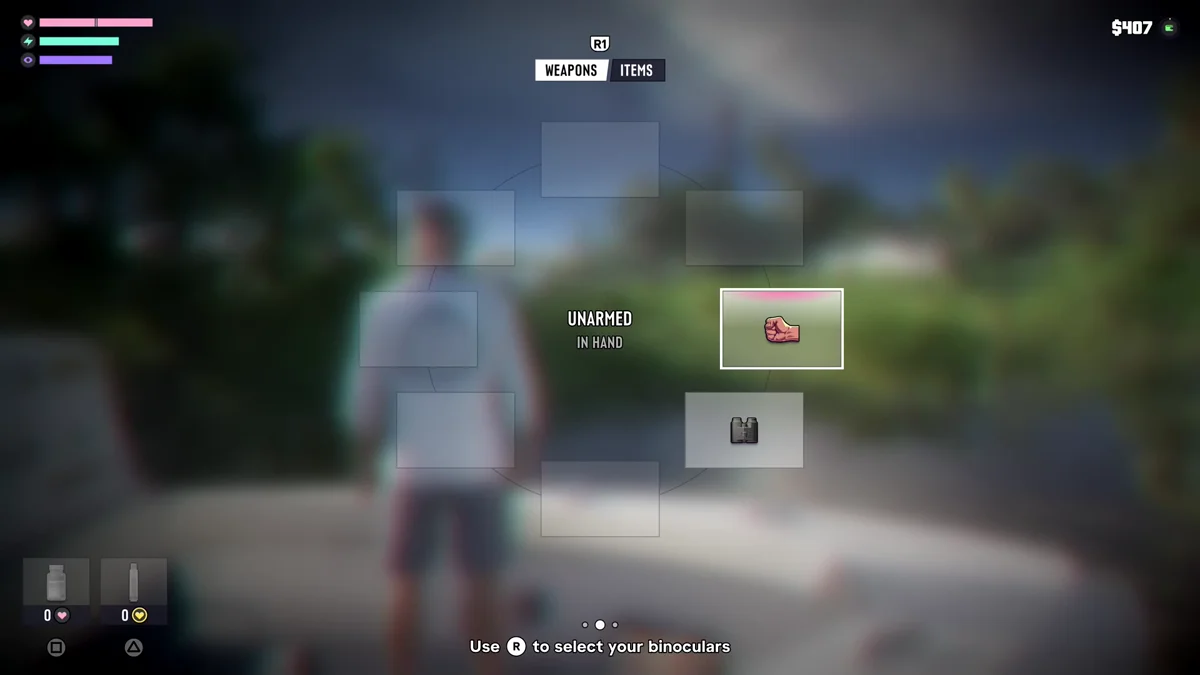
Hold L1 and the loadout opens on its Weapons page, with a fist in one of the slots. That slot is Unarmed. Point the right stick at it and let go of L1, and Jason or Lucia ends up empty-handed. On our copy, the middle of the wheel read “Unarmed, In Hand” with the fist slot picked.
This route is handy when you want to go straight from a gun to your fists, since the loadout is also where you choose every other weapon. Press R1 while it’s open to switch from Weapons to Items.
Holstering in a Car
Your gun in a car is handled by its own setting. Go to Settings, press R1 to reach the Gameplay tab, and find Holster in Vehicle at the bottom of the Combat section. The game describes it: “Choose to automatically or manually holster drawn weapons after a short time while in a vehicle and not in combat.”
Ours started on Automatic, the first of two settings, so a gun you’ve drawn in a car goes away by itself once things calm down. Switch it to manual if you’d rather keep a gun out until you decide otherwise.
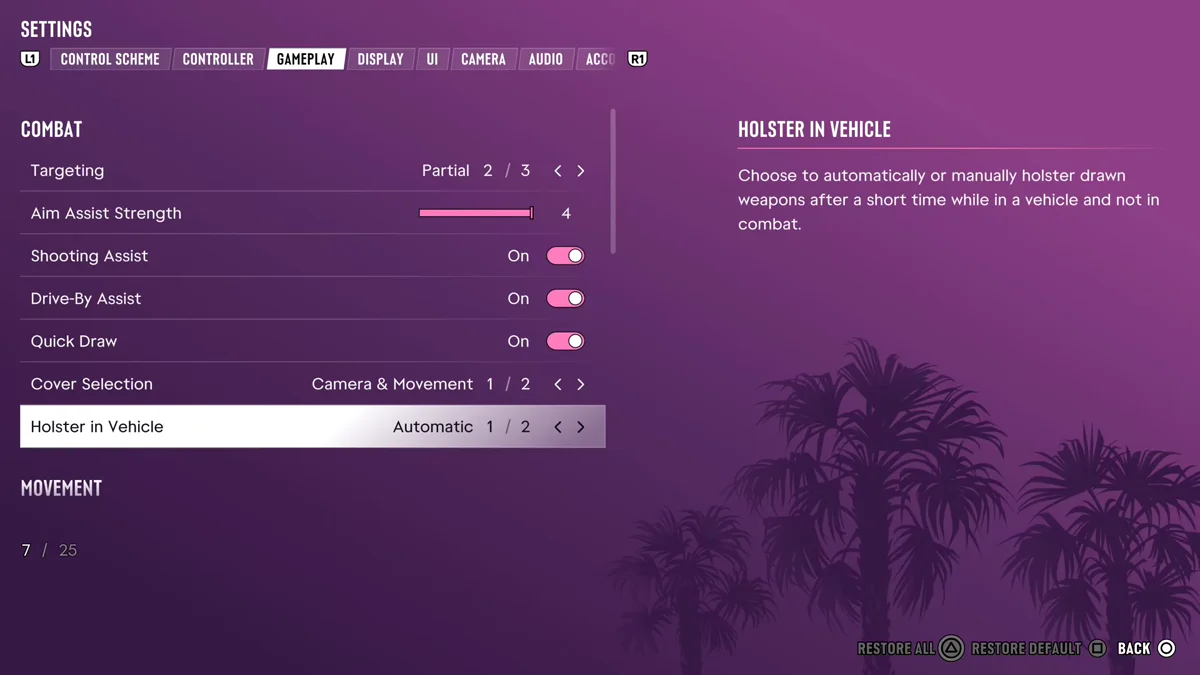
The rows above it in the same section cover aiming in general: Targeting, Aim Assist Strength, Shooting Assist, Drive-By Assist, Quick Draw and Cover Selection. Our guide to shooting while driving explains the ones that matter in a car.
Why It’s Worth Holstering
The biggest reason is L2. With a gun out, holding L2 aims it. With your gun put away, holding L2 locks on to the person in front of you so you can talk to them instead. If you’re trying to chat with someone and Jason keeps raising his pistol, that’s why. Our guide to talking to NPCs covers what you can say once you’re locked on.
Related Guides
Our controls guide lists every button, our guide to changing guns covers the loadout in full, and our fighting guide covers what to do once your hands are free. Every GTA 6 guide is on our GTA 6 hub.
Frequently Asked Questions
How do you holster your gun in GTA 6? Tap L1. Holding it opens the loadout instead, where you can pick the Unarmed slot.
Why does L1 open the weapon wheel instead of putting my gun away? You’re holding it. A tap holsters your weapon; a hold opens the loadout.
How do you stop your character holstering in a car in GTA 6? Set Holster in Vehicle to manual in Settings > Gameplay > Combat. It started on Automatic on our copy.
Why does L2 aim my gun instead of talking? L2 aims when a gun is out. Put the gun away with a tap of L1, and holding L2 locks on to talk instead.