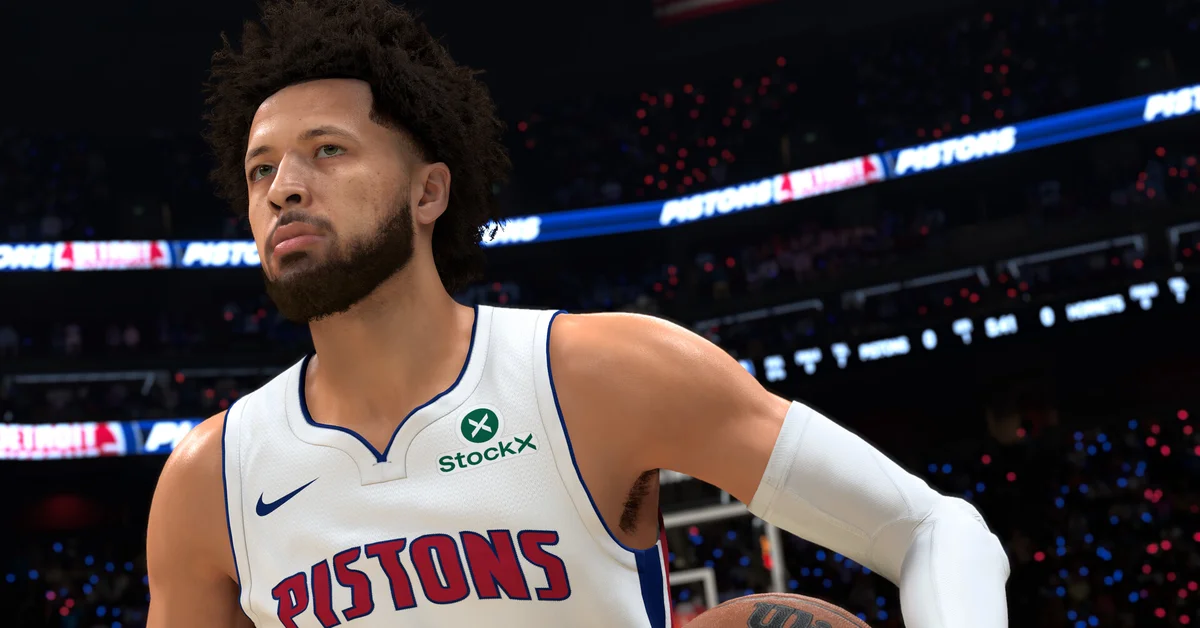
To do a go-to shot in NBA 2K27, keep the left stick neutral (do not move your player) and push and hold the Pro Stick (right stick) straight up, then let go as the ball leaves your player’s hands. In the post it is the same flick with one extra step: hold L2 on PlayStation or LT on Xbox to post up first, then hold the Pro Stick up.
The shot your player takes is whichever go-to shot animation is equipped, usually a signature fadeaway or pull-up borrowed from a real NBA player. Below we cover the controls on every platform, how to equip a go-to shot, what gates the animations, and when the shot is actually worth taking.
Go-To Shot Controls on Every Platform
The input comes straight from the 2K27 control list, and it is the same on every version of NBA 2K27. Only the trigger name changes.
| Shot | PlayStation 5 | Xbox Series X and S | Switch 2 |
|---|---|---|---|
| Go-To Shot | Left stick neutral, hold right stick straight up, release as the ball is shot | Same | Same |
| Post Go-To Shot | Hold L2, left stick neutral, hold right stick up | Hold LT, then the same | Hold ZL (left trigger), then the same |
| Jump shot, for comparison | Hold right stick straight down, or hold Square | Right stick down, or hold X | Right stick down, or the shoot button |
PC players on a controller use the Xbox column.
The one mistake nearly everyone makes at first: moving the left stick. With the left stick pushed toward the hoop, Pro Stick up turns into a layup attempt instead, so the go-to shot only comes out from a standstill or a stand dribble.
What the Go-To Shot Actually Is
Shot animations in 2K27 come in four families: dribble pull-ups, go-to shots, hop jumpers and spin jumpers. The go-to shot is the shot-creation move in that group. Instead of your regular jumper, your player uses a signature move, typically a fadeaway or step-back style release modeled on an NBA player known for it.
It uses the same shot timing as any other jumper, so your meter and cue settings still apply. If you shoot meterless, our guide on how to turn off the shot meter covers where those settings live, and our best shooting settings guide covers tuning your timing.
How to Equip a Go-To Shot Animation
- Open your MyPLAYER’s Animations menu from MyCAREER.
- Find the Go-To Shot slot among the shooting animations. Post players also have a separate Post Go-To Shot.
- Check the requirements line on each package. Every go-to shot is gated by a height range and a Mid-Range Shot or Three-Point Shot rating, so a package that works for a 6’3″ guard may be locked for a 6’8″ wing.
- Buy or equip the one you want, then try it in practice before taking it into a game that counts.
Requirement lists compiled from 2K’s NBA 2K HQ app put the number of go-to shot packages at around 80. As examples from those lists, Damian Lillard’s is limited to players from 5’9″ to 6’4″ and asks for a 90 rating, while Anthony Davis’s covers 6’10” to 7’4″ at 77. Treat those as a starting point and confirm in your own Animations menu, since 2K can adjust requirements in updates. Our best animations guide covers the rest of your animation loadout.
When the Go-To Shot Is Worth Taking
The go-to shot is a tool, not a default. A few situations where it earns its place:
- Late in the shot clock, when you need a shot off against a set defender and no action has worked.
- In the post against a smaller defender, where the Post Go-To Shot lets a big or a wing rise over a mismatch.
- Against a defender playing off you, where the extra separation of a fade or step-back is free.
What it will not do is beat a good contest on its own. The September 17 gameplay update made well-contested shots less effective and gave wide-open looks a slight boost, so a go-to shot into a hand in your face is still a low-percentage attempt. Use it to create space, not to shoot through a defender.
What Changed in 2K27
The input itself is the same flick recent 2K games have used: none of the nine controls the 2K27 control list tags as new touch the go-to shot, and we found nothing in 2K’s patch notes since launch that singles it out.
What changed is the shooting around it. 2K’s gameplay notes say Rhythm Shooting now strictly requires greening the Timing, and the meter adds a tick mark for Tempo. Gameplay director Mike Wang has also said a custom jumper’s release speed setting nudges your green window, but that applies to jumpers you build, not the go-to animation.
Frequently Asked Questions
What button is the go-to shot in NBA 2K27? There is no single button. With the left stick neutral, hold the Pro Stick (right stick) straight up and release as the ball is shot.
Why does Pro Stick up give me a layup instead? You were moving. With the left stick pushed toward the rim, Pro Stick up becomes a layup, so stop or stand dribble first.
How do I do a go-to shot in the post? Hold L2 on PlayStation or LT on Xbox to post up, keep the left stick neutral, and hold the Pro Stick up.
Why can’t I equip the go-to shot I want? Requirements. Each package has a height range and needs a certain Mid-Range Shot or Three-Point Shot rating, and both must be met.
Can you do a go-to shot with a button? The 2K27 control list only gives a Pro Stick input for it, so hold the right stick up rather than relying on the shoot button.