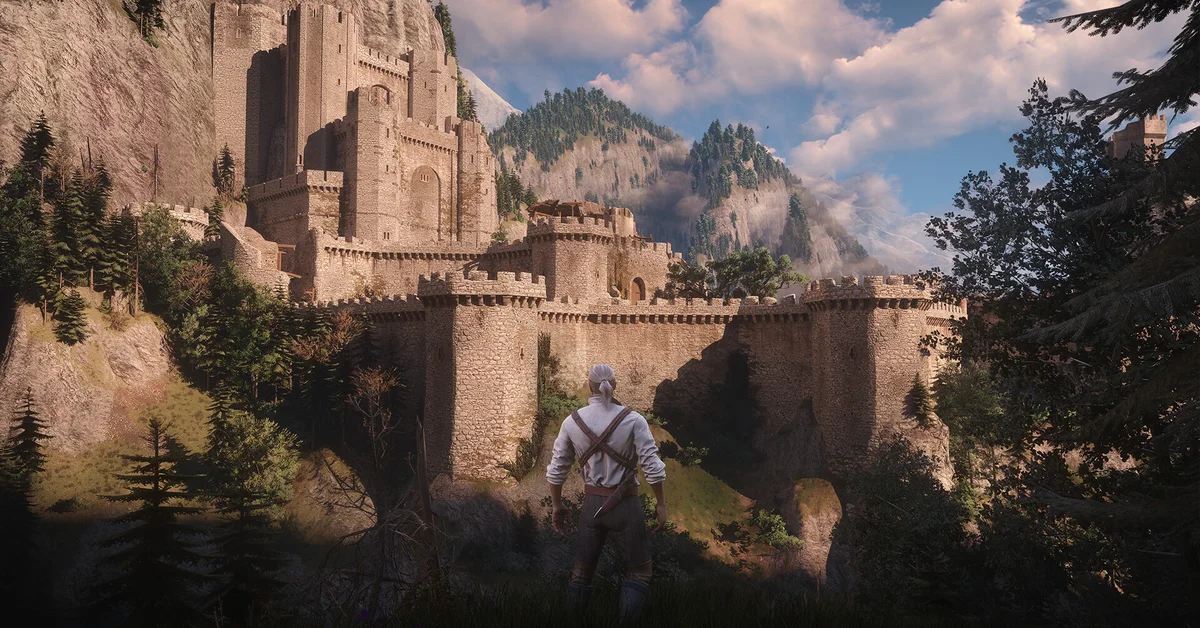
The best PC settings for The Witcher 3 Remastered start with three changes: install Hotfix 5.00c and your latest GPU driver, turn NVIDIA HairWorks off if your frame rate drops around Geralt or monsters, and turn on the upscaler your card supports (DLSS 4.5, FSR 4 or XeSS 2.0). After that, pick ray tracing or path tracing only if your GPU sits in CD Projekt Red’s ray tracing tiers, because those official targets assume upscaling is switched on.
Below is what each setting does, what CD Projekt Red has said about it since launch, and the settings we would choose for low, mid-range and high-end PCs.
Before You Touch a Setting: Update Two Things
CD Projekt Red’s official change list marks this as “IMPORTANT”: make sure you have the latest NVIDIA, AMD or Intel graphics driver installed. On launch day, CD Projekt Red also told AMD players seeing visual issues to install AMD’s Adrenalin 26.9.2 driver.
Then confirm you are on Hotfix 5.00c. The Witcher 3: Wild Hunt Remastered received it on October 1 on Steam, GOG, Epic, Battle.net and the Xbox Play Anywhere PC version, and CDPR’s hotfix notes list two changes that directly affect settings:
- It “reverted a change that caused significant performance and visual issues with HairWorks enabled for some users.”
- It made visual adjustments in Velen, “including tweaks to Bloom, vegetation lighting, saturation, and Path Tracing lighting.”
Our Hotfix 5.00c story has the full list.
The Settings That Matter Most
NVIDIA HairWorks. On September 30, CD Projekt Red’s support team posted on X that it had “identified an issue related to NVIDIA Hairworks that may significantly affect performance” and recommended disabling it until a patch. Hotfix 5.00c reverted the change behind it the next day, but CDPR’s support article on the issue still recommends turning it off. Our advice: leave HairWorks off unless you have headroom to spare, then test it after the hotfix.
Upscaling. The Remaster supports three upscalers, per CDPR’s notes:
- NVIDIA DLSS 4.5 with Ray Reconstruction. NVIDIA says turning on path tracing and the Ultra+ preset enables Ray Reconstruction automatically, and that RTX 50 cards get Dynamic Multi Frame Generation up to 6X.
- AMD FSR 4 with Frame Generation and Anti-Lag 2, on Radeon RX 7000 series cards and newer. On older GPUs the game falls back to FSR 2.
- Intel XeSS 2.0 with Frame Generation and Low Latency.
Use the one made for your card. CDPR’s updated PC requirements say its ray tracing and path tracing targets were measured with DLSS, FSR or XeSS set to Auto, and the path tracing target with Frame Generation on. If you turn on ray tracing with upscaling off, expect lower numbers than CDPR’s table.
Frame Generation. CDPR’s support site notes that DLSS Frame Generation needs Hardware-Accelerated GPU Scheduling enabled in Windows. Windows 11 turns it on by default; CDPR’s Frame Generation article shows where to find it in Windows’ Graphics settings.
Resolution. CDPR’s support team points out that the resolution in its requirements is the maximum for hitting the listed frame rate, not a minimum. Dropping output resolution, or using an upscaler instead, is the biggest single lever you have.
Ray Tracing or Path Tracing
The Remaster is DirectX 12 only and adds path tracing, ray-traced local shadows, ray-traced HairWorks and a new GTAO ambient occlusion option. NVIDIA describes path tracing as the “definitive” way to play and adds that RTX 40 and 50 series cards get Shader Execution Reordering to speed it up.
Here is how the official tiers line up, from CDPR’s requirements table:
- Ray tracing minimum: RTX 2060 Super, RX 6600 XT or Arc B580 for 1080p at 30 FPS with upscaling.
- Ray tracing recommended: RTX 4080 or RX 9070 XT for 1440p at 60 FPS on RT Ultra with upscaling.
- Path tracing: RTX 5080 for 4K at 60 FPS with DLSS and Frame Generation.
Independent testing suggests that top tier is conservative. DSOGaming’s launch benchmarks measured an RTX 5080 averaging 46 FPS at 4K with path tracing and DLSS 4.5 Performance, rising to 77 to 84 FPS with Frame Generation, and reported that ray tracing at 1440p needed DLSS Quality to reach 60 FPS on the same card. PC Games Hardware’s testing, as reported by other outlets, suggests 12GB of video memory is a sensible floor for path tracing at 1440p, with 8GB cards at risk of stutter and texture problems. Treat those as one outlet’s numbers on one PC, not guarantees.
Our Recommended Settings by PC Tier
These are our starting points, built on CDPR’s tiers. Adjust one setting at a time from here.
- Entry level (GTX 1660 or RX 5500 XT class): the Low preset at 1080p, HairWorks off, ray tracing off, and FSR 2 or DLSS if your card supports it. CDPR says the GTX 1660 can reach 60 FPS or higher at Minimum settings.
- Mid-range (RTX 2060 Super, RX 6600 XT, Arc B580 class): the High preset at 1080p, HairWorks off, ray tracing off, upscaler on Quality. Try ray tracing only if you are happy with 30 FPS.
- Upper mid-range (RTX 3070 Ti, RX 6800 XT class): the Ultra preset at 1440p with ray tracing off, or RT with an upscaler on Balanced if you want the lighting upgrade.
- High end (RTX 4080, RX 9070 XT and up): RT Ultra at 1440p with upscaling, or path tracing with Frame Generation on an RTX 5080 class card. Turn HairWorks back on only after checking your frame rate.
If your PC falls below the minimum, CDPR still lets Steam and GOG players roll back to the Classic 1.32 or pre-Remaster 4.04 builds; our PC requirements guide explains how.
Quick Visual Tweaks Worth Knowing
- Bloom. In launch week, Kotaku reported players turning Bloom off, with some saying it washed out the image. CDPR tuned Bloom in Velen in Hotfix 5.00c, and on October 5 it said on X that “further visual adjustments” are coming in its next update, so recheck it after each patch.
- Minimap clutter. You can hide herbs, boats and corpses on the minimap in Settings > Video > Interface.
- Motion blur. CDPR says the Remaster’s motion blur is higher quality and “more cinematic.” It is personal taste, but turning it off is free performance.
For console modes, see our guide to graphics modes on every platform. If your settings will not save or the game cannot write files, our guide to fixing saves not showing up covers the Windows causes. Every guide is on our Witcher 3 hub.
Frequently Asked Questions
Should I turn off HairWorks in The Witcher 3 Remastered? CD Projekt Red recommended disabling it on September 30 because of a performance issue. Hotfix 5.00c reverted the change behind it, but if your frame rate drops around hair and fur, turning it off is still the quickest fix.
Which upscaler should I use? The one built for your GPU: DLSS 4.5 on NVIDIA RTX cards, FSR 4 on Radeon RX 7000 series and newer, and XeSS 2.0 on Intel Arc. Older AMD cards fall back to FSR 2.
What do I need for path tracing? CDPR’s table lists an RTX 5080 for 4K at 60 FPS with DLSS and Frame Generation. Independent benchmarks suggest lower resolutions are playable on less, but it is the heaviest setting in the game.
Why is my frame rate lower than CDPR’s table? CDPR measured its ray tracing and path tracing targets with upscaling set to Auto, and path tracing with Frame Generation on. Turning those off lowers performance.
Does Frame Generation need anything in Windows? For DLSS Frame Generation, Hardware-Accelerated GPU Scheduling must be enabled. It is on by default in Windows 11.
Will CD Projekt Red improve PC performance further? Its October 5 update listed further performance work, focused particularly on PS5, plus further visual adjustments. No date has been given for the next patch.