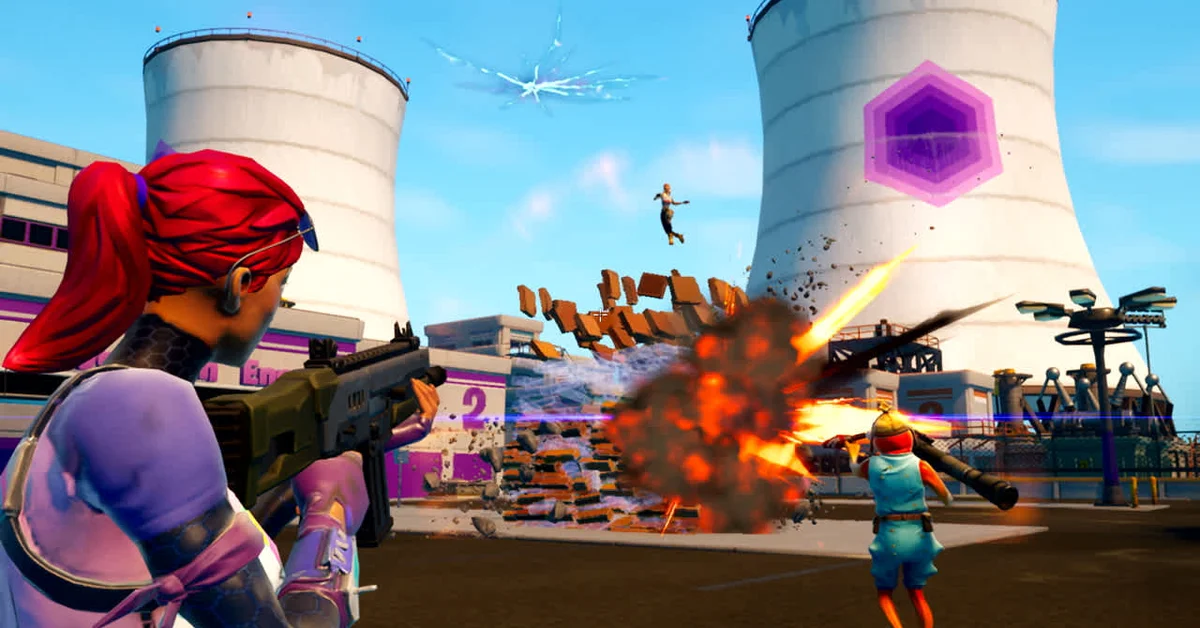
No, you cannot change your normal field of view in Fortnite. Epic’s help center says the game does not allow you to change its FoV, and there is no slider for the standard camera on PC, PlayStation, Xbox, Switch or mobile.
That is not the whole story, though. Below we cover why Epic keeps FOV fixed, the sprint-only FOV options that outlets reported in 2024, why stretched resolutions no longer widen your view, and the Creative islands where the camera can work differently.
Which Version This Covers
This guide reflects Fortnite as of Chapter 7 Season 4, Fortnite Override, on the v42.20 update. The camera rules below are not seasonal content, and the v42.20 notes did not change them. They apply to Battle Royale and Zero Build on every platform; islands built in Creative can set their own cameras, which we cover at the end.
What Epic Says About FOV
Epic’s help center answers the question directly: Fortnite does not allow you to change the game’s FoV. The same article notes that Fortnite does not support a 21:9 aspect ratio in Arena or competitive modes, so an ultrawide monitor does not get a wider competitive view either.
Epic explained the reasoning back in April 2019, when competitive players were asking for an FOV slider. According to press coverage of that update, Epic said it wants to avoid optional settings that give players a significant gameplay advantage, and that the game’s current FOV is a trade-off that keeps a certain level of performance and visual fidelity while minimizing potential motion sickness. We found no later Epic statement reversing that, and the help center answer still stands.
The Sprint FOV Options You May Have Heard About
Search for this topic and you will find guides telling you to raise “FOV Minimum” and “FOV Maximum” in the Game tab. Here is what we can and cannot confirm.
What Epic said: in a December 2023 post on gameplay improvements, Epic wrote that it reduced camera movement and adjusted the change in view while sprinting, to make movement feel smoother. In other words, the camera view already shifts on its own while you sprint.
What others reported: in January 2024, around the v28.10 update, dataminers and several outlets reported new FOV Minimum and FOV Maximum options. Early coverage described them as changing only how the view shifts while sprinting (some reports added driving), not your normal field of view. Later how-to guides often present them as a full FOV slider.
What we could not find: any mention of these options in Epic’s own notes or help center, and the community wiki’s detailed list of Fortnite settings does not include them either. If the options appear in your Game tab, treat them as sprint camera tuning rather than a real FOV slider, and ignore guides that promise specific “best” values.
Stretched Resolution Does Not Widen Your View
On PC, players once used custom stretched resolutions to change how much they could see. Epic closed that off in April 2019. Its competitive update said that when using a custom resolution, vertical FOV is locked, horizontal FOV is unlocked in all modes, and competitive playlists (Arena and in-game tournaments at the time) lock the aspect ratio to 16:9.
In practice, a stretched resolution now makes everything look wider without showing you more of the map vertically, and it does nothing at all in competitive playlists. This was always a PC trick; console versions do not offer custom resolutions. If your goal is smoother play rather than a wider view, our guide on increasing FPS on PC covers the settings that actually help, and our guide on showing ping and FPS shows how to measure the result.
Creative Islands Can Set Their Own Camera
The one place FOV genuinely varies is in player-made islands. Epic’s camera device documentation shows that the First Person Camera device has a Field of View option, set to 80 degrees by default and measured on the vertical axis, which the island’s creator can change. Epic’s documentation notes that the same camera terms are used across its other camera devices.
That setting belongs to the creator, not to you. When you load into a Creative or UEFN island that uses a custom camera, you see whatever field of view its maker chose, and there is still no personal slider in your settings. If an island offers its own camera options in-map, those are the creator’s systems, not a Fortnite setting.
What You Can Adjust Instead
A few settings change what you see without touching FOV:
- View Distance. On PC, the community wiki lists View Distance in the Video tab’s Graphics Quality section, with steps from Near to Epic. It controls how far out detail draws, not how wide the view is.
- HUD Scale. In the Game UI tab, per the community wiki, this shrinks the on-screen interface so it covers less of the picture.
- Motion Blur. The wiki lists it under Advanced Graphics on PC; turning it off removes the blur the game adds to movement.
And if you want to study a fight from every angle, the one place you control the camera freely is Replay mode, where drone cameras can zoom and fly anywhere. Our guide on watching replays explains how. For more, see every Fortnite guide.
Frequently Asked Questions
Is there an FOV slider in Fortnite? Not for your normal camera. Epic’s help center says Fortnite does not allow you to change the game’s FoV.
What are FOV Minimum and FOV Maximum in Fortnite? Outlets reported them in January 2024 as options that only affect the view while sprinting. We could not confirm them in Epic’s own notes, so treat them as sprint camera tuning at most.
Does stretched resolution give more FOV in Fortnite? No. Since April 2019, Epic locks vertical FOV on custom resolutions and forces 16:9 in competitive playlists.
Why won’t Epic add an FOV slider? Epic said in 2019 that it wants to avoid optional settings that give a significant gameplay advantage, and that the current FOV balances performance, visual fidelity and motion sickness.
Can I change FOV on PS5, Xbox or Switch? No. The fixed FOV applies on every platform, and consoles have no custom resolution option.