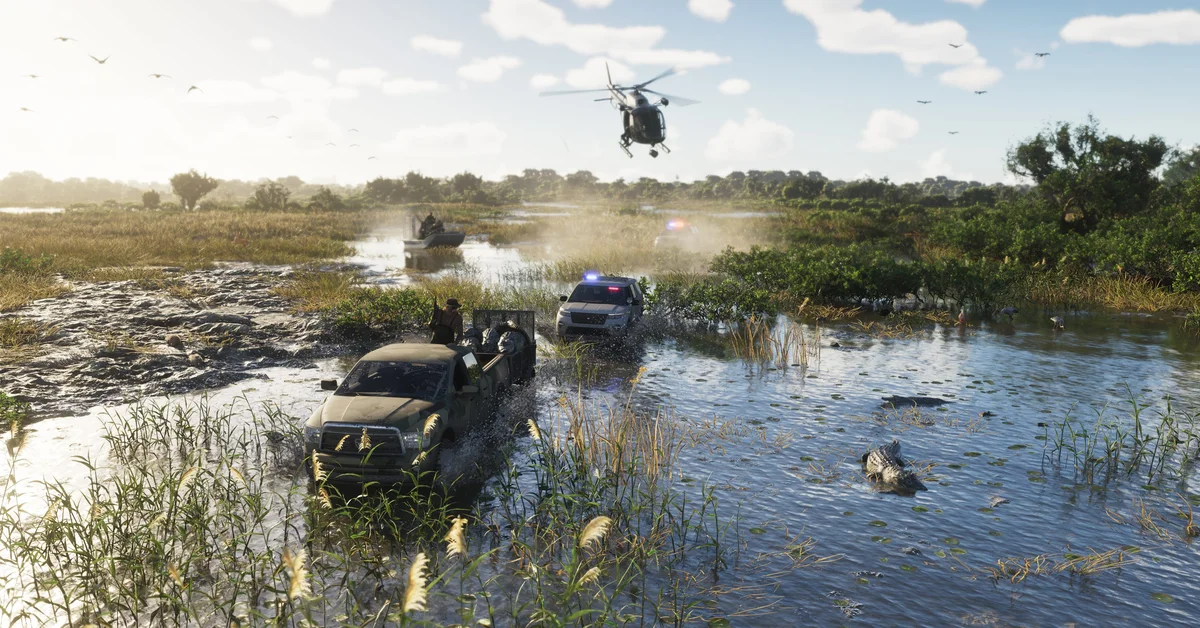
To fly a helicopter in GTA 6 on PS5, hold R2 to take off and climb, and hold Square or Circle to yaw, turning the nose left or right on the spot. Those are the two controls the game teaches the first time you take the controls of one, a Nagasaki Sea Sparrow in the Swamped mission.
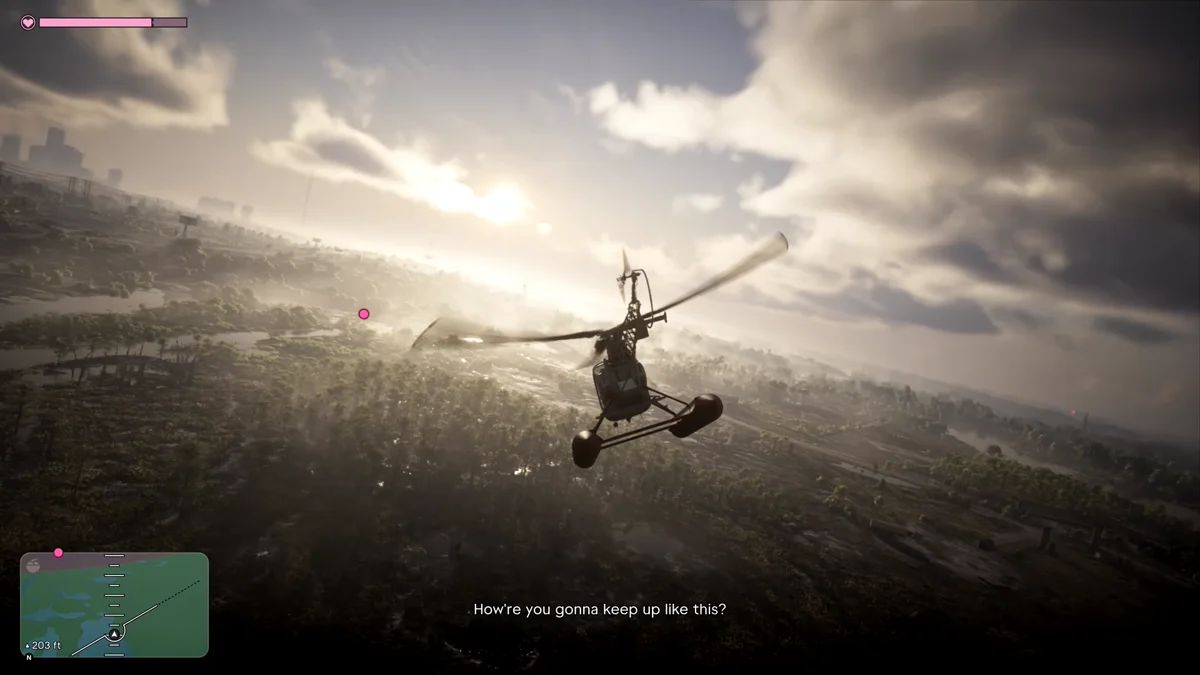
We flew it on our PS5 copy of Grand Theft Auto VI on launch night, and the game showed each control as a hint at the moment it was needed. The screenshots in this guide are from our own PS5 recording of that flight. Below are the controls, how to take off, how to turn, how to read your height, and the settings that change how flying feels.
Helicopter Controls on PS5
| Action | PS5 |
|---|---|
| Take off and climb | Hold R2 |
| Yaw left | Hold Square |
| Yaw right | Hold Circle |
On Xbox, the same controls sit on RT for climbing and X and B for yawing. The yaw buttons are the same pair that works the rudder in a plane, so if you’ve already flown a plane in GTA 6, your thumb knows them. Our guide to flying a plane in GTA 6 covers taking off, steering and landing on the plane side.
Where You First Fly a Helicopter
The game hands you a helicopter for the first time partway through Swamped. When the objective changes to “Get into the helicopter,” head for the Sea Sparrow parked in the clearing, a small two-seater with floats instead of skids. Brian rides along, and the hints show up once you’re aboard: climbing at the bottom of the screen, turning in the top left corner.
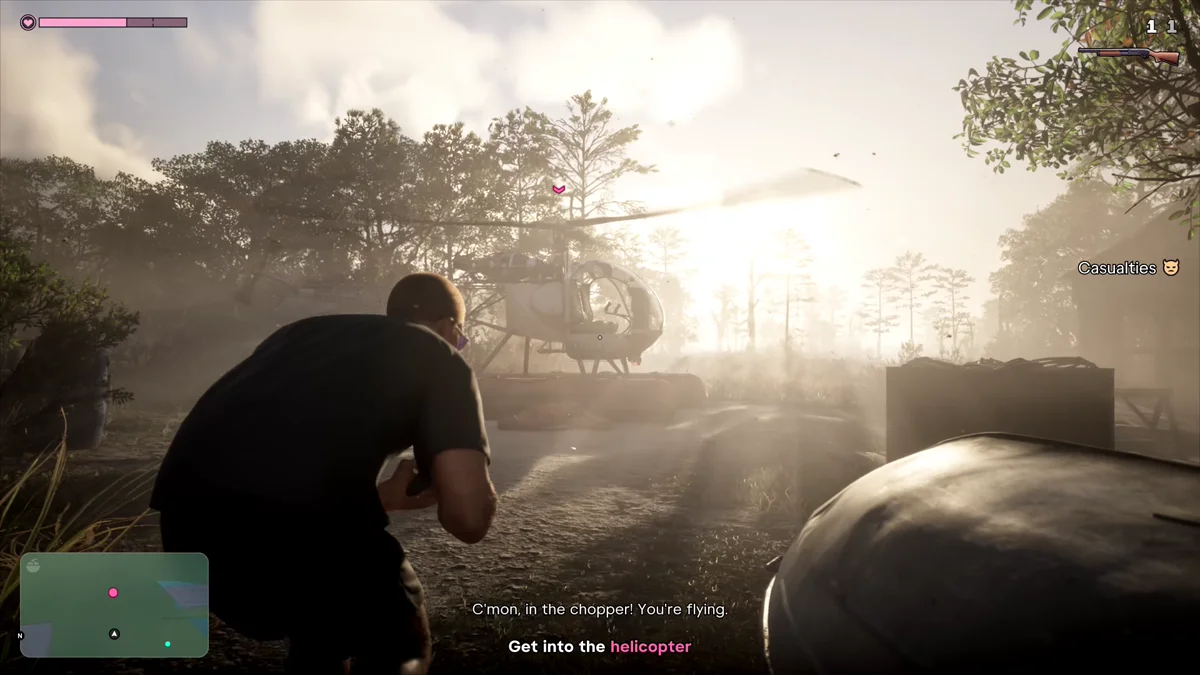
Our mission list shows where Swamped falls in the story, and our guide to the characters covers who Brian is.
How to Take Off and Climb
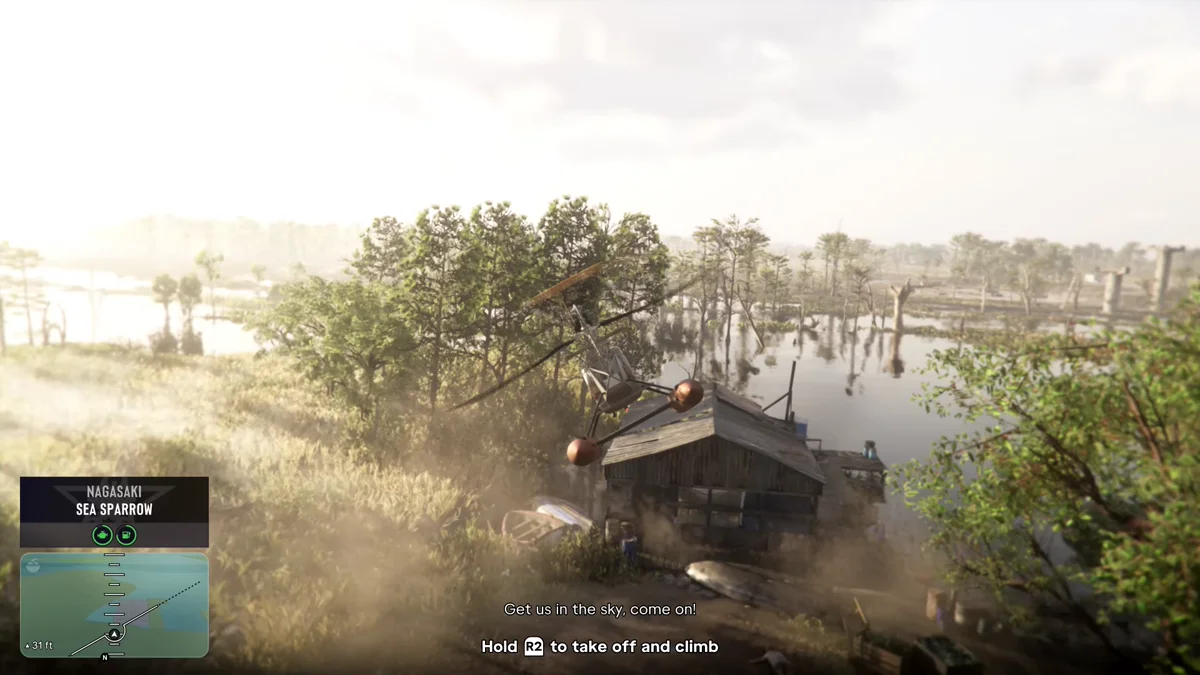
- Get in. The vehicle name pops up in the bottom left corner: ours read Nagasaki Sea Sparrow.
- Hold R2. The rotor spins up and the helicopter lifts off the ground. The game’s own hint reads: “Hold R2 to take off and climb.”
- Keep holding R2 to gain height until you’re well clear of the trees.
How to Turn
Hold Square to yaw left and Circle to yaw right. In the game’s words: “Hold Square or Circle to yaw left or right.” Yaw turns the helicopter’s nose on the spot, which is how you line it up with a target or a river before you set off along it.
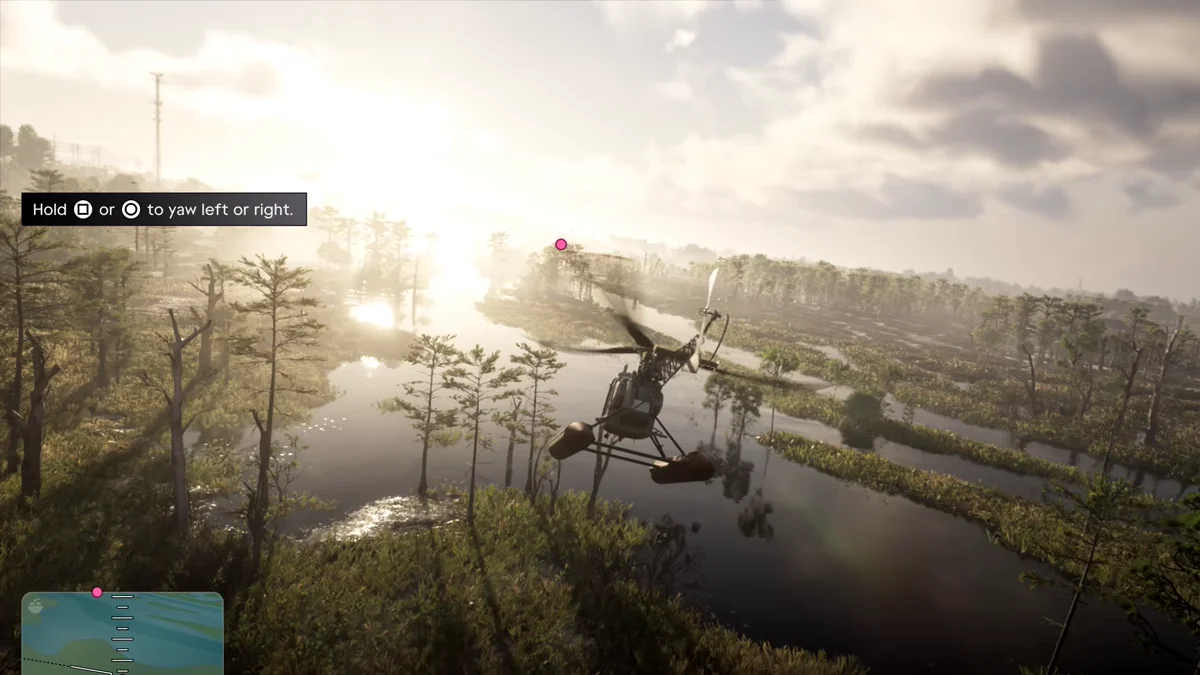
Fly low over the swamp, as we did chasing airboats, and the trees come up fast, so yaw early rather than late.
How to Read Your Height
While you fly, the minimap turns into a flight display. A scale runs up its middle, and your height shows in feet in its bottom left corner: ours read 203 ft over the swamp, and closer to 30 ft just after takeoff. Keep an eye on it whenever you drop low to follow something on the ground.
Settings That Change Flying
Two settings menus change how aircraft handle, helicopters included:
- Controller > Inverted Controls > Aircraft Movement “inverts the vertical movement” of the left stick in aircraft, and it’s switched on by default. If pushing the stick does the opposite of what you expect, turn it off. Our guide to inverting the camera covers the whole Inverted Controls section.
- Camera > Aircraft has follow speed settings for how quickly the camera swings back behind you.
The Control Scheme tab in Settings also has an Aircraft preview beside On Foot, so you can check every flying button there. Our controls guide has the full on-foot layout, and our guide to the parachute covers getting down in a hurry. Every GTA 6 guide is on our GTA 6 hub.
Frequently Asked Questions
How do you fly a helicopter in GTA 6? Hold R2 to take off and climb, and hold Square or Circle to yaw left or right. On Xbox, that’s RT, X and B.
How do you go up in a helicopter in GTA 6? Hold R2. The game’s hint reads “Hold R2 to take off and climb.”
How do you turn a helicopter in GTA 6? Hold Square to yaw left and Circle to yaw right. Yaw turns the nose on the spot.
When do you first fly a helicopter in GTA 6? In the Swamped mission, where the objective tells you to get into the helicopter, a Nagasaki Sea Sparrow.
How do you see your altitude in a helicopter in GTA 6? Look at the minimap. In the air, it shows your height in feet in its bottom left corner.