
To load a save in GTA 6, press Options to open the pause menu, go to Game, select Load Game, and pick the save you want from the list. You can load from anywhere, even in the middle of a mission, and the list includes the game’s autosave as well as your own saves.
We used the Game menu throughout launch night on our PS5 copy. Below are the steps, how to tell your saves apart, and the one option on that menu you don’t want to press by mistake.
How to Load a Save
- Press Options to open the pause menu in Grand Theft Auto VI.
- Select Game. It’s the second item, after Map.
- Select Load Game. The Game menu has three options: Save Game, Load Game and New Game.
- Pick a save and confirm with Cross. Circle backs out.
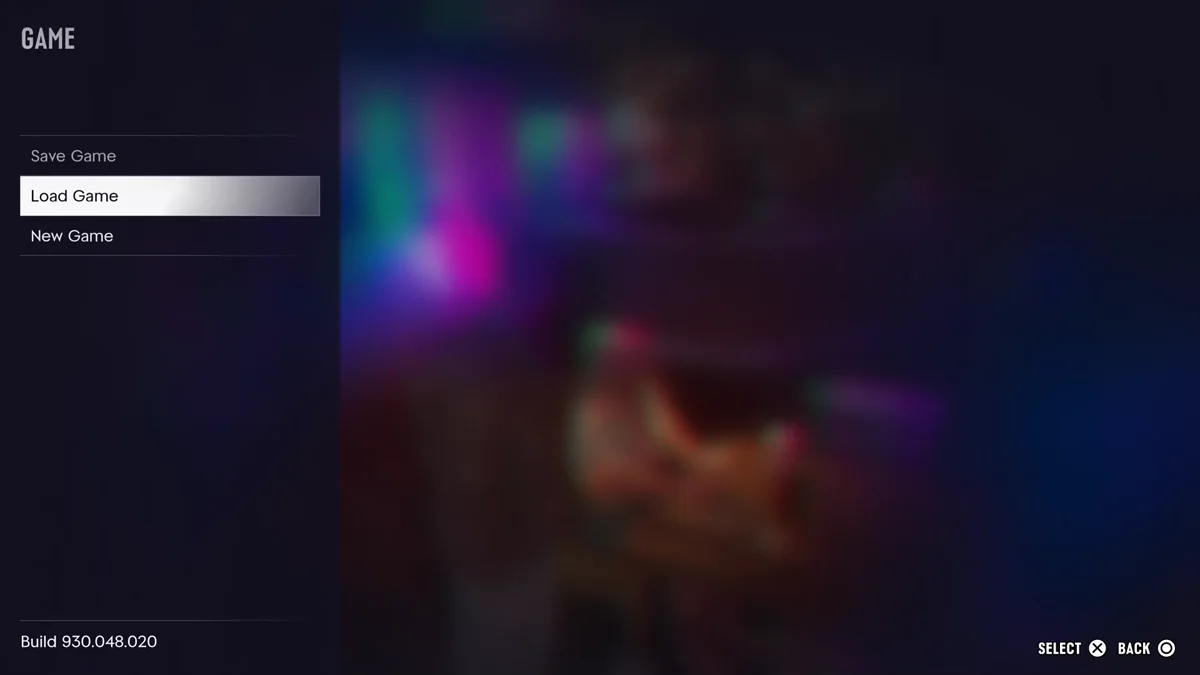
Any progress since that save is lost when you load, so make a fresh save first if there’s anything you want to keep.
Loading in the Middle of a Mission
Load Game stays available during missions, but Save Game doesn’t. When we opened the Game menu partway through a story mission, Save Game was greyed out while Load Game and New Game could still be picked. Once the mission was over, Save Game worked again and we saved straight away.
So if a mission is going badly, loading takes you back to your last save rather than the last checkpoint. For a quicker do-over, the pause menu’s Retry Checkpoint and Restart Mission options are the better bet, and our guide to restarting a mission covers both.
How to Find the Right Save
Saves are named after the last story mission you finished, followed by your completion percentage, with the date and time on the right. Ours read “Feng Shui (11%)” and, later in the night, “Coming Home (12%).” Highlight a save and the right side of the screen shows a picture and a short line about where the story stands.
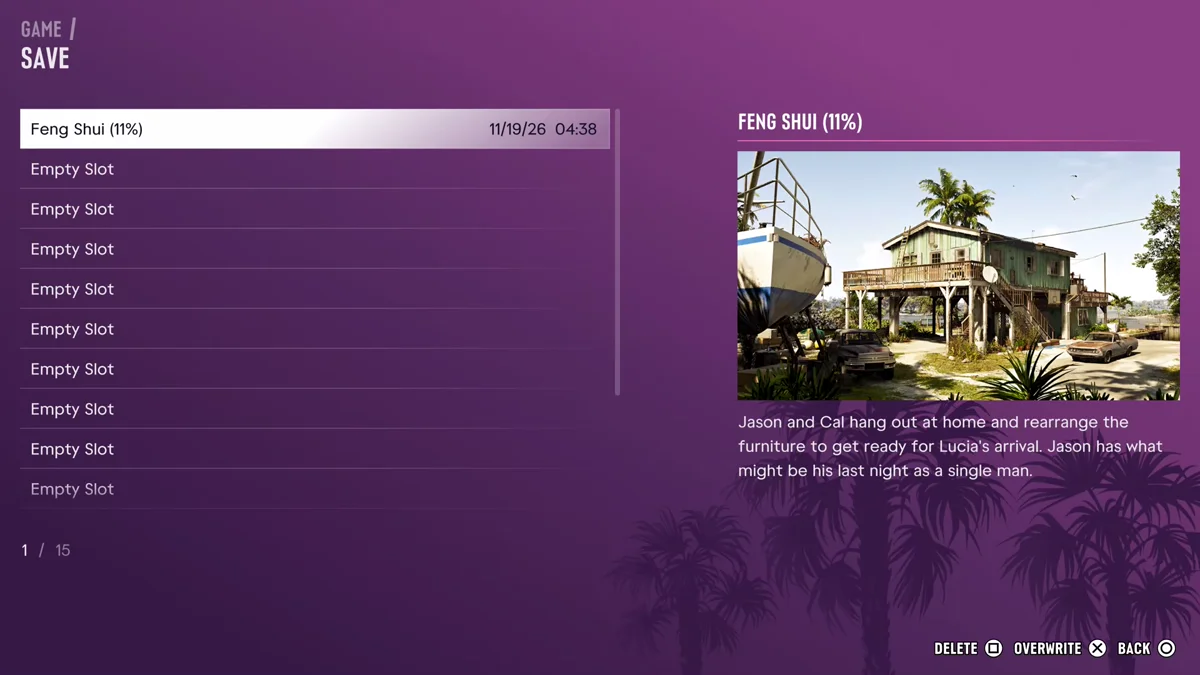
Two saves made after the same mission share a name, so go by the time stamp: we had two “Feng Shui (11%)” saves a minute apart. The list holds 15 manual slots, plus the game’s autosave, which keeps only your most recent progress. Our guide to saving in GTA 6 explains how the slots and the autosave work.
Don’t Press New Game
New Game sits directly under Load Game, so slow down on that menu. It’s the option for starting the story over from the beginning. If you only want an earlier point in the story, keep a save at the start of each chapter instead, and load that.
If you’re coming back after a break and aren’t sure what’s next, our GTA 6 mission list shows where each save sits in the story. Every GTA 6 guide is on our GTA 6 hub.
Frequently Asked Questions
How do you load a save in GTA 6? Press Options, go to Game, select Load Game and pick your save.
Can you load a save during a mission in GTA 6? Yes. Load Game stayed available mid-mission on our copy, even though Save Game was greyed out.
How do you load the autosave in GTA 6? It’s in the same Load Game list as your manual saves. Pick it like any other save.
Why can’t I save in GTA 6? You’re probably in a mission. Save Game was greyed out for us mid-mission and came back once it ended.