
To play as Lucia in GTA 6, keep playing the main story until switching opens up, then hold Right on the D-pad and press R1 to swap from Jason to her. There’s nothing to buy or unlock outside the story: once the game teaches you the switch, Lucia is two buttons away whenever you’re not in a mission that locks you to Jason.
We played as Lucia on our PS5 copy of Grand Theft Auto VI and recorded the switch, and the screenshots in this guide are from our own PS5 recordings. Below is when the story lets you play as her, the button, what the switch looks like, and what to know once you’re in control.
When You Can Play as Lucia
The story decides when Lucia is yours to play:
- The Prologue gives you a short stretch as her before the game hands you to Jason. Our Prologue walkthrough covers it.
- Chapter 1 is mostly Jason’s while Lucia is in prison. She gets out in the mission Coming Home, and later Chapter 1 missions such as Day Release put you in her shoes. Our guide to unlocking Lucia covers that stretch in detail.
- Chapter 2 is where free switching opens, partway through the chapter. From then on you can play as Lucia in the open world whenever you like.
So if you can’t switch yet, the answer is simply to keep going with the main missions. There’s no setting that turns it on early.
How to Switch to Lucia
- Wait for the hint. When switching opens, the game tells you: “Hold Right on the D-pad and press R1 to switch characters.”
- Hold Right on the D-pad. This brings up the partner menu, and at the bottom right a small box shows both portraits, Jason’s and Lucia’s, with R1 beside them.
- Press R1 while you hold it. The highlight moves from Jason’s portrait to Lucia’s, the screen flashes white, and you’re playing as her.
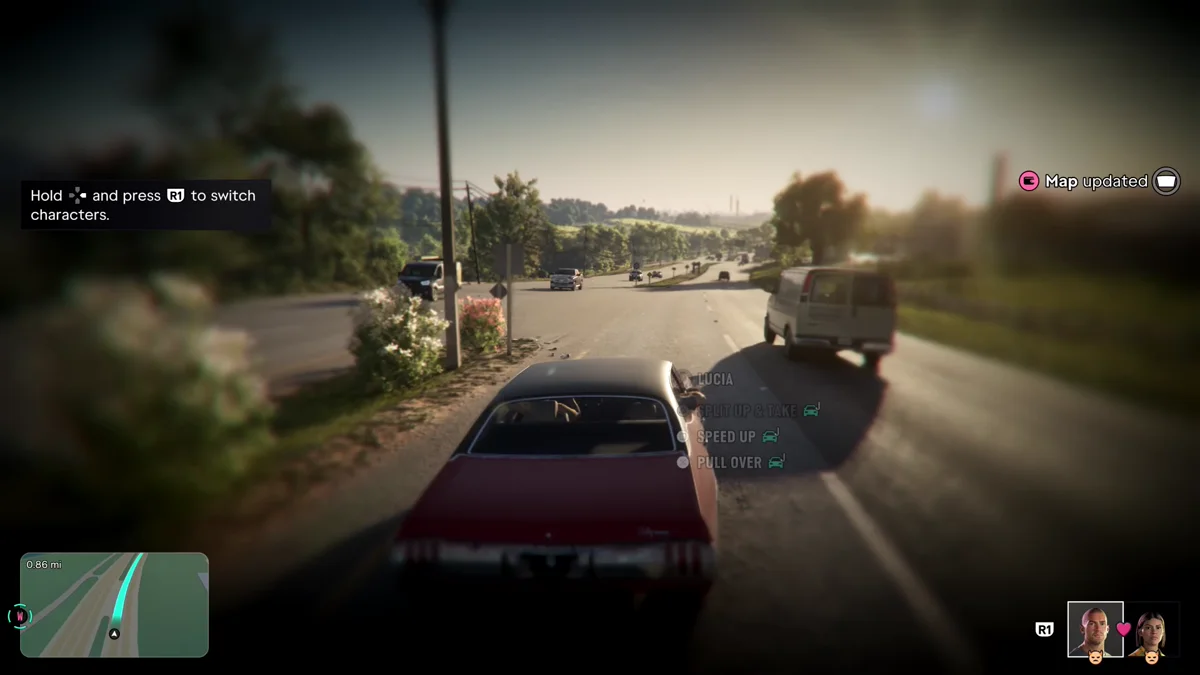
Switching back works the same way: hold Right on the D-pad and press R1, and the highlight moves back to Jason.
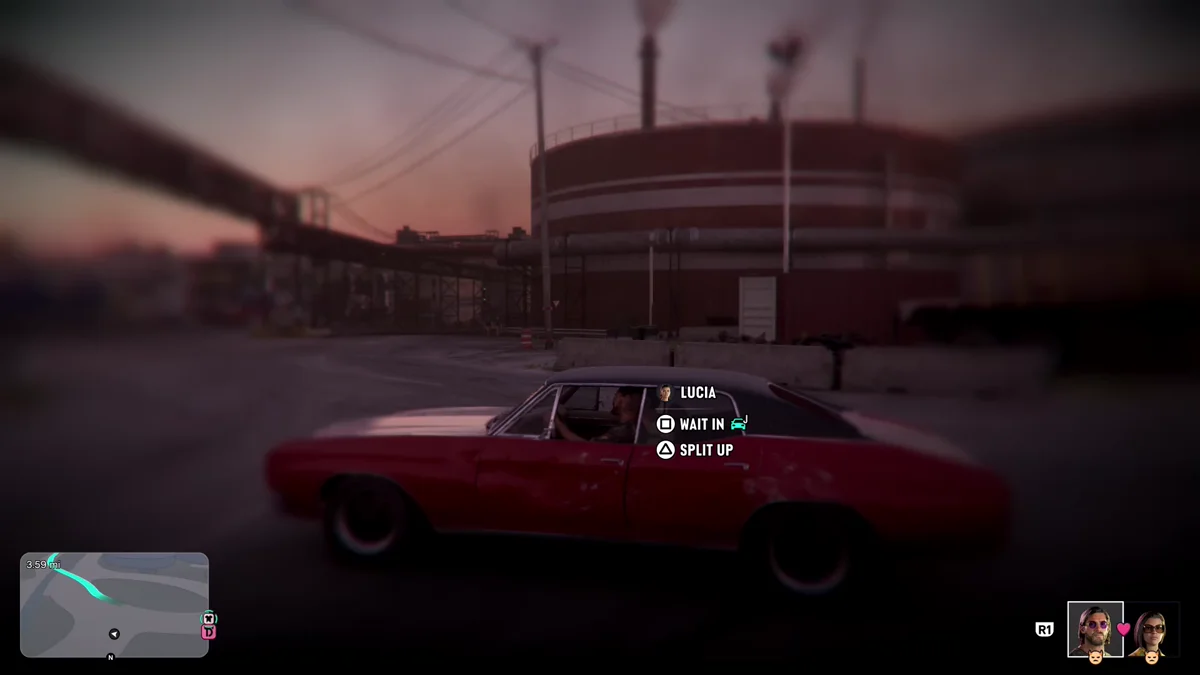
Holding Right on the D-pad on its own, without R1, gives your partner orders instead. Our guide to giving orders to your partner covers that menu.
What Happens When You Switch
Where Lucia is matters. On ours, Jason had stepped out of his car with Lucia still inside. We switched to her, and when the flash cleared we were Lucia in the passenger seat, with Jason back behind the wheel. Holding Right on the D-pad then showed his in-car orders (Split Up & Take, Speed Up and Pull Over), so he was driving us.

Rockstar North’s Rob Nelson told IGN the same happens when you switch with both of them in a car, “and Jason is driving.” Our guide to switching between Jason and Lucia covers what each character does while you’re away.
What to Know While Playing as Lucia
- Some missions pick for you. Even after switching opens, some story missions need one character or switch you automatically, so you can’t always be Lucia. Nelson explained to the Japanese magazine Famitsu that switching is “limited by story progression” in some missions.
- She has her own life. Lucia has her own outfits and her own activities. As her at the Thrillbilly Mud Club, we bought a lemonade at a food truck and handed Jason a drink; our guide to racing at the Mud Club covers that spot.
- The money is shared. Jason and Lucia share a Family Savings account in the BuckMe app, which our guide to the Family Savings account explains.
- Keep them close for the couple stuff. Holding hands, dates and the partner menu need both of them together. If they’re apart, our guide to calling Lucia or Jason shows how to meet up.
Frequently Asked Questions
How do you play as Lucia in GTA 6?
Play the main story until switching opens partway through Chapter 2, then hold Right on the D-pad and press R1 to swap from Jason to Lucia.
Can you play as Lucia from the start of GTA 6?
Only briefly. The Prologue lets you play as her, then the story moves to Jason until she gets out in Coming Home, and free switching opens in Chapter 2.
Why can’t I switch to Lucia?
Either switching hasn’t opened yet in the story, or you’re in a mission that locks you to Jason. Keep playing the main missions, and try again in free roam.
What happens when you switch to Lucia in a car?
When we switched with Lucia sitting in Jason’s car, she stayed in the passenger seat and Jason drove.