
To withdraw money in GTA 6 early in the story, go to the stash under the loose floorboards in Jason’s bedroom, press Triangle at the Stash prompt, pick Cash, choose Withdraw with Cross, set the amount with the D-pad and press Cross again. Later, once the Buck Me mission gives you a bank account, you take money out of the bank at any ATM.
We took cash out of the stash on our PS5 copy on launch night, so below is every screen of it, plus what the two money figures in the corner of your screen mean.
How to Withdraw Cash From the Stash
The stash is the only place to keep money before you have a bank account in Grand Theft Auto VI, and it’s in Jason’s bedroom at his stilt house in the Leonida Keys.
- Walk up to the bed in Jason’s bedroom. A Stash prompt appears on Triangle.
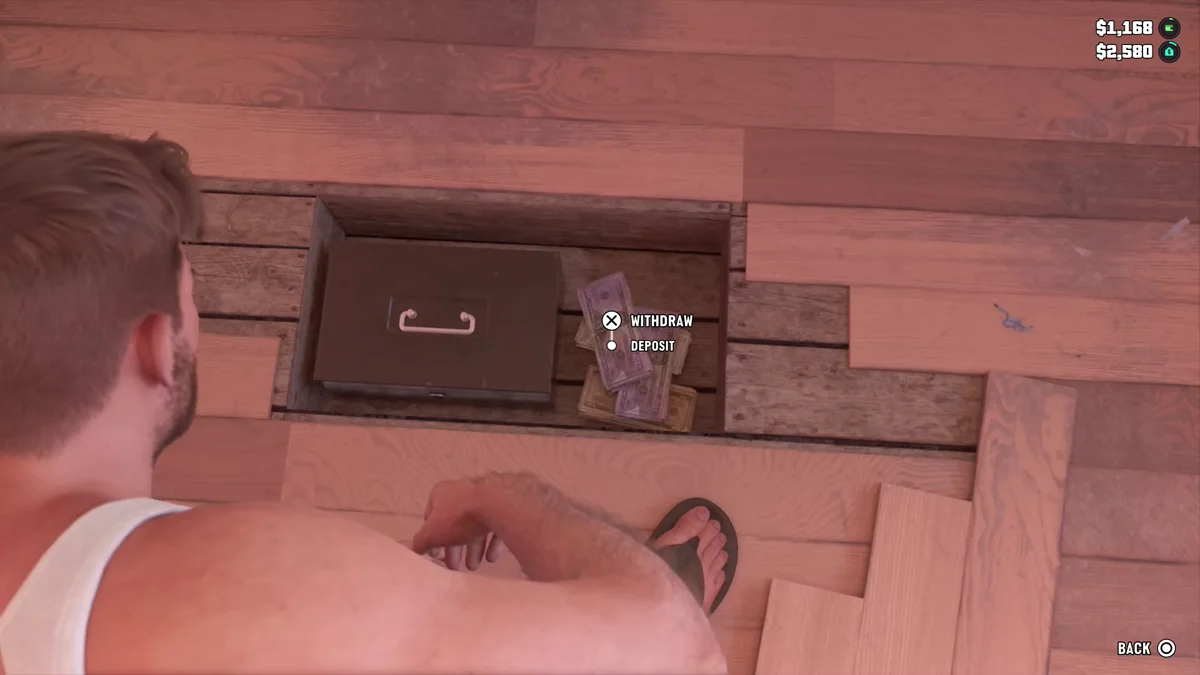
- Press Triangle. Jason kneels and lifts the loose boards, revealing a metal cash box with bundles of notes beside it.
- Select Cash.
- Choose Withdraw with Cross. The menu has two options, Withdraw and Deposit.
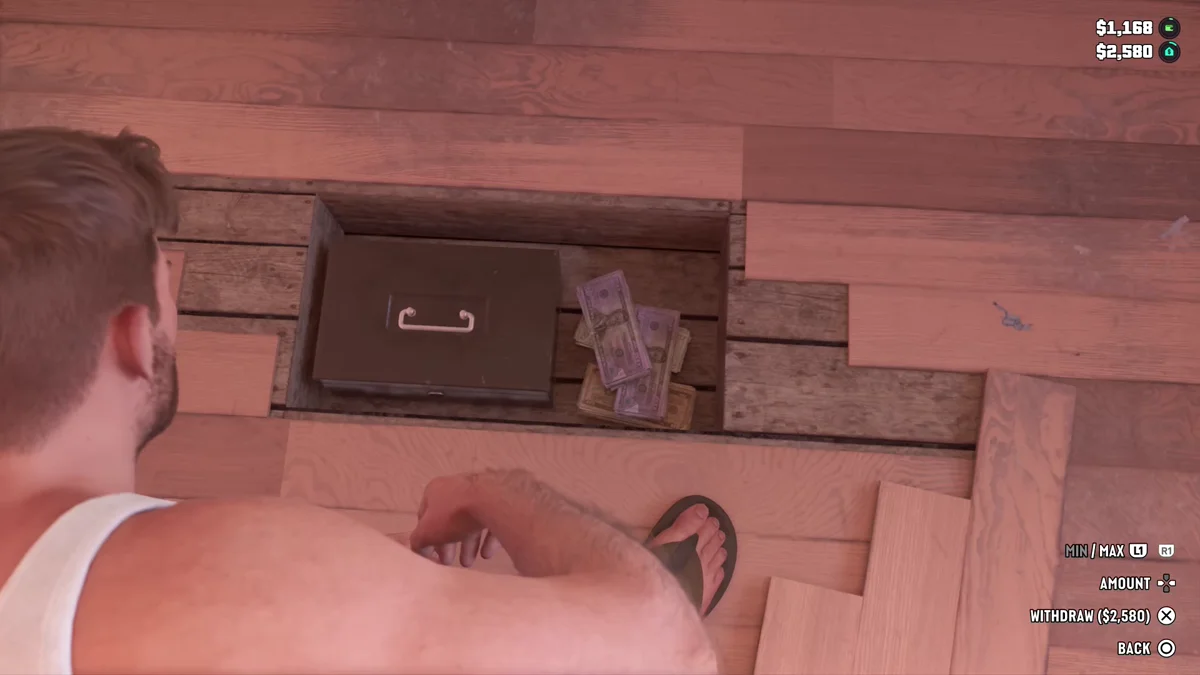
- Set the amount. The D-pad changes it, and L1 and R1 jump to the minimum and maximum. The prompt at the bottom right shows the total, which read Withdraw ($2,580) for us when we took it all.
- Press Cross to confirm. Circle backs out without taking anything.
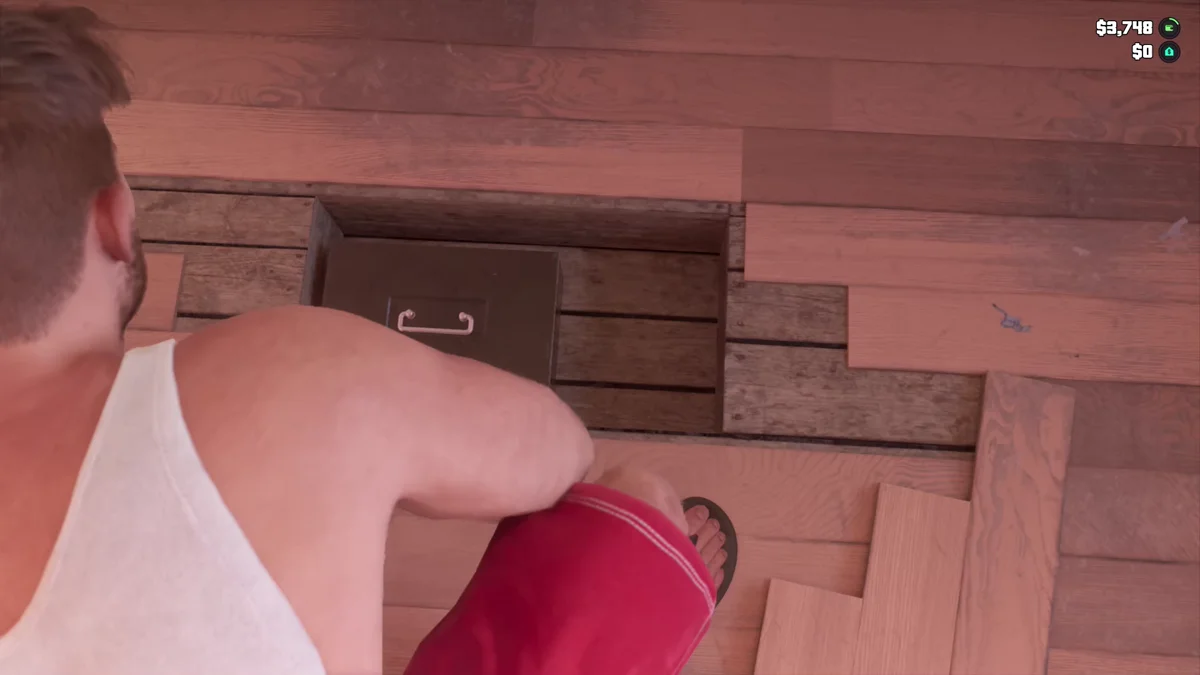
The money goes straight into Jason’s pocket. We had $1,168 on us and $2,580 in the stash; after the withdrawal, the corner of the screen read $3,748 and $0.
The Two Numbers on Your HUD
Before Buck Me, the top right of the screen can show two money figures, one above the other. The top one is the cash you’re carrying. The second one, with its own small icon, is what’s in the stash. Watching them change as we withdrew is how you can tell which is which: the top number went up by exactly the amount the bottom one went down.
Once Buck Me opens your bank account, a third figure joins them at the top, with BuckMe’s purple b beside it: your BuckMe balance. After Buck Me, ours read $0, $1,304 and $1,336 from the top, which was BuckMe, then our cash, then the stash.
Keep that in mind before you head out. The cash you carry is lost if Jason dies, while the stash keeps it safe. Take out only what you plan to spend.
How to Withdraw From the Bank
The stash is a stopgap. In Chapter 1, the Buck Me mission gives Jason and Lucia a bank account through the BuckMe app, and from then on ATMs are where cash goes in and out:
- Find an ATM. They’re spread across the map.
- Press Triangle at the ATM prompt and choose Withdraw on the Your Account menu.
- Withdraw what you need as cash.
Some shop items, such as exclusive tattoos, only take payment from the bank, so not everything needs to come out as cash. Our guide to getting a bank account covers the mission and what needs an account, and our Buck Me walkthrough has the mission step by step.
Putting Money Back
Depositing works the same way in reverse: at the stash, choose Deposit instead of Withdraw, set the amount and confirm. We put $1,336 back in later the same night. Our guide to depositing money covers the stash and ATMs, our guide to what happens when you die explains what you lose, and our guide to making money fast covers how to fill it all up. Every GTA 6 guide is on our GTA 6 hub.
Frequently Asked Questions
How do you withdraw money in GTA 6? Before Buck Me, from the floorboard stash in Jason’s bedroom: Triangle at the Stash prompt, Cash, Withdraw on Cross, set the amount, Cross. After Buck Me, at any ATM.
Where is the stash in GTA 6? Under the loose floorboards next to the bed in Jason’s bedroom. The prompt appears on Triangle when you walk up.
How do you take all your money out of the stash in GTA 6? On the amount screen, press R1 to jump to the maximum, then Cross.
What is the second number under my money in GTA 6? Before Buck Me, the balance of your stash at home, under the cash you’re carrying. Once you have BuckMe, your bank balance sits on top with a purple b, so cash moves to second and the stash to third.