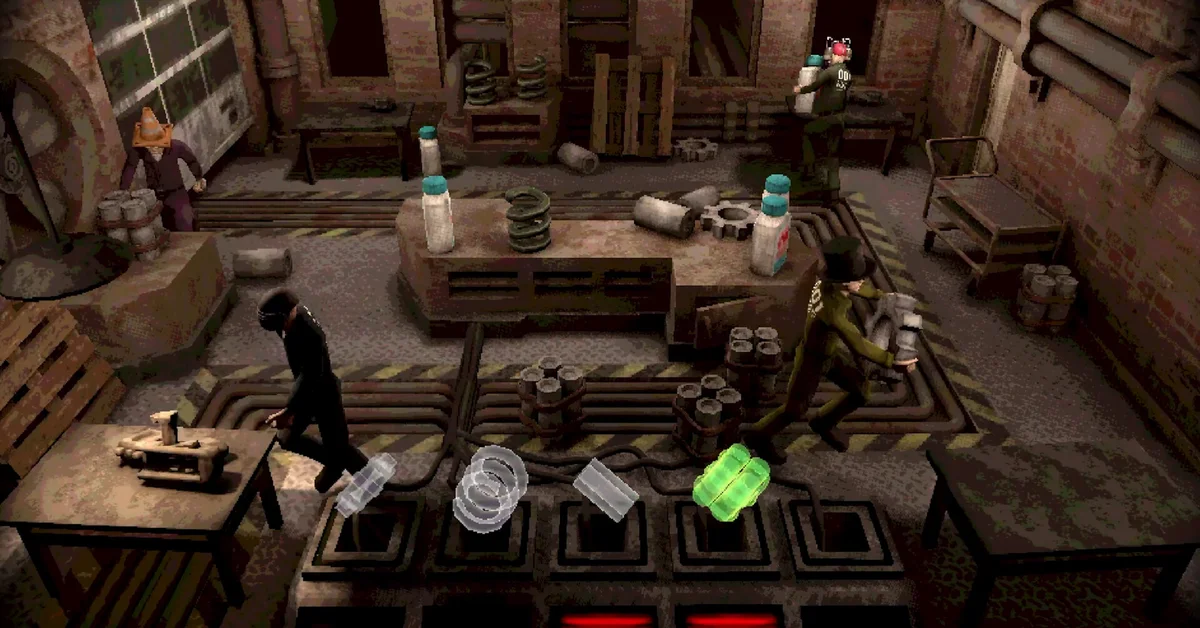
To play couch co-op in Machine Party, connect up to four controllers, choose Local from the menu, then pick Original, Custom or Arcade. In the lobby, each player presses any button on a controller to join, enters a name, picks cosmetics and readies up, and the game starts five seconds after everyone is ready.
Couch co-op came to Machine Party on PC in version 2.0 on August 12, 2026, and developers Mike Klubnika and GDeavid say it is included when the game comes to PS5, Xbox and Switch on November 26. Below is the full setup, which mode to choose, which simulations change when everyone shares one screen, and the one rule that is different on console.
What You Need
- Two to four players. The Steam store page lists support for 2 to 4, and couch co-op runs everyone on the same machine and screen.
- Up to four controllers. On PC, one player can use keyboard and mouse instead. In the developers’ words, “for a group of 4, you only need 3 controllers!”
- Controllers only on console. The console announcement says “only controllers are supported for their respective consoles,” so a group of four on PS5, Xbox or Switch needs four controllers.
How to Start a Couch Co-op Game
- Connect your controllers, up to four of them.
- Select Local in the menu.
- Pick a mode: Original, Custom or Arcade (the section below explains the difference).
- Join from each controller. On the lobby screen, every player presses any button on their controller to join.
- Enter a name and choose cosmetics. Each player has to do both before they can ready up.
- Ready up. A five-second countdown starts once every player is ready. Any change in the lobby stops the countdown.
When a game ends, everyone goes back to the lobby with their names and customization intact, so you can start the next one without setting up again. Between simulations, any player can turn the pages of the briefing screen, and the usual READY button is swapped for a version built for one couch.
Original, Custom, or Arcade
All three modes work in Local:
- Arcade is the quick option: 10 random simulations with random rounds, and the intro and outro segments cut. It arrived in version 1.5.
- Custom lets you build your own playlist of simulations. Since version 2.1.1, a Shuffle option in the Playlist screen mixes up the order once the game starts.
- Original keeps the game’s intro. Version 2.1.2 fixed the vessel insertion intro cutscene not playing in Original in Local mode, so make sure your game is up to date.
For a first night with friends who have never played, Arcade gets you into the games fastest. Once your group has favorites, Custom lets you skip the ones nobody likes.
Which Simulations Change on One Screen
Most simulations play exactly as they do online. The 2.0 patch notes list the ones adjusted for a shared screen:
- Minefield: the camera follows the group, based on the distance between all players.
- Chisel Gauntlet: the view switches between one screen and split screen, depending on whether the jumbotron is being viewed.
- Duck Hunt: the screen splits in half, with the runners on the left and the hunter on the right. The runners’ camera sits farther back and follows them like Minefield’s.
- Inside Job and The Filter: both run in split screen.
- Firearm Factory: the ingredient each gun needs is shown on the workbenches for every player, instead of at the bottom of the factory.
Couch Co-op on PS5, Xbox, and Switch
The console versions arrive on November 26 with “all previous updates to the game,” couch co-op included. Everything above applies, with one change: no keyboard and mouse player, so count one controller per person. Our news story on Machine Party coming to PS5, Xbox, and Switch covers what the developers have and have not announced, such as the console price and crossplay.
Tips Before Your First Session
- Update first. Version 2.1.1 fixed a possible crash when a controller disconnected in a local lobby, and fixed achievements not registering in Local.
- No public matchmaking. Machine Party is built for groups of friends, and the developers have said they cannot support in-game matchmaking or lobby lists because of how they designed the game. For a remote group, they point to an official looking-for-group Discord server linked from a pinned Steam discussion.
- Remote Play Together. The Steam store page lists support for it, Steam’s feature for sharing a local session with friends over the internet.
If your group likes this kind of chaos, Klubnika’s earlier game is having a big year too: Buckshot Roulette passed 10 million players. For more to play together, see our best co-op horror games, the best 3-player co-op games on PC and the best co-op PS5 games.
Frequently Asked Questions
Does Machine Party have couch co-op? Yes. Version 2.0 added it on PC in August 2026, for up to four players on one screen.
How many controllers do you need for Machine Party local co-op? One per player, up to four. On PC, one player can use keyboard and mouse, so four players need three controllers.
Does Machine Party have split screen? Some simulations split the screen in couch co-op: Duck Hunt, Inside Job and The Filter, plus Chisel Gauntlet at times, depending on whether the jumbotron is being viewed. The rest share one screen.
Can you play Machine Party couch co-op on PS5, Xbox or Switch? Yes, from November 26, when the console versions launch with couch co-op included. Only controllers are supported on console.
Which mode should you pick for couch co-op? Arcade for a quick session of 10 random simulations, Custom to choose your own playlist, or Original for the game with its intro.