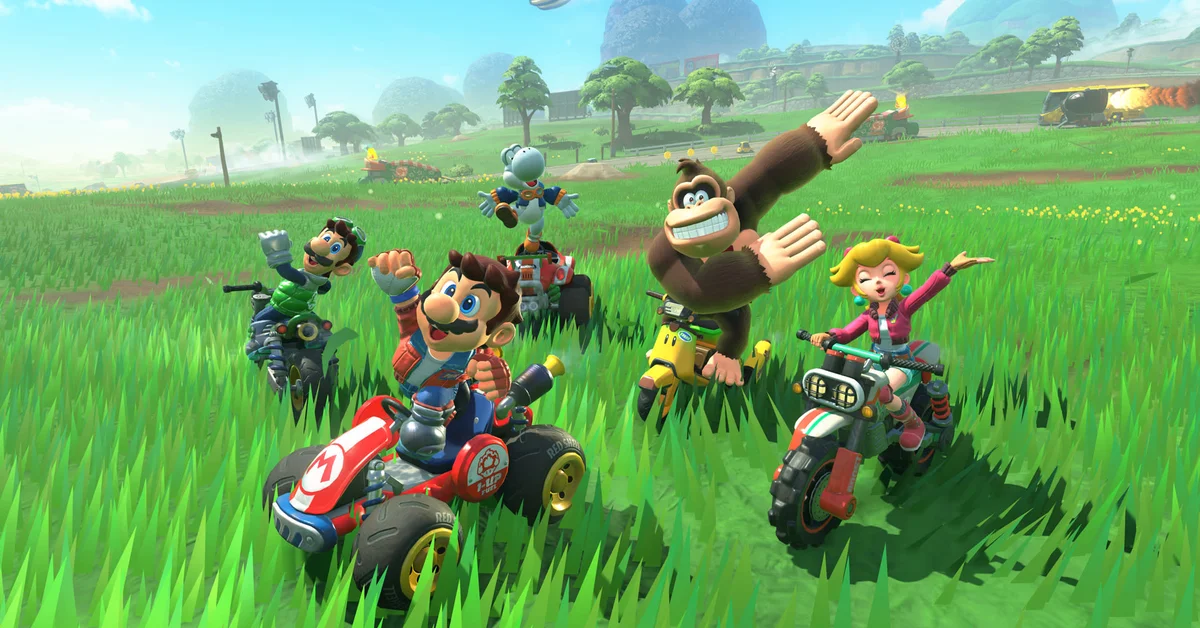
Free Roam in Mario Kart World is entered from the main menu: pick Free Roam from the list, or press the + Button on the main menu to skip straight in with your last character and vehicle. Below we cover the map that makes the mode work, the pause menu controls, the P Switch missions and three collectibles that fill the world, the Dash Food outfits you can farm there, and the changes Nintendo’s free updates have made to the mode since launch.
Getting In, and Picking Where You Land
The plain route is the Free Roam entry on the main menu, which drops you into the world at your current location with the driver and vehicle you last used. The + Button shortcut on the main menu does the same in one press; it is not labeled anywhere obvious, but it has worked since launch per player reports.
To land somewhere specific, use Map on the main menu instead. Nintendo’s own tips explain that this map shows where every character is standing and lets you hover over a character to see how many outfits you have collected for them, or over a course to see how many ? Panels you have found there. Select a character or a course and you warp straight to it, which is how to start a session at Crown City rather than wherever you last quit.
The Map, the Pause Menu and Rewind
Inside Free Roam, press the Y Button at any time to open the map. From here you can warp to any course, and since version 1.3.0 (September 23, 2025) the map also shows every P Switch you have already run over and every Peach Medallion you have collected, and lets you select a P Switch and move to a spot near it. Version 1.2.0 (July 29, 2025) made the counters change color once you have gathered everything in an area, so a fully cleared region is obvious at a glance. Both changes are verified against the official update history.
Press the + Button or the – Button to pause. The pause menu holds Change Character (swap driver and vehicle without leaving the world), Photo Mode (a frame filter arrived in 1.8.0, sticker placement in 1.7.0), and, behind the X Button, the Settings/Controller screen for Smart Steering, Auto-Accelerate, camera inversion, the Dash Food toggle and Music Volume.
Rewind is the other control worth learning. Nintendo’s tips call it “essential when you’re in Free Roam”: press the Down Button on the D-pad to rewind your kart’s position after a bad jump or a trip off a cliff. It rewinds position only, not the clock, and works mid-mission.
P Switch Missions and the Three Collectibles
Three collectibles populate the world, and the map tracks all of them:
- P Switches are big blue buttons sitting on and off the roads. Drive over one to start a short, timed mission near it: hit every ring, collect the blue coins, reach a spot before the clock runs out. Clear it and the switch turns gray. Nintendo’s advice for a mission you keep failing is to try a different character and vehicle combination suited to the task; press the Y Button when picking a vehicle to see its stats.
- ? Panels are hidden flat panels you drive across, with the per-course tally on the main menu Map.
- Peach Medallions are tucked into hard-to-reach spots, often up a wall ride or at the end of a rail.
The Super Mario Wiki, which is community-maintained, counts 394 P Switches, 150 ? Panels and 200 Peach Medallions, plus more than a thousand stickers earned from them. Nintendo has not published totals, so treat those as a checklist. Stickers go on your vehicle, and since 1.7.0 onto photos. Version 1.3.0 also adjusted where some Peach Medallions appear, so a 2025 location list may be off in places.
Food, UFOs, Pipes and the Mirror
Free Roam doubles as the fastest place to unlock outfits. Every Yoshi’s drive-through, food truck and vending machine hands out Dash Food, which boosts you and can unlock a costume for the character you are driving; our costume guide has the full routine. Since 1.3.0, being pulled into a UFO transforms you into the character it abducts (unless Dash Food is set to “Doesn’t transform”), and UFOs are easier to find than they were at launch.
Warp pipes scattered around the world drop you onto a course and into a race; several early pipe bugs were fixed across 1.2.0, 1.3.0 and 1.8.0. Item pickups are limited here compared to a race, per the wiki, so do not expect shells outside missions. Peach Stadium hides the trick behind Mirror Mode, which flips the whole world in Free Roam once earned. It is also the best place to practice the drift, wall rides and rail rides that decide races, without 23 rivals in the way.
Free Roam Online and with Friends
Version 1.1.0 (June 4, 2025) added icons for nearby players in Free Roam, and every online lobby lets you roam while waiting between matches. Since 1.3.0, up to two players can Free Roam together while waiting if a friend’s Race, Knockout Tour or Battle room is full. The wiki notes that P Switches do not appear in these online lobbies, though ? Panels and Peach Medallions do and count toward your totals. For the rest of the game, start at the Mario Kart World hub.
Frequently Asked Questions
How do I leave Free Roam? Pause with the + Button or the – Button and choose the option to return to the main menu. Your collectibles and unlocks are already stored; see our save guide for how the game handles that.
Can I change my character without quitting? Yes. Pause and pick Change Character, or since version 1.3.0 let a UFO abduct you to switch to whoever it pulls in.
Is there a time limit or goal in Free Roam? No. The mode has no clock and no opponents. P Switch missions are the only timed content, and only while one is active.
Do the collectibles carry into races? Stickers unlocked in Free Roam can be placed on your vehicle in every mode, and outfits from Dash Food are selectable everywhere.
Can I play Free Roam in split-screen? Multiple players can share the world locally, and Nintendo’s control settings page notes each player on the same system can set their own options in Free Roam.