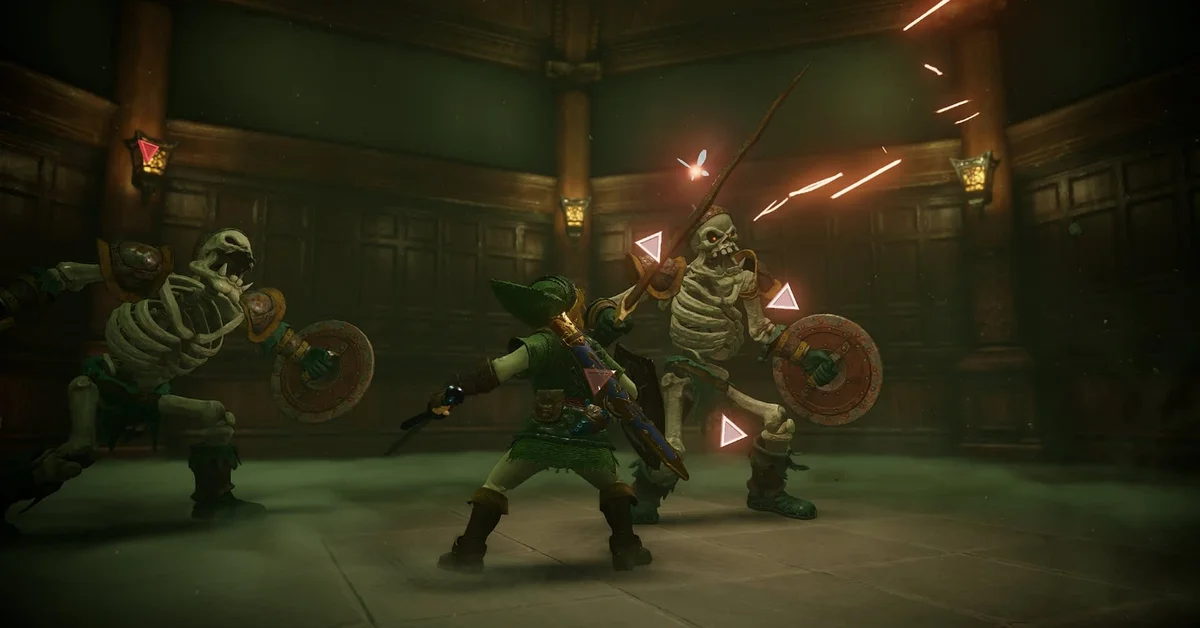
Press X to jump in the Ocarina of Time remake on Switch 2. Link can now jump anywhere, whenever you press it, and he no longer leaps off ledges by himself the way he did in 1998, so every gap is yours to clear.
It is the biggest feel change in the remake, and it touches more than platforming: climbing, the Jump Attack and the dodges you use while locked on all work a little differently. Here is the full picture, plus the setting that moves jump to another button.
How Jumping Works Now
In the Nintendo 64 game there was no jump button. Link jumped automatically when you ran at certain ledges, so the game decided where jumping was possible. The remake drops that. Director HokWai Ng says in Nintendo’s Ask the Developer interview that the team “removed auto-jump” because players used to recent Zelda games would wonder why Link could jump in one place and not another, and instead “made it possible to jump anywhere with a single button press.”
That freedom had a cost for the developers. Producer Eiji Aonuma says the old system let them control where players could go, and opening up jumping meant reworking environments to cope. Art director Aya Shida adds that young Link and adult Link jump slightly different distances, so gaps were tuned with both versions of Link in mind.
| Move | Nintendo 64 (1998) | Switch 2 remake |
|---|---|---|
| Jump | Automatic at set ledges | X, anywhere |
| Climbing | Fixed climbing speed | Press X while climbing to climb faster |
| Jump Attack | One press while locked on | Jump, then attack in mid-air, or a one-press version |
| Running off a ledge | Link leaps across | Link drops unless you press jump |
Jumping While Climbing
Jumping is not only for gaps. Press X while Link is climbing, on a vine wall for example, and he springs upward, which gets you up faster than the steady climb of the 1998 game.
It does not turn the remake into Breath of the Wild. Link still climbs only the vines, ladders and walls built for climbing, rocky outcrops in Hyrule Field stay off limits, and there is no paraglider to open when you leap off something high.
Jump Attacks, Sidehops and Backflips
The Jump Attack now works two ways, and Nintendo built both on purpose. Program director Hiroki Taguchi says the team first adopted the Breath of the Wild approach: press jump, then press the attack button during the jump. Aonuma could not get used to it, so the team added a way to do it with a single button press as well. Producer Hidemaro Fujibayashi says the two control styles do not get in each other’s way, so use whichever your hands remember.
The dodges you use while locked on to an enemy with ZL are still there too. With the stick pushed to the side or back, the jump button hops Link sideways or flips him backward, and A, which handled all of this in 1998, still works. Our shield guide covers blocking, the other half of 1998’s lock-on fighting.
How to Change the Jump Button
If years of Breath of the Wild and Tears of the Kingdom have taught your thumb that jump lives on X, the default will feel natural. If not, open Options and turn on Swap Jump Controls, which moves jump to a different button.
Whichever button you pick, the habit to break if you learned this game in 1998 is running at a gap and waiting. Link drops instead of leaping, so press jump before the edge.
Where Jumping Matters
- The Kokiri Sword. The route to the sword in Kokiri Forest now uses a ladder and a jump, an early lesson in the new button. Our first sword guide covers the 1998 route.
- Dungeon platforms and broken bridges. Places where the original jumped for you now need a press of X. The jumps come at the same moments, you just make them yourself.
- Young Link versus adult Link. Because their jump distances differ slightly, a gap that is easy as one Link can feel tighter as the other, so take a revisited jump carefully after the time skip.
- Boss fights. Jumping out of an attack and coming back with a jump slash is now part of the toolkit, which helps on the bosses in our boss order guide.
The remake changes a lot more around the edges, from the free camera to Threads of Time, and our guide to what has changed covers it all. If you are about to put the game down after a tricky stretch of platforming, our saving guide explains how the remake’s single manual save works.
Frequently Asked Questions
What button is jump in the Ocarina of Time remake? X by default. The Swap Jump Controls option in Options moves it to another button.
Does Link still jump automatically at ledges? No. Nintendo removed auto-jump, so Link only jumps when you press the button, and running off a ledge drops him.
Can you jump while climbing? Yes. Press X while climbing, on a vine wall for example, and Link springs upward to climb faster.
How do you do a Jump Attack in the remake? Press jump, then attack while Link is in the air, or use the single-press Jump Attack Nintendo kept for players used to the original.
Do young Link and adult Link jump the same distance? No. Nintendo’s art director says the two jump slightly different distances, and gaps were tuned for each.
Can you climb anything now that Link can jump? No. Link still climbs only surfaces built for climbing, and there is no paraglider.
More guides for the remake and the rest of the series are on our Zelda hub.