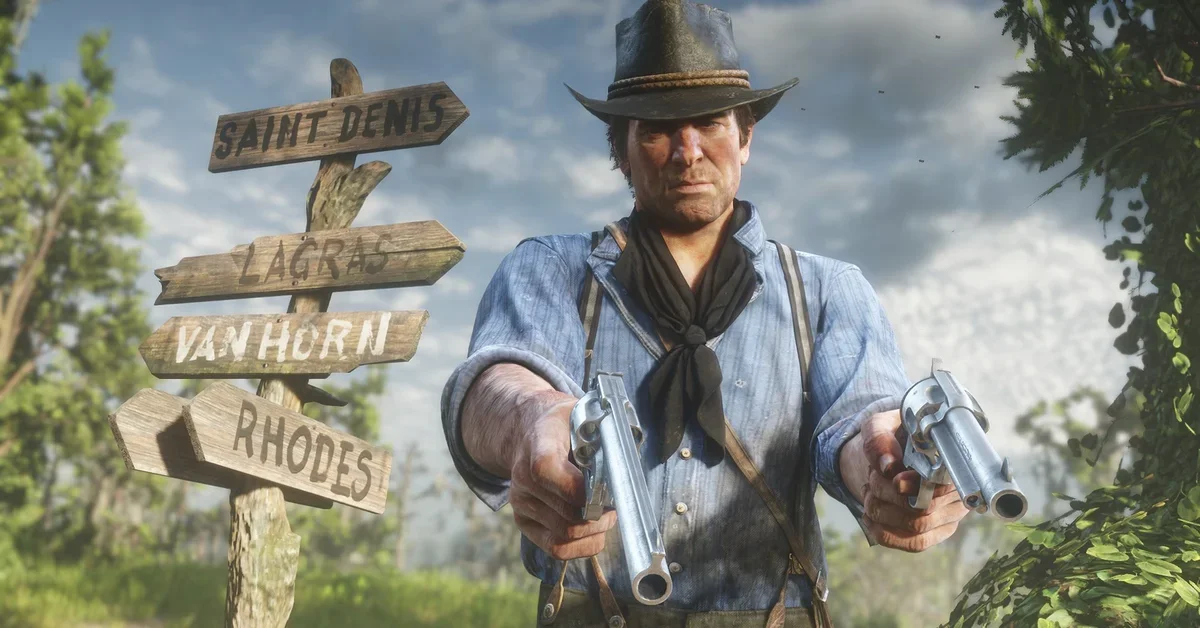
To aim down sights in Red Dead Redemption 2, switch the camera to first person, hold the aim button (L2 on PlayStation, LT on Xbox, right mouse button on PC), then toggle the iron sights: player guides put that toggle on D-pad Down for controllers, and Steam players say scrolling the mouse wheel does it on PC. In third person, Arthur only aims over his shoulder, so the camera switch is the step most players miss. Below we cover the controls on every platform, why the sights sometimes refuse to come up, scoped rifles, and the aim settings worth changing.
This guide covers Story Mode in the current build of Red Dead Redemption 2 on PS4, Xbox One and PC. PS5 and Xbox Series X|S players run the last-gen versions through backward compatibility, so the console buttons are identical. Rockstar does not publish a controls page, so the console buttons below come from launch-era control lists, and PC keys come from community keybinding lists. Your on-screen prompts always show your current binding.
Aim Down Sights Controls on Every Platform
| Step | PlayStation | Xbox | PC (default) |
|---|---|---|---|
| Switch to first person | Touch pad (tap) | View button (tap) | V |
| Aim | L2 (hold) | LT (hold) | Right mouse button (hold) |
| Toggle iron sights | D-pad Down | D-pad Down | Mouse wheel |
| Fire | R2 | RT | Left mouse button |
Two caveats on that table. The iron sights toggle is the one control the launch-era lists leave out: the D-pad Down mapping comes from player guides and from the documentation of a PC first person aiming mod, which names D-pad Down as “the iron sight button” on controllers and the mouse wheel on PC. The V key for the camera comes from Steam players. On PC, one Steam player also lists the bracket keys ([ and ]) as the default iron sights binding, so if the mouse wheel does nothing, check those.
PC players can confirm every binding under Settings > Controls > Keyboard and Mouse > Key Mapping. Steam players note that the Key Mapping screen appears when you open Settings from the pause menu inside a save, not from the title screen.
Step by Step: How to Aim Down the Sights
- Switch to first person. Tap the touch pad, the View button or V. Each tap cycles to the next camera distance, so keep tapping until you are looking out of Arthur’s eyes. Tap, do not hold: the control lists say holding the button triggers the cinematic camera instead.
- Draw a gun. Any revolver, pistol, repeater, rifle or shotgun works.
- Hold aim. Hold L2, LT or the right mouse button. Arthur raises the gun, but in first person it starts as a hip-level aim.
- Toggle the sights. While still holding aim, press D-pad Down or scroll the mouse wheel. Arthur lifts the gun to his eye and you look straight down the barrel.
- Fire. Pull R2 or RT, or click the left mouse button.
Player guides describe the sights as a toggle that sticks: once you switch them on, later aims in first person come up on the sights until you toggle back. If you prefer the hip view for fast close-range fights, press the same button again.
Do not confuse the toggle with D-pad Up. The control lists put a warning shot on D-pad Up while aiming, which raises your gun to the sky and fires. In town, that is a quick way to start a panic.
Why the Iron Sights Will Not Come Up
If you press the toggle and nothing changes, it is almost always one of these:
- You are still in third person. Steam players are consistent that iron sights need the first person camera. Third person aim is always over the shoulder.
- You are on horseback. Steam players report the iron sight view will not engage while mounted. Dismount, or use the regular first person aim from the saddle.
- You are not holding aim. The toggle only works while the aim button is held down.
- Your rifle has a long scope. Steam players say sniper rifles such as the Carcano stay on their scope and cannot use the iron sights. On rifles with a shorter scope, they say the same toggle switches between the scope and the iron sights.
Shoulder Swaps, Scopes and Other Aiming Tricks
- Swap shoulders. In third person, press D-pad Left while aiming to move the camera to Arthur’s other shoulder, per the control lists. It is the third person answer to a wall blocking your view.
- Use Dead Eye from the sights. Player guides say the first person view keeps every third person feature, Dead Eye included. Our guide on how to use Dead Eye covers activating it and marking targets.
- Scope for hunting. The sights and scopes help you place one clean shot, which matters when you want an undamaged carcass. Our perfect pelts guide explains which weapons suit which animals.
Aim Settings Worth Changing
The official strategy guide published at launch says the game uses a medium level of aim assistance by default: when you raise your weapon, Arthur locks on to an enemy in your line of fire, usually with the reticle on the chest. Three settings in the controls menu change how that feels:
- Targeting mode. Player guides list Free Aim among the lock-on options. It switches off the automatic snap, so the reticle goes only where you put it. Iron sights pair well with it, since you are lining up every shot yourself.
- Aim sensitivity. Player guides suggest keeping it above the halfway mark so the reticle keeps up with moving targets.
- Aim and look dead zone. Lowering it makes small stick movements register. Player guides rank it among the most important aiming settings when aim feels sluggish.
Player guides also say the controls menu has separate first person and third person aiming sections, so if you set up first person aim and nothing changes in third person, that is why.
A classic assisted-aim trick still applies: player guides describe nudging the right stick up just as the lock-on lands, which moves the reticle from the chest to the head.
More Tips for Shooting From the Sights
- Save before a big set piece. If you want to learn a mission’s shootout from first person, a manual save lets you retry it. Our guide on how to save your game covers manual saves and autosaves.
- PC players can tweak the camera further. Our list of the best Red Dead Redemption 2 mods is a good place to start if you want more control over how the game plays.
For more help with Arthur’s journey, browse our Red Dead guides hub.
Frequently Asked Questions
How do you aim down sights in RDR2 on PS4 and PS5? Tap the touch pad until you are in first person, hold L2 to aim, then press D-pad Down, the iron sights toggle per player guides.
How do you aim down sights in RDR2 on Xbox? Tap the View button until you are in first person, hold LT, then press D-pad Down.
How do you aim down sights in RDR2 on PC? Switch to first person (V, per Steam players), hold the right mouse button, then scroll the mouse wheel. One Steam player lists the bracket keys as the default binding, so check Key Mapping if the wheel does nothing.
Can you aim down sights in third person? Not with iron sights. Third person aim is over the shoulder; switch to first person first.
Why can’t I use iron sights on my horse? Steam players report the iron sight view does not engage while mounted. Dismount to use it.
Can you use iron sights on a scoped rifle? Steam players say rifles with a shorter scope can switch between the scope and the iron sights, while long-scope sniper rifles such as the Carcano stay on the scope.