
When you reach the Family Savings goal in GTA 6, the BuckMe app marks it with “Available goal reached!”, and BuckMe later pays interest into the account and sets you a bigger goal. Our first goal was $5,000. BuckMe then paid us $2,000 in interest “for meeting your first goal” and set the next Family Savings goal at $100,000.
We reached the goal on our PS5 copy of Grand Theft Auto VI and recorded both that and the messages that followed, and the screenshots in this guide are from our own PS5 recordings. Below is how to reach the first goal, what the app shows, the reward, and the next target.
How to Reach the First Savings Goal
Family Savings only grows when you move money into it yourself:
- Take out your phone with Up on the D-pad and open BuckMe.
- Select your Checking Account and choose Buck Yourself.
- Set the amount. The Amount screen shows the goal, “Goal $5K” on our copy, and what Family Savings will hold after the move.
- Confirm. The game warns “You will not be able to withdraw once transferred,” so only move money you won’t need.
Our guide to how the Family Savings account works has every screen of that process.
What the App Shows at the Goal
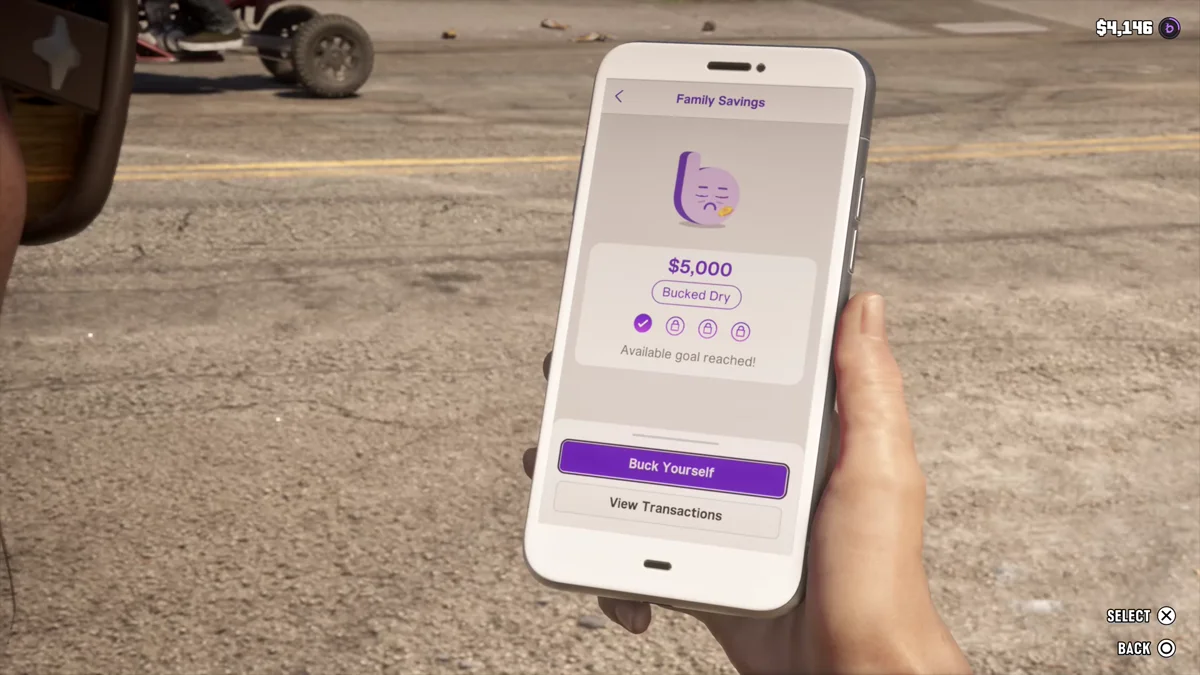
Once Family Savings hit $5,000, its screen in the BuckMe app changed. It showed our $5,000 balance with a “Bucked Dry” label under it, a row of four goal markers with the first one ticked and the other three locked, and the line “Available goal reached!” The Buck Yourself button stays there, so you can keep adding money.
The Reward: Interest From BuckMe
BuckMe pays you for hitting the goal, but on our copy it didn’t happen the moment we reached $5,000. We hit the goal in one session, and the payment came in a later session, after several more story missions. The message read: “A quick Buck, from us to you: we’ve paid $2,000 in interest into your FAMILY SAVINGS account for meeting your first goal. Each…” The rest was cut off on the notification.
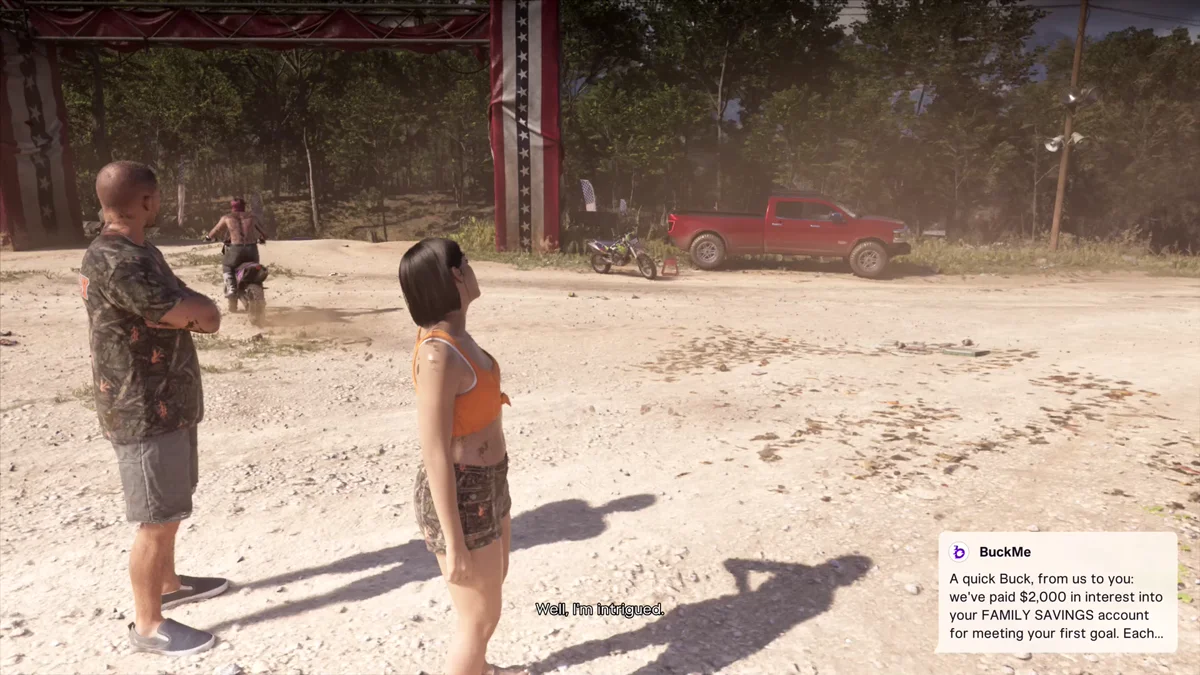
The interest goes into Family Savings, not your checking account. Our checking balance didn’t change when the message arrived, and the Jason and Lucia tab of the pause menu later showed our Family Savings at $7,000: the $5,000 we’d put in plus the $2,000 of interest. Money in Family Savings can’t be withdrawn, so the interest stays put with the rest of your savings.

The Jason and Lucia tab is the quickest place to check your savings: its bottom bar shows your BuckMe checking balance next to your Family Savings.
The Next Family Savings Goal
About nine minutes before the interest arrived, BuckMe set a new target: “Your new FAMILY SAVINGS goal is $100,000. Hit this target to increase your next interest payment and provide for your…” In other words, the next payment gets bigger once you reach $100,000.
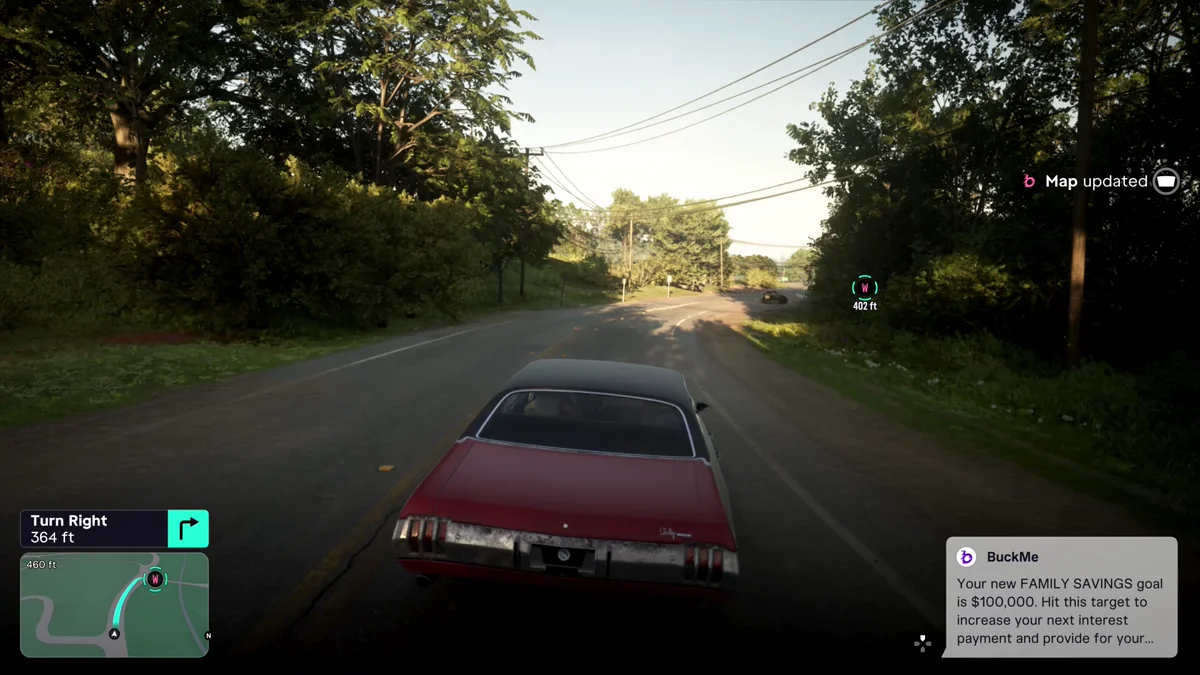
The four goal markers on the savings screen suggest there are four goals in all, and after the first one, three were still locked on our copy. The same run of messages also upgraded our checking account, which our guide to raising your BuckMe account limit covers.
Should You Keep Saving?
A few things to weigh before you move more money in:
- The interest is free money, and BuckMe says the next payment grows when you reach the new goal.
- Savings is a one-way trip. Nothing comes back out, so cover what you’ll spend on cars, clothes, guns and rent first. Our guide to spending money covers what’s worth buying.
- The new goal is a long way off. Going from $5,000 to $100,000 takes far more money than the first goal did, so treat it as a long-term target and add spare money as it comes in. Our guide to making money fast helps.
Every other GTA 6 guide is on our GTA 6 hub.
Frequently Asked Questions
What is the first Family Savings goal in GTA 6? It was $5,000 on our copy. The Amount screen labels it “Goal $5K.”
What happens when you reach the savings goal in GTA 6? The BuckMe app shows “Available goal reached!” Later, BuckMe paid $2,000 in interest into our Family Savings account and set a new goal of $100,000.
Does Family Savings earn interest in GTA 6? Yes. BuckMe pays interest for meeting savings goals. Ours paid $2,000 for the first goal, and BuckMe says the next payment grows once you hit the new target.
What is the second Family Savings goal in GTA 6? $100,000. BuckMe set it with a message saying that hitting it increases your next interest payment.
How do you check your Family Savings balance in GTA 6? Open the pause menu’s Jason and Lucia tab. The bar at the bottom shows your BuckMe checking balance and your Family Savings side by side, or open the BuckMe app on your phone.
Can you withdraw the interest from Family Savings? No. Money in Family Savings can’t be withdrawn, and the interest is paid into that account.