
Your BuckMe account limit in GTA 6 goes up on its own when BuckMe approves you for a better account. There’s no bank to visit and nothing to apply for. Our Standard Checking Account had a $15,000 limit, and the day after launch BuckMe texted that we’d “been Bucking enough to be approved for our SILVER CHECKING ACCOUNT. Your new account limit is $100,000.”
We got the upgrade on our PS5 copy of Grand Theft Auto VI, and the screenshots in this guide are from our own PS5 recording. Below is where the limit starts, what the upgrade message says, what we’d done by the time it arrived, and how to keep an eye on your balances.
The Starting BuckMe Limit
BuckMe opens your first account during the Buck Me story mission. The app’s welcome message calls it a “STANDARD CHECKING ACCOUNT” and puts $100 in it to start you off. Our Buck Me walkthrough covers that mission.
The standard account’s limit on our copy was $15,000. The checking screen in the BuckMe app showed a $15K limit, and every Deposit screen we opened at an ATM showed “Account Limit $15,000,” including the last one before the upgrade, at the ATM in the Starlet Motel’s office.
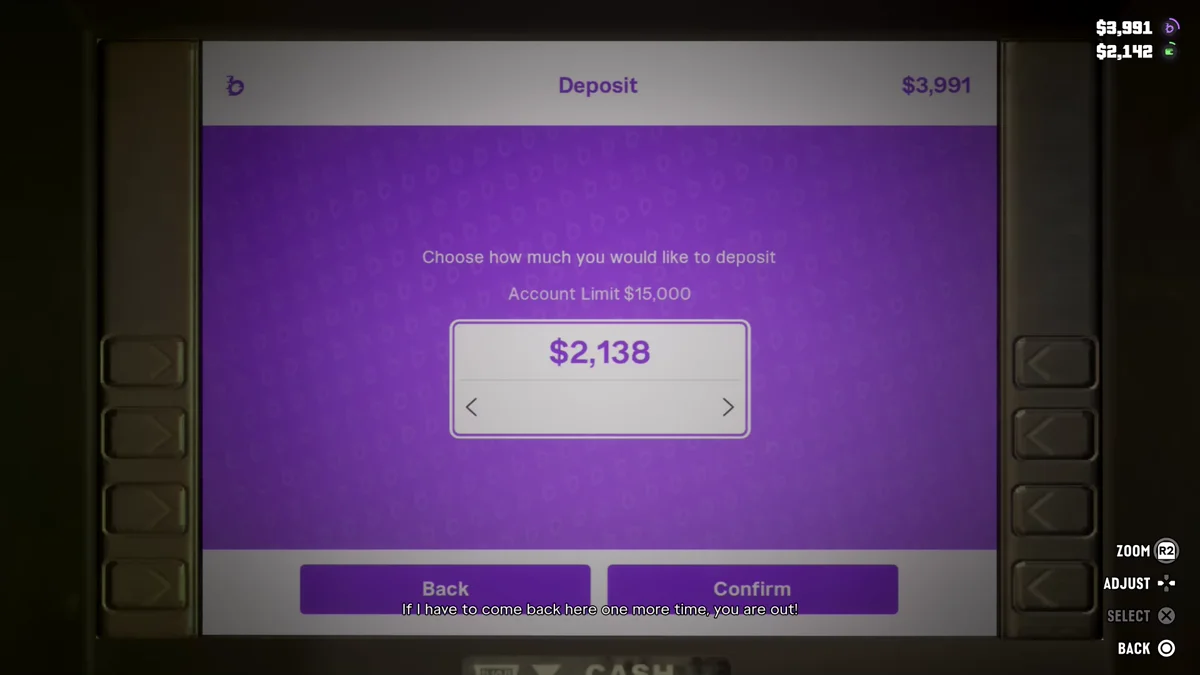
One screen didn’t match. The Withdraw screen we used at the same motel ATM in an earlier session read “Account Limit $20,000,” so the Deposit and Withdraw screens don’t always show the same figure. The game doesn’t explain the gap, and BuckMe’s own FAQ list in the app has entries titled “When will my account upgrade?” and “How do limits work?”
How to Get the Silver Checking Account
You don’t do anything special. BuckMe sends a text when you qualify, and the new limit comes with it. Ours read: “You’ve been Bucking enough to be approved for our SILVER CHECKING ACCOUNT. Your new account limit is $100,000. Visit…” The rest of the message was cut off on the notification.
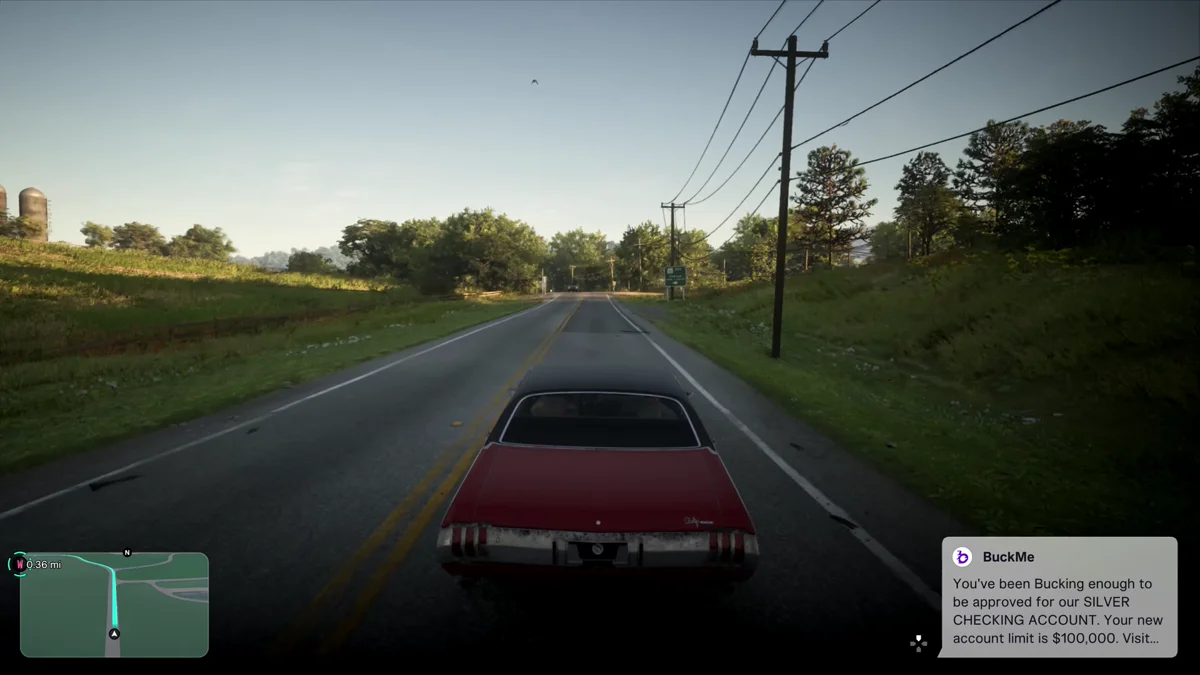
The message credits “Bucking enough” and doesn’t say how much counts. This is what we’d done with BuckMe by the time ours arrived:
- Deposited cash at ATMs since launch day, most recently $1,855 at the Starlet Motel’s office, a couple of minutes before the text.
- Been paid through BuckMe for side jobs. Job pay in GTA 6 often arrives as a “bucked you” payment, like Moses paying $1,085 for a car and Wyman sending $50 after we helped fix his car.
- Reached the first Family Savings goal of $5,000 in an earlier session.
- Built our checking balance up to $5,846.
The text came in on the drive to the Thrillbilly Mud Club, the day after launch and a good way into the story. It arrived in a run of notifications that also announced the Ultimate Edition weapons, and a second BuckMe message right after it set a new Family Savings goal of $100,000.
We haven’t been back to an ATM since the upgrade, so we can’t show the new figure on an ATM screen yet.
How to Check Your Balances
Press Down on the D-pad to see your cash and BuckMe balances. The game showed us that hint at the Thrillbilly Mud Club, straight after the upgrade. The two figures appear in the top right of the screen, with BuckMe (the purple “b” icon) above your cash (the green wallet icon).
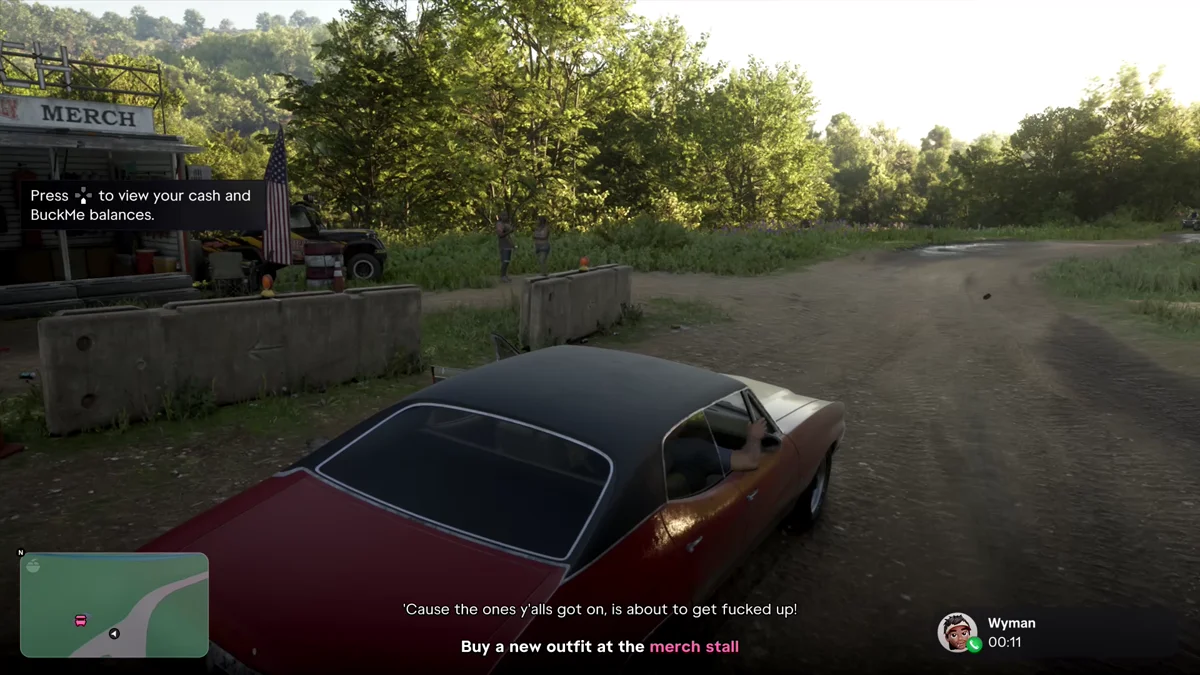
For more detail, take out your phone with Up on the D-pad and open the BuckMe app. It lists your Checking Account and your Family Savings, each with its balance.
Where Your Money Lands
It helps to know which pile your money goes into, since only one of them counts toward your checking limit:
- BuckMe checking: ATM deposits, job payments that arrive as “bucked you” messages, and race prize money. Our $1,500 win at the Mud Club went straight into BuckMe.
- Cash: money you pick up, take from robberies, or withdraw. The Mud Club’s rentals came out of our cash. Shops can draw on either: the Mud Club’s merch stall took our cash while we had plenty, and a Bargain World store charged BuckMe when we had $15 in our pocket.
- Family Savings: only what you move there yourself with Buck Yourself, plus the interest BuckMe pays for hitting goals. It can’t be withdrawn.
Our guides to depositing money and withdrawing money cover the ATM steps, and our guide to the Family Savings account covers Buck Yourself. Every other guide is on our GTA 6 hub.
Frequently Asked Questions
What is the BuckMe account limit in GTA 6? The Standard Checking Account showed a $15,000 limit on our copy. The Silver Checking Account raises it to $100,000.
How do you upgrade your BuckMe account in GTA 6? It upgrades on its own. BuckMe texts you when you’ve been “Bucking enough” to qualify, and the new limit comes with the message.
When do you get the Silver Checking Account? Ours arrived the day after launch, a good way into the story, after we’d been depositing cash and getting paid through BuckMe and had reached the first Family Savings goal.
How do you check your BuckMe balance in GTA 6? Press Down on the D-pad to show your cash and BuckMe balances in the top right of the screen, or open the BuckMe app on your phone for both accounts.