
To jump in GTA 6 on PS5, press Cross while you’re on foot. The game lists the button as Jump / Climb, so the same press pulls you up onto a wall or ledge in front of you. On the Classic control scheme, jumping moves to Square.
We read every button below off the Control Scheme screen on our PS5 copy of Grand Theft Auto VI, and the screenshots in this guide are from our own PS5 recording. Below is the jump button on each scheme, how climbing fits in, and what does the jumping on a bicycle, in the water and in the air.
Jump Button on PS5
| Control scheme | Jump / Climb | Run |
|---|---|---|
| Default | Cross | L3 |
| Classic | Square | Cross |
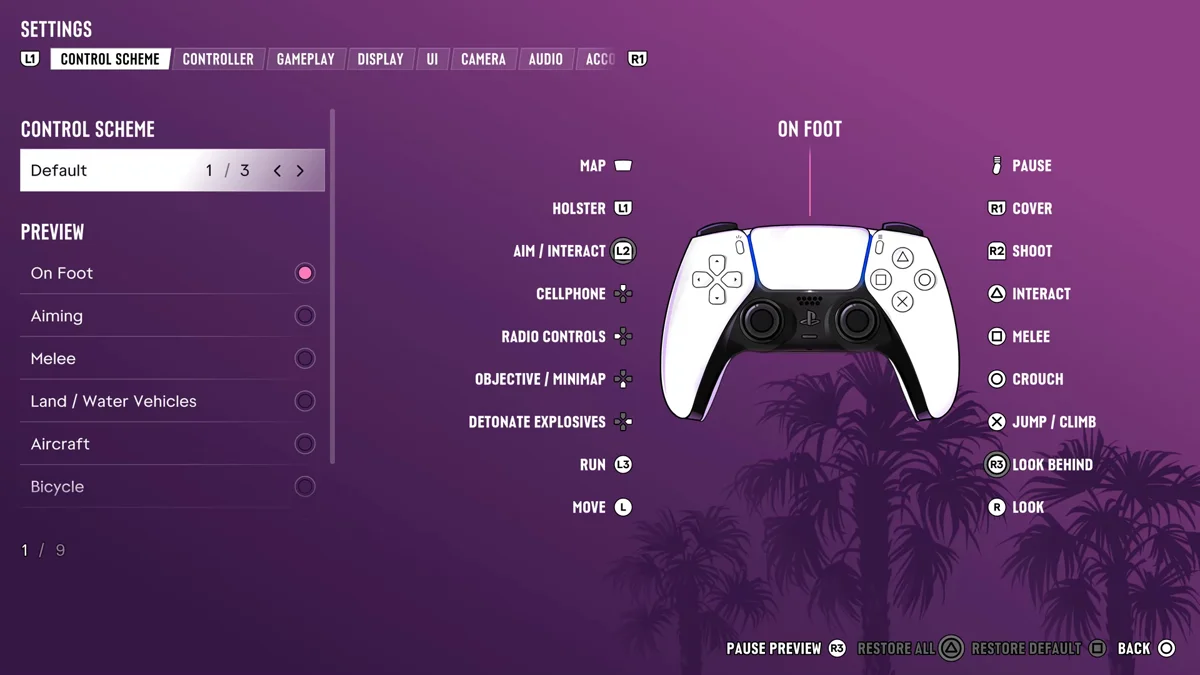
Default is what the game starts on, and it’s why Cross jumps instead of running. If your thumb learned GTA 5, the Classic scheme puts running back on Cross and moves jumping to Square, the way GTA 5 had it.
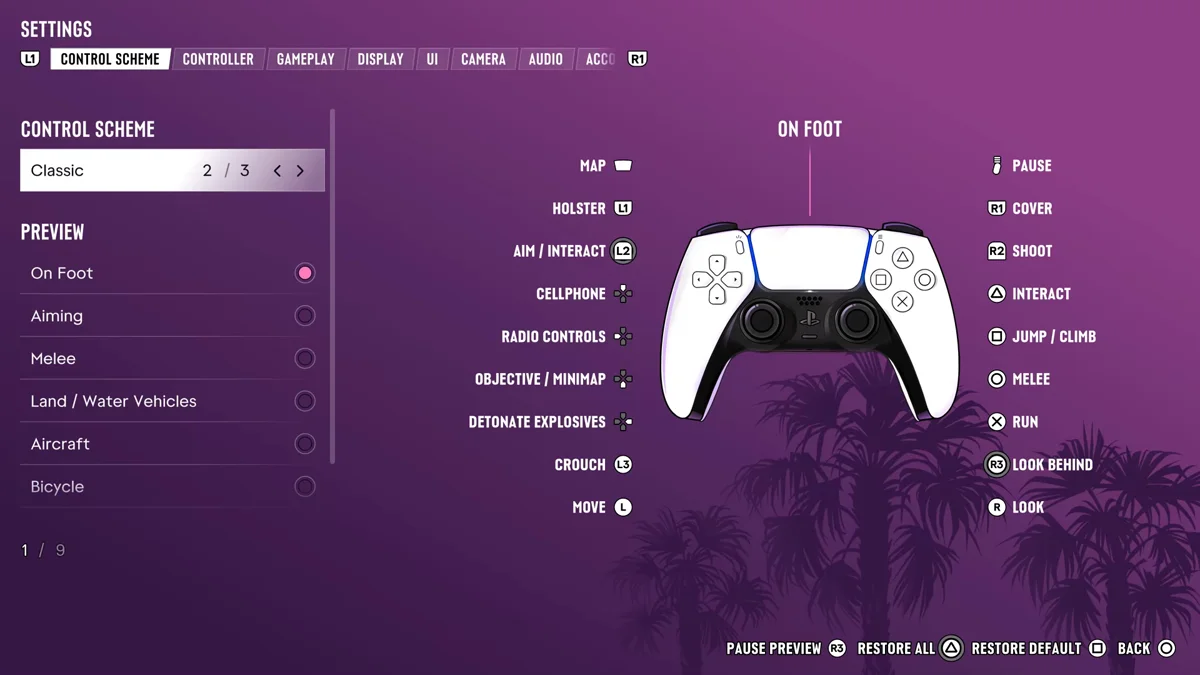
To switch, press Options, open Settings, and pick a preset at the top of the Control Scheme tab. Our guide to sprinting covers the run side of that change.
Jumping and Climbing
Jump and climb share one button, so what you get depends on what’s in front of you:
- Open ground: press Cross and you jump.
- A wall, fence or ledge: press Cross facing it and you climb.
- A gap: run first with L3 on the Default scheme, then press Cross to jump while you run.
If you keep climbing when you meant to jump, step back from the wall first.
Jump Buttons on Bikes, in Water and in the Air
Each vehicle page of the Control Scheme gives the jump-like moves their own buttons:
| Situation | Action | PS5 |
|---|---|---|
| On a bicycle | Bunnyhop | Circle |
| On a bicycle | Sprint | Cross |
| Swimming | Surface | Cross |
| Swimming | Dive | R1 |
| Parachuting | Open Parachute | Cross |
| Parachuting | Detach Parachute | Triangle |
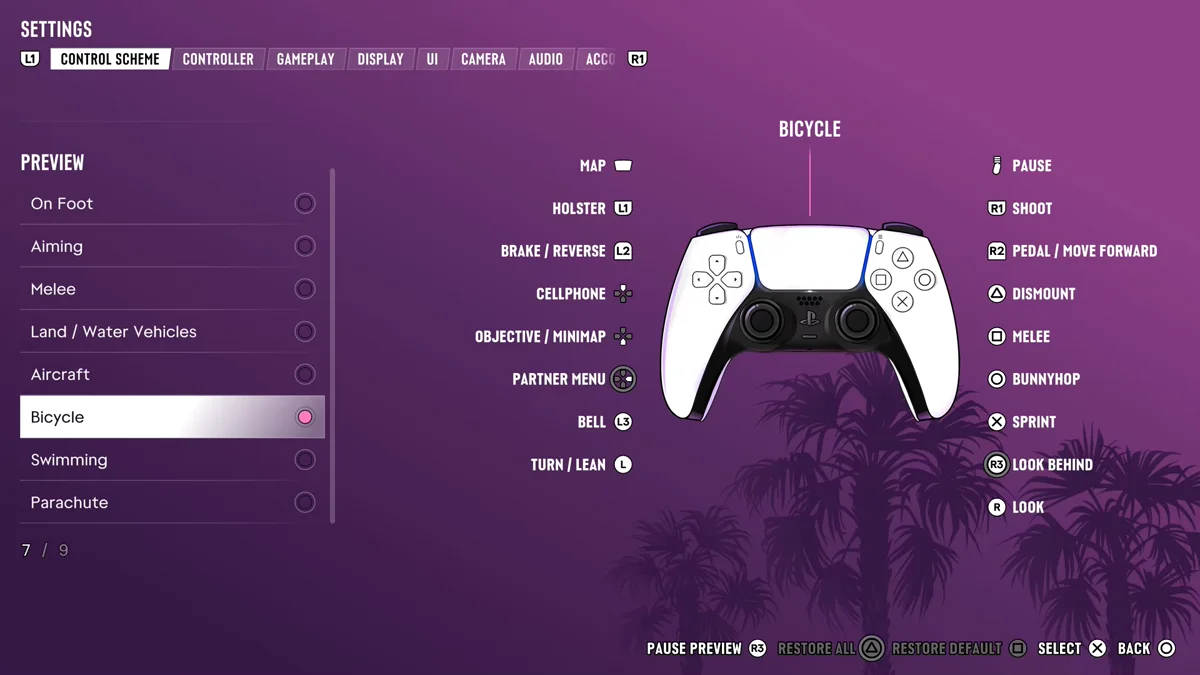
So on a bicycle, Circle hops and Cross pedals harder, the reverse of what you might guess from on foot. In the water, Cross brings you up, as our guide to diving underwater explains. And in freefall, Cross opens the chute; our guide to getting a parachute covers where to buy one and where to jump from.
Jumping in Cars
Cars don’t jump on a button. They jump off ramps, and GTA 6 has stunt jumps to find around the map. Our guide to stunt jumps covers them.
Related Controls
- Crouch: Circle on Default, L3 on Classic. Our guide to crouching explains the tap-or-hold catch.
- Cover: R1. Our guide to taking cover covers it.
Our PS5 controls guide has the full on-foot layout.
Frequently Asked Questions
What is the jump button in GTA 6?
Cross on PS5 with the Default control scheme, or Square with the Classic scheme. The game calls it Jump / Climb.
How do you climb in GTA 6?
Face the wall, fence or ledge and press the jump button, Cross on Default. The same button jumps and climbs.
How do you bunnyhop on a bike in GTA 6?
Press Circle. The Bicycle controls list it as Bunnyhop, while Cross is Sprint.