To adopt a child in The Sims 4, open your Sim’s phone, go to the Home app and choose Hire a Service > Call the Adoption Agency, or use a computer and choose Household > Adopt Sim. Child adoption is in the base game, while adopting a cat or dog needs the Cats and Dogs expansion and horses need Horse Ranch.
Below, we cover the household limit that blocks most adoptions, each adoption route step by step, how pets and strays work, and the free Create a Sim alternative. The menu names come from EA’s own pregnancy and adoption guide, and the process is the same on PC, PlayStation and Xbox as of the current patch.
Before You Adopt: Space and Money
Two things stop an adoption before it starts, so check them first.
- Household space. A household holds up to eight members. Every pet takes up one of those eight slots too, so a family of six with two dogs is already full. If you need room, our guide to kicking a Sim out of the household covers the options.
- Simoleons. Each child adoption costs §1,000, and a cat or dog costs §200. If your household is short, our money cheats work on every platform.
How to Adopt a Child
The adoption agency is part of the base game, and EA lists two ways to reach it:
-
By phone: select your Sim’s phone, open the Home app, choose Hire a Service, then Call the Adoption Agency.
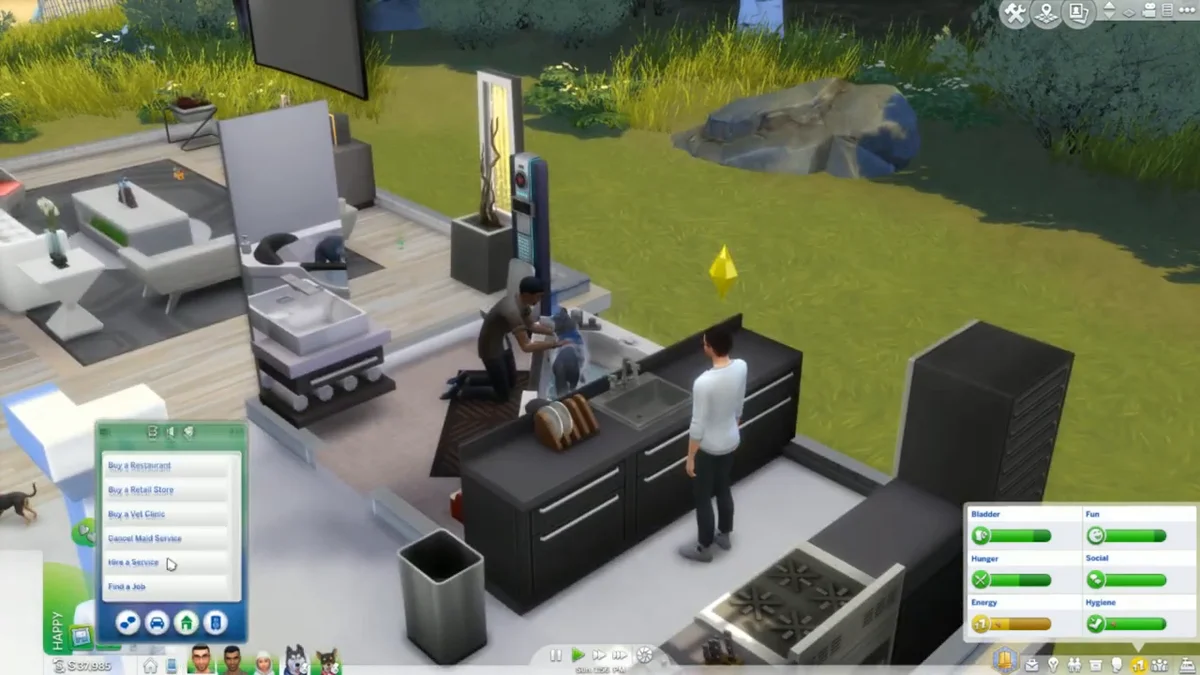
- By computer: select a computer your Sim owns, choose Household, then Adopt Sim.
Our video at the end of this guide shows us adopting a pet. The screenshots in this guide come from the same recording.
The agency shows a pool of newborns, infants, toddlers and children to pick from. Teens are never offered. Once you choose, your Sim leaves the lot and comes back a little later with the child, and you can then rename them. Adoptive parents also get a few days off work.
There is a third official route for blended families. EA’s guide says that if your Sim is in a relationship with a Sim who has an infant, toddler or child, the option to adopt that child appears under the Friendly interaction menu.
Adopted kids age like any other Sim, so our guide to aging Sims without cheats applies once they join the family.
How to Adopt a Cat or Dog (Cats and Dogs)
Cats and dogs arrived with the Cats and Dogs expansion pack, released on November 9, 2017. There are two ways to adopt:
-
Through the agency. Use the phone or computer adoption menus and pick Adopt a Cat or Adopt a Dog. You see a pool of kittens, puppies and adult pets with their traits and breeds listed. An adoption agent then brings the animal to your lot, your Sim can play with it, and you pay the fee to finalize.
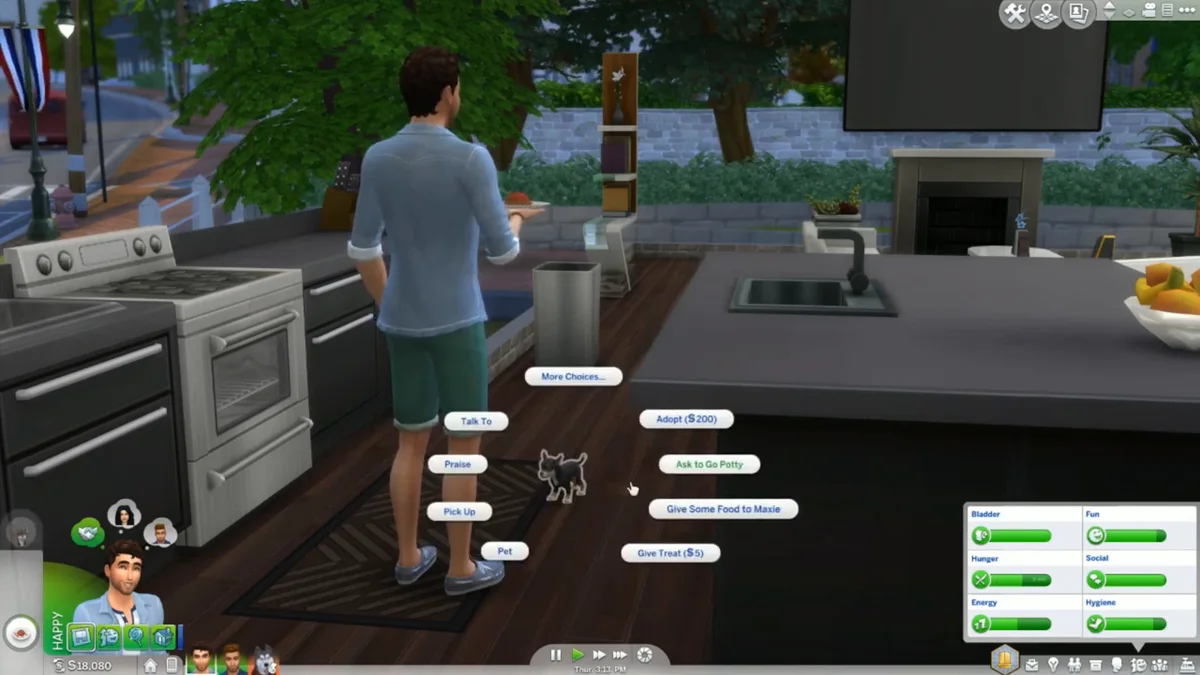
- Adopting a stray. Befriend a stray cat or dog through friendly interactions until the relationship panel shows you as friends. Then select the animal and choose Adopt. Strays live in Brindleton Bay, the world that comes with the pack, and the stray must be on your home lot for the Adopt option to appear.
How to Get a Horse or Small Pet
Horses (Horse Ranch). Horse Ranch, released on July 20, 2023, makes horses customizable members of the family. Sims adopt horses, mini goats and mini sheep through the Ranch Animal Exchange on the phone or computer, with a choice between buying a horse and a cheaper rescue. You can adopt as many horses as your household has room for, while mini goats and sheep can be ordered without limit.
Small pets (My First Pet Stuff). Pet rodents come with the My First Pet Stuff pack. You buy an enclosure in Buy Mode rather than going through an agency. Keep the enclosure clean: EA’s death guide warns that a dirty cage can lead to Rabid Rodent Fever.
The Free Alternative: Create a Sim
If you do not care about the adoption story, you can skip the agency and the fee entirely. From the Manage Households screen, edit the household in Create a Sim and add a new child, toddler or infant. With Cats and Dogs or Horse Ranch installed, the same screen lets you add a pet or horse. The household limit still applies.
Everything we have written about the series is collected on our Sims hub, including why a Sim with a ghost partner may need adoption in the first place: see whether you can have a baby with a ghost.
Frequently Asked Questions
Do you need a pack to adopt a child in The Sims 4? No. Child adoption through the phone or computer is part of the base game. Only pets and horses need packs.
Can you adopt a teen in The Sims 4? Not through the agency. It only offers newborns, infants, toddlers and children. You can still add a teen in Create a Sim.
Why can’t my Sim adopt? The most common reason is a full household. Pets count toward the eight-member limit, so move someone out or rehome a pet first.
Can you give a baby up for adoption? EA does not document a give-up option. The closest official mechanic is Life and Death’s Wills, which EA says can leave child Sims to another household.
How do you adopt a stray cat or dog? Befriend it until you are friends, make sure it is on your home lot, then select it and choose Adopt. Strays need the Cats and Dogs pack.