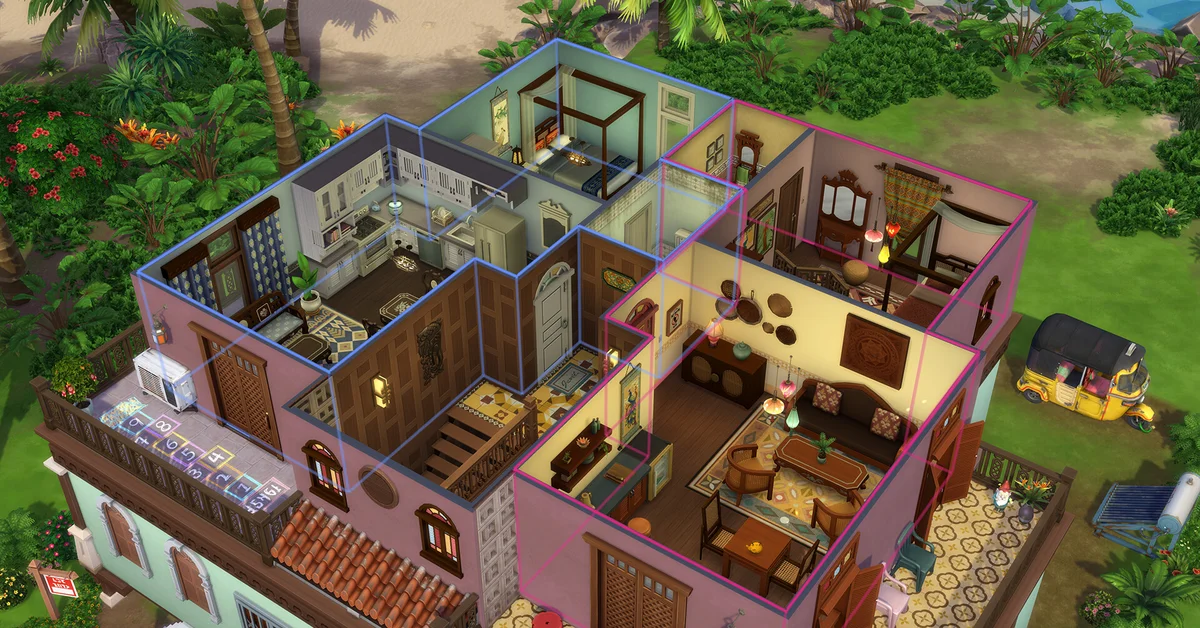
The best Sims 4 build mode mods change how building works in The Sims 4, led by TwistedMexi’s Better BuildBuy, which sorts the game’s hidden objects into the catalog, and T.O.O.L., which puts any object exactly where you want it. The 15 below cover build tools and the catalog, working stairs and elevators, and the lots, venues and worlds you can build on.
Every entry is a gameplay mod that changes placement, tools, unlocks or the Build Buy catalog; furniture and build-set custom content is a separate topic and is left out. Each entry says which packs it needs and where its creator stands on EA’s latest patch, and links only to the creator’s own page. Three of them, Better BuildBuy, T.O.O.L. and More Buyable Venues, are also on our list of the 100 best Sims 4 mods.
Build Tools and Catalog
Mods that change how you place objects and what the Build Buy catalog shows you.
1. Better BuildBuy
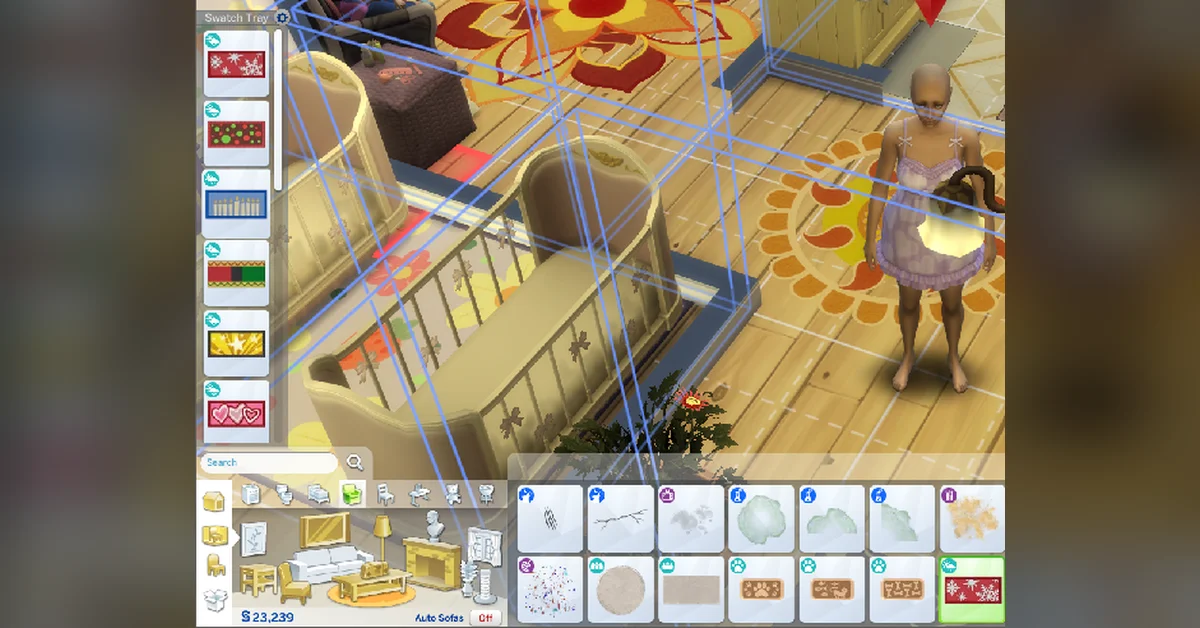
Better BuildBuy (about 2 million downloads) sorts the game’s hidden debug and live-edit objects into proper catalog categories, so you browse them like any other object instead of searching for “debug”. It also adds a light editor, a cinematic build camera, an expandable catalog view, favorites, a swatch tray and a toggle that hides custom content. Our guide to unlocking every Build Mode object covers the cheats whose objects it organizes. The newest version, v4.5 (April 3, 2026), is a free post on TwistedMexi’s Patreon that adds support for the Marketplace’s Maker Kits, while the CurseForge page still carries v4.4.3; as of November 2, 2026, TwistedMexi had posted no status for the September 22 or October 27 patches. Creator: TwistedMexi. Needs: the base game only. Download: Better BuildBuy on CurseForge.
2. T.O.O.L.
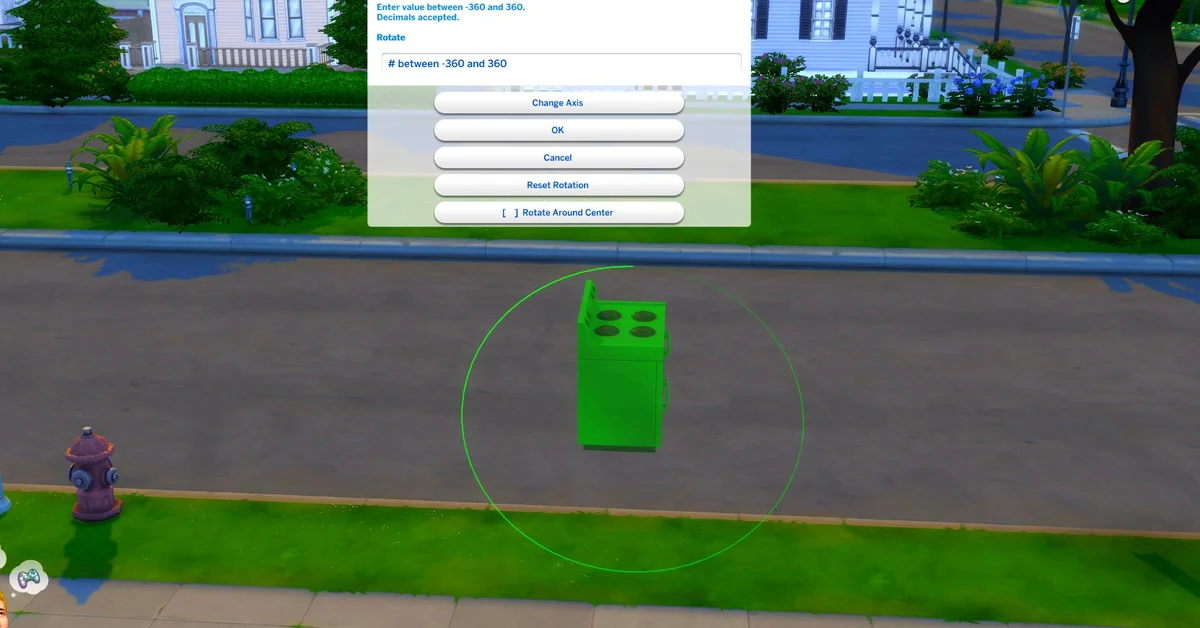
T.O.O.L. (“Takes Objects Off Lot”, 1.5 million downloads) opens a dialog that controls any object’s position, elevation, rotation and scale, on your lot or off it. EA’s own bb.moveobjects cheat lets objects overlap, as our guide to moving objects freely explains, and the base game has its own rotation and resizing controls, but T.O.O.L. puts all four in one place and works on objects past your lot line. Version 3.0 added a Use Lot Alignment option and a dialog you can drag aside, and v3.2 (March 18, 2026), a fix for the Marketplace patch posted free on TwistedMexi’s Patreon, is the current release. As of November 2, 2026, TwistedMexi had posted no status for the September 22 or October 27 patches. Creator: TwistedMexi. Needs: the base game only. Download: T.O.O.L. on CurseForge.

3. More Visible Wall Objects
Put the walls down and the game hides most of what hangs on them, which makes decorating a room harder than it should be. LittleMsSam’s More Visible Wall Objects (327,000 downloads) keeps crafted paintings, cabinets, activity table pictures, photos, most shelves, coat racks and the Snowy Escape mailbox in view with walls down. It overwrites EA’s catalog files for those objects, so it works only on EA objects, not custom content, and LittleMsSam notes that Better BuildBuy users need to turn on CC in BBB’s settings, because the game marks overridden objects as custom content. Its newest file is from May 29, 2026, and LittleMsSam’s site says all of her mods have been checked with the October 27 patch (1.129.39). Creator: LittleMsSam. Needs: no pack named on its page. Download: More Visible Wall Objects on CurseForge.
4. ALL In-Game Objects Are Upgraded
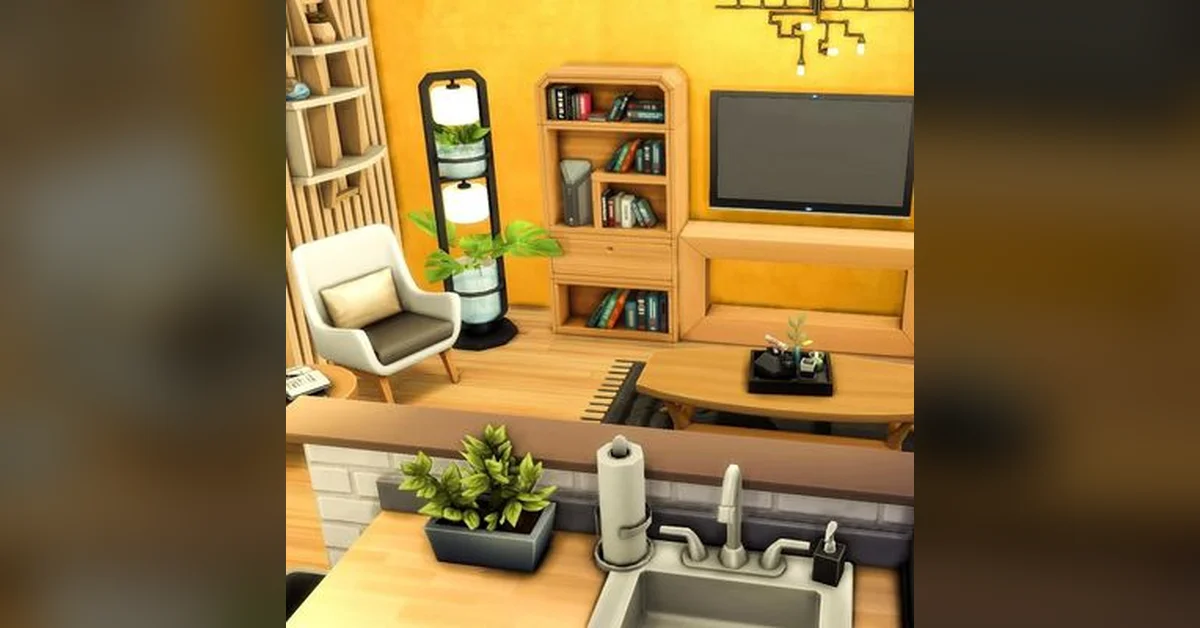
Lorea_modder’s ALL In-Game Objects Are Upgraded (27,500 downloads) makes objects you buy in Build Mode arrive with their upgrades already installed, covering objects from every expansion, game pack, stuff pack and kit, so a new build skips the round of upgrades a handy Sim would otherwise add one by one. It only applies to objects bought after you install it. There are two versions and you install only one: the standard file leaves out the Self-Cleaning and Clean Coat upgrades and the PlusSelfCleaning file includes them, while both skip the composting container upgrade, which the creator left out “to prevent toilets from catching fire”. It includes Chingyu’s Less Obsession tuning edits, with permission, so the two do not clash, and its newest file (October 31, 2026) is tagged for the October 27 patch. Creator: Lorea_modder. Needs: no pack named on its page. Download: ALL In-Game Objects Are Upgraded on CurseForge.
Stairs and Elevators
Working ways between floors that the base game does not give you.
5. Functional Spiral Staircases (with Animations)
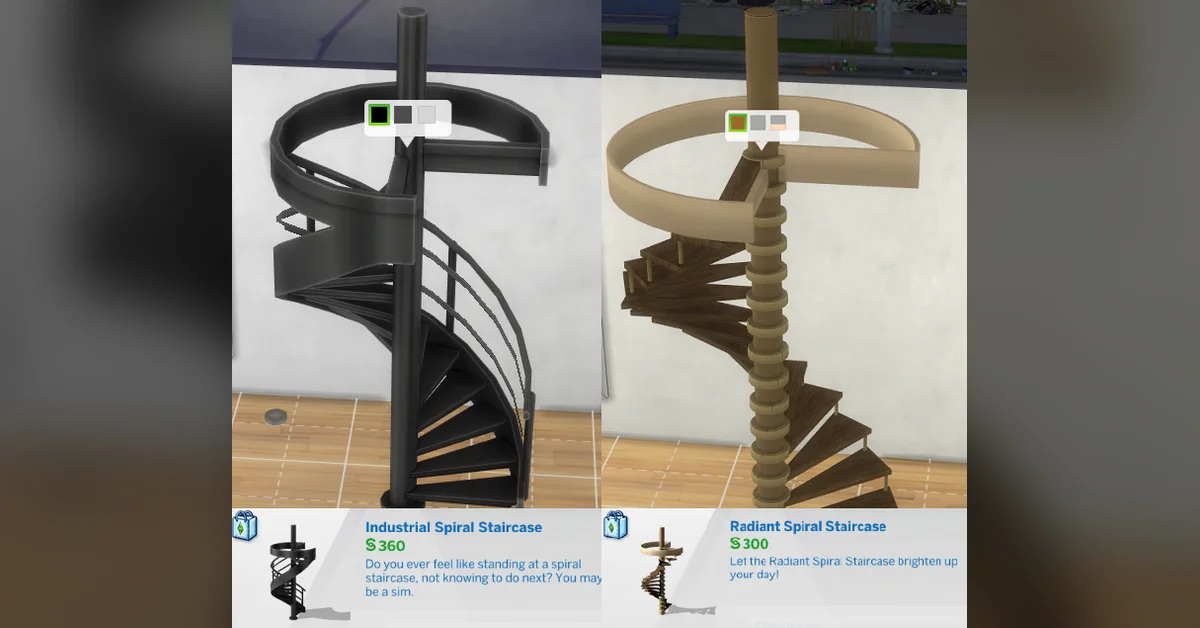
MizoreYukii’s Functional Spiral Staircases (571,000 downloads) adds two working spiral staircases, an Industrial model and a Radiant model brought over from The Sims 3, with climbing animations for children through elders. Toddlers teleport unless they are carried and pets cannot use them, but there is no limit on how many you place, each one cuts its own opening in the floor, and they stack for taller builds. Only the shortest wall height is visually supported, the floor opening stays behind if you delete a staircase, and MizoreYukii labels the mod a beta; it credits thepancake1, LittleDica (for the Industrial mesh) and lot51. Version 1c (February 10, 2026) was updated for patch 1.121.342, and its page lists game versions up to 1.124.55 as of November 2, 2026, so check it after newer patches. Creator: MizoreYukii. Needs: the base game only. Download: Functional Spiral Staircases on CurseForge.

6. WEE Working Elevators Everywhere
LittleMsSam’s WEE Working Elevators Everywhere (266,000 downloads) adds two elevators you can build on any lot, under Electronics/Misc for 999 and 1,499 simoleons, with up to 10 on one lot, plus two extra “#2” elevators that let you build two homes on one lot, each with its own. Leave three free tiles in front of each one. The elevators themselves are not clickable, so you send a Sim up by clicking an object on the floor they need or using Go Here, and Sims and pets both ride them, though penthouses still need their original elevator. Its newest file is from February 28, 2024, and LittleMsSam’s site says all of her mods have been checked with the October 27 patch. Creator: LittleMsSam. Needs: no pack named on its page. Download: WEE Working Elevators Everywhere on CurseForge.
7. Tiny Elevators For Pets
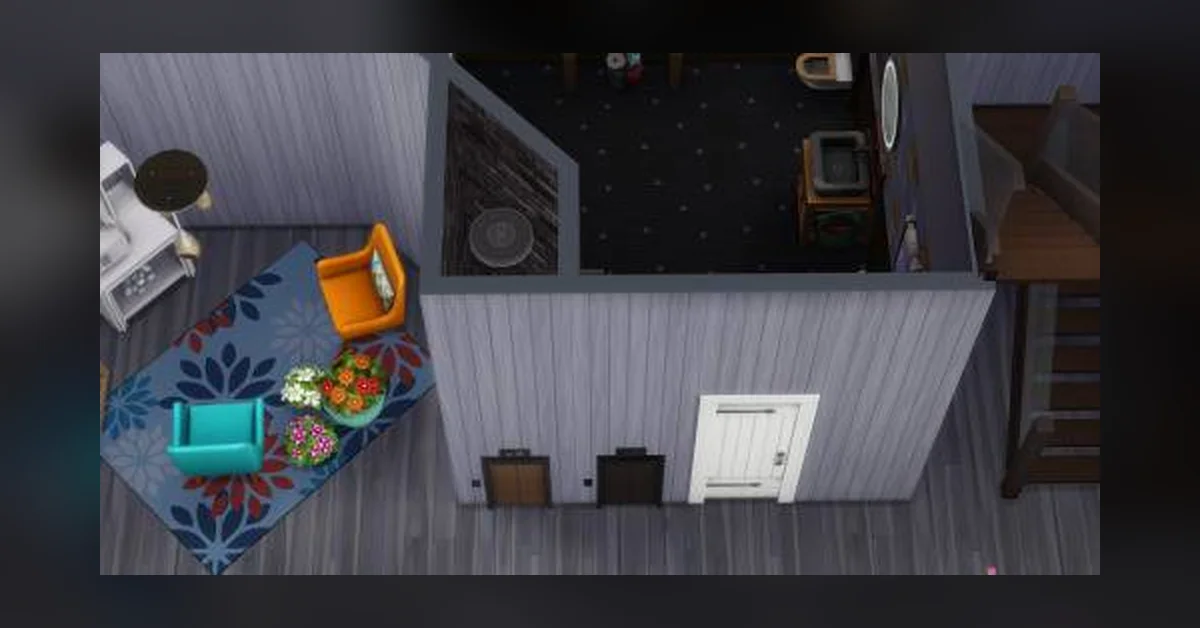
LittleMsSam made Tiny Elevators For Pets (117,000 downloads) because puppies and kittens cannot use stairs: it is a small elevator under Electronics/Misc for 299 simoleons that every pet and toddler can use. Keep it a little away from the stairs, at least one tile and ideally up to three, or older Sims get confused and cannot find the stairs, and LittleMsSam recommends a ceiling light so it is not too dark inside. Its newest file is from February 28, 2024, and her site says all of her mods have been checked with the October 27 patch. Creator: LittleMsSam. Needs: City Living for the elevator object and Jungle Adventure for its portals. Download: Tiny Elevators For Pets on CurseForge.
Lots, Venues and Worlds
Mods that unlock what a lot can be, what you can build on it, and where.
8. More Buyable Venues and new Venue Types
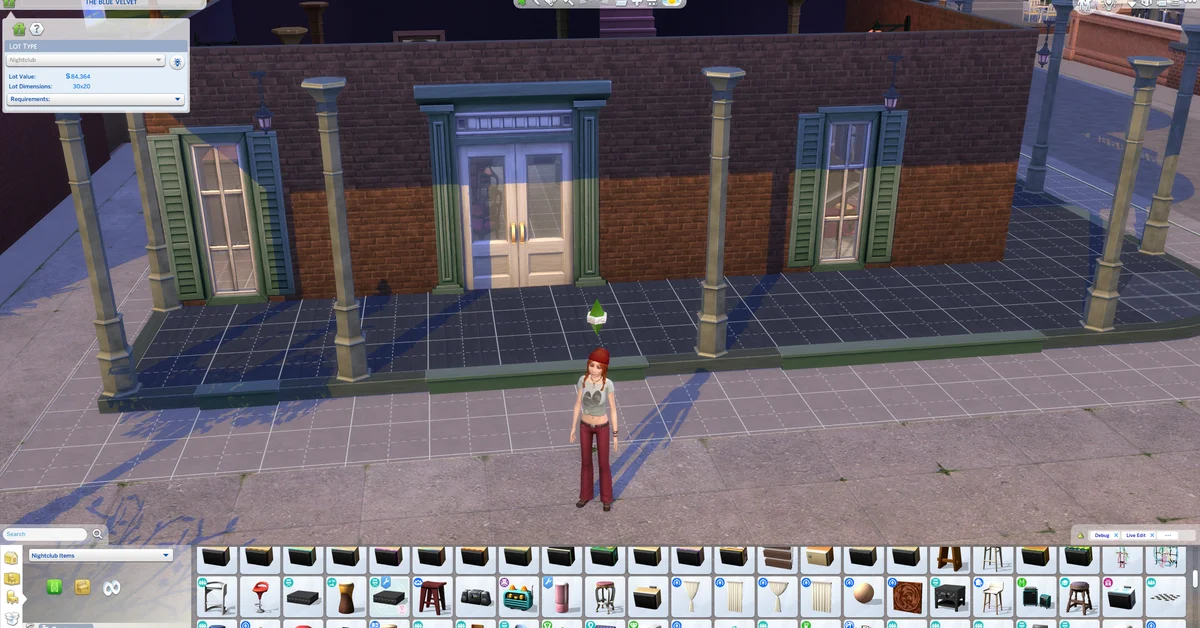
LittleMsSam’s More Buyable Venues and new Venue Types (2.25 million downloads) lets Sims buy bars, clubs, lounges, cafés, libraries, gyms, karaoke venues, arts centers, museums, parks, pools and relaxation centers, and makes those venue types ownable. It also adds new lot types to pick in Build Mode: Holiday Home, Gaming Center, Playground, Daycare, Cinema, Rentable Business and a Customizable Venue. Its newest file (September 22, 2026) was updated for the September 22 patch (1.128.90), and LittleMsSam’s site says all of her mods have been checked with the October 27 patch. Creator: LittleMsSam. Needs: Get to Work, XML Injector and Basemental’s Universal Venue List. Download: More Buyable Venues and new Venue Types on CurseForge.
9. Unlocked Apartment Shells
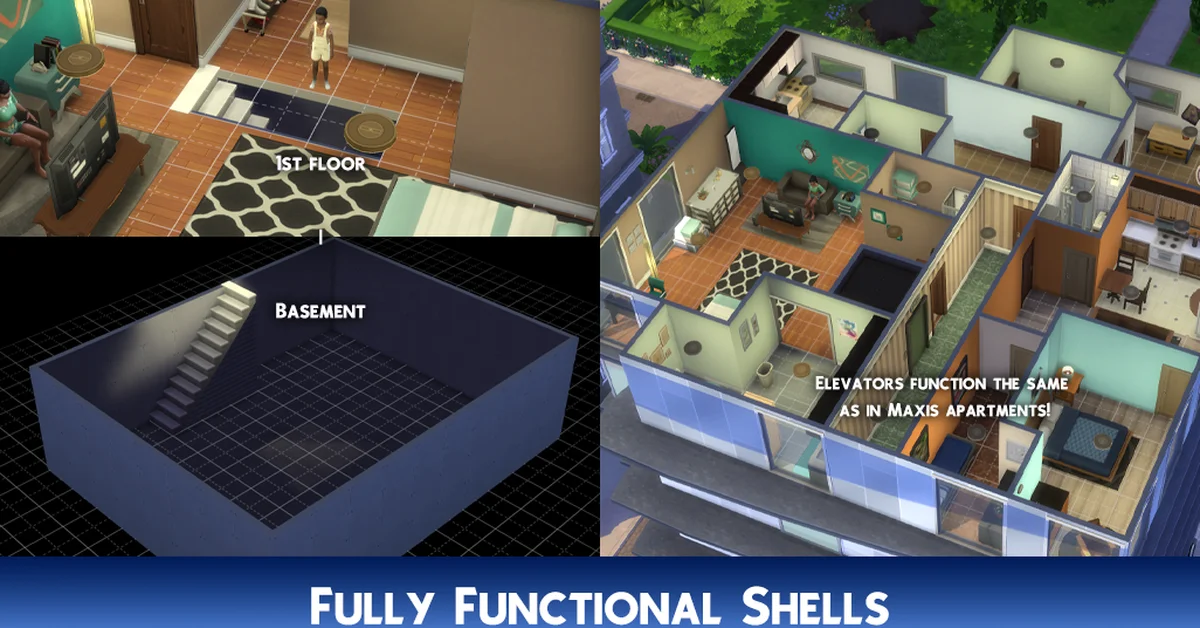
lunar_britney’s Unlocked Apartment Shells (290,000 downloads) unlocks City Living’s apartment and penthouse shells in Build Mode, and once you place an elevator, your build works like one of the premade City Living apartments, with the shells acting as the entrance portals. Build at foundation height and use the first floor as the shell’s base, or you will see through the shells in play. Not every shell is included, because some sit above the game’s maximum foundation height, and the shells do not shift when a gallery build is placed on a different lot size or rotation; lunar_britney suggests T.O.O.L. for moving them, and an optional download has prebuilt apartment lots for your tray. Its newest file is from July 27, 2026, and its page lists game versions up to the October 27 patch. Creator: lunar_britney. Needs: City Living, plus lunar_britney’s Apartment Library Builds, which the mod requires. Download: Unlocked Apartment Shells on CurseForge.
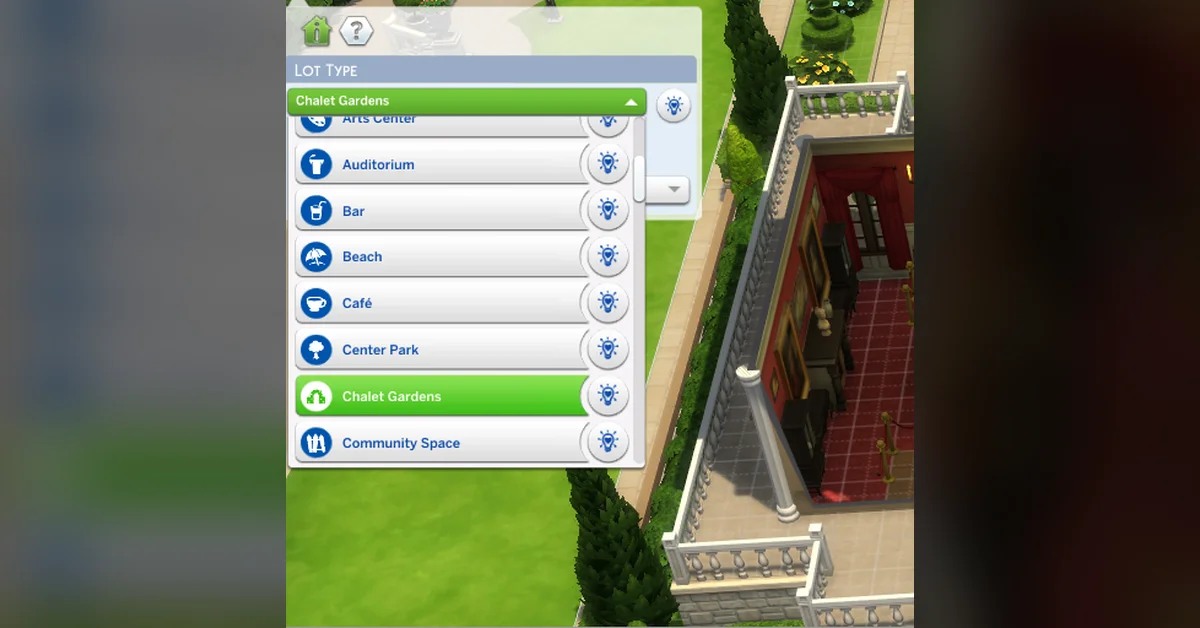
10. Venue Changes
Zerbu’s Venue Changes (263,000 downloads) unlocks most venue types in Build Mode, along with the custom venue types that other mods add. A second package lets you change the lot type of special lots such as Chalet Gardens, Myshuno Meadows and the Mt. Komorebi Summit, and makes world-specific types such as Beaches available in every world. If you do not own certain packs, the venue list shows blank items, which Zerbu says you can ignore. Its newest file is from March 16, 2023 (patch 1.96.365), and we found no newer compatibility note from Zerbu as of November 2, 2026. Creator: Zerbu. Needs: the base game only. Download: Venue Changes on CurseForge.

11. All Worlds are Residential
Zerbu’s All Worlds are Residential (259,000 downloads) makes Granite Falls, Selvadorada and Batuu residential worlds, so their lots can be set up for living instead of only visiting. Sims still cannot move into Batuu, and while you play there the world select screen is out of reach. To switch a lot in those worlds to residential, you also need a venue mod such as Venue Changes, the entry above. Its newest file is from March 16, 2023, and we found no newer compatibility note from Zerbu as of November 2, 2026. Creator: Zerbu. Needs: the pack for each world you want (Outdoor Retreat, Jungle Adventure or Journey to Batuu), plus a venue mod such as Venue Changes. Download: All Worlds are Residential on CurseForge.
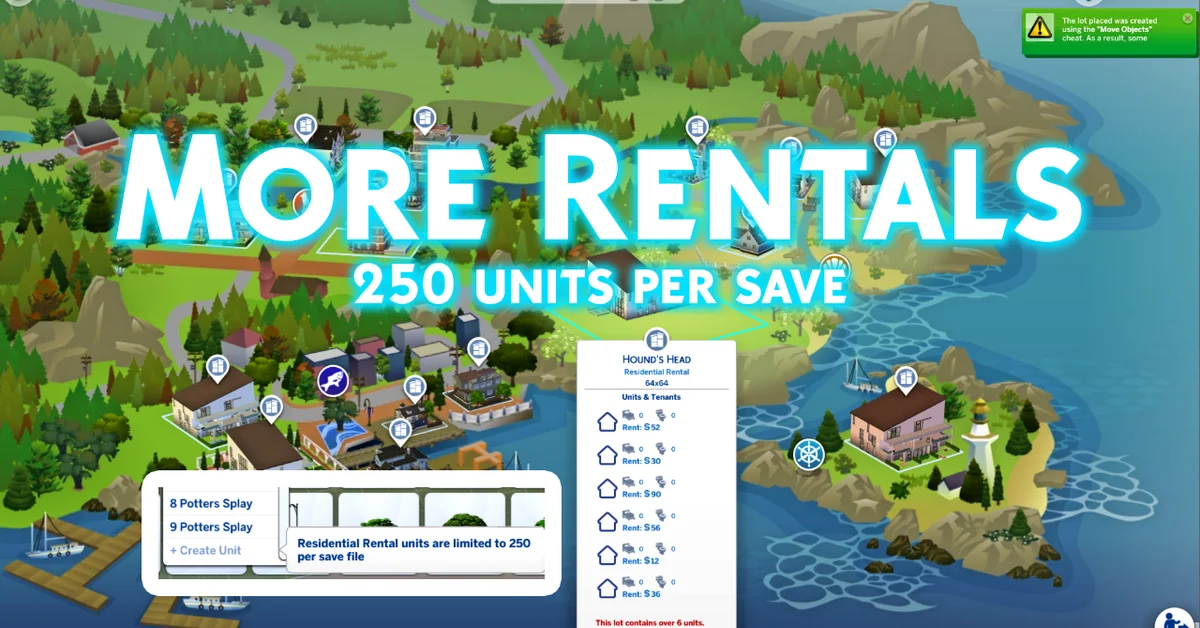
12. TwistedMexi’s More Rentals
For Rent caps a save at 100 rental units. TwistedMexi’s More Rentals raises that to 250 per save, including rental lots you place from the gallery, though each lot still holds at most six units. TwistedMexi’s post says EA removed its own bb.increaserentalunitcap cheat because of save corruption, and advises backing up your saves before you go past the old limit. Version 1.5 fixes the mod’s menus for the Marketplace patch; the free post (published April 1, 2026, edited May 24, 2026) has more than 600 likes, and as of November 2, 2026, TwistedMexi had posted no status for the September 22 or October 27 patches. Creator: TwistedMexi. Needs: For Rent. Download: More Rentals on TwistedMexi’s Patreon.
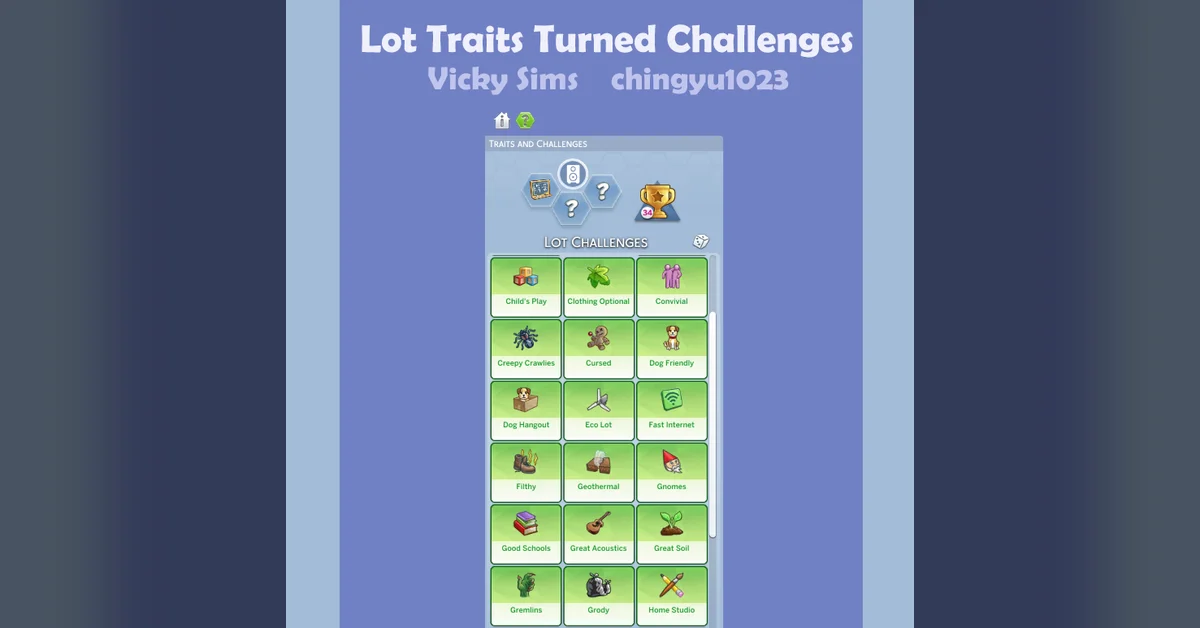
13. Lot Traits Turned Challenges
Chingyu’s Lot Traits Turned Challenges (96,000 downloads) turns EA’s lot traits into lot challenges, so you can give a lot as many of them as you want instead of stopping at the game’s limit. Separate packages unlock the City Living and Island Living lot traits the game normally locks; delete those packages for any pack you do not own. A placeholder trait is included to prevent a menu glitch. The CurseForge file is version 4 (April 3, 2025, for patch 1.113.291), and Chingyu’s own compatibility sheet lists a version 5 (July 3, 2025) as working through patch 1.117 but has no entries for later patches as of November 2, 2026, so check its comments before you install. Creator: Chingyu. Needs: the base game only, plus City Living or Island Living for their packages. Download: Lot Traits Turned Challenges on CurseForge.
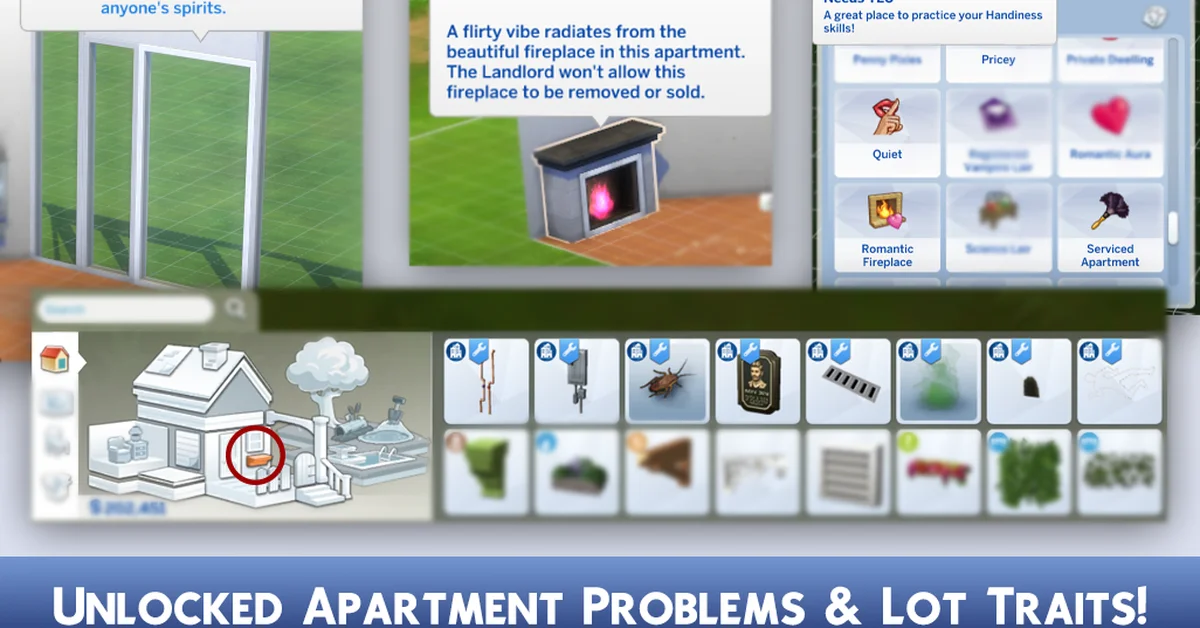
14. Unlocked Apartment Traits and Objects
lunar_britney’s Unlocked Apartment Traits and Objects (88,000 downloads) unlocks every locked City Living lot trait, decorative and functional, including Lively Neighbors, Quiet, Pricey and Serviced Apartment, and adds the matching apartment objects to the catalog under Wall Decorations. It pairs naturally with Unlocked Apartment Shells, from the same creator, for building your own apartments. It also fixes the goo vent, gives the roach and smell spawners visible markers so you can find them in Build Mode, and prevents a last exception from a broken electrical box. Its newest file is from August 6, 2026, and its page lists game versions up to the October 27 patch. Creator: lunar_britney. Needs: City Living. Download: Unlocked Apartment Traits and Objects on CurseForge.
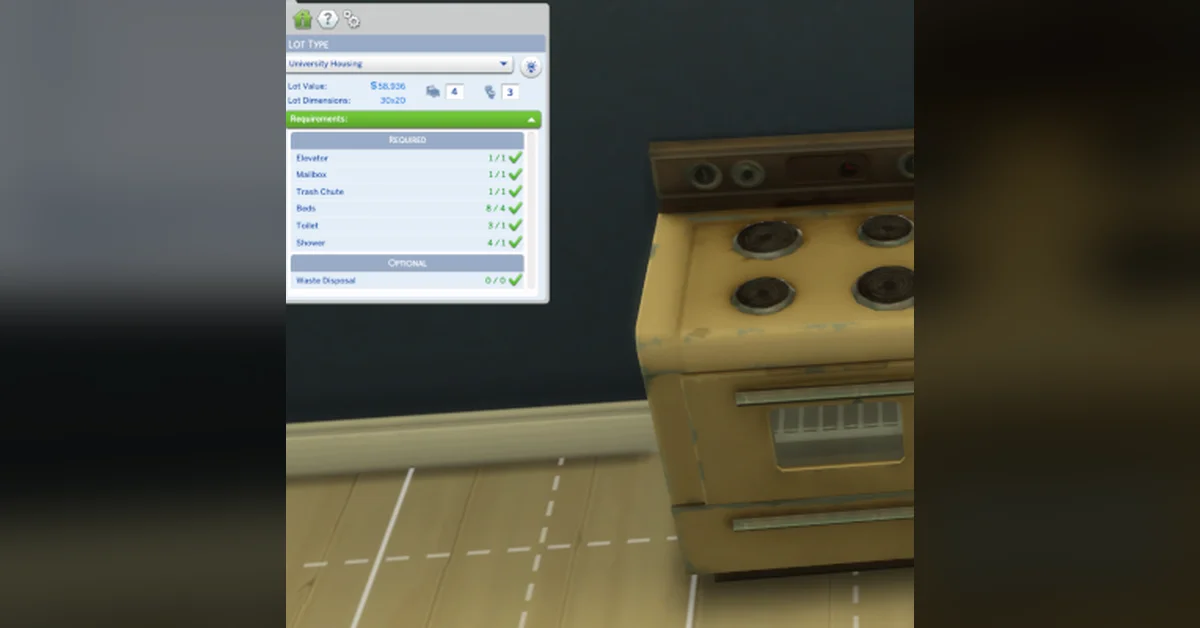
15. No University Housing Restrictions
Discover University’s student housing blocks certain objects from being placed. Zerbu’s No University Housing Restrictions (33,000 downloads) removes those forbidden-object rules, so you can put a stove or an outdoor cooking spot in university housing. Its newest file is from November 15, 2022 (patch 1.93.129), and we found no newer compatibility note from Zerbu as of November 2, 2026. Creator: Zerbu. Needs: Discover University. Download: No University Housing Restrictions on CurseForge.
Setting Up Build Mode Mods
Check the Needs line first. Eight of these need nothing beyond the base game or name no pack on their pages, while the other seven need the pack they build on, from Get to Work for More Buyable Venues to City Living for the apartment mods. If you are deciding which packs to buy, our ranking of the best Sims 4 expansion packs can help.
Turn on both Enable Custom Content and Mods and Script Mods Allowed in the game’s options, then add the mods as our guide to installing Sims 4 mods and custom content explains; Better BuildBuy, T.O.O.L. and the spiral staircases are script mods. Three entries need a second download: More Buyable Venues needs XML Injector (see our XML Injector guide) and Basemental’s Universal Venue List, Unlocked Apartment Shells needs lunar_britney’s Apartment Library Builds, and All Worlds are Residential needs a venue mod such as Venue Changes. MizoreYukii asks you to clear the localthumbcache file after installing the spiral staircases, which our guide to clearing the cache walks through.
A few of these need care. Install only one version of ALL In-Game Objects Are Upgraded, delete the Lot Traits Turned Challenges packages for packs you do not own, and back up your saves before raising the rental cap with More Rentals. More Visible Wall Objects overwrites EA’s catalog files for the objects it changes, so it can clash with other mods that edit the same objects.
None of this replaces the basics: our guide to building a house covers the base game’s own tools. After every game update, check each creator’s page before you load a save, and see our guide to fixing mods after a game update if something breaks.
How We Chose These Mods
Every mod here changes how building works: where objects go, which tools and catalog items you get, and which lots, venues and worlds you can build on. Furniture, build sets and other build custom content are left out. We ranked by each platform’s own popularity data for the theme: total downloads in CurseForge’s Sims 4 section, searched for build, catalog, debug, venue, lot, elevator, stairs and apartment terms and sorted by total downloads, plus like counts on the free Patreon post for More Rentals, which is not on CurseForge. Every entry was checked on its creator’s own page for three things: that the download is free and public, that it is still there, and what the creator says about the latest patch. We left out adult content, paid or early-access-only releases and custom content, and we capped any one creator at four entries, which LittleMsSam reaches. Better BuildBuy, T.O.O.L. and More Buyable Venues are also on our big Sims 4 list. For everything else in the game, see our Sims guides hub.
Frequently Asked Questions
What is the best build mode mod for The Sims 4? By downloads, Better BuildBuy, with about 2 million, followed by T.O.O.L. with 1.5 million. The two do different jobs: Better BuildBuy sorts the hidden objects into the catalog, and T.O.O.L. controls where an object sits, how high, at what angle and at what size.
Can you place objects anywhere in The Sims 4 without mods? Mostly. The bb.moveobjects on cheat lets objects overlap and ignore placement rules, the Alt key places them off the grid, and the 9 and 0 keys change their height, as our guide to moving objects freely explains. T.O.O.L. adds scale and rotation in the same dialog and works off your lot.
How do you get working elevators or spiral stairs in The Sims 4? With mods. WEE Working Elevators Everywhere adds elevators you can build on any lot, Tiny Elevators For Pets adds one for pets and toddlers, and Functional Spiral Staircases adds two animated spiral staircases.
Can you build your own apartments in The Sims 4? With City Living and two lunar_britney mods: Unlocked Apartment Shells lets you place the pack’s apartment shells, and Unlocked Apartment Traits and Objects unlocks the apartment lot traits and objects. For rental units, For Rent has its own tools, and More Rentals raises how many units one save can hold.
Do Sims 4 build mode mods work on console? No. Gameplay mods like these are for the PC and Mac versions of The Sims 4 only.