Dressmaker has mods, but Dressmaker mods come from Nexus Mods rather than Steam: there is no Steam Workshop, and Nexus Mods lists more than 530 of them as of October 19, 2026. Most rely on a community mod loader, Yuuma’s Dressmaker ModLoader, and the most popular additions are new fabrics and features the base game does not have yet.
Below we cover where mods come from, how to install the loader and the mods built on it, what the popular ones add, and what to know before installing any. Dressmaker‘s developers have not commented on modding, so everything here is community-made and unofficial.
No Steam Workshop
Dressmaker’s Steam page has no Workshop, and the developers have not said whether official mod support is coming. Players have asked for a Workshop on the official forum, and the October 14 patch notes (build 443) did not mention mods. For now, mods are downloaded and installed by hand.
The Mod Loader Most Mods Need
The most downloaded Dressmaker mod is Yuuma’s Dressmaker ModLoader, which its author describes as “a BepInEx-based mod loader.” Its listed features include:
- A built-in mod manager that installs, updates, disables and removes content packs.
- A fabric creator for making your own fabrics.
- Sandbox and unlock options, which work like cheats.
- Keybind settings, which the base game lacks.
- Save backups.
Its author released it on September 25, 2026, four days after the game launched, and by October 5 it had been downloaded more than 15,000 times, according to Nexus Mods, with version 0.7.2 the latest. By October 19 it had passed 70,000 downloads, and version 0.7.6, uploaded October 18, comes in Windows, Mac and Steam Deck builds. Many other mods are built on BepInEx too, and some name a specific version on their pages, so follow each mod’s own install instructions. If you only want the game’s own controls, our Dressmaker controls guide lists them.
How to Install Dressmaker Mods
The loader’s Nexus Mods page gives these steps for the Steam version:
- Download the loader file for your system (Windows, Mac or Steam Deck) from the loader’s Nexus Mods page.
- Open the game folder. In Steam, right-click Dressmaker in your library and choose Properties, then Installed Files, then Browse Local Files.
- Unpack the zip into its own folder first, then drag its contents into the game folder on Windows, or run the included .command file on a Mac. Its page warns not to put the files in a subfolder: they belong in the main
steamapps\common\Dressmakerfolder. - Add content packs from inside the game. Fabric and accessory packs built for the loader install from its Mod Manager: their pages say to click the gear icon in the top right corner of the game, select Mod Manager and import the .zip you downloaded, then restart the game if it asks.
- To update the loader, extract the new zip into the same folder and choose Replace All when prompted.
Mods That Need BepInEx 5
Some popular mods, including More Pencil Colors, AutoSew and Cheats Menu, load through BepInEx itself rather than through the loader’s Mod Manager. AutoSew’s page names BepInEx 5.4.23.5 and says older BepInEx builds do not load the game. BepInEx is free from its official GitHub releases page, and More Pencil Colors’ page describes the usual setup on Windows:
- Download the Windows x64 build of BepInEx 5.4.23.5.
- Unzip it straight into the main Dressmaker folder, where the game’s .exe is.
- Put each mod’s whole folder, not just its .dll file, inside the
BepInEx\pluginsfolder. - To remove or update a mod, delete or replace its folder in
BepInEx\plugins.
AutoSew’s author says it should, in theory, work alongside Yuuma’s loader too, but because both rely on BepInEx, back up your game folder and saves before you mix the two.
Popular Mods and What They Add
The most downloaded mods fall into a few groups:
- Transparent fabrics. Several sheer-fabric packs are listed on Nexus Mods, and the developers have said transparent fabrics are planned for the base game. Once the official version arrives, mods like these may no longer be needed.
- Fabric packs. Watercolor, glittery fantasy and marbled silk collections add new fabrics to the shop.
- Design tools. Mods add more pencil colours for the sketchbook.
- Quality-of-life and cheats. Other mods automate sewing or add a cheats menu.
- Translations. Community translations add languages beyond the official English, Simplified Chinese and Japanese; Spanish and Brazilian Portuguese are among the most downloaded.
Before You Install Anything
- Back up your save. Dressmaker autosaves, so copy your save folder somewhere safe first. The loader’s page says it also makes a permanent backup of your existing saves the first time it runs.
- Expect patches to break mods. The developers are still patching the game, and an update can stop a mod working until its author updates it.
- Cheat mods change the game. Unlock and money mods skip the progression that unlocks new dress pieces; our guide to how patterns work explains what you would be skipping, and our guide to getting 100% quality covers the sewing that auto-sew mods skip.
- Steam Deck has its own loader build. Download the loader’s separate Steam Deck build rather than the Windows one; our guide to Dressmaker on Steam Deck covers playing it there.
- Mention mods in bug reports. If you email Free Lives at support@freelives.net with a problem, tell them you use mods, since a mod could be the cause.
Playing Without Mods
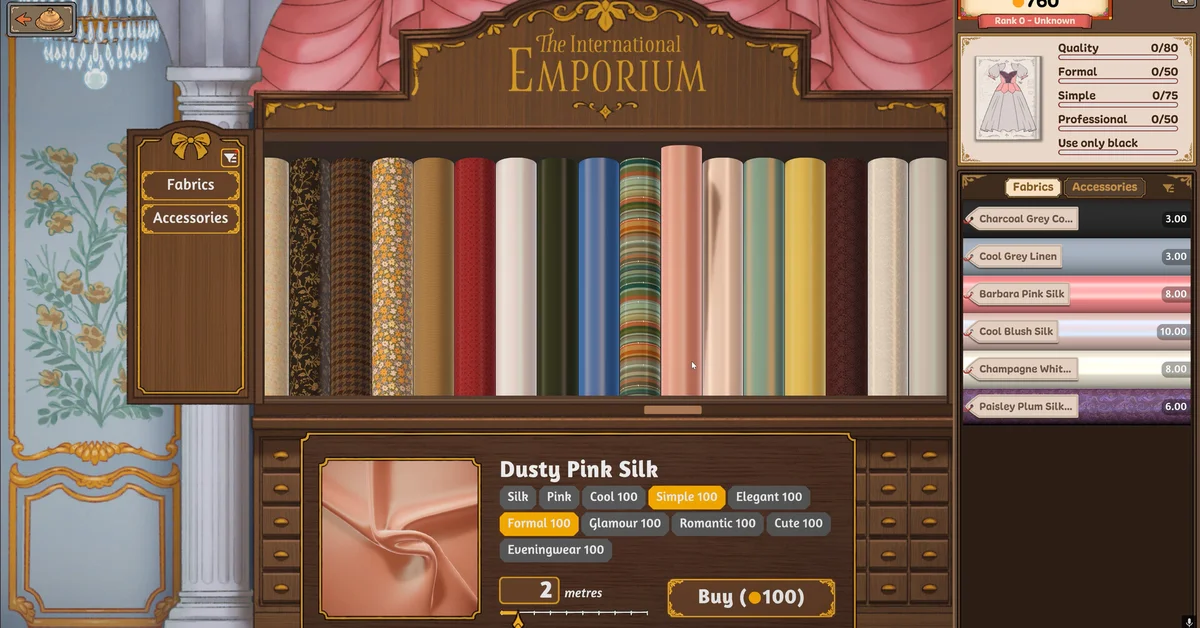
No. The developers say the base game already has over 450 fabrics and over 150 dress pieces, and it is still getting free updates. Our guide to how fabrics and tags work covers what is already in the shop. Every guide is on our Dressmaker hub.
Frequently Asked Questions
Does Dressmaker have Steam Workshop? No. Mods are installed by hand, mostly from Nexus Mods.
What is the most popular Dressmaker mod? Yuuma’s Dressmaker ModLoader, a BepInEx-based loader that adds a mod manager, a fabric creator, keybind settings and save backups. It had passed 70,000 downloads on Nexus Mods by October 19, 2026.
How do mods work in Dressmaker? Most fabric and accessory mods are content packs for Yuuma’s Dressmaker ModLoader: you install the loader into the game folder once, then import each pack’s .zip through its in-game Mod Manager. A second group of mods loads through BepInEx 5 and goes in the BepInEx\plugins folder instead.
Do you need BepInEx 5 for Dressmaker mods? Only for mods that say so on their pages, such as AutoSew, More Pencil Colors and Cheats Menu. AutoSew’s page asks for BepInEx 5.4.23.5 and says older builds do not load the game. Content packs made for Yuuma’s loader install through the loader instead.
Why is my Dressmaker mod not appearing? Check that the loader’s files sit in the main Dressmaker folder rather than a subfolder, that you restarted the game after importing a pack, and, for BepInEx mods, that the mod’s whole folder is inside BepInEx\plugins and you are on the BepInEx version its page names. A game update can also stop a mod working until its author updates it.
Is Yuuma’s Dressmaker ModLoader safe? Nexus Mods virus-scans uploaded files. Its file data shows the current 0.7.6 Windows, Mac and Steam Deck files as verified by that scan, while several older files, mostly early Mac builds from late September and early October, are marked quarantined, which may be why some players see a warning. Download only the current version from the loader’s own Nexus Mods page, and back up your saves first.
Can you add transparent fabrics to Dressmaker? With mods, yes: several sheer-fabric packs are listed on Nexus Mods. The developers say transparent fabrics are also planned for the base game.
Are Dressmaker mods safe? They are unofficial. Back up your save first and expect game updates to break mods until their authors update them.
Do the developers support modding? They have not said anything about modding either way, as of their October 14, 2026 patch notes.