
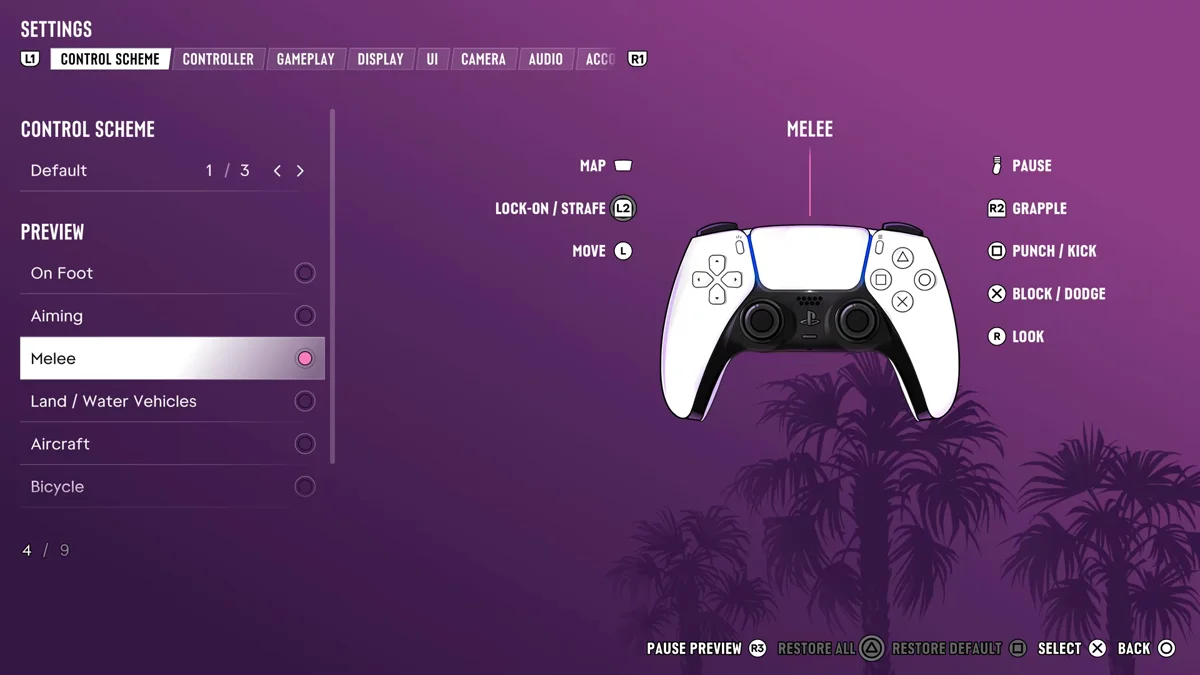
To block a punch in GTA 6 on PS5, hold Cross. To dodge one, tap Cross instead. The game’s Melee controls list the button as Block / Dodge, so how long you press it decides which you get.
We read the Melee controls off the Control Scheme screen on our PS5 copy of Grand Theft Auto VI, and got the block hint ourselves in a fistfight on launch day. The screenshots in this guide are from our own PS5 recordings. Below is the button, when to block and when to dodge, and how to hit back.
Block and Dodge Controls on PS5
| Action | PS5 |
|---|---|
| Block | Hold Cross |
| Dodge | Tap Cross |
| Punch or kick | Square |
| Grapple | R2 |
| Lock on and strafe | L2 |
| Move | Left stick |
The game spells out the split itself. Its first fight hint reads: “Press Square to fight. Hold Cross to block. Press Cross to dodge.” In a fistfight outside the Rusty Anchor on launch day, “Hold Cross to block.” sat in the top left corner as the fight began.
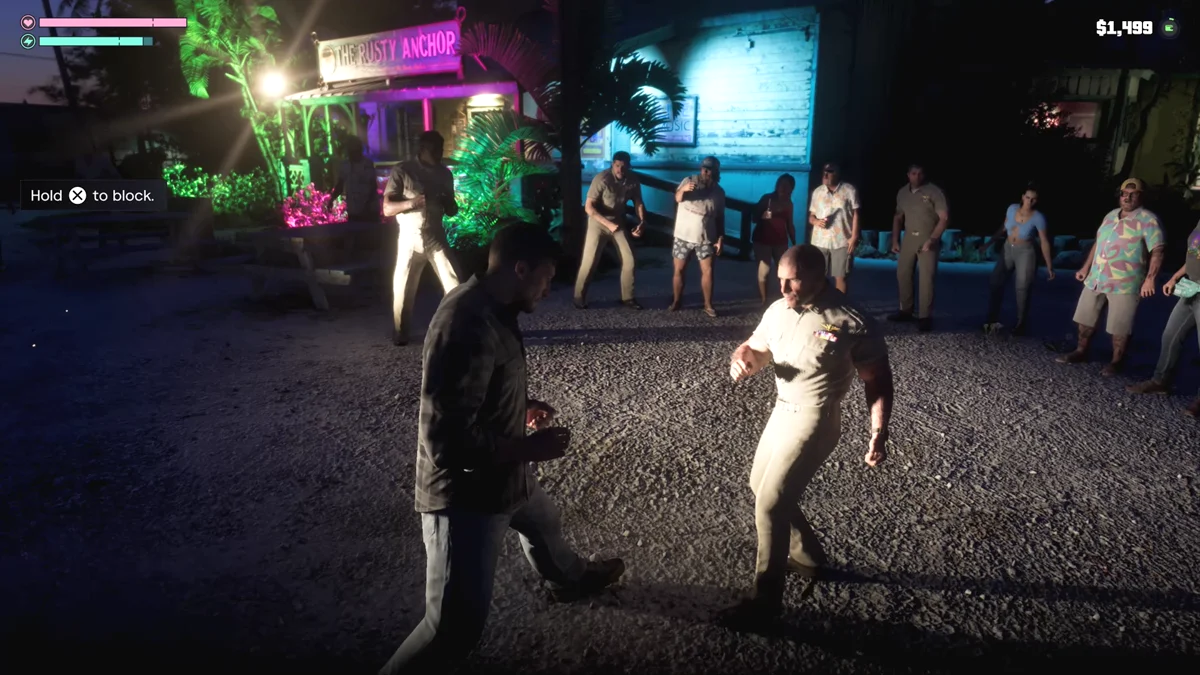
How to Block
- Face your opponent. Hold L2 to lock on, so you keep turning toward them as they move.
- Hold Cross when a punch is coming.
- Let go and hit back with Square once their swing ends.
Blocking is the safer of the two: you don’t have to time it exactly, you just have to be holding the button when the punch lands.
How to Dodge
- Lock on with L2 so you’re facing them.
- Tap Cross as they swing, rather than holding it.
- Hit back straight away with Square, or grab them with R2.
A dodge depends on timing your tap to their swing, where a block only needs you to be holding the button.
When to Use Which
- Block when you’re learning a fight, when you’re boxed in, or when an opponent throws a string of punches.
- Dodge when you’ve read their swing and want to get a hit in right after.
- Grab with R2 when blocking isn’t getting you anywhere. Our guide to fighting covers grapples, knockouts and what a fight does to your Heat.
Locking On Helps
L2 does a different job in a fistfight than with a gun. The Melee page lists it as Lock-On / Strafe, so holding it keeps you squared up to one opponent while you circle, block and dodge. Our guide to locking on explains the aim settings that change how L2 behaves with weapons.
The Classic Scheme
We checked the Melee page on the Default control scheme. The Classic scheme moves on-foot melee from Square to Circle, so if you’ve switched presets, check Settings > Control Scheme for the Melee page’s buttons before your next fight. Our guide to sprinting explains what else Classic changes.
Our guide to crouching covers sneaking up behind someone for a quiet takedown, which avoids a stand-up fight altogether.
Frequently Asked Questions
How do you block in GTA 6?
Hold Cross on PS5. The Melee controls list the button as Block / Dodge.
How do you dodge punches in GTA 6?
Tap Cross as the punch comes. Holding it blocks instead.
What does L2 do in a fight in GTA 6?
It locks on and lets you strafe, keeping you facing one opponent while you move, block and dodge.