
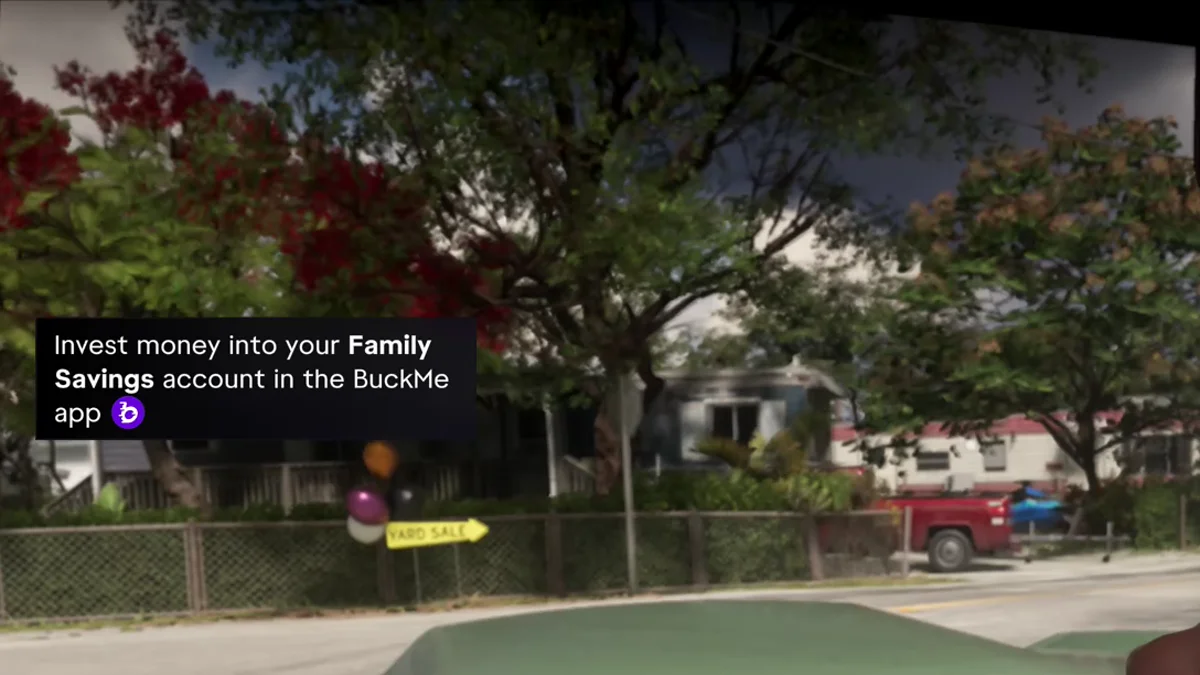
To invest in GTA 6, put money into the Family Savings account in the BuckMe app: take out your phone, open BuckMe, select your Checking Account, choose Buck Yourself, set the amount and confirm. That’s the investment the game itself points you to, with a tip that reads “Invest money into your Family Savings account in the BuckMe app,” and BuckMe pays interest into the account each time you reach a savings goal.
We’ve moved money into Family Savings, reached its first goal and collected the interest on our PS5 copy of Grand Theft Auto VI. The screenshots in this guide are from our own PS5 recordings. Below is what investing means in the game, how to do it, what it pays back, the catch, and the property you can buy with the rest.
What Investing Means in GTA 6
The game tells you where to invest. Early in the story, after the Buck Me mission had set up our accounts, this tip came up on screen:
BuckMe explains the payoff in a text of its own: “We want to Buck you! Reach your savings goal to be eligible for interest payments into your FAMILY SAVINGS account.” So the investment works in goals. You put money in, and when the balance reaches the goal, BuckMe pays you interest on top.
Family Savings is also tied to the story. The Buck Me mission has you move your first money into it, and the story holds back its progress until the account reaches its goal, so investing isn’t optional for long. Our Buck Me walkthrough covers that mission.
How to Invest in Family Savings, Step by Step
- Take out your phone with Up on the D-pad and open BuckMe.
- Select your Checking Account. It sits above Family Savings in the app, each with its balance.
- Choose Buck Yourself. The checking screen offers Pay Someone, Buck Yourself and View Transactions.
- Set the amount. The Amount screen shows what each account will hold after the move, and the goal you’re working toward. Ours read “Goal $5K” the first time.
- Confirm the warning. The game asks: “You will not be able to withdraw once transferred. Are you sure?” Pick Confirm to invest, or Cancel to back out.
The money has to be in your checking account first, so pay in any cash you’re carrying at an ATM before you start. Our guides to depositing money and how the Family Savings account works show every screen.
What Your Investment Pays Back
The first goal on our copy was $5,000. Once Family Savings reached it, the account’s screen in BuckMe read “Available goal reached!”
The payout didn’t arrive at once. Later, after more story missions, BuckMe sent two messages. The first set a new target: “Your new FAMILY SAVINGS goal is $100,000. Hit this target to increase your next interest payment.” About nine minutes after that, the money came in: “we’ve paid $2,000 in interest into your FAMILY SAVINGS account for meeting your first goal.”
So our $5,000 turned into $7,000 in savings, and the next payment grows once the balance reaches $100,000. The interest goes into Family Savings, not your checking account. Our guide to what happens when you reach the savings goal has the screens from that run.
The Catch: Invested Money Stays Invested
Everything you move into Family Savings stays there. There’s no button to take it back out, and the game’s warning says so before every transfer. That makes it a poor place for money you’ll need soon.
Before you invest, cover what you’ll spend: cars, clothes, guns, car upgrades and garages. Our guide to what to spend money on covers what’s worth buying first. Keep everything else in your checking account, where you can still get it back at an ATM, and remember that cash in your pocket is lost if Jason or Lucia dies. Our guide to where to keep your money explains the difference.
Your checking account has a limit too, and BuckMe raised ours as we kept using it. Our guide to raising your BuckMe account limit covers how that works.
Garages: The Property You Can Buy
If by investing you mean property, garages are what GTA 6 sells. Houses can’t be bought, as our guide to buying houses explains, but the Vice City Real Estate app lists garages for sale. It arrived on our phone during Chapter 2 with this tip:
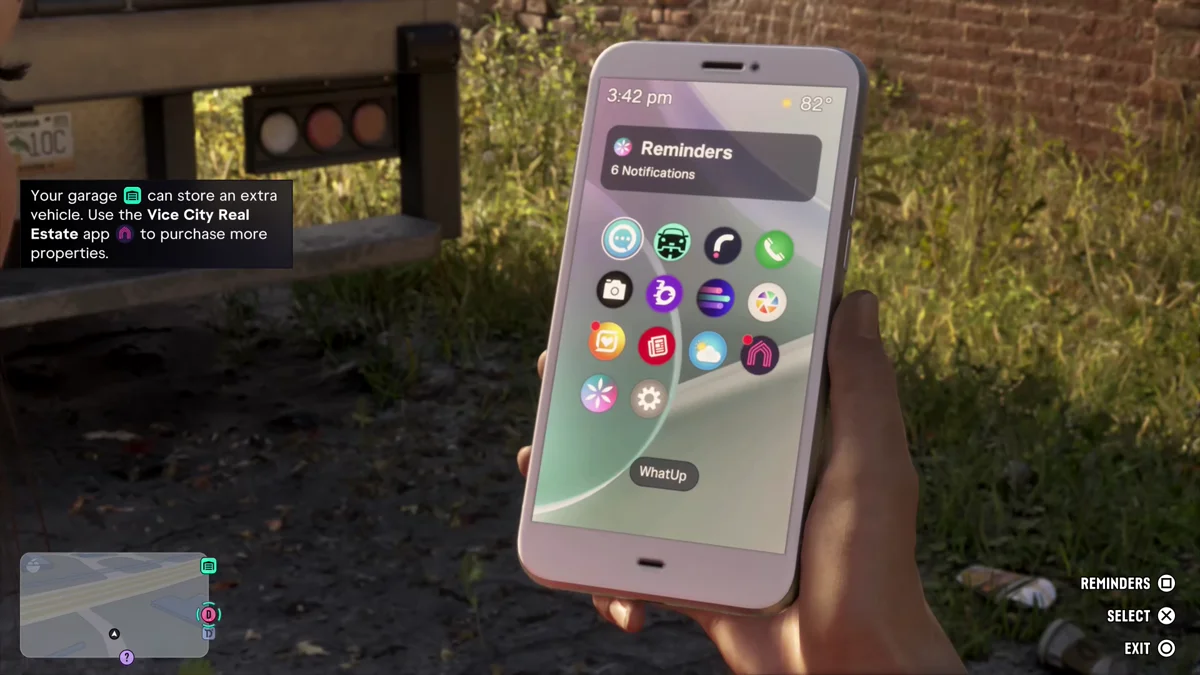
A garage pays you back in space rather than money: each spot lets you keep another registered car. Our guides to every garage location and registering cars cover prices and how cars become yours, our guide to making money fast helps you fund it all, and every other guide is on our GTA 6 hub.
Frequently Asked Questions
How do you invest in GTA 6?
Move money into the Family Savings account in the BuckMe app. Open BuckMe on your phone, select your Checking Account, choose Buck Yourself, set the amount and confirm.
Does investing in GTA 6 earn interest?
Yes. BuckMe pays interest into Family Savings when you reach a savings goal. Ours paid $2,000 for the first goal, and BuckMe says the next payment grows once you reach the new target.
Can you take money out of Family Savings?
No. The game warns that you won’t be able to withdraw once the money is transferred, so only invest what you won’t need.
Can you invest in property in GTA 6?
You can buy garages through the Vice City Real Estate app, but not houses. Each garage spot lets you keep another registered car.