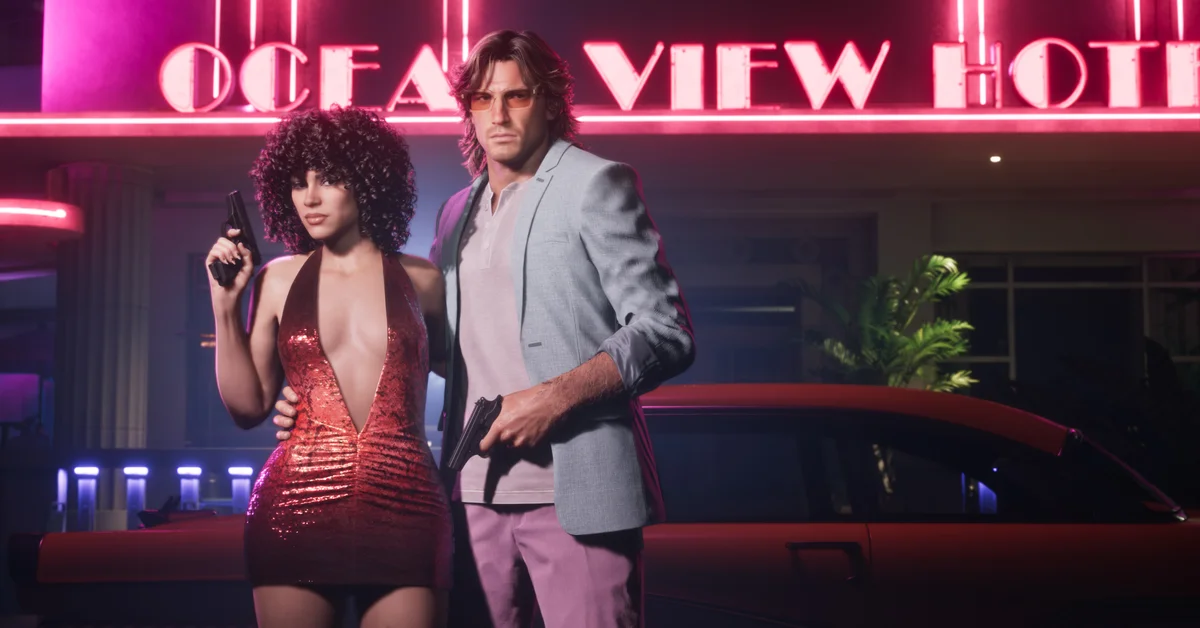
To watch TV in GTA 6, walk up to the TV in your safehouse until a small TV prompt appears on the set, then press Square to turn it on. Once it’s on, the bottom-right corner lists everything else: R3 to Watch, up and down on the D-pad for the volume, left and right on the D-pad for the channels, and Square again to turn it off.
So yes, you can watch TV in GTA 6. We brought up the TV controls on our PS5 copy of Grand Theft Auto VI at Jason’s house and at the couple’s Chapter 2 safehouse, and the screenshots in this guide are from our own PS5 recordings. Below is where the TVs are, every button the TV menu shows, using it from the couch, the channels we’ve seen, and the shows Rockstar lists for Leonida’s TV.
Where to Find a TV
The TVs we’ve used are in the homes the story gives Jason and Lucia. Our guide to whether you can buy houses explains how those safehouses work.
- Jason’s house: the TV stands in the living room by the sliding doors to the deck. The JoySystem games console sits by it, which our guide to the video games inside GTA 6 covers.
- The Chapter 2 safehouse: the TV sits on a wooden chest of drawers, across the room from a green couch.
How to Turn On the TV
- Walk up to the TV. A small TV prompt appears on the screen of the set with the hold-L2 icon, the same hold-to-interact button you use when you talk to people. Hold L2 while you face the set if its options aren’t showing.
- Press Square for Turn On. With the TV off, the corner of the screen shows just two lines: Turn On on Square, and TV underneath.
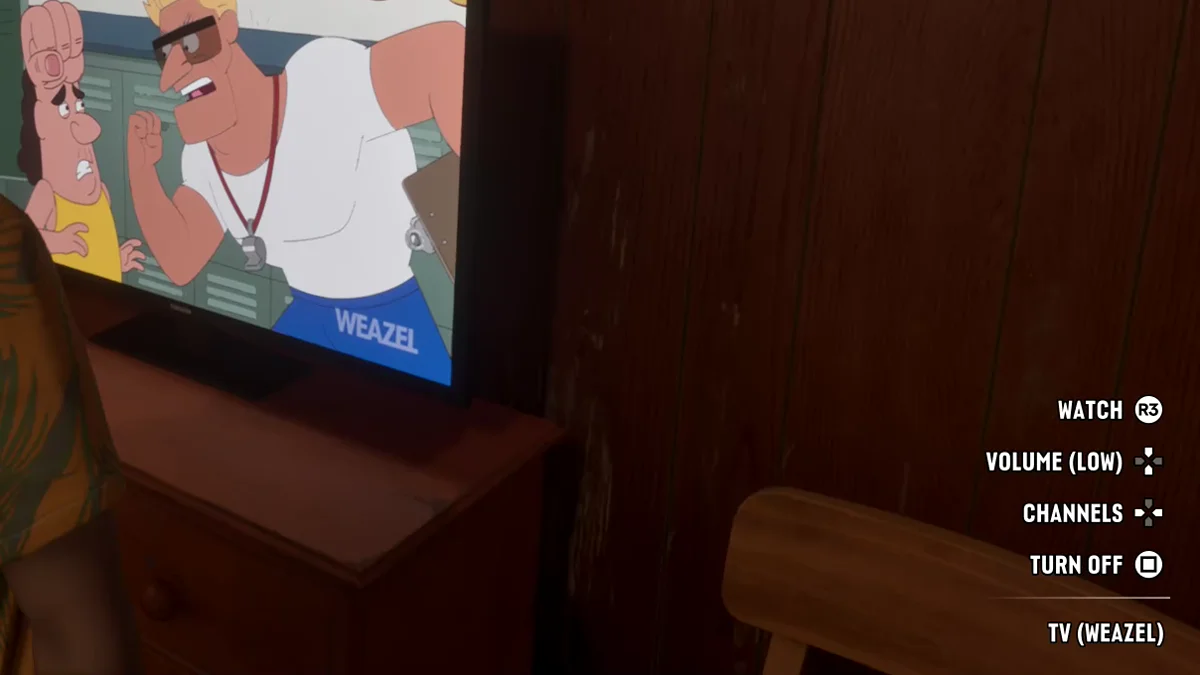
- Use the TV menu. Once the set is on, the corner fills out with Watch, Volume, Channels and Turn Off, with the channel’s name on the bottom line.
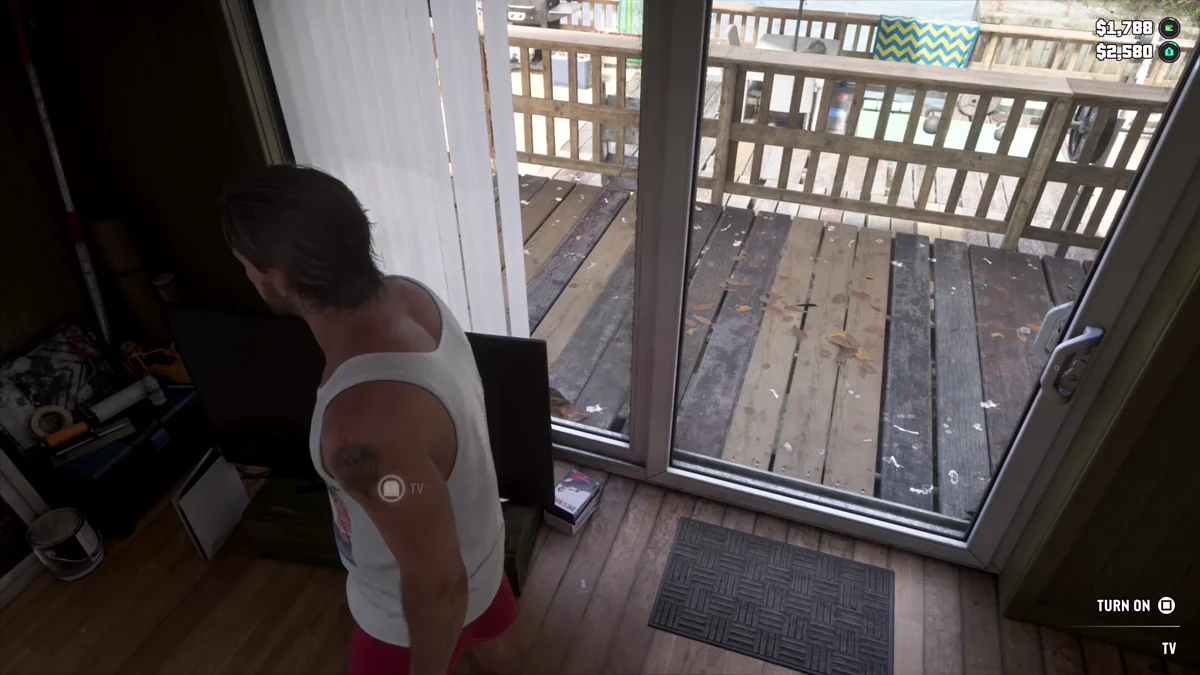
Every TV Button on PS5
| What you want | Button |
|---|---|
| Turn the TV on or off | Square |
| Watch | R3 |
| Change the volume | Up or down on the D-pad |
| Change the channel | Left or right on the D-pad |
| Back out (when you’re on the couch) | Circle |
The volume line tells you where you are, in brackets. On our copy we saw it read Volume (Mute), Volume (Low) and Volume (Medium) on different visits, and the volume icon lights up the top and bottom of the D-pad, while the channels icon lights up its left and right. The bottom line names the channel you’re on, such as TV (WEAZEL).
Watching From the Couch
You don’t have to stand at the set. In the Chapter 2 safehouse, sitting down on the couch brought up the same TV menu from across the room, with one extra line: Back on Circle. Lucia was sitting beside Jason with her feet up, so it’s a natural spot to spend an evening in before you pass the time with a night’s sleep.
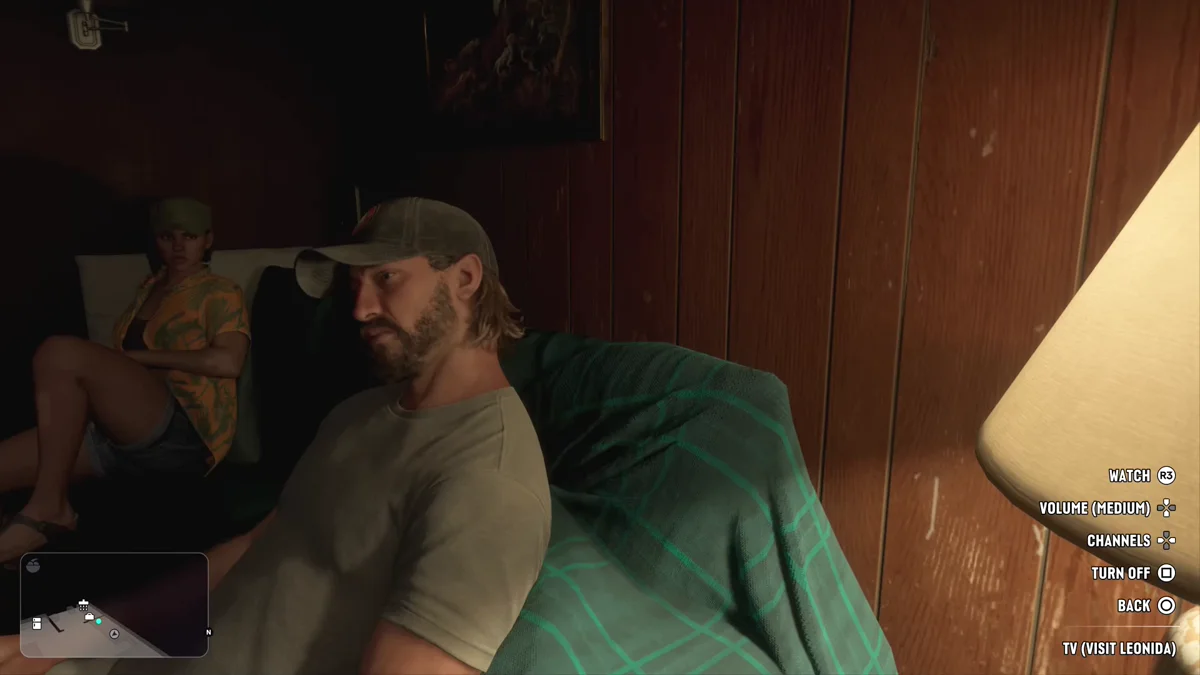
Time at home with your partner counts for something, too. Our guide to how Jason and Lucia’s relationship works covers it.
What’s on TV in GTA 6
These are the two channels we’ve landed on so far:
- WEAZEL: the WEAZEL logo sits in the corner of the picture. When we tuned in, it was showing a cartoon set in a school locker room, with a gym coach shouting at a kid. WEAZEL is also the network Rockstar named for Macca the Gator’s show in its teaser, which promised it “on WEAZEL”; our story on the Macca and Friends teaser has the details.
- Visit Leonida: a live-action channel. On ours it was showing a man talking to the camera in a cafe with a Cuban flag on the wall.
Rockstar’s official credits give the game’s TV shows a section of their own and list nine of them: Barnyard Blues, El Destino Extiende Sus Alas, Macca’s Magical Smoke Boat Tour, Right Wing, The Doctor Will See You Now, The Johnsons, The Tyrone Show, Where Does It Hurt? and Whose Dick’s Whose? The credits don’t say which channel carries which show, so flip through with left and right on the D-pad to find them. Our guide to who voices Macca has the Smoke Boat Tour cast, and our GTA 6 voice cast guide covers the story’s actors.
Other Ways to Unwind at Home
- Play a video game. At Jason’s house, the JoySystem by the TV has playable games, including the one in our Tenebrae Lux walkthrough.
- Put the radio on. Our list of every GTA 6 radio station covers what plays, our guide to changing the radio station covers the buttons, and our guide to turning down the radio volume covers the sound settings.
Every button we’ve found is in our GTA 6 controls guide, and every GTA 6 guide is on our GTA 6 hub.
Frequently Asked Questions
Can you watch TV in GTA 6?
Yes. Walk up to a TV in your safehouse, press Square to turn it on, and use the TV menu in the corner of the screen. You can also use it from the couch.
How do you change the channel on the TV in GTA 6?
Press left or right on the D-pad while the TV menu is showing. The bottom line of the menu names the channel you’re on.
How do you turn up the TV volume in GTA 6?
Press up on the D-pad while the TV menu is showing, and down to lower it. The level shows in brackets, such as Volume (Medium).
Where is the TV in GTA 6?
In your safehouse. At Jason’s house it’s in the living room by the deck doors, next to the JoySystem console, and in the Chapter 2 safehouse it’s on a chest of drawers across from the couch.
What channels are on TV in GTA 6?
We’ve seen WEAZEL, which was showing a cartoon, and Visit Leonida, a live-action channel. Rockstar’s credits list nine TV shows in all.