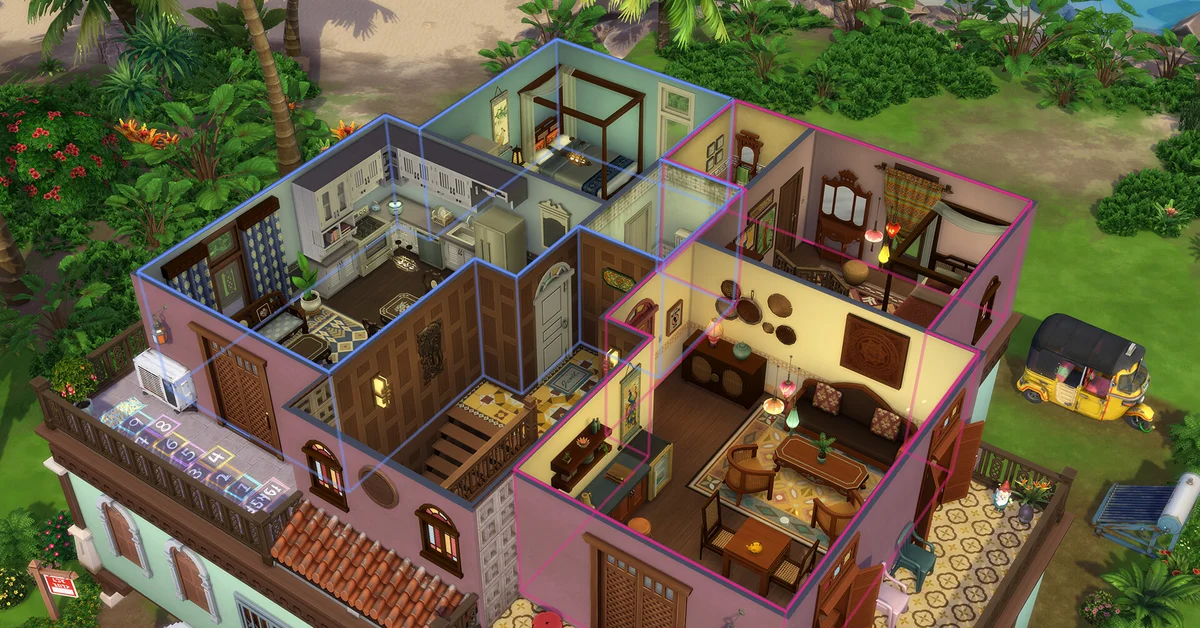
To build a basement in The Sims 4, enter Build Mode, pick the Basement Tool (it sits right next to the room-building tool) and drag out the shape you want: the basement is dug under the level you are currently viewing. Then add a staircase so your Sims can actually reach it. Basements are base game, so every player on PC, Mac, PlayStation and Xbox has them.
The tool is simple, but a handful of rules catch builders out, and EA’s own tips page is out of date on one of them. Below we cover the steps, how deep you can go, stairs and foundations, the open pit and pool observatory tricks, and the limits. It is all verified against EA’s official basement tips and patch notes.
Step-by-Step: Building a Basement
- Enter Build Mode. Click the icon in the top-right, or press B on PC while in Live Mode.
- Select the Basement Tool. EA describes it as “right near the Build Room tool” in the Build Mode catalog.
- Drag out the basement. Click and drag like you would draw a room. It is built under the level you are currently on.
- Add stairs. Place a staircase from the ground floor down into the basement. Community build guides point out that Sims cannot get into a basement without one, and it is the step most people forget.
- Decorate it like any other room: walls, floors, lighting and furniture all work the same way underground.
Lighting matters more than usual down there, because there is no daylight. Plan for plenty of ceiling lights before you move a family’s bedrooms below ground, and save your game before a big dig so you can roll back a layout you do not like.
How Deep Can a Basement Go?
EA’s original tips article, written when basements launched in 2015, says two levels. That is out of date: EA’s November 2018 patch notes stated that you “can now build basements underneath your lot four levels deep”. Basements follow the same height rules as above-ground floors, so you can change wall height on each level too.
Stairs and Foundations
Here is a detail that saves a rebuild. In The Sims 4, staircases adjust dynamically, so if you build a basement first and add a foundation to the house later, you do not need to demolish anything: EA’s tips page says placing a foundation and adjusting the staircase afterward “works with you”. Community documentation adds one quirk: building a basement under a raised foundation from the ground floor can make the surrounding terrain jump up, which players avoid by switching the camera down to the underground level before building.
Two Tricks From EA
- Open pit or sunken garden: build a basement, go down to the first basement level and select the block, go back up, click the yellow strip highlighting it, and choose Delete Ceiling. You get an open pit you can fill with grass and planters. Stack two levels and delete the lower ceiling for a dramatic, extra-tall room.
- Underground pool observatory: place a pool first, build a basement next to it, remove the basement’s ceiling, then put windows on the wall dividing the pool and the basement.
The same Delete Ceiling trick is how builders make silos, sunken courtyards and cellars that open to the sky.
Basement Limits
- No windows or doors on exterior basement walls. EA’s patch notes confirm windows are not allowed on a basement room’s exterior walls, which is why the observatory trick uses the wall shared with a pool.
- Not directly under a pool. Community build guides report you cannot dig a basement straight underneath a pool, and recommend leaving a small gap from water, although pools can be placed inside a basement.
- Some lot types. Community documentation says apartments, penthouses and some beachfront lots do not allow basements.
- No cheat needed. You do not need
bb.moveobjectsto build a basement; that cheat only loosens object placement. It is handy for decorating tight spaces, and our guide to moving objects freely explains it.
Rooms built above ground can be moved or copied into a basement, and EA notes Gallery rooms can be placed on basement levels too. For the rest of the house, our guide to building a perfect house covers layout, and unlocking all Build Mode objects opens up hidden decor for the finished space.
Frequently Asked Questions
Where is the basement tool in The Sims 4? In Build Mode, right next to the room-building tool, per EA’s tips page.
Why can’t my Sims go into the basement? There is probably no staircase. Add one from the floor above.
Can you put windows in a basement? Not on exterior walls. Windows work on walls shared with a pool for the observatory effect.
How many basement levels can you build? Four, according to EA’s 2018 patch notes, even though the older tips page says two.
Can I build a basement on console? Yes. The Basement Tool is part of the base game on every platform. See the full build cluster on our Sims guides hub, including ponds.