
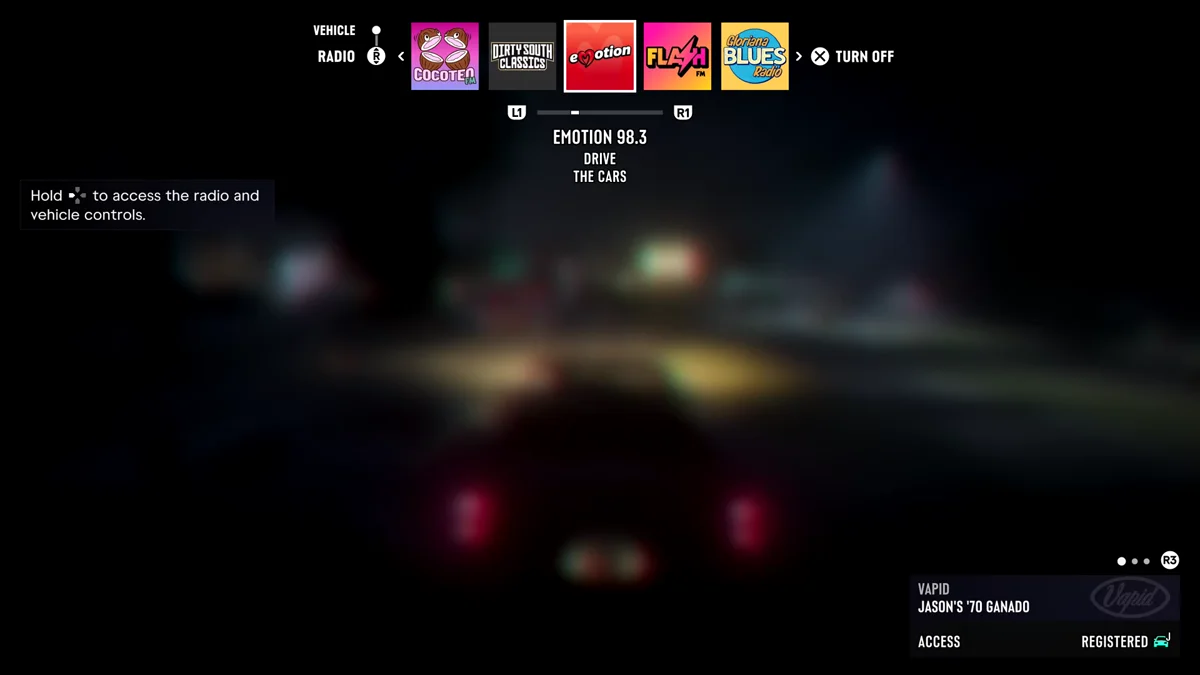
To turn on your headlights in GTA 6, hold Left on the D-pad while you’re in a car, push the right stick up to switch from the Radio tab to the Vehicle tab, and pick Headlights. The game’s own hint puts the first step plainly: “Hold [Left on the D-pad] to access the radio and vehicle controls.”
The radio and your car’s controls share one strip across the top of the screen, which is why the lights are easy to miss. We opened it on our PS5 copy of Grand Theft Auto VI on launch night, and the screenshots in this guide are from our own PS5 recordings. Below are the steps, the lighting choices, the turn signals, and where to upgrade the lights themselves.
How to Turn On Your Headlights
- Get in a car. These controls only appear behind the wheel.
- Hold Left on the D-pad. A strip opens along the top of the screen. On our copy it opened on the Radio tab, with the stations in a row and the one playing in the middle.
- Push the right stick up to switch to the Vehicle tab. The two tabs sit on the left of the strip, Vehicle above Radio, with the right stick icon between them.
- Pick Headlights and choose the setting you want.
The Headlights option lets you set the lights to come on automatically, run them on low or high beam, or switch them off. If your lights already come on at night without you touching anything, they’re on automatic. The same tab also holds your car’s other controls, the trunk among them.
Turn Signals
The turn signals are on the D-pad too, but they’re a tap rather than a hold. While driving, tap Left on the D-pad for the left signal and Right for the right one. Holding Left is what opens the radio and vehicle strip, so a quick tap is the difference between signalling and opening the menu.
Upgrade Your Headlights
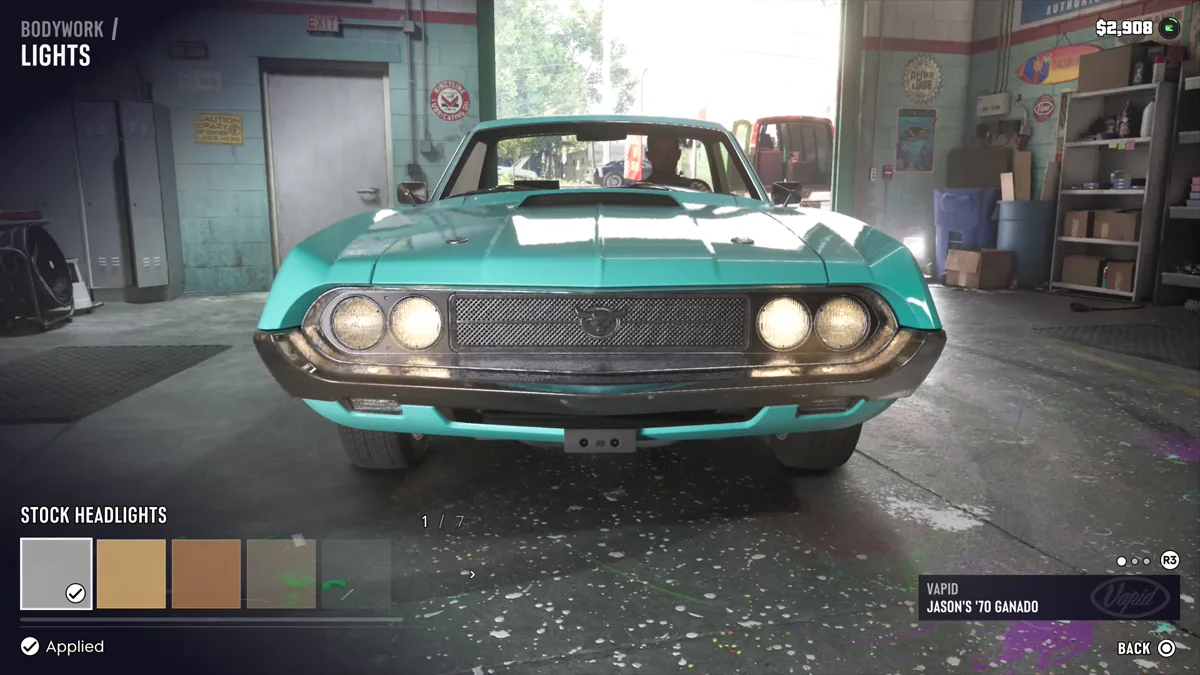
If you want different lights rather than just switching them on, a mod shop can change them. When we took Jason’s ’70 Ganado into Coastal Auto Care in Key Lento, the Bodywork section had a Lights page with the car’s Stock Headlights marked as applied, and the row showed 1 of 7, so there are several looks to pick from. The game’s own tip says as much: “Mod shops in Leonida each specialize in different cosmetic and performance mods,” so a different shop may offer different lights.
Our guide to upgrading your car covers mod shops in full, and our guide to changing your car’s color covers the paint.
The Radio Side of the Strip
While the strip is open on the Radio tab, L1 and R1 move through the stations and Cross turns the radio off or back on. Our guides to changing the radio station and turning down the radio cover that side in full, and our radio stations guide lists every station.
Related Guides
Our controls guide lists every button, and our weather guide explains the storms you’ll be driving through. Every GTA 6 guide is on our GTA 6 hub.
Frequently Asked Questions
How do you turn on headlights in GTA 6? Hold Left on the D-pad in a car, push the right stick up to reach the Vehicle tab, and pick Headlights.
How do you turn on high beams in GTA 6? Use the same Headlights option in the Vehicle tab. It covers low beam, high beam, automatic and off.
How do you use turn signals in GTA 6? Tap Left or Right on the D-pad while driving. Holding Left opens the radio and vehicle strip instead.
Can you upgrade headlights in GTA 6? Yes. Mod shops have a Lights page under Bodywork. At Coastal Auto Care in Key Lento it had several headlight options.