To turn on underglow in GTA 6, sit in a car that has it, hold Left on the D-pad, push the right stick up to switch from the Radio tab to the Vehicle tab, press L1 or R1 until Underglow is highlighted, and press Cross. The label under the icon reads On or Off, and the same button switches it back.
We switched the green underglow on Lucia’s ’77 Manana on and off on our PS5 copy of Grand Theft Auto VI, and the screenshots in this guide are from our own PS5 recordings. Below are the steps, how to turn it off again, and what else the strip shows you.
How to Turn On Underglow
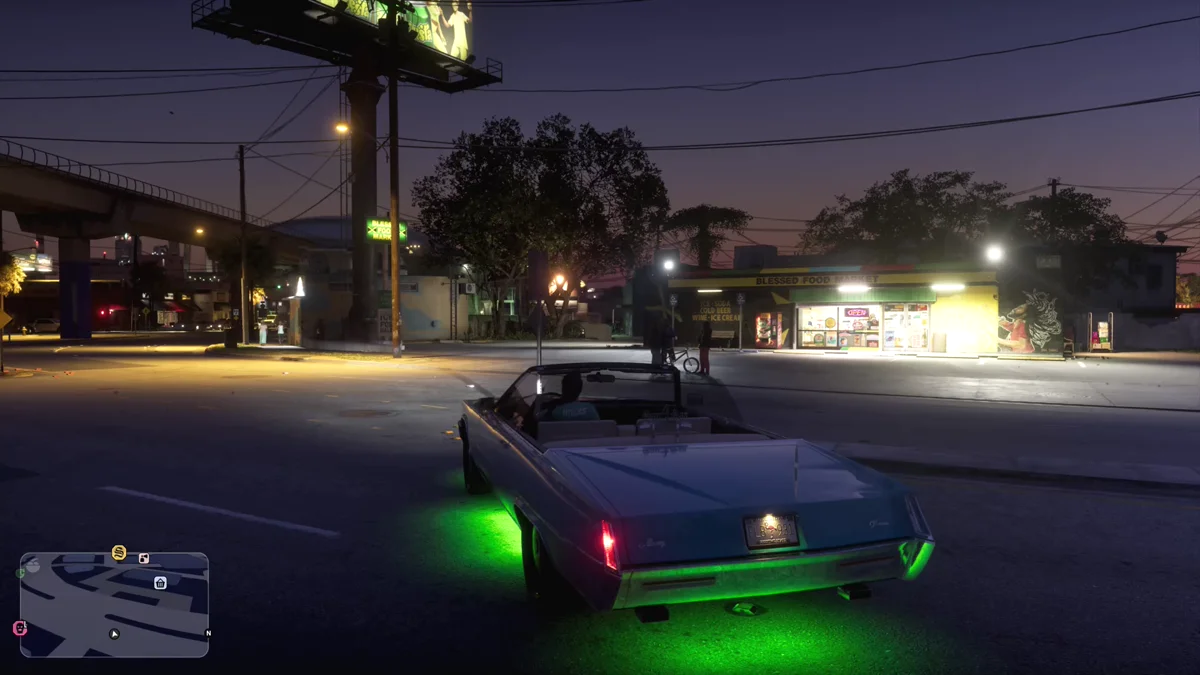
- Get in a car with underglow. Lucia’s ’77 Manana already had green lights fitted underneath when we got in.
- Hold Left on the D-pad. A strip opens along the top of the screen. A quick tap is the left turn signal instead, so keep holding.
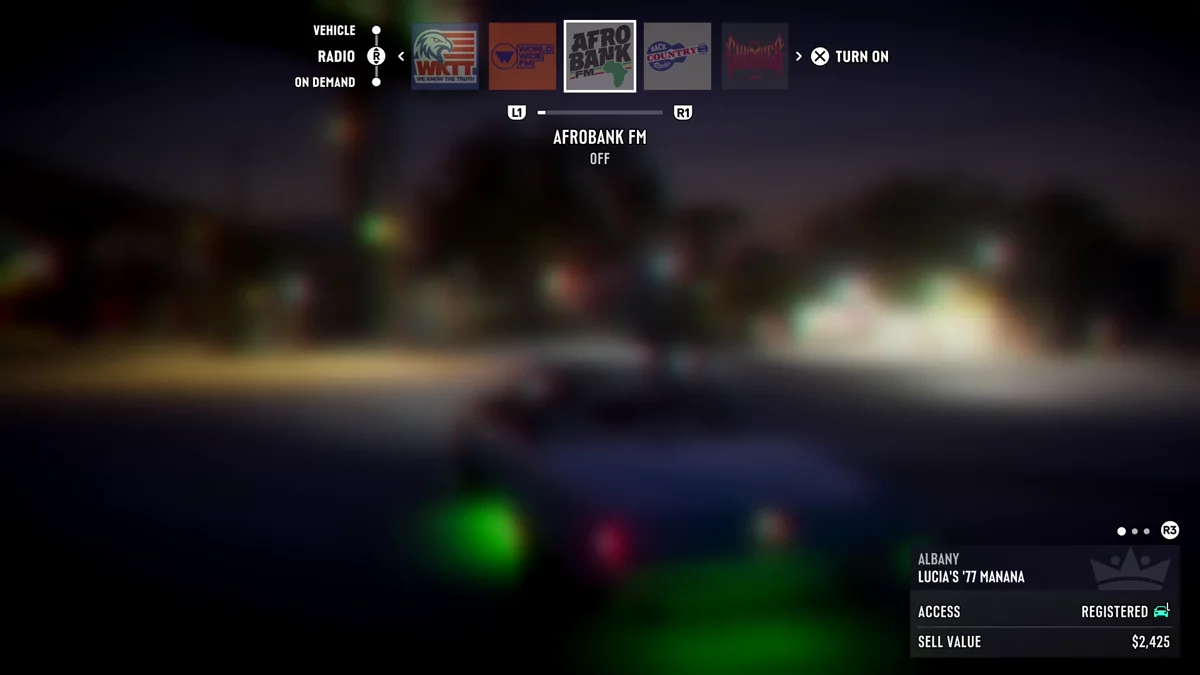
- Push the right stick up. The strip opened on the Radio tab for us, with the stations in a row. Pushing up switches to the Vehicle tab, which sits above Radio on the left of the strip.
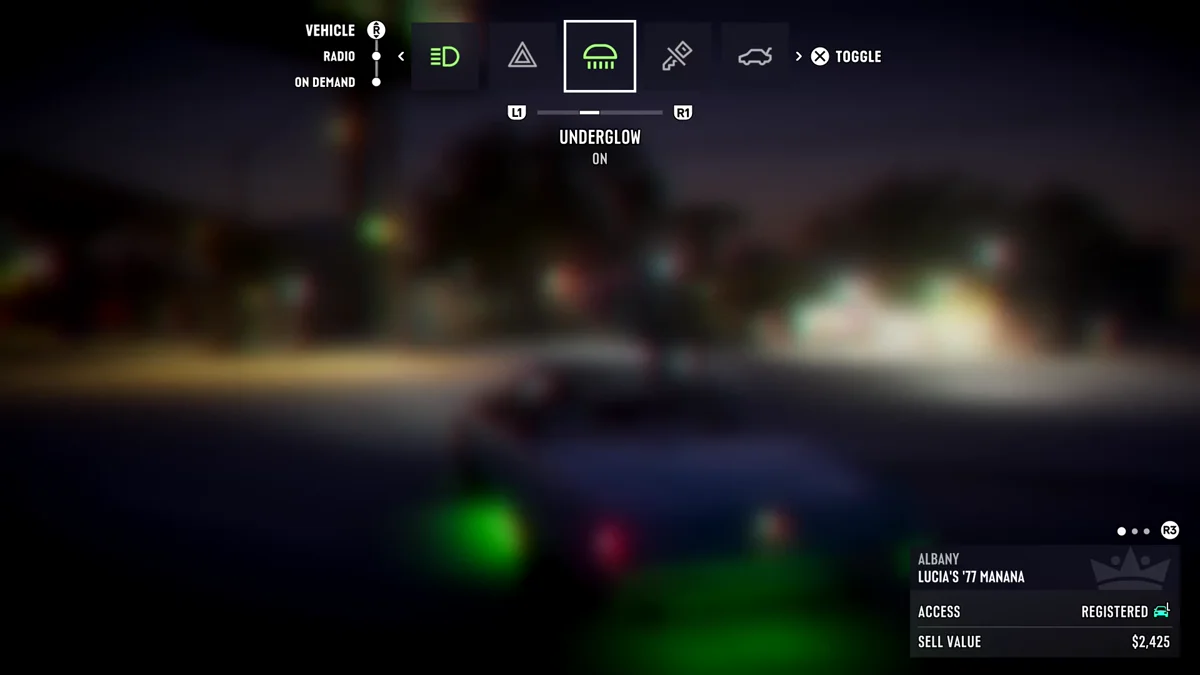
- Press L1 or R1 to reach Underglow. Its icon is a car roof with light shining down beneath it, and the label underneath reads Underglow, with On or Off below that.
- Press Cross to Toggle. The prompt on the right of the strip says Toggle, and the label flips the moment you press it.
- Close the strip. Let go and carry on driving.
How to Turn Underglow Off
It’s the same button. Go back to Underglow on the Vehicle tab and press Cross again. On our copy the label went from On to Off and the green glow under the Manana disappeared straight away, even before we closed the strip.
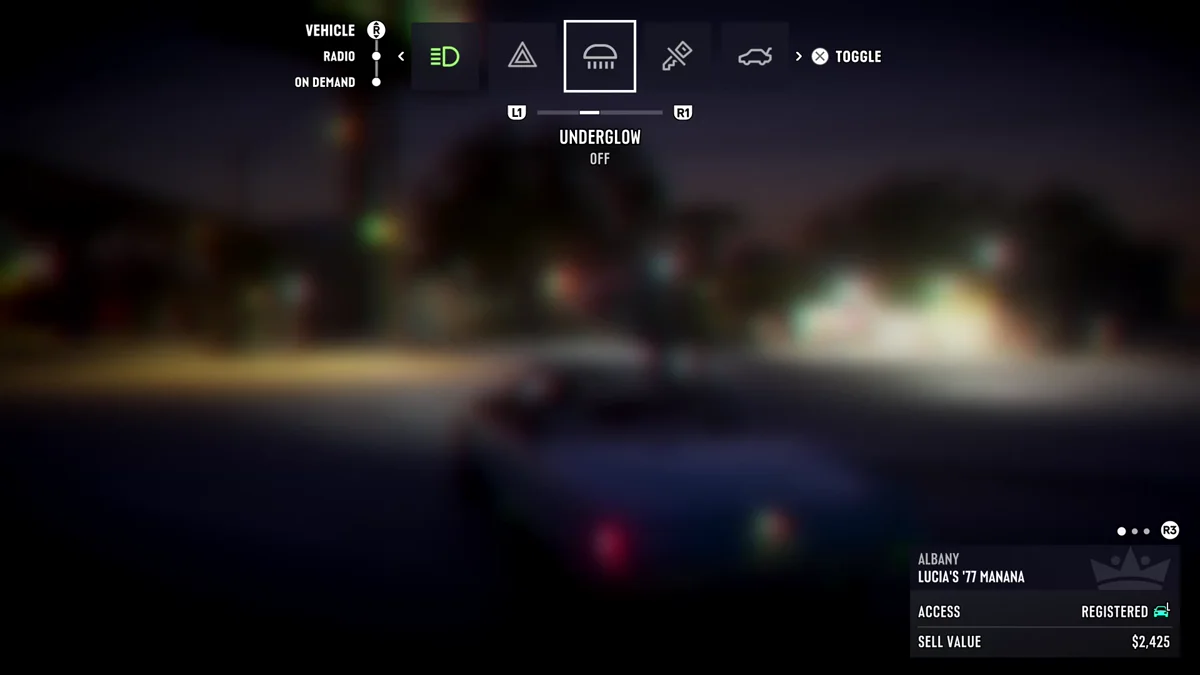
Underglow stays the way you left it. When we closed the strip and pulled away, the Manana drove on with no lights underneath.
Which Cars Have Underglow
Not every car has it. The Manana we used came with green underglow already on, and other cars on the road run their own colors: we pulled up behind a car glowing pink underneath on a street in Rockridge.
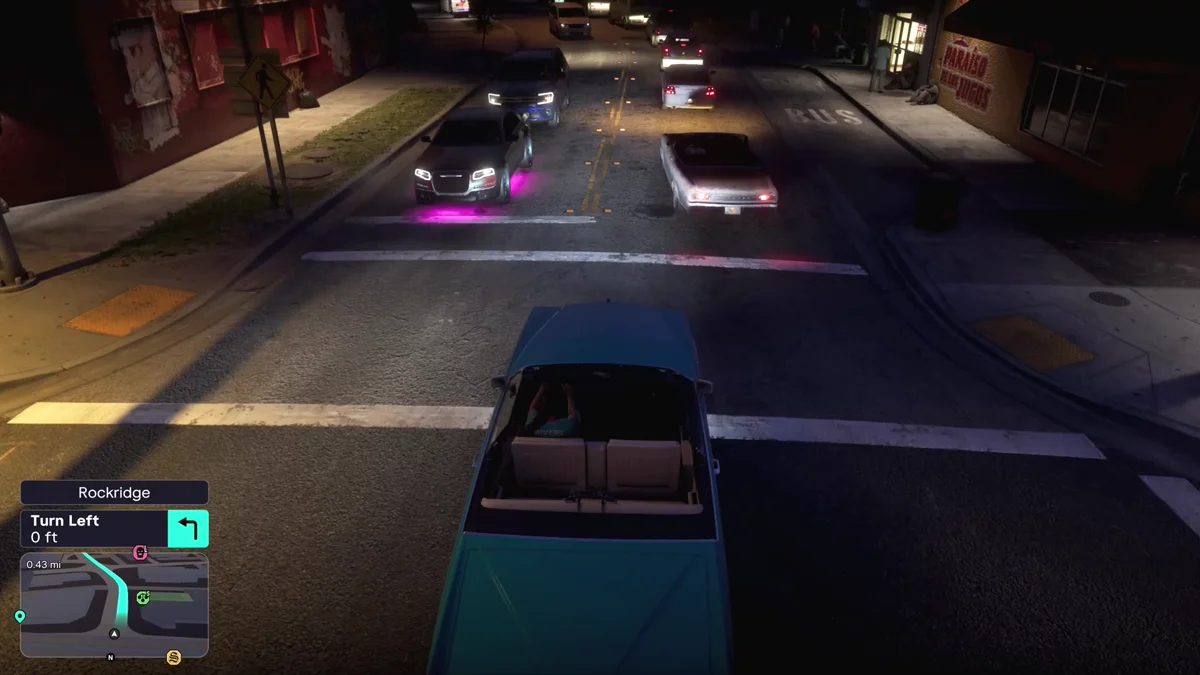
If you scroll the whole Vehicle tab and never see the Underglow icon, the car you’re in has nothing to switch. The Übermacht Apoc we drove later is one: its row has a Convertible Roof switch the Manana lacks, and no Underglow icon next to Hazards, where the Manana’s sits. Our guide to putting the roof down shows the difference, and our guide to upgrading your car covers what a mod shop can change.
What Else the Strip Shows
The Vehicle tab holds the car’s other switches too. In the Manana, the row listed Underglow, Engine, Trunk, Window, Headlights and Hazards. Our guide to turning on headlights covers the beam settings, and our guide to turn signals explains the tap that sits on the same button.
A panel in the bottom right corner names the car you’re in. Ours read Albany Lucia’s ’77 Manana, with Access: Registered and a Sell Value of $2,425. Our guides to registering cars and selling cars explain both, and the Radio tab next door is where you change the radio station.
Every other guide is on our GTA 6 hub.
Frequently Asked Questions
How do you turn on underglow in GTA 6?
Hold Left on the D-pad in the car, push the right stick up to the Vehicle tab, press L1 or R1 until Underglow is highlighted, and press Cross.
How do you turn off underglow in GTA 6?
Go back to Underglow on the Vehicle tab and press Cross again. The label changes from On to Off and the glow goes out.
Why can’t I find underglow in GTA 6?
The car you’re in doesn’t have it. The Vehicle tab only lists the switches a car has, so cars without underglow leave the icon out.
What button is underglow on in GTA 6?
There’s no single button. It’s an option on the Vehicle tab, which opens when you hold Left on the D-pad, and Cross toggles it.