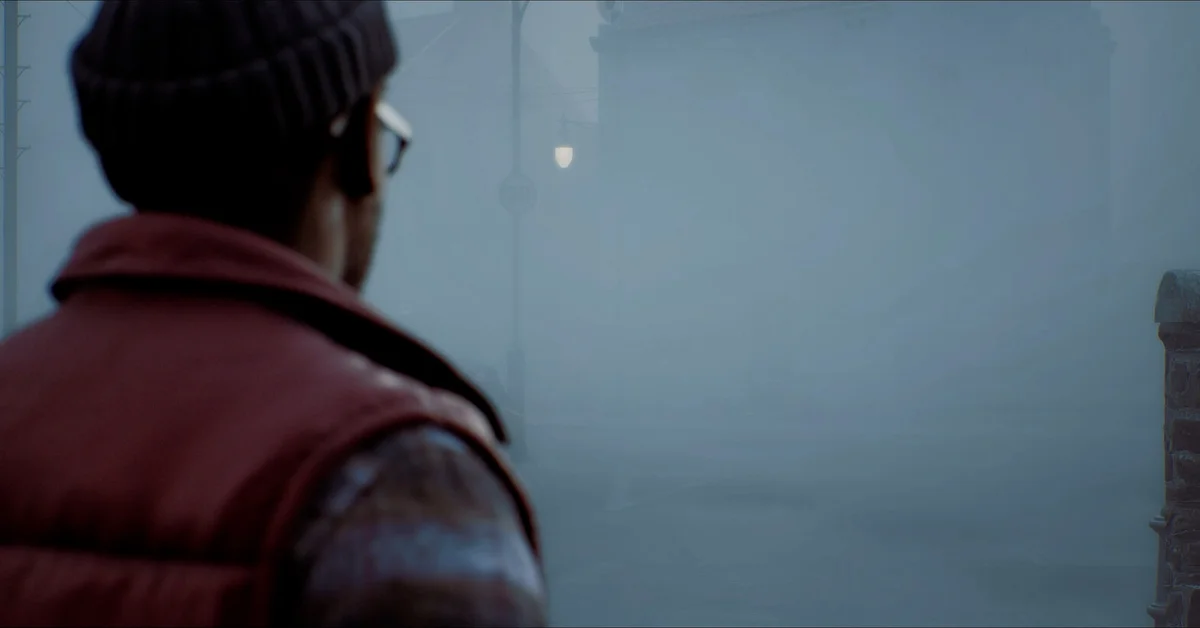
To equip Simon’s alternate outfit or a new CRTV style in Silent Hill: Townfall, early player guides describe a Cosmetic Options screen that appears when you start a New Game, and the same choices under Options > Game Options once you are playing. Both only show items you own and have downloaded, which is the most common reason they seem to be missing.
This guide covers which cosmetics exist, which edition or bonus unlocks each one, the steps on PS5 and PC, and how to fix bonus items that never appeared. It applies to the launch version, released September 24, 2026 on PS5, Steam and the Epic Games Store.
Every Cosmetic and How You Get It
Townfall’s cosmetics are purely visual. None of them change stats, combat or puzzles. Konami’s official editions announcement lists these extras:
| Cosmetic | What it changes | How you get it |
|---|---|---|
| CRTV Style: Rusted | The look of the CRTV | Early purchase or pre-order bonus, both editions |
| CRTV Style: Beach Edition | The look of the CRTV | Early purchase or pre-order bonus, PS5 only |
| Simon’s Outfit: Alternate | Simon’s clothes | Digital Deluxe Edition |
Everyone also has the default outfit and the Standard CRTV style, so you can always switch back.
Two things stand out. First, the Beach Edition CRTV style is a PlayStation 5 exclusive, per Konami, so Steam and Epic players will not see it no matter which edition they bought. Second, the alternate outfit is tied to the Digital Deluxe Edition ($59.99), not to pre-ordering. The Steam store page describes it simply as a costume that “changes Simon’s appearance.” Our editions guide covers everything else in each edition, and our steelbook guide covers the physical release.
Konami has not announced a way to buy these cosmetics separately after launch, and launch guides do not list any outfits or CRTV styles that unlock through play.
How to Equip Cosmetics When Starting a New Game
Early guides published at launch describe the same flow on PS5 and PC:
- From the main menu, choose New Game.
- A Cosmetic Options screen appears before the game begins.
- Set CRTV Style to the one you want (Standard, Rusted, or on PS5, Beach Edition).
- Set Simon’s Outfit to Alternate, if you own the Deluxe Edition.
- Confirm and start the game.
Each entry reportedly shows a preview, so you can see the look before committing. On PC, Steam lists full controller support, so the menus work with a mouse or a pad.
If you have already finished a run, a fresh New Game Plus start is a natural moment to try a different look. Our New Game Plus guide explains what else changes on a repeat run.
How to Change Them Mid-Playthrough
You do not need to restart to switch. According to launch guides:
- Pause the game.
- Open Options, then Game Options.
- Change CRTV Style or Simon’s Outfit.
- Back out; the change applies right away.
Where you will actually notice it. Townfall is played entirely in first person, so the CRTV style is the cosmetic you see most: it is in your hands every time you tune for signals. Our CRTV guide covers how the device works. Early player reports say the alternate outfit shows mainly in cutscenes, since you rarely see Simon’s body during regular play.
If Your Cosmetics Are Missing
This is the launch-week problem most players hit. Work through these in order.
1. Check the download. Each cosmetic is a separate downloadable item attached to your purchase. Early guides say an item that was not downloaded simply does not appear in the menus.
- PS5: highlight the game on the home screen, press the Options button, choose Manage Game Content, and make sure each owned add-on is installed. The Deluxe Edition’s Bonus Application (artbook and soundtrack) is a separate item too.
- Steam: right-click the game in your library, choose Properties, then DLC, and make sure every owned item is ticked.
- Epic Games Store: check the game’s add-ons in your library and install any that are listed.
2. Steam: restart while online. On launch day, Konami posted a Steam notice that an issue preventing some DLC from unlocking for Pre-purchase and Deluxe Edition owners had been resolved. Konami’s instructions: exit the game, make sure you are connected to the internet, and restart the Steam app.
3. Check your platform. If the missing item is the Beach Edition CRTV style and you play on PC, that is expected: it is PS5 only.
4. Check your edition. The alternate outfit needs the Deluxe Edition. A Standard Edition pre-order includes the CRTV styles but not the outfit.
If none of this works, contact the store you bought from, since entitlements are handled per storefront. For every other Townfall guide, see our Silent Hill guides hub.
Frequently Asked Questions
How do I change Simon’s outfit in Silent Hill Townfall? Early guides say to pick it on the Cosmetic Options screen when starting a New Game, or later under Options > Game Options. You need the Deluxe Edition for the alternate outfit.
Why can’t I see the Beach Edition CRTV on PC? Konami lists CRTV Style: Beach Edition as a PlayStation 5 exclusive, so it does not appear on Steam or Epic.
Do the cosmetics affect gameplay? No. The outfit and CRTV styles are visual changes only.
Can I buy the alternate outfit on its own? Konami has not announced a separate purchase. As of launch it comes with the Digital Deluxe Edition.
My Deluxe items did not unlock on Steam. What do I do? Konami says the issue is resolved: exit the game, make sure you are online, and restart Steam. Then check that the items are ticked under Properties > DLC.